ແນະນຳ
The Ikan iLED-MS Micro Spot On-Camera Light is a compact, lightweight, and daylight-balanced LED lighting solution designed for on-camera use or as a versatile accent light. Its integrated lens system provides a focused 30-degree beam, making it suitable for various lighting applications. This manual provides essential information for the proper setup, operation, and maintenance of your iLED-MS Micro Spot light.
ຄຸນນະສົມບັດທີ່ສໍາຄັນ:
- ການອອກແບບ Ergonomic ນ້ໍາຫນັກເບົາ: Easy to handle and mount.
- ມຸມ Beam 30 ອົງສາ: Provides a focused and directional light output.
- Dimmable Output: Adjustable brightness from 10% to 100%.
- ແບັດເຕີຣີທີ່ສາມາດສາກໄດ້ພາຍໃນ: Offers 90 to 120 minutes of operation.
- ການສາກໄຟ Micro USB: Convenient recharging via a standard 5V micro-USB cable.
- ການຕິດຕັ້ງແບບອະເນກປະສົງ: Features a shoe mount and a 1/4-20 thread receiver.
ຕັ້ງຄ່າ
1. ການສາກແບັດເຕີຣີ
Before initial use, fully charge the internal lithium-ion battery. Connect the provided micro-USB cable to the micro-USB port on the light and plug the other end into a 5V USB power source (e.g., computer, USB wall adapter). The charge indicator light will illuminate during charging and turn off when fully charged. A full charge typically takes approximately 2 hours.

Figure 1: Micro-USB charging port and power button.
2. ການຕິດຕັ້ງແສງສະຫວ່າງ
The iLED-MS offers two primary mounting options:
- ຂາຕັ້ງກ້ອງ: Slide the integrated shoe mount onto your camera's hot shoe or cold shoe accessory mount. Tighten the locking wheel to secure the light in place.
- 1/4-20 Thread: For alternative mounting, the shoe mount features a 1/4-20 thread receiver at its base. This allows you to attach the light to various camera arms, light stands, or other accessories with a 1/4-20 screw.
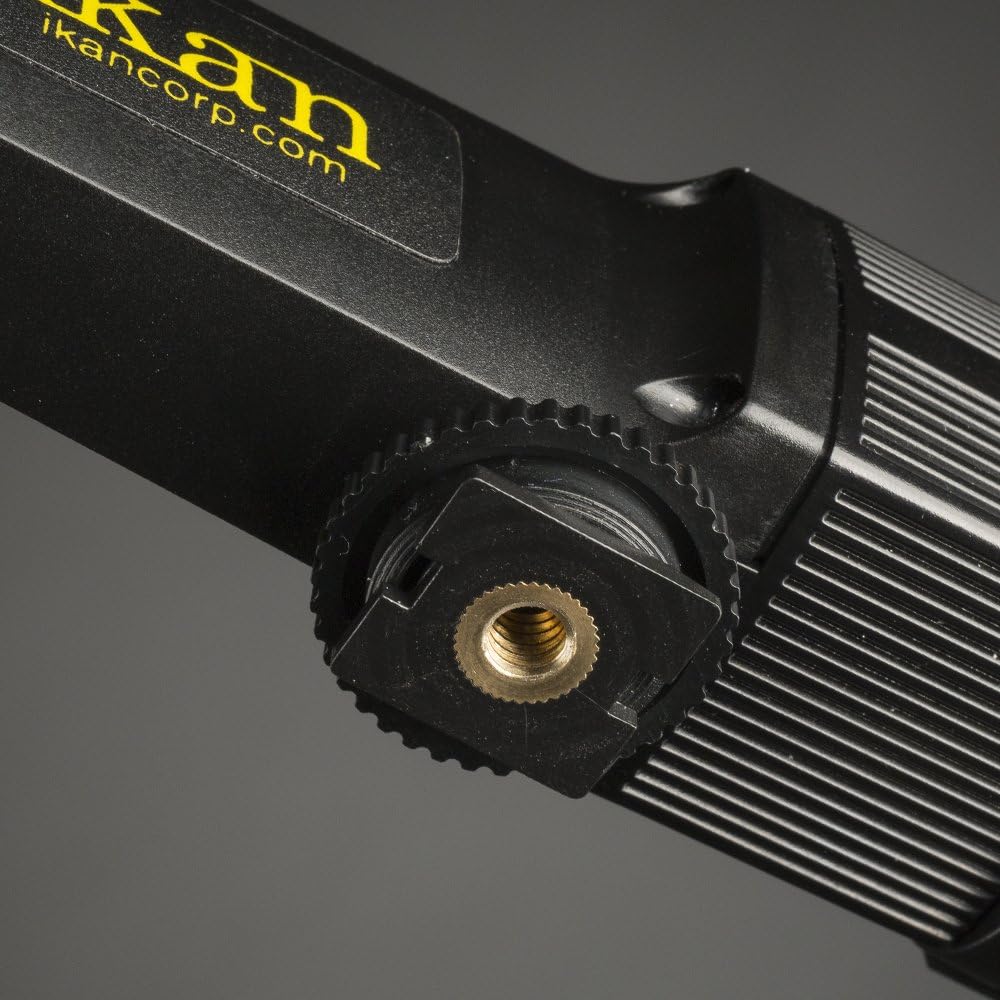
Figure 2: Shoe mount with 1/4-20 thread receiver.
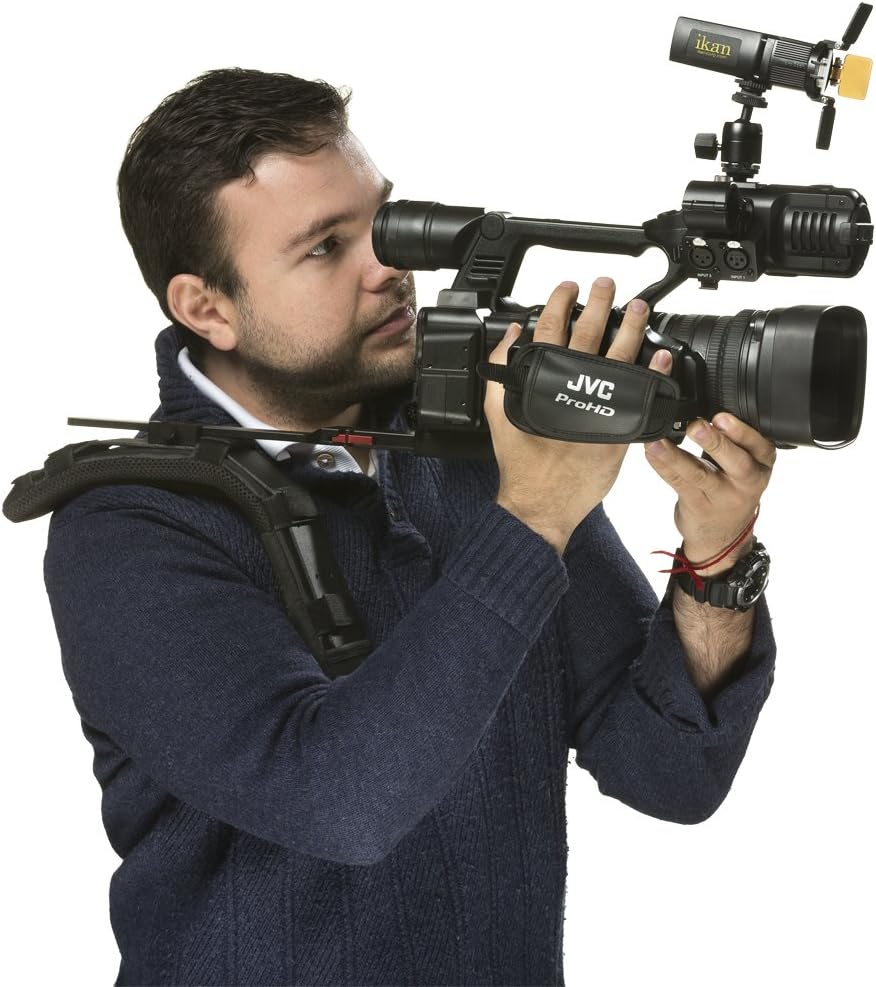
Figure 3: Ikan iLED-MS Micro Spot light mounted on a camera.
ຄໍາແນະນໍາການດໍາເນີນງານ
1. ເປີດ/ປິດ
Locate the discrete on/off switch on the side of the light. Slide the switch to the 'On' position to power on the light and to the 'Off' position to power it off.
2. ການປັບຄວາມສະຫວ່າງ (ການຫຼຸດແສງ)
The iLED-MS features an integrated thumb wheel on the side for dimming. Rotate the thumb wheel to adjust the light output from 10% to 100% brightness.
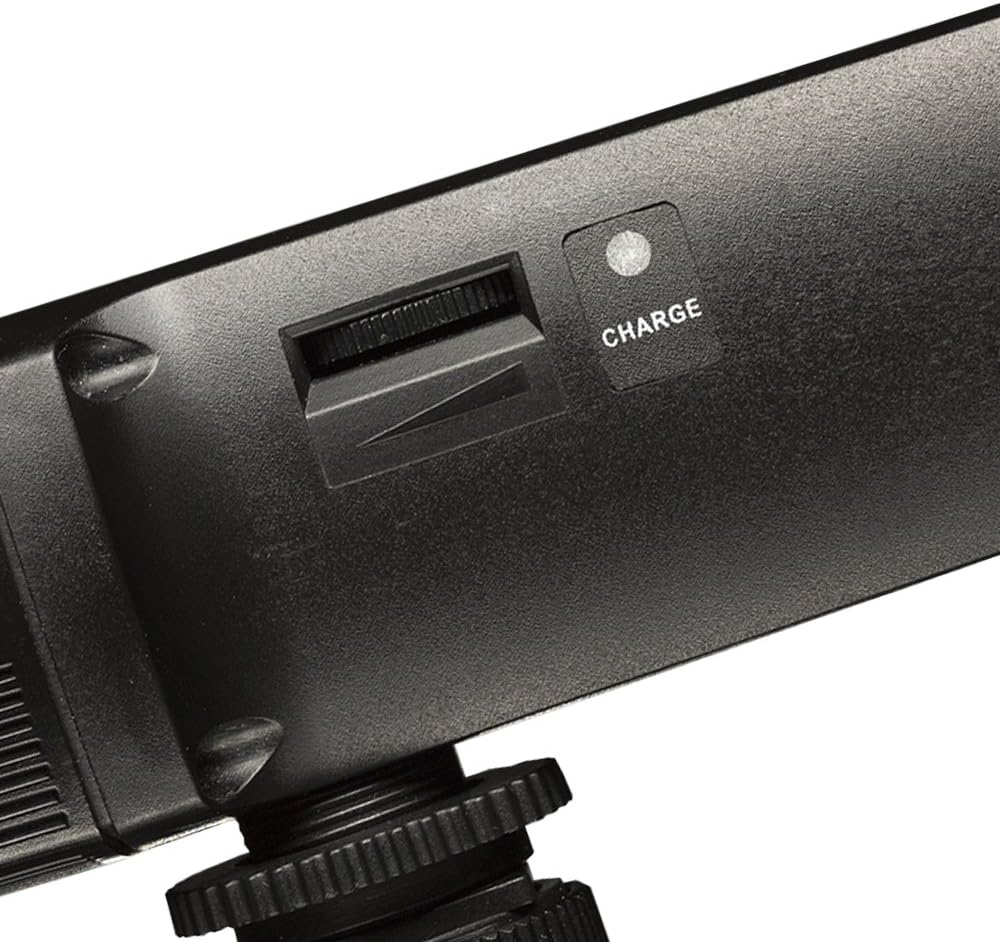
Figure 4: Dimming thumb wheel and charge indicator.
3. Using Barn Doors and Filters
The iLED-MS comes equipped with barn doors and includes a diffuser and a warm filter. These accessories can be used to shape the light, soften its output, or adjust its color temperature.
- ປະຕູ Barn: Adjust the four individual barn door leaves to control the spread and direction of the light beam.
- Diffuser: Insert the diffuser panel into the accessory slots to soften the light and reduce harsh shadows.
- Warm Filter: Insert the warm filter into the accessory slots to change the color temperature of the light, providing a warmer tone.

ຮູບ 5: ດ້ານຫນ້າ view with barn doors and filters.
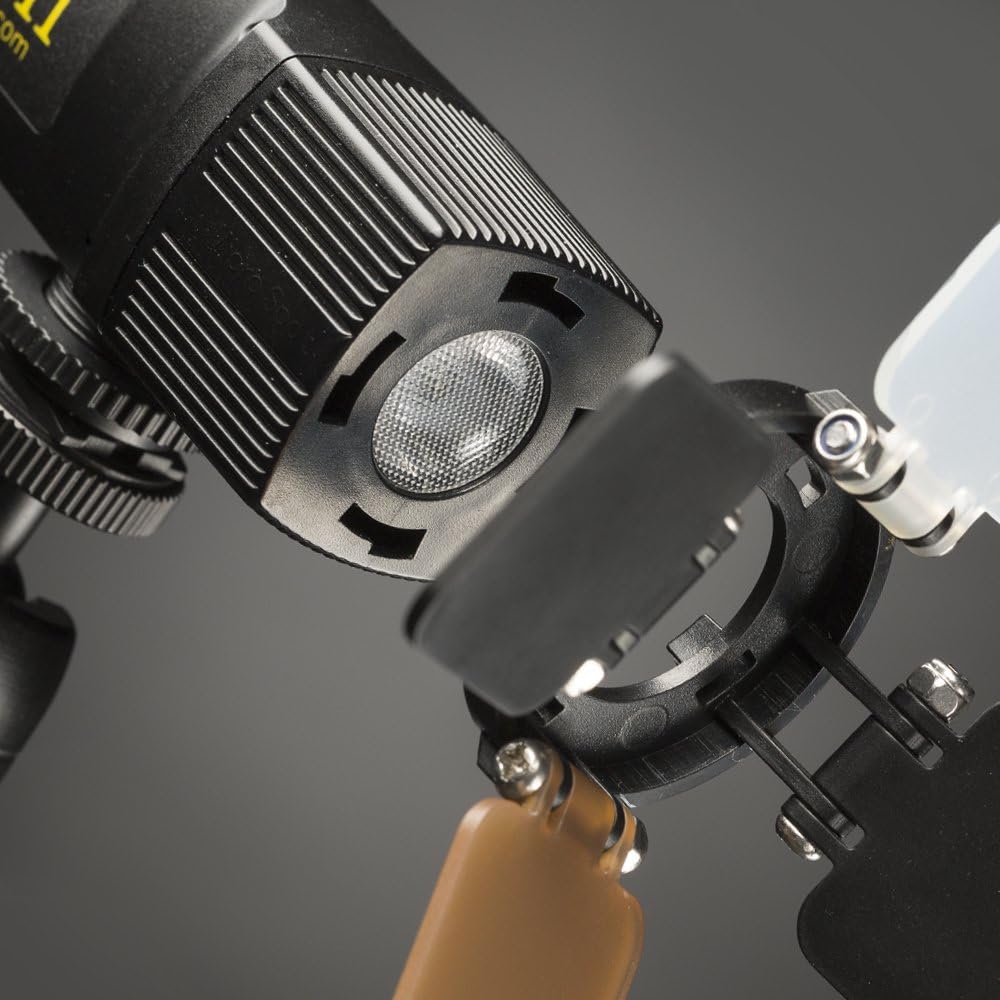
Figure 6: LED emitter and accessory slots.
4. ຜະລິດຕະພັນເກີນview ວິດີໂອ
ສໍາລັບສາຍຕາview of the Ikan iLED-MS Micro Spot light and its features, please watch the official product video below.
Video 1: Official Ikan iLED-MS Micro Spot Product Overview. This video demonstrates the physical features and basic operation of the light.
ບໍາລຸງຮັກສາ
1. ທໍາຄວາມສະອາດ
To clean the light, use a soft, dry cloth. For stubborn dirt, a slightly damp cloth can be used, followed by immediate drying. Do not use harsh chemicals or abrasive cleaners, as these can damage the finish or internal components.
2. ການດູແລຫມໍ້ໄຟ
To prolong battery life, avoid fully discharging the battery frequently. Recharge the light regularly, especially if it has not been used for an extended period. Store the light in a cool, dry place when not in use.
ການແກ້ໄຂບັນຫາ
- ແສງບໍ່ເປີດ:
- Ensure the battery is charged. Connect the light to a USB power source.
- Verify the on/off switch is in the 'On' position.
- Light does not dim:
- Check that the thumb wheel is being rotated correctly.
- ກວດໃຫ້ແນ່ໃຈວ່າໄດ້ເປີດໄຟແລ້ວ.
- ໄຟບໍ່ສາກໄຟ:
- Confirm the micro-USB cable is securely connected to both the light and the power source.
- Try a different micro-USB cable or power source to rule out faulty accessories.
- Ensure the power source is providing 5V output.
- Light output is inconsistent or flickers:
- Recharge the battery fully. Low battery can sometimes cause inconsistent performance.
- ຖ້າບັນຫາຍັງຄົງຢູ່, ໃຫ້ຕິດຕໍ່ຝ່າຍຊ່ວຍເຫຼືອລູກຄ້າ.
ຂໍ້ມູນຈໍາເພາະ
| ຄຸນສົມບັດ | ຂໍ້ມູນຈໍາເພາະ |
|---|---|
| ໝາຍເລກຕົວແບບ | iLED-MS |
| ຂະໜາດສິນຄ້າ | 5 x 5 x 5 ນິ້ວ |
| ນ້ໍາຫນັກລາຍການ | 4 ອອນ |
| Beam Angle | 30 ອົງສາ |
| ໄລຍະການຫຼຸດແສງ | 10% - 100% |
| ປະເພດຫມໍ້ໄຟ | Lithium-ion ພາຍໃນ |
| ຊີວິດຫມໍ້ໄຟ | 90 - 120 minutes (approx. 2 hours) |
| ການໂຕ້ຕອບການສາກໄຟ | Micro USB (5V) |
| ຕົວເລືອກການຕິດຕັ້ງ | Shoe Mount, 1/4-20 Thread |
| ຜູ້ຜະລິດ | Ikan |
ຂໍ້ມູນການຮັບປະກັນ
Ikan products are designed for reliability and performance. For specific warranty terms and conditions applicable to your iLED-MS Micro Spot On-Camera Light, please refer to the warranty card included with your purchase or visit the official Ikan webເວັບໄຊ. ຮັກສາຫຼັກຖານການຊື້ຂອງທ່ານສໍາລັບການຮຽກຮ້ອງການຮັບປະກັນໃດໆ.
ການຊ່ວຍເຫຼືອລູກຄ້າ
If you have any questions, require technical assistance, or need to report an issue with your Ikan iLED-MS Micro Spot On-Camera Light, please contact Ikan customer support. Contact information can typically be found on the official Ikan webສະຖານທີ່ຫຼືຢູ່ໃນການຫຸ້ມຫໍ່ຜະລິດຕະພັນ.
Webເວັບໄຊ: wwwikancorpcom


