1. ບົດແນະນຳ
This manual provides detailed instructions for the Edifier X5 True Wireless Stereo Earbuds. The Edifier X5 earbuds offer a high-fidelity audio experience with advanced features designed for convenience and durability.
ຄຸນນະສົມບັດທີ່ສໍາຄັນປະກອບມີ:
- High-Fidelity AptX Audio: Delivers CD-quality sound with deep bass and balanced tri-frequency.
- ການເຊື່ອມຕໍ່ Bluetooth V5.0: Ensures faster, more stable signal transmission and lower power consumption.
- CVC 8.0 Noise Canceling Microphone: ຫຼຸດຜ່ອນສຽງລົບກວນພື້ນຫຼັງເພື່ອໃຫ້ການໂທຊັດເຈນ.
- IP55 ກັນຝຸ່ນ ແລະ ກັນນ້ຳ: Provides protection against dust, rain, and sweat, suitable for outdoor activities.
- ການຈັບຄູ່ຂັ້ນຕອນດຽວ: Automatic connection with the last paired device after initial setup.
- ການອອກແບບກະທັດຮັດ ແລະນ້ຳໜັກເບົາ: ສະດວກສະບາຍສຳລັບການສວມໃສ່ເປັນເວລາດົນ.

Image 1.1: Edifier X5 True Wireless Stereo Earbuds and Charging Case.
ວິດີໂອ 1.1: ຫຼາຍກວ່າview of Edifier X5 True Wireless Stereo Earbuds features.
2. ຕັ້ງຄ່າ
2.1. ເນື້ອໃນຊຸດ
ກະລຸນາກວດເບິ່ງຊຸດສຳລັບລາຍການຕໍ່ໄປນີ້:
- Edifier X5 True Wireless Stereo Earbuds (Left and Right)
- ກ່ອງສາກ
- ສາຍສາກ USB
- ເຄັດລັບຫູຫຼາຍຂະໜາດ
- ຄູ່ມືຜູ້ໃຊ້
2.2. ການສາກຫູຟັງ ແລະ ເຄສ
ກ່ອນທີ່ຈະໃຊ້ຄັ້ງທຳອິດ, ໃຫ້ສາກຫູຟັງຫູຟັງ ແລະ ກ່ອງສາກໃຫ້ເຕັມ.
- ວາງຫູຟັງໃສ່ກະເປົ໋າສາກໄຟ. ໃຫ້ແນ່ໃຈວ່າພວກເຂົານັ່ງຢ່າງຖືກຕ້ອງ.
- Connect the USB charging cable to the charging port on the case and to a USB power adapter (not included).
- ໄຟສັນຍານຢູ່ເທິງກ່ອງສາກໄຟຈະສະແດງສະຖານະການສາກໄຟ. ເມື່ອສາກເຕັມແລ້ວ, ໄຟສັນຍານຈະປ່ຽນ ຫຼື ມອດລົງ.
A full charge provides approximately 6 hours of playback time for the earbuds, with an additional 18 hours available from the charging case.
2.3. ການຈັບຄູ່ກັບອຸປະກອນ
The Edifier X5 earbuds feature one-step pairing for convenience.

Image 2.1: Edifier X5 Earbuds demonstrating seamless connection.
- ການຈັບຄູ່ຄັ້ງທໍາອິດ: ເປີດກ່ອງສາກໄຟ. ຫູຟັງຈະເປີດໂດຍອັດຕະໂນມັດ ແລະ ເຂົ້າສູ່ໂໝດຈັບຄູ່. ໄຟສັນຍານເທິງຫູຟັງຈະກະພິບ.
- ໃນອຸປະກອນຂອງທ່ານ (ໂທລະສັບສະຫຼາດ, ແທັບເລັດ, ແລະອື່ນໆ), ເປີດໃຊ້ Bluetooth ແລະຊອກຫາອຸປະກອນທີ່ມີຢູ່.
- Select "EDIFIER X5" from the list of devices. Once connected, the earbud indicator lights will turn off or show a steady light.
- ການຈັບຄູ່ຕໍ່ມາ: After the initial pairing, the earbuds will automatically connect to the last paired device when taken out of the charging case.

Image 2.2: Edifier X5 Earbuds powered by Qualcomm Bluetooth 5.0 for stable connection.
3. ປະຕິບັດການຫູຟັງ
3.1. ໃສ່ຫູຟັງ
Select the appropriate ear tips for a comfortable and secure fit. Insert the earbuds into your ears and gently twist them to ensure a snug seal for optimal sound quality and noise isolation.
3.2. ແຕະການຄວບຄຸມ
The Edifier X5 earbuds feature intuitive touch controls on each earbud.
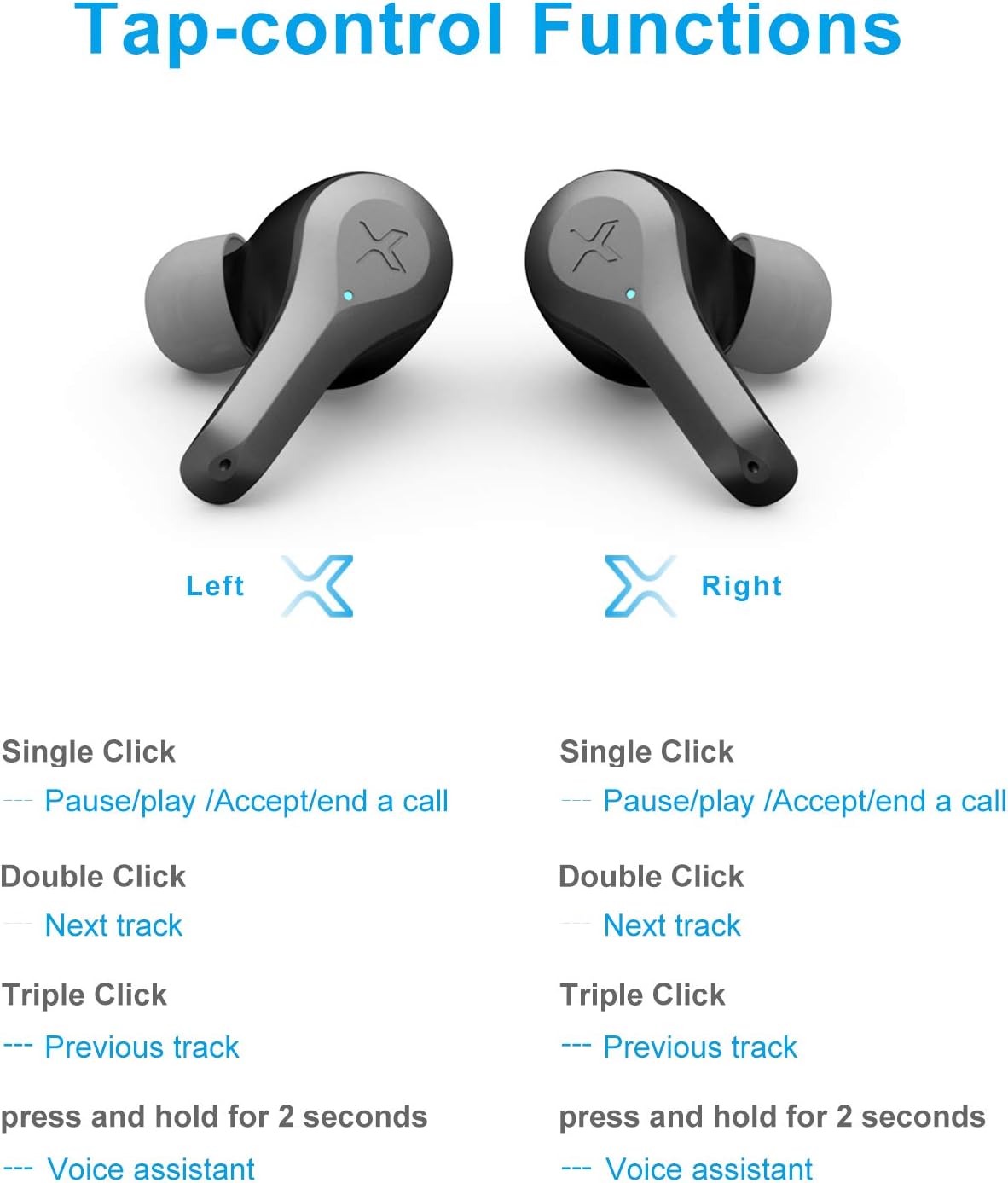
Image 3.1: Detailed diagram of Edifier X5 Earbuds touch control functions.
| ການປະຕິບັດ | Earbud ຊ້າຍ | Earbud ສິດ |
|---|---|---|
| ກົດດຽວ | Pause/Play, Accept/End a Call | Pause/Play, Accept/End a Call |
| Double Click | ຕິດຕາມຕໍ່ໄປ | ຕິດຕາມຕໍ່ໄປ |
| ສາມຄລິກ | ເພງກ່ອນໜ້າ | ເພງກ່ອນໜ້າ |
| ກົດຄ້າງໄວ້ (2 ວິນາທີ) | ຜູ້ຊ່ວຍສຽງ | ຜູ້ຊ່ວຍສຽງ |
3.3. ເຮັດ ແລະ ຮັບສາຍ
The CVC 8.0 noise canceling microphone ensures clear communication during calls.
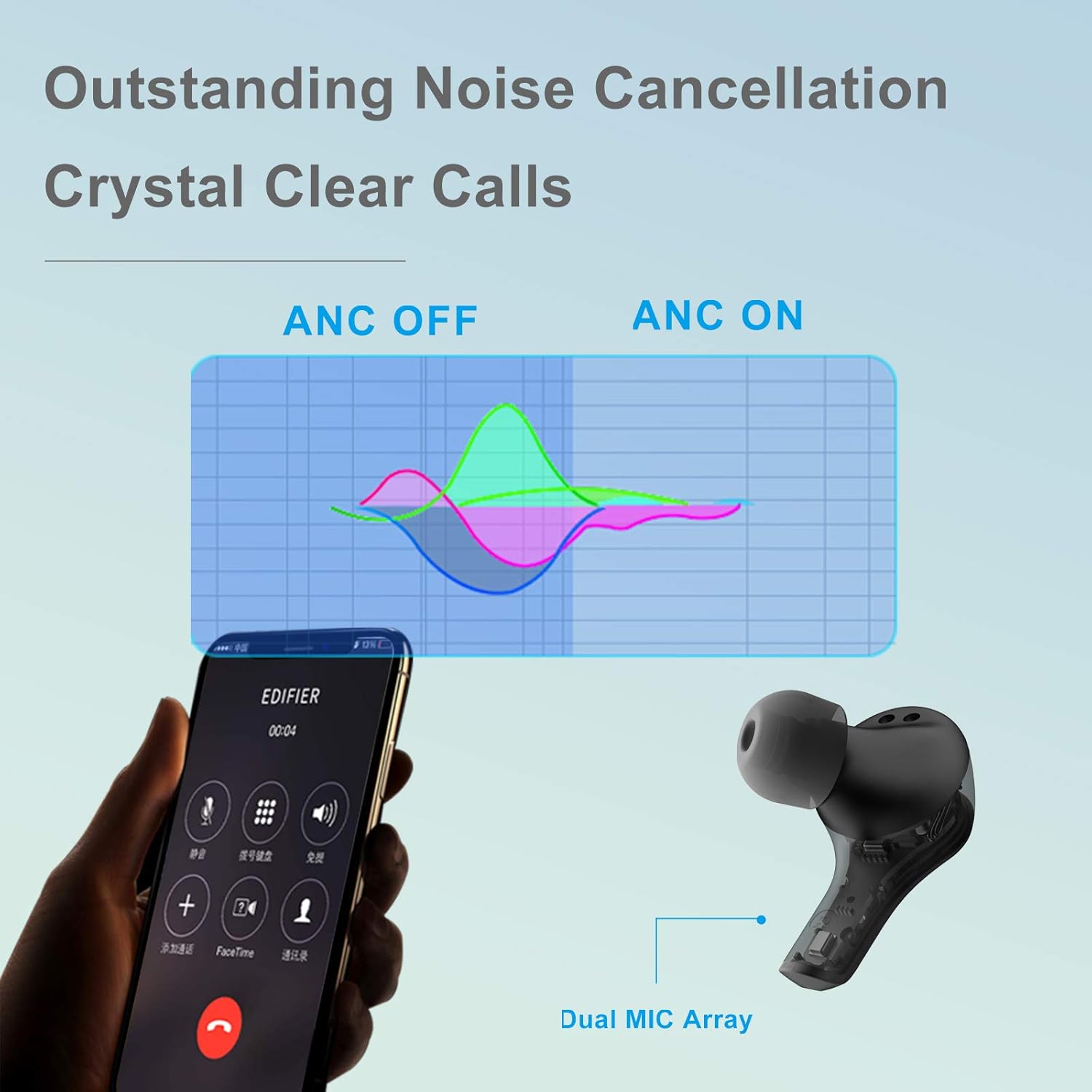
Image 3.2: Edifier X5 Earbuds featuring outstanding noise cancellation for clear calls.
- ຮັບ/ສາຍໂທ: Single click either earbud.
- ປະຕິເສດການໂທ: ກົດຫູຟັງອັນໃດອັນໜຶ່ງຄ້າງໄວ້ 2 ວິນາທີ.
3.4. ການຫຼິ້ນເພງ
Enjoy high-quality audio with AptX decoding.

Image 3.3: Edifier X5 Earbuds featuring AptX decoding for enhanced audio quality.
- ຫຼິ້ນ/ຢຸດ: Single click either earbud.
- ເພງຕໍ່ໄປ: ຄລິກສອງເທື່ອໃສ່ຫູຟັງຂ້າງໃດກໍໄດ້.
- ຕິດຕາມກ່ອນ ໜ້າ ນີ້: Triple click either earbud.
4. ບໍາລຸງຮັກສາ
4.1. ທໍາຄວາມສະອາດ
ການທໍາຄວາມສະອາດເປັນປົກກະຕິຊ່ວຍຮັກສາປະສິດທິພາບແລະສຸຂະອະນາໄມທີ່ດີທີ່ສຸດ.
- ໃຊ້ຜ້າແພທີ່ອ່ອນ, ແຫ້ງ, ບໍ່ມີເສັ້ນດ່າງເພື່ອເຊັດຫູຟັງຫູຟັງ ແລະ ກ່ອງສາກ.
- ຖອດປາຍຫູອອກ ແລະເຮັດຄວາມສະອາດດ້ວຍສະບູອ່ອນໆ ແລະນໍ້າ, ຈາກນັ້ນເຊັດໃຫ້ແຫ້ງກ່ອນຕິດໃໝ່.
- ເຮັດຄວາມສະອາດບ່ອນຕິດຕໍ່ສາກໄຟຢູ່ທັງຫູຟັງຫູຟັງ ແລະ ເຄສດ້ວຍຜ້າຝ້າຍແຫ້ງ.
4.2. ກັນນໍ້າ ແລະຝຸ່ນ (IP55)
The Edifier X5 earbuds are rated IP55, meaning they are protected against limited dust ingress and low-pressure water jets from any direction. This makes them suitable for workouts and light rain.

Image 4.1: Edifier X5 Earbuds demonstrating water and dust resistance.
ສຳຄັນ:
- ຢ່າເອົາຫູຟັງເອຍບັດໃສ່ນ້ຳ.
- ກວດໃຫ້ແນ່ໃຈວ່າຫູຟັງເອຍບັດແຫ້ງກ່ອນເອົາມັນກັບໃສ່ກ່ອງສາກເພື່ອປ້ອງກັນຄວາມເສຍຫາຍ.
- ກ່ອງສາກບໍ່ທົນທານຕໍ່ນ້ໍາ.
4.3. ການເກັບຮັກສາ
ເມື່ອບໍ່ໄດ້ໃຊ້, ໃຫ້ເກັບຫູຟັງເອຍບັດໃສ່ໃນກະເປົ໋າສາກໄຟເພື່ອປົກປ້ອງພວກມັນ ແລະ ສືບຕໍ່ສາກໄຟ.

Image 4.2: Edifier X5 Earbuds designed for comfort and durability during outdoor activities.
5. ການແກ້ໄຂບັນຫາ
If you encounter issues with your Edifier X5 earbuds, refer to the following common problems and solutions:
- Earbuds do not power on:
Ensure the earbuds are charged. Place them in the charging case and check the charging indicator. - ບໍ່ສາມາດຈັບຄູ່ກັບອຸປະກອນ:
Make sure Bluetooth is enabled on your device. Ensure the earbuds are in pairing mode (indicator flashing). Try forgetting "EDIFIER X5" from your device's Bluetooth list and re-pairing. - ບໍ່ມີສຽງ ຫຼືຄຸນນະພາບສຽງບໍ່ດີ:
Check the volume level on both your device and the earbuds. Ensure the earbuds are properly seated in your ears. Try cleaning the ear tips and speaker mesh. - ຫູຟັງຫູຟັງໜ່ວຍໜຶ່ງບໍ່ເຮັດວຽກ:
Place both earbuds back into the charging case, close the lid, wait a few seconds, then take them out again. This can reset the connection between the two earbuds. - ຄຸນນະພາບການໂທບໍ່ດີ:
Ensure the microphone is not obstructed. Move closer to your device to improve signal strength.
6. ຂໍ້ມູນຈໍາເພາະ
| ຄຸນສົມບັດ | ລາຍລະອຽດ |
|---|---|
| ຊື່ຕົວແບບ | X5 |
| ຍີ່ຫໍ້ | Edifier |
| ເຕັກໂນໂລຊີການເຊື່ອມຕໍ່ | ໄຮ້ສາຍ |
| ເຕັກໂນໂລຊີການສື່ສານໄຮ້ສາຍ | Bluetooth V5.0 |
| ການຈັດວາງຫູ | ໃນຫູ |
| ປັດໄຈແບບຟອມ | ໃນຫູ |
| ການຄວບຄຸມສິ່ງລົບກວນ | Sound Isolation, CVC 8.0 Noise Cancellation |
| ວິທີການຄວບຄຸມ | ແຕະ |
| ລະດັບຄວາມຕ້ານທານນ້ໍາ | IP55 (ກັນຝຸ່ນ ແລະ ກັນນ້ຳ) |
| ນ້ໍາຫນັກລາຍການ | 1.5 ອອນ |
| ຂະໜາດແພັກເກັດ | 4.92 x 2.95 x 1.34 ນິ້ວ |
| ໝໍ້ໄຟ | ໝໍ້ໄຟ Lithium Ion 3 ໜ່ວຍ (ລວມ) |
| ວັດສະດຸ | ພາດສະຕິກ |
| ສີ | ດຳ |
7. ການຮັບປະກັນແລະການສະ ໜັບ ສະ ໜູນ
7.1. ຂໍ້ມູນການຮັບປະກັນ
The Edifier X5 True Wireless Stereo Earbuds come with a manufacturer's warranty. Please refer to the warranty card included in your package or visit the official Edifier webເວັບໄຊສໍາລັບເງື່ອນໄຂການຮັບປະກັນລາຍລະອຽດສະເພາະກັບພາກພື້ນຂອງທ່ານ.
7.2. ການຊ່ວຍເຫຼືອລູກຄ້າ
For further assistance, technical support, or inquiries regarding your Edifier X5 earbuds, please contact Edifier customer service through their official webເວັບໄຊ ຫຼືຂໍ້ມູນຕິດຕໍ່ທີ່ສະໜອງໃຫ້ຢູ່ໃນເອກະສານຜະລິດຕະພັນຂອງທ່ານ.


