ແນະນຳ
This user manual provides essential information for setting up, operating, maintaining, and troubleshooting your Vibox Standard 3XL Gaming PC. Please read this manual thoroughly before using your computer to ensure proper function and longevity of the product. Keep this manual for future reference.
ຂໍ້ມູນຄວາມປອດໄພ
- Ensure the PC is placed on a stable, flat surface with adequate ventilation.
- Do not block ventilation openings. Overheating can damage components.
- Keep the PC away from direct sunlight, heat sources, and liquids.
- Use only the power supply unit provided with the PC.
- ໃຫ້ຖອດສາຍໄຟອອກກ່ອນທຳຄວາມສະອາດ ຫຼື ປະຕິບັດການບຳລຸງຮັກສາໃດໆ.
- Do not open the PC casing unless instructed by a qualified technician.
- Avoid placing heavy objects on the PC or its cables.
ເນື້ອໃນຊຸດ
ກວດສອບວ່າລາຍການທັງຫມົດທີ່ລະບຸໄວ້ຂ້າງລຸ່ມນີ້ແມ່ນມີຢູ່ໃນຊຸດຂອງທ່ານ:
- Vibox Standard 3XL Gaming PC Tower
- 21.5-inch LED HD Monitor
- UK QWERTY Gamer Keyboard
- ຫນູຜູ້ຫຼິ້ນເກມ
- ສາຍໄຟ
- ສາຍ HDMI
- Windows 10 Operating System Disk/License Key
- ຄູ່ມືຜູ້ໃຊ້ (ເອກະສານນີ້)
ຄູ່ມືການຕິດຕັ້ງ
1. ການຫຸ້ມຫໍ່ແລະການຈັດວາງ
Carefully remove all components from their packaging. Place the PC tower on a flat, stable surface, ensuring sufficient space around it for airflow. Avoid placing it in enclosed cabinets.

ຮູບ 1: ດ້ານຫນ້າ view of the Vibox Standard 3XL Gaming PC tower, showcasing its design and blue LED accents.
2. ເຊື່ອມຕໍ່ອຸປະກອນເສີມ
- ຈໍພາບ: Connect the HDMI cable from your monitor to the HDMI port on the back of the PC.
- ແປ້ນພິມແລະຫນູ: Connect the USB cables from your keyboard and mouse to any available USB ports on the back or front of the PC.
- ພະລັງງານ: Connect the power cable to the power supply unit on the back of the PC, then plug the other end into a wall outlet. Connect the monitor's power cable to an outlet as well.
- ເຄືອຂ່າຍ (ທາງເລືອກ): For a wired internet connection, connect an Ethernet cable from your router to the Ethernet port on the back of the PC. For Wi-Fi, ensure the Wi-Fi antenna (if provided) is connected.

ຮູບ 2: ເທິງລົງລຸ່ມ view of the PC, illustrating the location of top-mounted USB ports and ventilation.
3. Initial Power-On and Windows Setup
- Press the power button on the front of the PC tower.
- ເປີດຈໍສະແດງຜົນຂອງທ່ານ.
- Follow the on-screen instructions to complete the Windows 10 setup process. This typically involves selecting your region, language, creating a user account, and accepting terms.
- Once Windows 10 is set up, you may need to install drivers for any additional peripherals or update existing drivers.
ຄໍາແນະນໍາການດໍາເນີນງານ
ເປີດ/ປິດ
- ເພື່ອເປີດ: ກົດປຸ່ມເປີດປິດຢູ່ດ້ານໜ້າຂອງຄອມພິວເຕີ.
- ເພື່ອປິດ: Click the Start button in Windows 10, then select Power > Shut down. Do not force shut down by holding the power button unless absolutely necessary to prevent data loss.
- ເພື່ອເລີ່ມຕົ້ນໃໝ່: ຄລິກທີ່ປຸ່ມ Start, ຈາກນັ້ນເລືອກ Power > Restart.
ກຳລັງເຊື່ອມຕໍ່ອຸປະກອນ USB
Your PC is equipped with multiple USB 2.0 and USB 3.0 ports. USB 3.0 ports are typically blue and offer faster data transfer speeds. Simply plug your USB device into an available port.
ການໃຊ້ Card Reader
The integrated card reader supports various memory card formats. Insert your memory card into the appropriate slot on the PC. The card will appear as a removable drive in 'This PC' (or 'My Computer').
ບໍາລຸງຮັກສາ
ທໍາຄວາມສະອາດ
- ພາຍນອກ: ໃຊ້ອ່ອນ, ງamp cloth to wipe the exterior of the PC. Avoid abrasive cleaners or solvents.
- ການລະບາຍອາກາດ: Periodically use compressed air to clear dust from the ventilation grilles to ensure optimal airflow and prevent overheating. Ensure the PC is powered off and unplugged before doing so.
- ຈໍພາບ: Use a specialized screen cleaner and a microfiber cloth for the monitor display.
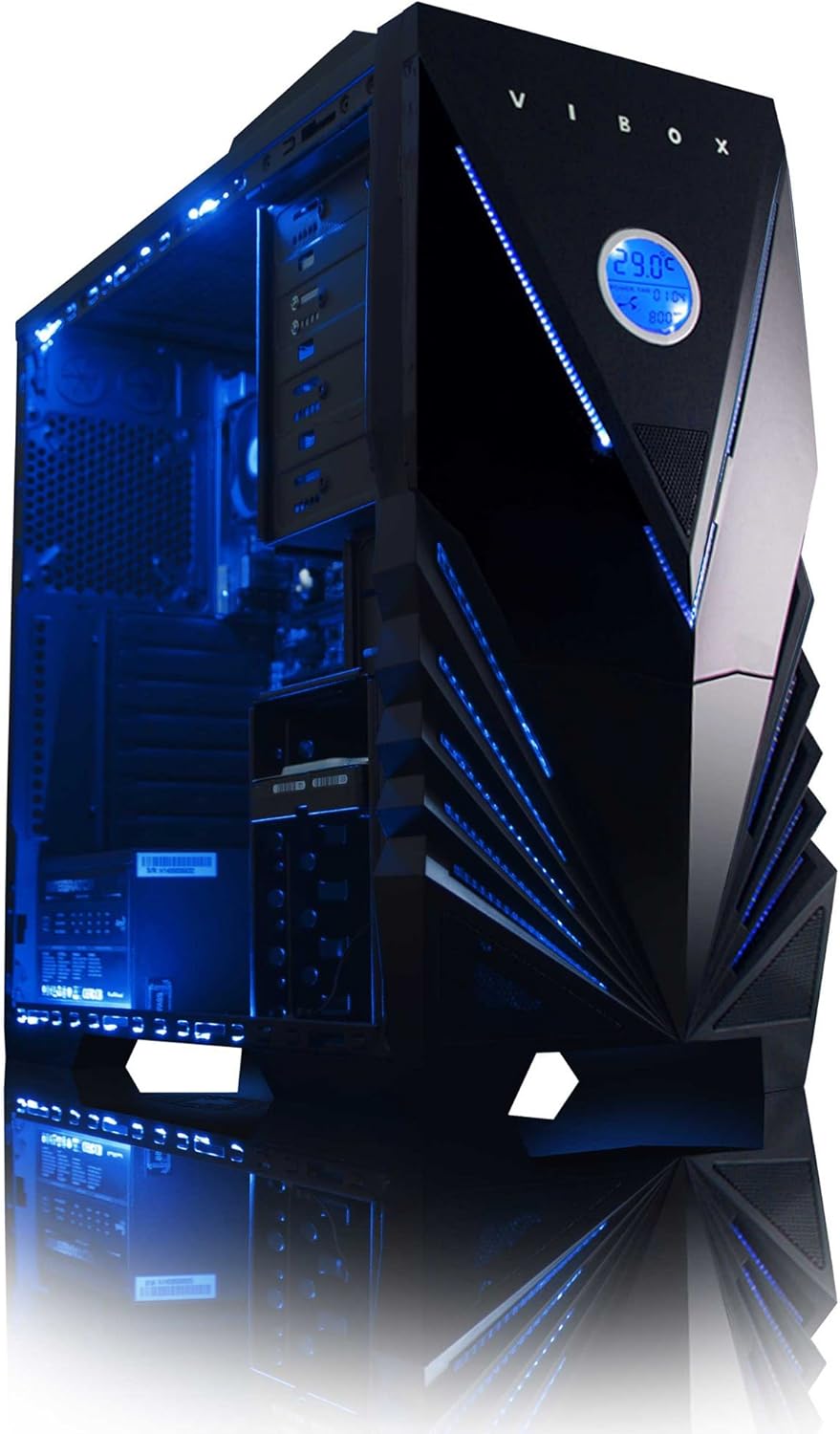
ຮູບທີ 3: ພາຍໃນ view of the Vibox Standard 3XL Gaming PC, highlighting the arrangement of components and cooling system.
ອັບເດດຊອບແວ
Regularly update your Windows operating system, drivers, and antivirus software to ensure system stability, security, and optimal performance.
ການສໍາຮອງຂໍ້ມູນ
ແນະນຳໃຫ້ສຳຮອງຂໍ້ມູນທີ່ສຳຄັນໄວ້ໃນໄດຣຟ໌ພາຍນອກ ຫຼື ບ່ອນເກັບຂໍ້ມູນໃນຄລາວເປັນປະຈຳເພື່ອປ້ອງກັນການສູນເສຍຂໍ້ມູນໃນກໍລະນີທີ່ລະບົບລົ້ມເຫຼວ.
ການແກ້ໄຂບັນຫາ
| ບັນຫາ | ສາເຫດທີ່ເປັນໄປໄດ້ | ການແກ້ໄຂ |
|---|---|---|
| PC ບໍ່ເປີດ. | Power cable loose, power supply issue, power button malfunction. | Check all power connections. Ensure the wall outlet is functional. Try a different power cable if available. |
| ບໍ່ມີຈໍສະແດງຜົນ. | Monitor not powered, video cable loose, incorrect input selected on monitor. | Ensure monitor is powered on and connected. Check video cable connections. Select correct input source on monitor (e.g., HDMI). |
| PC is running slow. | Too many programs running, insufficient RAM, hard drive full, malware. | Close unnecessary applications. Check disk space. Run antivirus scans. Consider upgrading RAM if consistently slow. |
| Peripherals (keyboard/mouse) not responding. | Loose USB connection, driver issue. | Reconnect the peripheral to a different USB port. Restart the PC. Check device manager for driver issues. |
If you encounter issues not covered here or require further assistance, please refer to the Support section.
ຂໍ້ມູນຈໍາເພາະ
| ຄຸນສົມບັດ | ລາຍລະອຽດ |
|---|---|
| ຍີ່ຫໍ້ | Vibox |
| ໝາຍເລກຕົວແບບ | VBX-PC-6450 |
| ຊຸດ | VIBOX Standard |
| ລະບົບປະຕິບັດການ | Windows 10 |
| ຍີ່ຫໍ້ເຄື່ອງປະມວນຜົນ | AMD |
| ປະເພດໂປເຊດເຊີ | Athlon 64 FX (AMD A8 Quad-Core) |
| ຄວາມໄວປະມວນຜົນ | 3.1 GHz (3.8 GHz Turbo) |
| ຈໍານວນ Cores | 4 |
| RAM | 32 GB DDR3 1600MHz |
| ຮອງຮັບຄວາມຈຳສູງສຸດ | 32 GB |
| ຂະຫນາດຮາດດິດ | 2000 GB (2 TB) |
| ເທັກໂນໂລຢີຮາດດິດ | HDD (7200 RPM, Serial ATA 600) |
| ຍີ່ຫໍ້ຊິບເຊັດກາຟິກ | Radeon |
| ລາຍລະອຽດບັດກາຟິກ | AMD Radeon R7 (ປະສົມປະສານ) |
| ເຕັກໂນໂລຊີການສະແດງ | ບໍ່ສໍາຜັດ |
| Screen Size (Included Monitor) | 21.5 ນິ້ວ |
| Screen Resolution (Included Monitor) | 1920 x 1080 (1080p Full HD) |
| ອັດຕາສ່ວນ | 16:9 |
| ປະເພດການເຊື່ອມຕໍ່ | Wi-Fi (802.11bgn) |
| Bluetooth ເຂົ້າກັນໄດ້ | ບໍ່ |
| ພອດ HDMI | 1 |
| ພອດ USB 2.0 | 6 |
| ພອດ USB 3.0 | 3 |
| ພອດອີເທີເນັດ | 1 |
| ຄຸນນະສົມບັດພິເສດ | ເຄື່ອງອ່ານບັດ |
| ຂະໜາດ (L x W x H) | 51.5 x 19 x 44 cm |
| ນ້ຳໜັກສິນຄ້າ | 16 Grams (PC Tower only) |
ຂໍ້ມູນການຮັບປະກັນ
Your Vibox Standard 3XL Gaming PC comes with a ຮັບປະກັນຕະຫຼອດຊີວິດ. This warranty covers manufacturing defects and hardware failures under normal use conditions. For specific terms and conditions, please refer to the warranty documentation included with your purchase or contact Vibox customer support.
To claim warranty service, you will typically need your proof of purchase and the product's serial number. Do not attempt to repair the product yourself, as this may void your warranty.
ການຊ່ວຍເຫຼືອລູກຄ້າ
For technical assistance, troubleshooting beyond this manual, or warranty inquiries, please contact Vibox customer support. You can usually find contact information (phone number, email, or support website) on the manufacturer's official webສະຖານທີ່ຫຼືອຸປະກອນການຫຸ້ມຫໍ່.
When contacting support, please have your product model number (VBX-PC-6450) and serial number ready to expedite the service process.


