1. ຜະລິດຕະພັນເກີນview
The Fujifilm Fujinon XF18-135mmF3.5-5.6 R LM OIS WR is an interchangeable-lens designed for Fujifilm X-series cameras. It offers a versatile focal range from 18mm to 135mm, equivalent to 27mm wide-angle to 206mm telephoto in 35mm format. This lens incorporates advanced 5.0-stop optical image stabilization (OIS) and features a dust-proof and weather-resistant construction with sealing in over 20 areas.
ຄຸນນະສົມບັດທີ່ສໍາຄັນ
- ຊ່ວງການຊູມອະເນກປະສົງ: Covers 18-135mm (27-206mm equivalent) for various photographic needs.
- ສະຖຽນລະພາບຮູບພາບທາງແສງ (OIS): Provides up to 5.0 stops of image stabilization to reduce blur from camera shake.
- Weather Resistance (WR): Dust-proof and weather-resistant design for reliable performance in challenging conditions.
- Linear Motor (LM): Ensures fast, quiet, and precise autofocus operation.
- High Optical Performance: Designed to deliver sharp images across the zoom range.
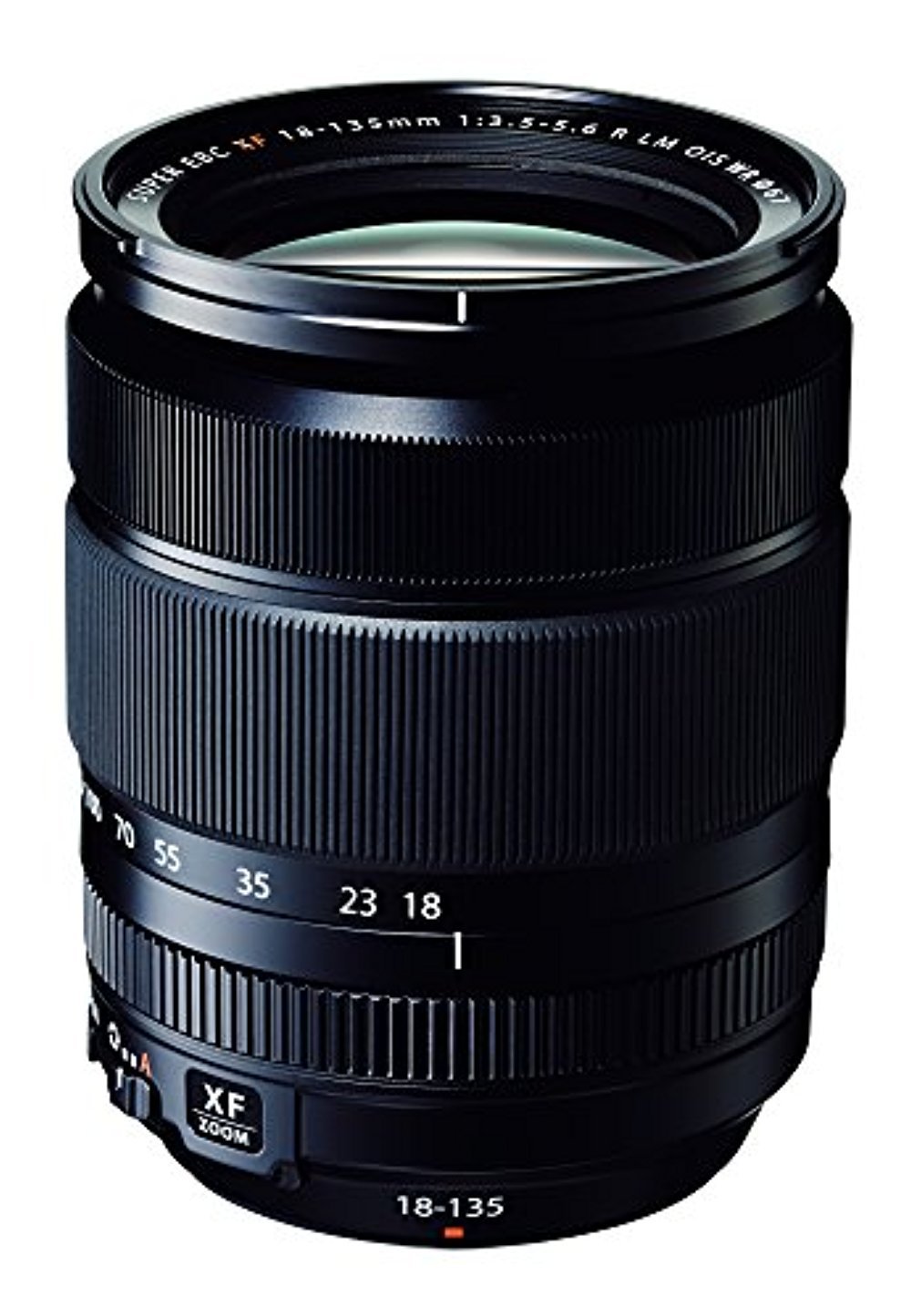
ຮູບ 1.1: ດ້ານຫນ້າ view of the Fujifilm Fujinon XF18-135mmF3.5-5.6 R LM OIS WR lens.
2. ການຕິດຕັ້ງແລະການຕິດຕັ້ງ
2.1 ການຕິດເລນ
- ໃຫ້ແນ່ໃຈວ່າກ້ອງຖ່າຍຮູບປິດຢູ່.
- ຖອດຝາປິດກ້ອງຫຼັງ ແລະຝາປິດຕົວກ້ອງອອກ.
- ວາງເຄື່ອງໝາຍຕິດໃສ່ສີຂາວຢູ່ເລນດ້ວຍເຄື່ອງໝາຍຕິດສີຂາວຢູ່ຕົວກ້ອງ.
- ສຽບເລນໃສ່ກ້ອງຕິດກ້ອງ ແລະ ໝຸນຕາມເຂັມໂມງຈົນກວ່າມັນຈະກົດໃສ່ບ່ອນ. ຢ່າບັງຄັບເລນ.
- ເອົາຝາປິດແວ່ນໜ້າອອກ.
2.2 ການຕິດຝາ Lens Hood
The lens hood helps to prevent stray light from entering the lens, reducing flare and ghosting. It also provides some protection for the front element.
- Align the mark on the lens hood with the mark on the front of the lens.
- Rotate the hood clockwise until it locks into position.
- To store, reverse the hood and attach it in the same manner.

Figure 2.1: The dedicated lens hood for the XF18-135mm lens.
3. ການເຮັດວຽກຂອງເລນ
3.1 ຊູມ
To adjust the focal length, rotate the zoom ring on the lens. The focal length markings (18, 23, 35, 55, 70, 100, 135mm) indicate the current setting. The lens extends as you zoom towards the telephoto end.
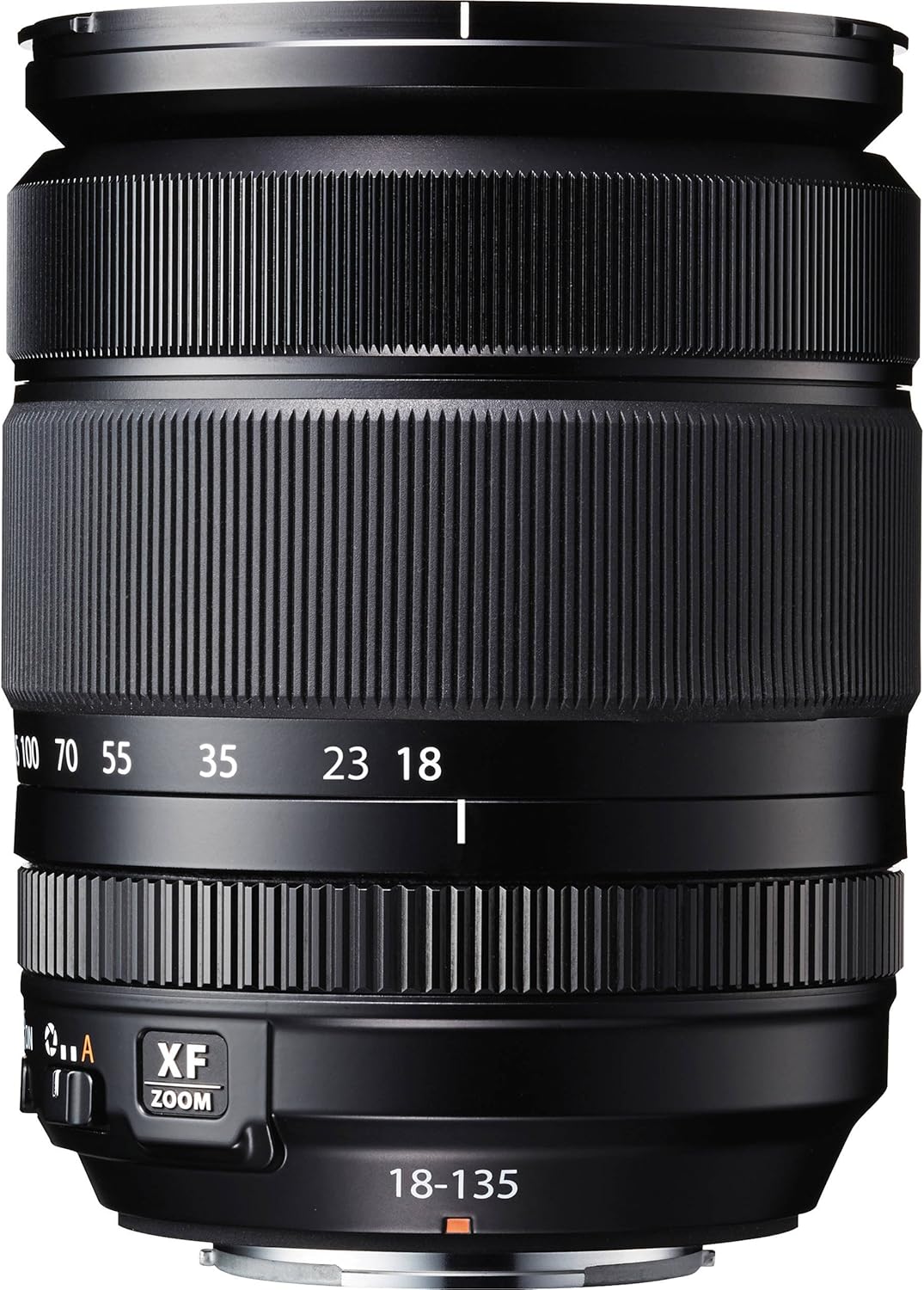
Figure 3.1: Zoom and focus rings with focal length markings on the lens.
3.2 ການສຸມໃສ່
The lens supports both autofocus (AF) and manual focus (MF). The focus mode is typically controlled via the camera body settings. In manual focus mode, rotate the focus ring to achieve sharp focus.
3.3 Optical Image Stabilization (OIS)
The OIS function helps to reduce blur caused by camera shake, especially useful in low light or when shooting at longer focal lengths. The OIS switch is located on the side of the lens barrel. Set it to ON to activate image stabilization, or ປິດ when using a tripod or when stabilization is not desired.
3.4 ການຄວບຄຸມ Aperture
The aperture is controlled electronically via the camera body. Refer to your camera's instruction manual for details on adjusting aperture settings.
4. ການບໍາລຸງຮັກສາແລະການດູແລ
4.1 ການເຮັດຄວາມສະອາດເລນ
- ໃຊ້ແປງເປົ່າເພື່ອເອົາຝຸ່ນ ແລະ ອະນຸພາກທີ່ວ່າງອອກຈາກໜ້າເລນ.
- For smudges or fingerprints, use a clean, soft microfiber cloth specifically designed for optical lenses, along with a small amount of lens cleaning fluid. Apply the fluid to the cloth, not directly to the lens.
- Clean the lens barrel with a soft, dry cloth. Do not use organic solvents like thinner or benzene.
4.2 ການເກັບຮັກສາ
- When not in use, attach both front and rear lens caps.
- Store the lens in a cool, dry place, away from direct sunlight and high humidity.
- ຖ້າເກັບຮັກສາໄວ້ເປັນເວລາດົນ, ຄວນພິຈາລະນາໃຊ້ເຄື່ອງດູດຝຸ່ນເພື່ອປ້ອງກັນການຂະຫຍາຍຕົວຂອງ mold.
5. ການແກ້ໄຂບັນຫາ
5.1 ບັນຫາທົ່ວໄປ ແລະການແກ້ໄຂ
| ສະບັບ | ສາເຫດທີ່ເປັນໄປໄດ້ | ການແກ້ໄຂ |
|---|---|---|
| ເລນບໍ່ຕິດກ້ອງ | Incorrect alignment; obstruction | Ensure white marks are aligned and rotate until it clicks. Check for any debris in the mount. |
| ໂຟກັສອັດຕະໂນມັດຊ້າ ຫຼືບໍ່ຖືກຕ້ອງ | Low light conditions; dirty lens contacts; camera settings | Ensure sufficient light. Clean lens and camera contacts. Check camera's AF mode and settings. |
| ຮູບພາບແມ່ນມົວ | OIS off; camera shake; incorrect focus; dirty lens | Activate OIS. Use faster shutter speed or tripod. Re-focus. Clean lens elements. |
| Zoom ring is stiff | New lens; environmental factors | This can be normal for new lenses and may loosen with use. Avoid forcing the ring. |
6. ຂໍ້ມູນຈໍາເພາະ
- ໝາຍເລກຕົວແບບ: XF 18-135 F3.5-5.6 OIS WR
- ຄວາມຍາວໂຟກັສ: 18-135mm (35mm ທຽບເທົ່າ: 27-206mm)
- ຮູຮັບແສງສູງສຸດ: F3.5 (wide) - F5.6 (telephoto)
- ຮູຮັບແສງຕ່ຳສຸດ: F22
- ການກໍ່ສ້າງເລນ: 16 elements in 12 groups (including 4 aspherical and 2 ED elements)
- ມຸມຂອງ View: 76.5° - 12°
- ໄລຍະການໂຟກັສຕ່ຳສຸດ: 0.45m (wide) - 1.0m (telephoto)
- ການຂະຫຍາຍສູງສຸດ: 0.27x (telephoto)
- ຈໍານວນຂອງ Diaphragm Blades: 7 (ເປີດ diaphragm ມົນ)
- ຂະໜາດຕົວກອງ: 67ມມ
- External Dimensions (Diameter x Length): Approx. 75.7mm x 97.8mm (wide) / 158mm (telephoto)
- ນ້ຳໜັກ: ປະມານ. 490g (1.08 ປອນ)
- ການຕິດຕັ້ງທີ່ເຂົ້າກັນໄດ້: Fujifilm X Mount
- ສະຖຽນລະພາບຮູບພາບ: Optical Image Stabilization (5.0 stops)
- ຄວາມຕ້ານທານສະພາບອາກາດ: Dust-proof and weather-resistant structure
7. ຂໍ້ມູນຄວາມປອດໄພ
- Do not look at the sun or other strong light sources through the lens, as this can cause permanent vision impairment.
- ຮັກສາເລນຢູ່ຫ່າງຈາກສະຫນາມແມ່ເຫຼັກທີ່ເຂັ້ມແຂງ.
- ຫຼີກເວັ້ນການເປີດເຜີຍເລນກັບອຸນຫະພູມທີ່ຮຸນແຮງຫຼືການປ່ຽນແປງອຸນຫະພູມຢ່າງກະທັນຫັນ.
- ຢ່າພະຍາຍາມຖອດປະກອບ ຫຼືດັດແປງເລນ. ການສ້ອມແປງຄວນຈະຖືກປະຕິບັດໂດຍພະນັກງານບໍລິການທີ່ໄດ້ຮັບອະນຸຍາດເທົ່ານັ້ນ.
- ຮັກສາໃຫ້ໄກຈາກເດັກນ້ອຍ.
8. ການຮັບປະກັນແລະການສະຫນັບສະຫນູນ
ສຳລັບຂໍ້ມູນກ່ຽວກັບການຮັບປະກັນຜະລິດຕະພັນ, ກະລຸນາອ້າງອີງບັດຮັບປະກັນທີ່ມາພ້ອມກັບການຊື້ຂອງທ່ານ ຫຼື ເຂົ້າເບິ່ງທີ່ຮ້ານ Fujifilm ຢ່າງເປັນທາງການ website. For technical support, service, or inquiries, please contact Fujifilm customer service in your region.
ຢ່າງເປັນທາງການຂອງ Fujifilm Webເວັບໄຊ: www.fujifilm.com
9. ອະດີດample ການຖ່າຍຮູບ
The Fujifilm Fujinon XF18-135mmF3.5-5.6 R LM OIS WR lens is capable of capturing a wide range of subjects, from expansive landscapes to distant wildlife, thanks to its versatile zoom range and effective image stabilization.

ຮູບທີ 9.1: ຕົວຢ່າງample photograph demonstrating the telephoto capability of the lens, capturing a bird in flight.