1. ບົດແນະນຳ
This manual provides detailed instructions for the ALFAJR Classic Watch WS-06S. Please read this manual carefully to understand the watch's features and functions, ensuring proper setup and operation. This watch is designed to assist users with prayer times, Qibla direction, and standard timekeeping features.
2. ຜະລິດຕະພັນເກີນview
The ALFAJR Classic Watch WS-06S features a rectangular stainless steel case, a metal bracelet, scratch-resistant glass, and a Crystal FSTN LCD with blue EL backlight. It is water-resistant and offers a bilingual display in Arabic and English.
ຄຸນນະສົມບັດທີ່ສໍາຄັນ:
- ຈໍສະແດງຜົນດິຈິຕອນ
- Azan Times for all cities worldwide
- Prayer Reminders
- Qibla Direction
- Hijri and Gregorian Calendars
- Qur'an Bookmark function
- ໂມງຈັບເວລາ
- ສັນຍານເຕືອນປະຈໍາວັນ
- ຕົວຊີ້ວັດລະດັບຫມໍ້ໄຟ
- 12-hour (AM/PM) or 24-hour time format display
ອົງປະກອບເບິ່ງ:

This image displays the front of the ALFAJR WS-06S watch, highlighting its digital screen which shows the date (16 MAY) and time (12:20), along with a smaller time (10:30) and an icon, likely indicating a prayer time or alarm. The watch features a sleek, rectangular stainless steel case and a matching metal bracelet.
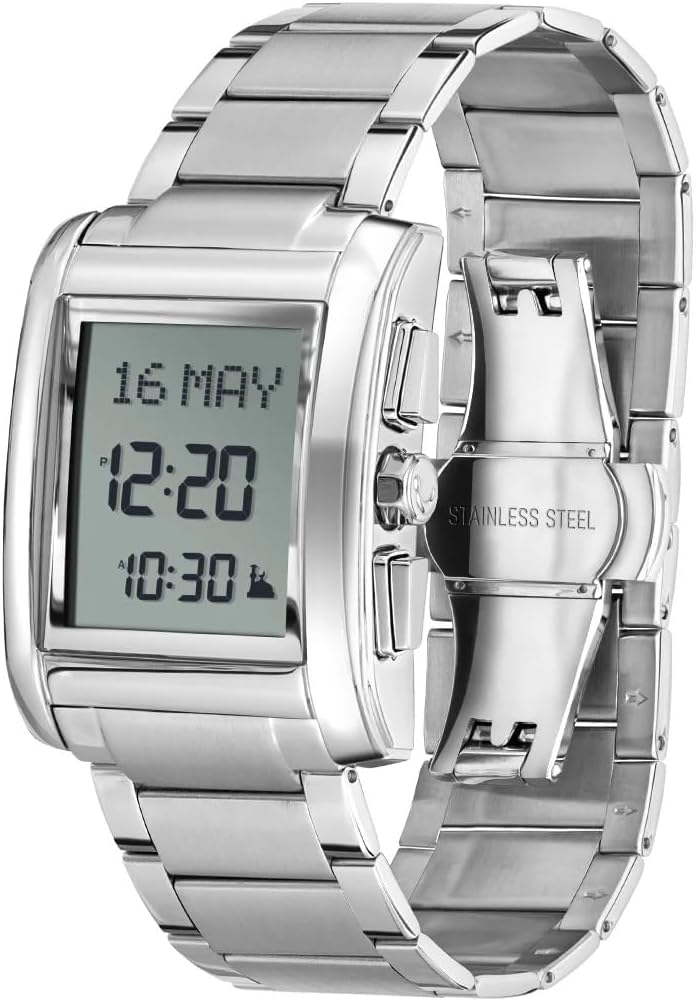
An angled perspective of the ALFAJR WS-06S watch, showcasing its polished stainless steel metal bracelet and the buttons located on the right side of the watch case. The digital display is visible, showing the date and time, similar to the front view.
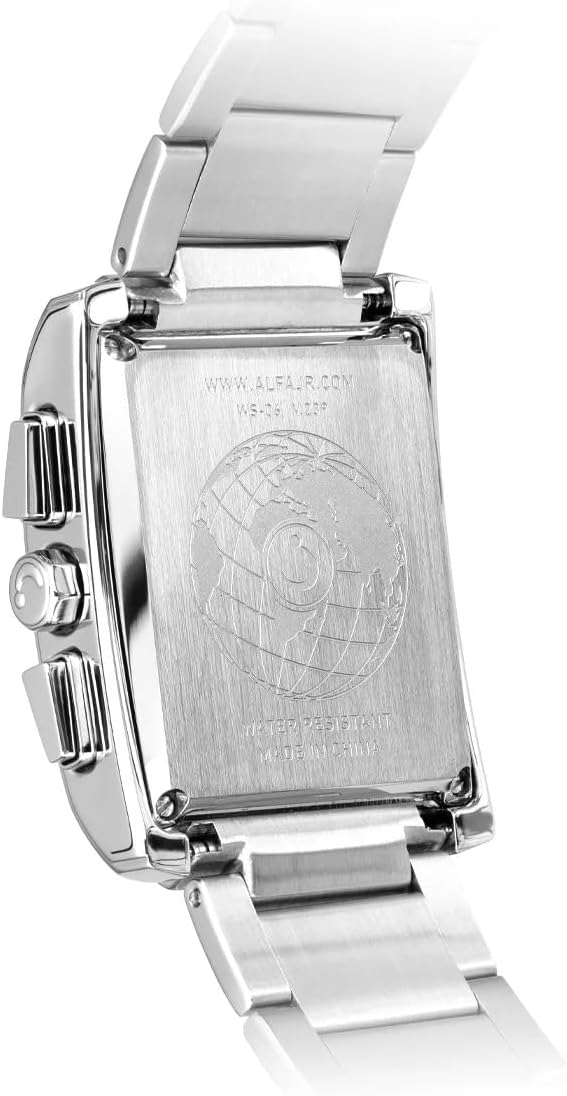
This image shows the reverse side of the ALFAJR WS-06S watch. The stainless steel backplate is engraved with the manufacturer's website (WWW.ALFAJR.COM), the model number (WS-06), and indicates 'WATER RESISTANT' and 'MADE IN CHINA'. A globe design is also visible in the center.
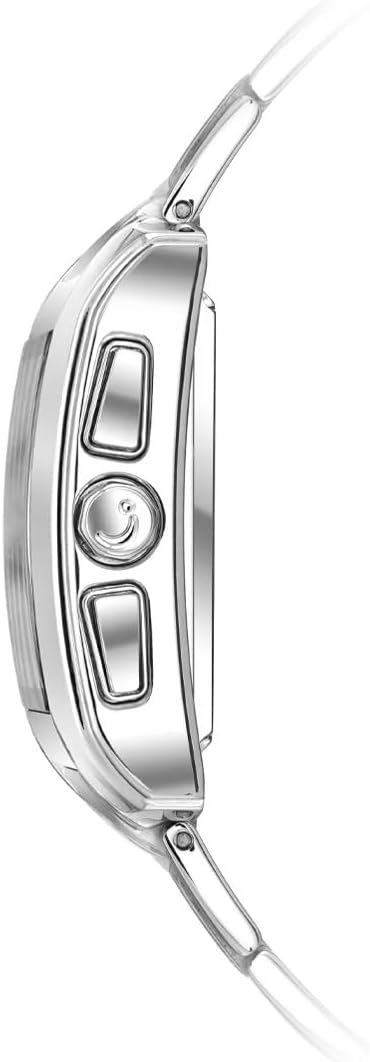
ດ້ານທີ່ໃກ້ຊິດ view of the ALFAJR WS-06S watch, focusing on the three control buttons located on the right side of the watch case. These buttons are used for navigating menus and adjusting settings.
3. ຕັ້ງຄ່າ
3.1 ການເປີດເຄື່ອງເບື້ອງຕົ້ນ
Upon first use or after a battery change, the watch may require initial setup. Follow the on-screen prompts or proceed to set the basic parameters manually.
3.2 ການກຳນົດເວລາ ແລະ ວັນທີ
- ກົດ ໂໝດ button (usually bottom right) to navigate to the Time Setting mode.
- ໃຊ້ ປັບ button (usually top right) to select the hour, minute, year, month, and day.
- ໃຊ້ ຕັ້ງ button (usually middle right) to change the values.
- Confirm settings by pressing the ໂໝດ ອີກຄັ້ງ ຫຼື ກຳລັງລໍຖ້າການອອກອັດຕະໂນມັດ.
3.3 Selecting Language
The watch supports both Arabic and English. To change the display language:
- Navigate to the Language Setting menu (refer to the watch's on-screen menu for exact navigation).
- ເລືອກອັນໃດນຶ່ງ ອາຣັບ or ພາສາອັງກິດ ການນໍາໃຊ້ ປັບ ປຸ່ມ.
- ຢືນຢັນການເລືອກຂອງທ່ານ.
3.4 Setting City for Azan Times
Accurate Azan times depend on the correct city setting. The watch has pre-programmed cities. If your city is not listed, you may need to set a nearby major city or manually adjust the prayer times.
- Enter the Azan City Setting mode.
- Browse through the list of cities using the ປັບ ປຸ່ມ.
- Select your city or the closest major city.
- The watch will automatically calculate Azan times based on the selected city.
4. ຄໍາແນະນໍາການດໍາເນີນງານ
4.1 Azan Times and Prayer Reminders
The watch displays Azan times for all cities worldwide and provides prayer reminders.
- Viewing Azan Times: In the main display mode, press the ໂໝດ button to cycle through the different prayer times.
- Adjusting Azan Times: If needed, individual prayer times can be adjusted by entering the Azan Adjustment menu. This is useful for minor discrepancies or specific local prayer time calculations.
- Prayer Reminders: The watch will sound an alarm at each prayer time. This feature can be enabled or disabled in the settings.
4.2 ທິດທາງກິບລາ
The watch can display the Qibla direction relative to North. Ensure your current location is set correctly for accurate readings.
- Enter the Qibla mode (refer to the watch's menu for specific button presses).
- Hold the watch flat and rotate it slowly until the Qibla indicator points in the correct direction.
4.3 ໂມງຢຸດ
The integrated stopwatch function allows for timing events.
- Navigate to the Stopwatch mode.
- ກົດ ເລີ່ມ/ຢຸດ button to begin and end timing.
- ກົດ ຣີເຊັດ button to clear the stopwatch.
4.4 ໂມງປຸກປະຈໍາວັນ
In addition to prayer alarms, the watch includes daily alarms for general use.
- Enter the Daily Alarm setting mode.
- Set the desired alarm time using the ປັບ ແລະ ຕັ້ງ ປຸ່ມ.
- Enable or disable the alarm.
4.5 Calendar Display
The watch displays both Hijri and Gregorian calendars.
- Cycle through calendar views ການນໍາໃຊ້ ໂໝດ button or a dedicated calendar button.
4.6 Qur'an Bookmark
This feature allows you to mark the last read Surah and Ayah in the Qur'an.
- Enter the Qur'an Bookmark mode.
- Set the Surah number and Ayah number using the ປັບ ປຸ່ມ.
- The watch will store this information for future reference.
4.7 12/24 ຮູບແບບຊົ່ວໂມງ
The time can be displayed in either 12-hour (AM/PM) or 24-hour format.
- Access the Time Format setting in the main menu.
- ສະຫຼັບລະຫວ່າງ 12ຊ ແລະ 24ຊ ທາງເລືອກ.
5. ບໍາລຸງຮັກສາ
5.1 ການທໍາຄວາມສະອາດ
ເພື່ອຮັກສາຮູບລັກສະນະຂອງໂມງຂອງທ່ານ:
- Wipe the watch case and bracelet with a soft, dry cloth.
- ສໍາລັບຝຸ່ນ stubborn, a ເລັກນ້ອຍ damp ຜ້າສາມາດນໍາໃຊ້ໄດ້, ປະຕິບັດຕາມໂດຍການແຫ້ງທັນທີ.
- ຫຼີກເວັ້ນການນໍາໃຊ້ສານເຄມີທີ່ຮຸນແຮງຫຼືວັດສະດຸຂັດ.
5.2 ການຕໍ່ຕ້ານນ້ໍາ
The ALFAJR WS-06S is water-resistant. This means it can withstand splashes, rain, and brief immersion in water. However, it is ບໍ່ suitable for swimming, diving, or showering with hot water, as steam and prolonged water exposure can compromise the seals. Always ensure the crown and buttons are fully pushed in before any contact with water.
5.3 ການທົດແທນຫມໍ້ໄຟ
The watch features a battery level indicator. When the battery is low, it is recommended to have it replaced by a qualified watch technician to ensure the water resistance seal is maintained. Do not attempt to replace the battery yourself unless you have the proper tools and expertise.
6. ການແກ້ໄຂບັນຫາ
- ການສະແດງຫວ່າງເປົ່າ: ກວດສອບລະດັບແບັດເຕີຣີ. ຖ້າແບັດເຕີຣີຕໍ່າ, ໃຫ້ປ່ຽນແບັດເຕີຣີໃໝ່.
- Incorrect Azan times: Verify that the correct city is selected in the settings. Ensure the date and time are set accurately.
- ປຸ່ມບໍ່ຕອບສະໜອງ: Ensure the watch is not in a locked mode. Try a soft reset (refer to specific model instructions if available, or remove and reinsert battery if possible).
- Qibla direction inaccurate: Ensure the watch is held flat and away from strong magnetic fields. Re-calibrate if a calibration option is available.
For issues not covered here, please contact ALFAJR customer support or your retailer.
7. ຂໍ້ມູນຈໍາເພາະ
| ຄຸນສົມບັດ | ລາຍລະອຽດ |
|---|---|
| ໝາຍເລກຕົວແບບ | WS-06S |
| ວັດສະດຸກໍລະນີ | Rectangular Stainless Steel |
| ປະເພດການສະແດງ | Crystal FSTN LCD with Blue EL Back Light |
| ການຕໍ່ຕ້ານນ້ໍາ | Yes (suitable for splashes, rain; not for swimming/diving) |
| ຂະໜາດຂອງກໍລະນີ | 30 x 40 ມມ |
| ຂະໜາດສິນຄ້າ | 11 x 3 x 1.4 cm |
| ນ້ຳໜັກ | 50 gm (watch only), 230 g (packaged) |
| ຕົວເລືອກພາສາ | Arabic & English |
| ຜູ້ຜະລິດ | ຈີນ |
8. ການຮັບປະກັນແລະການສະຫນັບສະຫນູນ
For warranty information, please refer to the documentation provided with your purchase or contact your retailer. For technical support or further assistance, please visit the official ALFAJR webເວັບໄຊ ຫຼືຕິດຕໍ່ພະແນກບໍລິການລູກຄ້າຂອງເຂົາເຈົ້າ. ຮັກສາໃບຮັບເງິນການຊື້ຂອງທ່ານໄວ້ເປັນຫຼັກຖານການຊື້ສໍາລັບການຮຽກຮ້ອງການຮັບປະກັນໃດໆ.