ແນະນຳ
This manual provides comprehensive instructions for the operation and maintenance of your new Sharp Aquos LCD TV Remote Control, model RRMCGA535WJSA. This genuine Sharp remote transmitter is designed to provide seamless control over your compatible Sharp Aquos LCD TV models. Please read this manual thoroughly before use to ensure proper functionality and to maximize your viewປະສົບການ.
ຂໍ້ມູນຄວາມປອດໄພ
ກະລຸນາສັງເກດການລະມັດລະວັງດ້ານຄວາມປອດໄພຕໍ່ໄປນີ້:
- Do not expose the remote control to direct sunlight, high humidity, or extreme temperatures.
- ຫຼີກລ້ຽງການວາງການຄວບຄຸມຫ່າງໄກສອກຫຼີກຫຼືເຮັດໃຫ້ມັນມີຜົນກະທົບທີ່ເຂັ້ມແຂງ.
- Do not attempt to disassemble or modify the remote control. This may void the warranty and cause damage.
- ຮັກສາຫມໍ້ໄຟໃຫ້ໄກຈາກເດັກນ້ອຍ. ຖ້າກືນກິນ, ໃຫ້ຊອກຫາແພດທັນທີ.
- ກຳຈັດແບັດເຕີຣີທີ່ໃຊ້ແລ້ວຕາມລະບຽບຂອງທ້ອງຖິ່ນ. ຫ້າມເຜົາ.
ເນື້ອໃນຊຸດ
ກວດສອບວ່າລາຍການທັງຫມົດແມ່ນມີຢູ່ໃນຊຸດ:
- Sharp Aquos LCD TV Remote Control (Model: RRMCGA535WJSA)
- ຄູ່ມືແນະ ນຳ (ເອກະສານນີ້)
ໝາຍເຫດ: ໂດຍປົກກະຕິແລ້ວແບັດເຕີຣີຈະບໍ່ມີໃຫ້ ແລະ ຕ້ອງຊື້ແຍກຕ່າງຫາກ.
ສິນຄ້າເກີນview
Familiarize yourself with the buttons and features of your remote control.

ຮູບ 1: ດ້ານຫນ້າ View ຂອງການຄວບຄຸມໄລຍະໄກ
This image displays the front of the Sharp Aquos remote control, showing all primary buttons including power, input selection, channel, volume, numeric keypad, and navigation controls. The Sharp and Aquos logos are visible at the bottom.
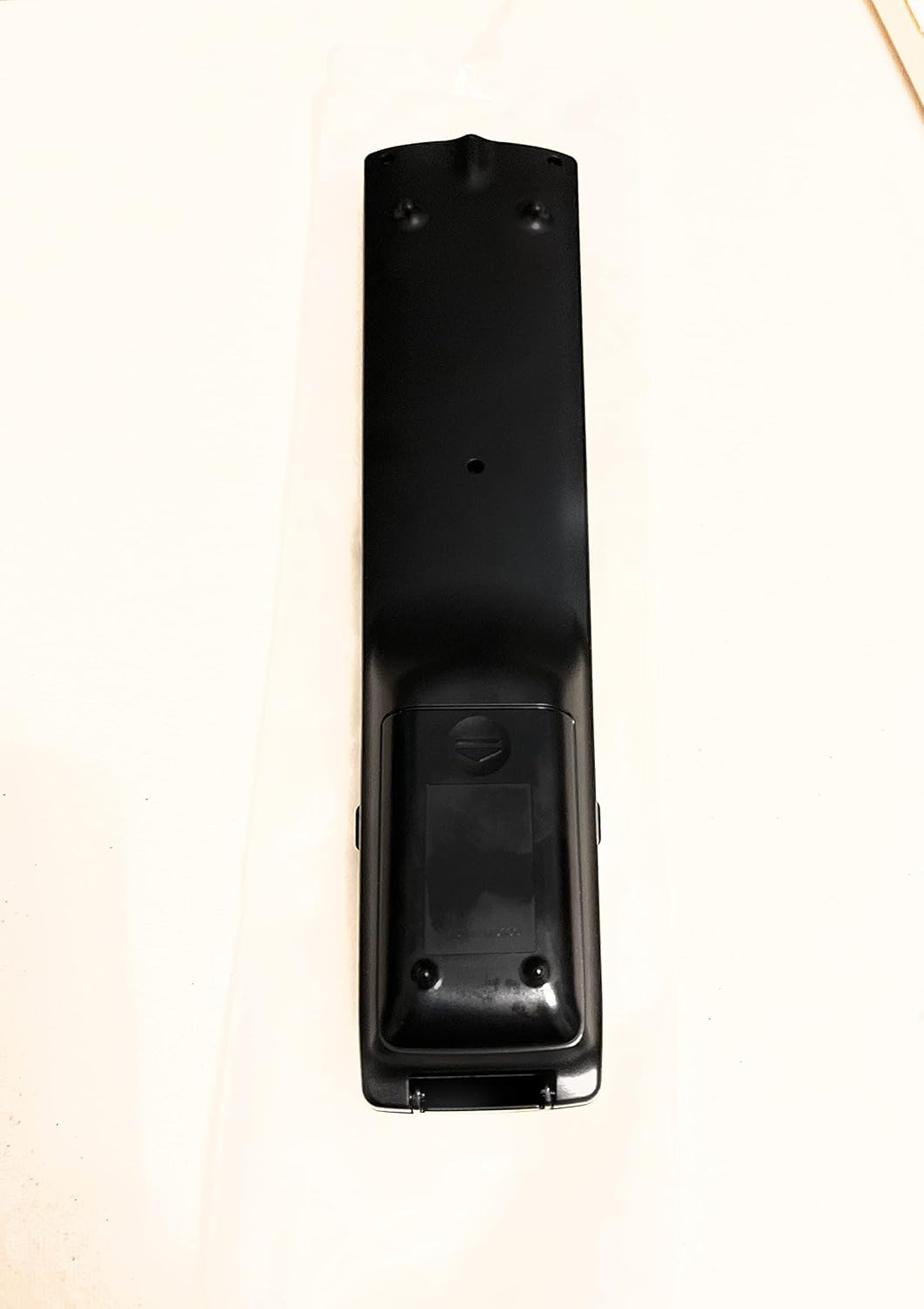
ຮູບ 2: ກັບຄືນໄປບ່ອນ View ຂອງການຄວບຄຸມໄລຍະໄກ
This image shows the rear side of the Sharp Aquos remote control, highlighting the smooth, ergonomic design and the battery compartment cover.

Figure 3: Remote Control with Battery Compartment Open
This image illustrates the Sharp Aquos remote control with its battery compartment cover slid open, revealing the space for battery insertion.

Figure 4: Close-up of Hidden Panel
This close-up image shows the lower section of the Sharp Aquos remote control with its hinged panel opened, revealing additional function buttons such as SLEEP, AUDIO, AV MODE, and CC (Closed Caption).
ຟັງຊັນປຸ່ມ:
| ປຸ່ມ | ຟັງຊັນ |
|---|---|
| ພະລັງງານ | ເປີດ ຫຼືປິດໂທລະພາບ. |
| INPUT / SOURCE | Selects the input source (e.g., HDMI, AV, Component). |
| CH +/- | ປ່ຽນຊ່ອງໂທລະພາບຂຶ້ນ ຫຼື ລົງ. |
| VOL +/- | ປັບລະດັບສຽງ. |
| ປິດສຽງ | ປິດສຽງ ຫຼືປິດສຽງໂທລະພາບ. |
| ເມນູ | Opens the TV's on-screen menu. |
| ປ້ອນ | ຢືນຢັນການເລືອກພາຍໃນເມນູ. |
| Navigation Arrows (Up/Down/Left/Right) | ນຳທາງຜ່ານຕົວເລືອກເມນູ. |
| EXIT / RETURN | ອອກຈາກເມນູປັດຈຸບັນ ຫຼື ກັບຄືນໄປຫາໜ້າຈໍກ່ອນໜ້າ. |
| ປຸ່ມກົດຕົວເລກ (0-9) | ໃສ່ໝາຍເລກຊ່ອງໂດຍກົງ. |
| ນອນ (under hidden panel) | Sets the TV to turn off automatically after a set period. |
| ສຽງ (under hidden panel) | Selects audio modes or tracks. |
| ໂໝດ AV (under hidden panel) | Adjusts picture and sound settings for different content types. |
| CC (ຄຳບັນຍາຍ) (under hidden panel) | Turns closed captions on or off. |
ຕັ້ງຄ່າ
ການຕິດຕັ້ງຫມໍ້ໄຟ:
- ຊອກຫາຊ່ອງໃສ່ຫມໍ້ໄຟຢູ່ດ້ານຫຼັງຂອງການຄວບຄຸມໄລຍະໄກ (ເບິ່ງຮູບ 2).
- Slide the battery compartment cover downwards to open it (refer to Figure 3).
- Insert two (2) AAA batteries (not included), ensuring the positive (+) and negative (-) terminals align correctly with the indicators inside the compartment.
- ເລື່ອນຝາປິດຊ່ອງໃສ່ໝໍ້ໄຟຄືນໃສ່ບ່ອນເກົ່າຈົນກວ່າມັນຈະກົດຢ່າງປອດໄພ.
ໝາຍເຫດ: ຄວນໃຊ້ແບັດໃໝ່ປະເພດດຽວກັນສະເໝີ. ຢ່າຜະສົມແບດເຕີຣີເກົ່າແລະໃຫມ່, ຫຼືແບດເຕີຣີ້ປະເພດຕ່າງໆ.
ຄໍາແນະນໍາການດໍາເນີນງານ
ການດໍາເນີນງານພື້ນຖານ:
- ເປີດ/ປິດ: ກົດ ພະລັງງານ button to turn your Sharp Aquos TV on or off.
- ການຄວບຄຸມລະດັບສຽງ: ກົດ VOL+ button to increase volume and VOL - ຫຼຸດລົງປະລິມານ.
- ການເລືອກຊ່ອງ: ໃຊ້ ສ + or CH - buttons to change channels sequentially. Alternatively, use the numeric keypad to directly enter a channel number.
- ການເລືອກແຫຼ່ງປ້ອນຂໍ້ມູນ: ກົດ ປ້ອນຂໍ້ມູນ or ແຫຼ່ງຂໍ້ມູນ button to cycle through available input sources (e.g., HDMI 1, HDMI 2, AV, Component).
- ປິດສຽງ: ກົດ ປິດສຽງ button to temporarily silence the TV audio. Press again to restore sound.
ເມນູນໍາທາງ:
- ກົດ ເມນູ button to display the TV's on-screen menu.
- ໃຊ້ ລູກສອນນໍາທາງ (Up, Down, Left, Right) to move through menu options.
- ກົດ ປ້ອນ button to select a highlighted option or confirm a setting.
- ກົດ ອອກ or ກັບຄືນ button to close the menu or go back to the previous menu level.
Advanced Functions (Hidden Panel):
Some advanced functions are located under a hinged panel at the bottom of the remote control (refer to Figure 4). Gently open this panel to access buttons such as:
- ນອນ: ຕັ້ງໂມງຈັບເວລາໃຫ້ໂທລະພາບປິດອັດຕະໂນມັດ.
- ສຽງ: Adjusts audio settings or selects audio tracks.
- AV MODE: Cycles through preset picture and sound modes (e.g., Standard, Movie, Game).
- CC (Closed Caption): ເປີດ ຫຼື ປິດຄຳບັນຍາຍ.
ບໍາລຸງຮັກສາ
ທໍາຄວາມສະອາດ:
To clean the remote control, wipe it gently with a soft, dry cloth. Do not use liquid cleaners, abrasive cleaners, or chemical solvents, as these may damage the surface or internal components.
ການປ່ຽນແບັດເຕີຣີ:
Replace batteries when the remote control's response becomes sluggish or stops working. Follow the battery installation steps outlined in the "Setup" section. Always replace both batteries at the same time.
ການແກ້ໄຂບັນຫາ
| ບັນຫາ | ສາເຫດທີ່ເປັນໄປໄດ້ | ການແກ້ໄຂ |
|---|---|---|
| ການຄວບຄຸມໄລຍະໄກບໍ່ເຮັດວຽກ. | ຫມໍ້ໄຟທີ່ຕາຍແລ້ວ ຫຼືໃສ່ບໍ່ຖືກຕ້ອງ. | ປ່ຽນແບັດໃໝ່, ຮັບປະກັນການຂົ້ວທີ່ຖືກຕ້ອງ (+/-). |
| ໄລຍະການຄວບຄຸມໄລຍະໄກແມ່ນບໍ່ດີ. | Weak batteries; obstruction between remote and TV; infrared sensor on TV is blocked. | Replace batteries. Ensure no objects are blocking the line of sight between the remote and the TV's IR sensor. |
| ປຸ່ມສະເພາະບໍ່ຕອບສະໜອງ. | Dirt or debris under the button; internal malfunction. | Clean the remote control. If the issue persists, the remote may require replacement. |
| TV not responding to any remote commands. | TV is unplugged or turned off; TV's IR sensor is faulty. | Ensure the TV is powered on and plugged in. Test with another remote if available. Consult TV's manual for IR sensor location. |
ຂໍ້ມູນຈໍາເພາະ
| ຄຸນສົມບັດ | ລາຍລະອຽດ |
|---|---|
| ໝາຍເລກຕົວແບບ | RRMCGA535WJSA |
| ຍີ່ຫໍ້ | ແຫຼມ |
| ອຸປະກອນທີ່ເຂົ້າກັນໄດ້ | Sharp Aquos LCD Televisions (various models, see product title for list) |
| ເຕັກໂນໂລຊີການເຊື່ອມຕໍ່ | ອິນຟາເລດ (IR) |
| ແຫຼ່ງພະລັງງານ | 2 x ຫມໍ້ໄຟ AAA (ບໍ່ລວມ) |
| ຂະໜາດ (ປະມານ) | 8.8 x 2.4 x 0.9 ນິ້ວ (ຂະໜາດບັນຈຸ) |
| ນ້ຳໜັກ (ປະມານ) | 4 ອອນ |
| ຄຸນນະສົມບັດພິເສດ | Ergonomic design, Hidden function panel |
ການຮັບປະກັນແລະການສະຫນັບສະຫນູນ
ການປະຕິເສດທາງກົດໝາຍ:
This item is provided in new condition. Please note that this item is offered "as is" as it is past its original manufacturer's warranty period. Any implied warranties are disclaimed to the fullest extent permitted by law.
ການຊ່ວຍເຫຼືອລູກຄ້າ:
For further assistance or inquiries regarding your Sharp Aquos LCD TV, please refer to your television's original instruction manual or visit the official Sharp support website. For issues specifically with this replacement remote control, please contact the seller from whom it was purchased.


