1. ບົດແນະນຳ
The Jabra JOURNEY is a Bluetooth in-car speakerphone designed to provide clear, hands-free communication and audio streaming while driving. It features HD Voice technology, enhanced noise cancellation, and intuitive voice controls for a safer and more convenient driving experience.
2. ເນື້ອໃນຊຸດ
- Jabra JOURNEY Bluetooth In-Car Speakerphone
- ເຄື່ອງສາກລົດ
- ສາຍ USB
- ປື້ມຄູ່ມືເລີ່ມຕົ້ນດ່ວນ

Image: The retail packaging of the Jabra JOURNEY, displaying the speakerphone and its accessories.
3. ຜະລິດຕະພັນເກີນview ແລະຄຸນສົມບັດ
The Jabra JOURNEY is designed for ease of use and superior audio quality in your vehicle. Key features include:
- HD Voice Microphone: Provides crystal-clear conversations with enhanced noise cancellation.
- ເປີດ/ປິດອັດຕະໂນມັດ: A built-in motion sensor automatically turns the device on when you enter the car and off when you leave.
- ການຄວບຄຸມດ້ວຍສຽງ: Use voice commands to answer, ignore, or make calls.
- ການແນະນຳສຽງ: Receive spoken updates on connection status, battery level, and caller ID.
- A2DP Streaming: Stream music, podcasts, or GPS directions from your mobile phone.
- Multiuse: Connect and manage calls from two Bluetooth devices simultaneously.
- ອາຍຸແບັດເຕີຣີທີ່ຂະຫຍາຍອອກ: Up to 20 hours of talk time and 45 days of standby time.
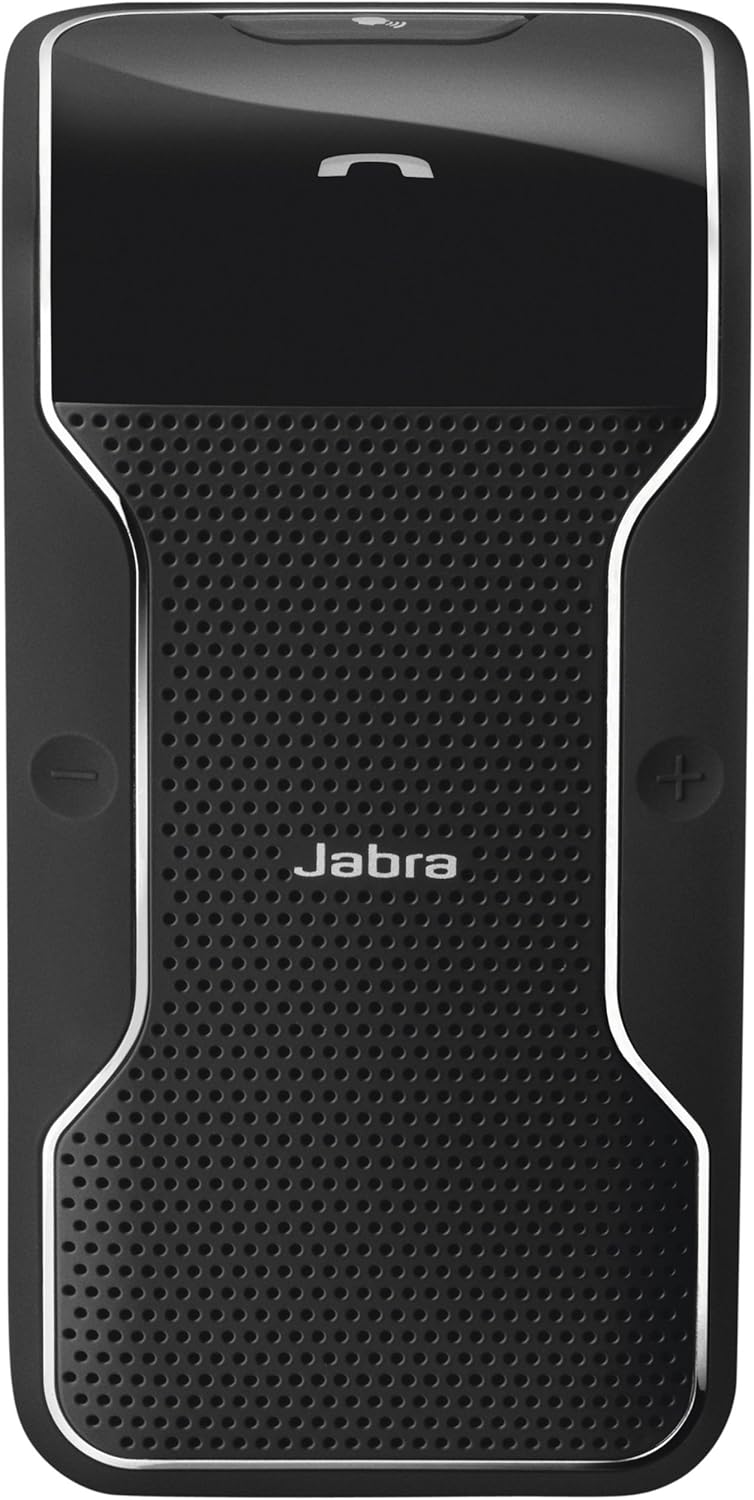
Image: A close-up of the Jabra JOURNEY speakerphone, highlighting its sleek design and button layout.
4. ຕັ້ງຄ່າ
4.1. ການສາກອຸປະກອນ
Before initial use, fully charge your Jabra JOURNEY. Connect the provided USB cable to the speakerphone and either the car charger or a compatible USB power source. A full charge takes approximately 2.5 hours.
4.2. Pairing with a Mobile Phone
- Turn on the Jabra JOURNEY. Voice Guidance will announce "Welcome! You are now ready for pairing..."
- ເປີດໃຊ້ Bluetooth ໃນໂທລະສັບມືຖືຂອງທ່ານ.
- ຊອກຫາ Bluetooth devices and select "Jabra JOURNEY" from the list.
- ຖ້າຖືກຖາມຫາລະຫັດຜ່ານ, ໃຫ້ໃສ່ "0000" (ສີ່ສູນ).
- Once paired, Voice Guidance will confirm "Connected."
Video: Official product video demonstrating the features and simple setup of the Jabra JOURNEY Bluetooth In-Car Speakerphone.
5. ຄໍາແນະນໍາການດໍາເນີນງານ
5.1. ເປີດ/ປິດອັດຕະໂນມັດ
The Jabra JOURNEY features a motion sensor that automatically turns the device on when you open your car door or enter the vehicle. It will automatically turn off after 10 minutes of inactivity or when your phone disconnects from it.
5.2. ເຮັດ ແລະ ຮັບສາຍ
- ຕອບການໂທ: Press the Answer/End button or say "Answer" when Voice Control is active.
- ສິ້ນສຸດການໂທ: Press the Answer/End button.
- ການປະຕິເສດການໂທ: Say "Ignore" when Voice Control is active, or press and hold the Answer/End button.
- ໂທອອກ: Use your phone's voice dial feature (e.g., Siri, Google Assistant) by pressing the Voice button on the speakerphone, or dial directly from your phone.
5.3. Voice Control and Voice Guidance
Voice Control allows you to manage calls using simple spoken commands. Voice Guidance provides audible feedback on device status and announces incoming callers (device dependent).
Video: Demonstration of Siri integration with Jabra devices, relevant for using voice commands with the Jabra JOURNEY.
5.4. ການຖ່າຍທອດສຽງ (A2DP)
The Jabra JOURNEY supports A2DP, allowing you to stream audio from your phone. This includes music, podcasts, and turn-by-turn directions from GPS applications.
5.5. Multiuse Functionality
You can connect your Jabra JOURNEY to two Bluetooth-enabled devices simultaneously. This allows you to manage calls from both a personal and a work phone without needing to switch devices.
6. ບໍາລຸງຮັກສາ
To ensure optimal performance and longevity of your Jabra JOURNEY, follow these maintenance guidelines:
- ເຮັດຄວາມສະອາດອຸປະກອນເປັນປົກກະຕິດ້ວຍຜ້າອ່ອນໆ, ແຫ້ງ.
- Avoid exposing the device to extreme temperatures, moisture, or corrosive substances.
- Do not attempt to disassemble or modify the device, as this will void the warranty.
7. ການແກ້ໄຂບັນຫາ
If you encounter issues with your Jabra JOURNEY, try the following:
- ບໍ່ມີພະລັງງານ: Ensure the device is charged. Connect it to the car charger or USB cable.
- ບັນຫາການຈັບຄູ່: Make sure Bluetooth is enabled on your phone and the speakerphone is in pairing mode. Try restarting both devices.
- ຄຸນະພາບສຽງບໍ່ດີ: Check the volume levels on both the speakerphone and your mobile phone. Ensure there are no obstructions between the devices.
- ການຄວບຄຸມດ້ວຍສຽງບໍ່ຕອບສະໜອງ: Verify that Voice Control is enabled and speak clearly.
For further assistance, please refer to the official Jabra support resources.
8. ຂໍ້ມູນຈໍາເພາະ
| ຊື່ຕົວແບບ | 100 |
| ໝາຍເລກຕົວແບບ | 100-47300000-02 |
| ວັດສະດຸ | ພາດສະຕິກ |
| ສີ | ດຳ |
| ຂະໜາດສິນຄ້າ | 7.24 x 3.5 x 1.69 ນິ້ວ |
| ນ້ໍາຫນັກລາຍການ | 3.2 ອອນ |
| ເຕັກໂນໂລຊີການສື່ສານໄຮ້ສາຍ | Bluetooth |
| ແຫຼ່ງພະລັງງານ | ພະລັງງານຫມໍ້ໄຟ |
| ເວລາສົນທະນາ | ສູງສຸດ 20 ຊົ່ວໂມງ |
| ເວລາສະແຕນບາຍ | ສູງສຸດ 45 ມື້ |
| ເວລາສາກໄຟ | ປະມານ 2.5 ຊົ່ວໂມງ |
| ຄຸນນະສົມບັດພິເສດ | Microphone Included, Noise Cancellation, Voice Control, Voice Guidance, A2DP, Multiuse |
9. ການຮັບປະກັນແລະການສະຫນັບສະຫນູນ
The Jabra JOURNEY comes with a limited warranty. For detailed warranty information, product registration, and technical support, please visit the official Jabra support webເວັບໄຊ.
ການເຊື່ອມຕໍ່ສະຫນັບສະຫນູນ: http://jabr.as/wkqaq


