1. ບົດແນະນຳ
This manual provides comprehensive instructions for the setup, operation, and maintenance of your InFocus IN124 DLP Projector. Please read this manual thoroughly before using the projector to ensure proper functionality and to maximize its lifespan.
The InFocus IN124 is designed to deliver clear and bright projections, suitable for various environments including home cinema and business presentations. Its compact design and robust features make it a versatile display solution.
2. ອົງປະກອບຂອງຜະລິດຕະພັນ
Upon unboxing your InFocus IN124 DLP Projector, please verify that all the following components are included:
- InFocus IN124 DLP Projector Unit
- ການຄວບຄຸມໄລຍະໄກ
- ສາຍໄຟ
- VGA Cable (may vary by region/package)
- User Manual (this document, typically on CD or downloadable)
If any items are missing or damaged, please contact InFocus customer support immediately.
3. ຕັ້ງຄ່າ
3.1 ການຈັດວາງທາງດ້ານຮ່າງກາຍ
Position the projector on a stable, flat surface or mount it securely to a ceiling. Ensure adequate ventilation around the unit to prevent overheating. Maintain a clear path between the projector lens and the projection surface (screen or wall).
3.2 ອຸປະກອນເຊື່ອມຕໍ່
The InFocus IN124 supports various input sources. Connect your source device (e.g., laptop, DVD player, gaming console) to the projector using the appropriate cable.
- HDMI: ສຳລັບວິດີໂອ ແລະ ສຽງດິຈິຕອນຄວາມລະອຽດສູງ. ເຊື່ອມຕໍ່ສາຍ HDMI ຈາກອຸປະກອນແຫຼ່ງຂອງທ່ານເຂົ້າກັບພອດ HDMI ໃນໂປເຈັກເຕີ.
- VGA: For analog video input, commonly used with computers. Connect a VGA cable from your computer's VGA output to the VGA input on the projector.
- ວິດີໂອປະກອບ: ສຳລັບວິດີໂອຄວາມລະອຽດມາດຕະຖານ. ເຊື່ອມຕໍ່ສາຍວິດີໂອ composite (RCA ສີເຫຼືອງ) ເຂົ້າກັບພອດທີ່ສອດຄ້ອງກັນ.
- ສຽງເຂົ້າ/ອອກ: Connect external audio devices if needed.
3.3 ການເປີດເຄື່ອງ
ຫຼັງຈາກເຊື່ອມຕໍ່ສາຍໄຟທີ່ຈຳເປັນທັງໝົດແລ້ວ:
- ເຊື່ອມຕໍ່ສາຍໄຟເຂົ້າກັບໂປເຈັກເຕີ ແລະ ຈາກນັ້ນເຂົ້າກັບປລັກໄຟ.
- Press the power button on the projector's control panel or the remote control. The power indicator light will change, and the projector lamp ຈະສະຫວ່າງ.
- Allow a few moments for the projector to warm up and display the image.
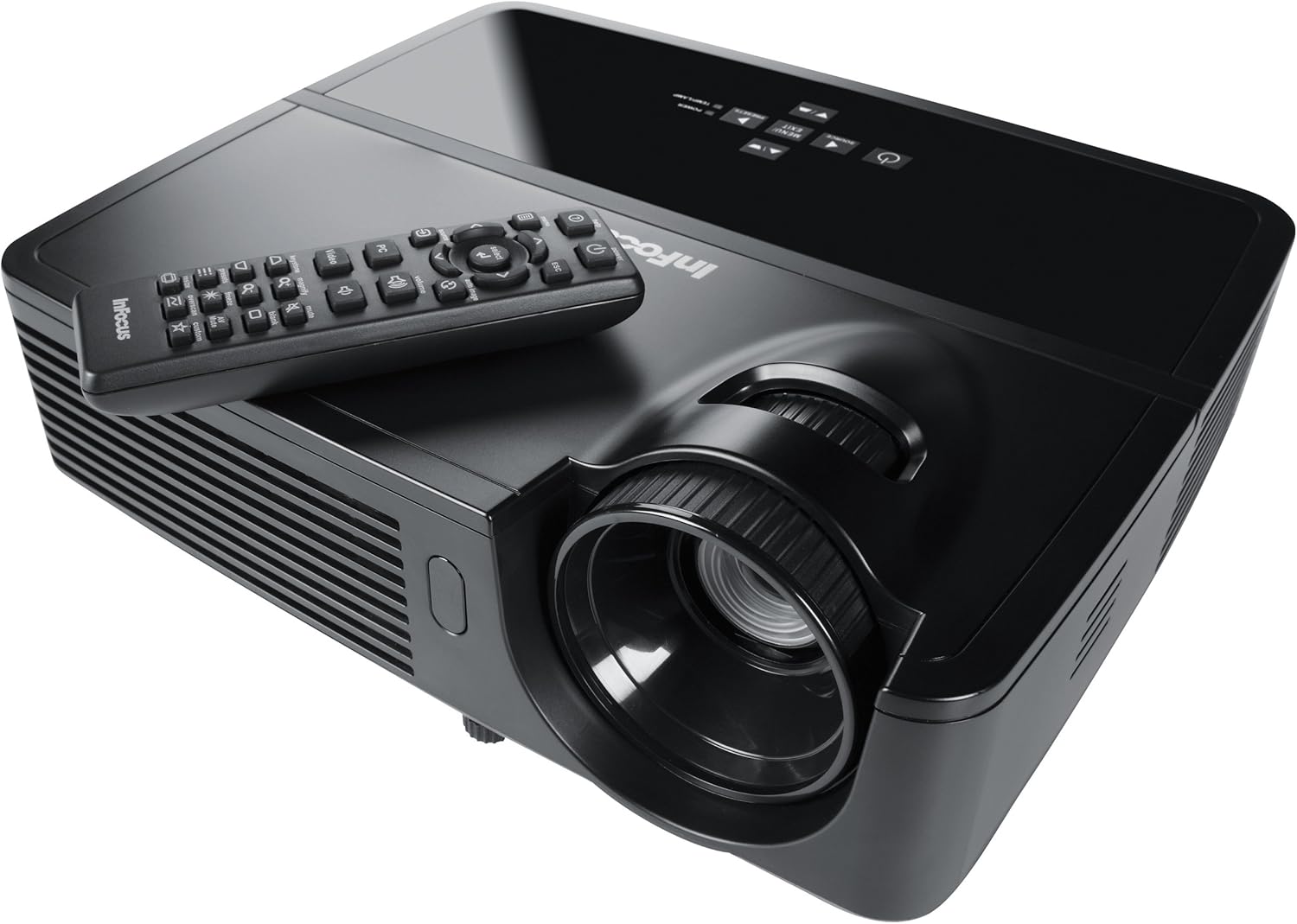
Figure 1: InFocus IN124 DLP Projector with its remote control. The image shows the top-down view of the black projector unit, highlighting the lens, ventilation grilles, and the control panel. The remote control is placed on top of the projector.
4. ການດໍາເນີນງານຂອງໂປເຈັກເຕີ
4.1 ການຄວບຄຸມພື້ນຖານ
The projector can be operated using the control panel on the unit or the included remote control.
- ປຸ່ມເປີດປິດ: ເປີດ ຫຼືປິດໂປຣເຈັກເຕີ.
- ປຸ່ມທີ່ມາ: Cycles through available input sources (HDMI, VGA, Video).
- ປຸ່ມເມນູ: Accesses the on-screen display (OSD) menu for settings adjustments.
- ປຸ່ມລູກສອນ: ທ່ອງໄປຫາຕົວເລືອກເມນູແລະປັບຄ່າ.
- ໃສ່/ເລືອກປຸ່ມ: ຢືນຢັນການເລືອກໃນເມນູ.
- ປຸ່ມລະດັບສຽງ: ປັບລະດັບສຽງອອກ.
- ການແກ້ໄຂ Keystone: ປັບຮູບຮ່າງຮູບພາບເພື່ອແກ້ໄຂການບິດເບືອນຂອງ trapezoidal.
- ແຫວນຈຸດສຸມ: Manually adjust the lens to sharpen the image.
4.2 ເມນູນໍາທາງ ແລະການຕັ້ງຄ່າ
Press the "Menu" button to open the On-Screen Display (OSD). Use the arrow keys to navigate through categories such as "Picture," "Display," "Setup," and "Advanced." Press "Enter" to select a category or option. Adjust settings like brightness, contrast, color temperature, aspect ratio, and resolution to optimize your viewປະສົບການ.
4.3 ໜ້າທີ່ 3D
The InFocus IN124 is 3D-ready. To experience 3D content, you will need compatible 3D source material, a 3D-capable player, and active DLP Link 3D glasses (sold separately). Refer to your 3D source device's manual for specific setup instructions.
5. ບໍາລຸງຮັກສາ
ການບຳລຸງຮັກສາເປັນປະຈຳຮັບປະກັນປະສິດທິພາບທີ່ດີທີ່ສຸດ ແລະ ຍືດອາຍຸການໃຊ້ງານຂອງໂປເຈັກເຕີຂອງທ່ານ.
5.1 ການເຮັດຄວາມສະອາດເລນ
Use a soft, lint-free cloth specifically designed for optical lenses. Gently wipe the lens surface to remove dust or smudges. Avoid using abrasive cleaners or excessive force, which can scratch the lens.
5.2 ການເຮັດຄວາມສະອາດເຄື່ອງກອງອາກາດ
The projector has air filters to prevent dust from entering the internal components. Locate the filter cover (refer to the diagram in the full manual if available) and remove it. Clean the filter using a small brush or a vacuum cleaner with a brush attachment. Replace the filter securely.
5.3 ລamp ການທົດແທນ
ໂປເຈັກເຕີ lamp ມີກໍານົດຊີວິດ. ເມື່ອ lamp indicator light illuminates or the image becomes dim, it's time to replace the lampປ່ອຍໃຫ້ໂປເຈັກເຕີເຢັນລົງໝົດກ່ອນທີ່ຈະພະຍາຍາມໃຊ້amp replacement. Consult the full service manual or a qualified technician for detailed lamp replacement procedures specific to the IN124 model.
6. ການແກ້ໄຂບັນຫາ
ພາກສ່ວນນີ້ແກ້ໄຂບັນຫາທົ່ວໄປທີ່ທ່ານອາດຈະພົບກັບໂປເຈັກເຕີຂອງທ່ານ.
| ບັນຫາ | ສາເຫດທີ່ເປັນໄປໄດ້ | ການແກ້ໄຂ |
|---|---|---|
| ບໍ່ມີຮູບພາບສະແດງ | Incorrect input source selected; Loose cable connection; Projector not powered on. | Press the "Source" button to cycle inputs; Check all cable connections; Ensure projector is powered on and lamp ແມ່ນໄຟ. |
| ຮູບພາບມົວ | Out of focus; Incorrect resolution setting. | Adjust the focus ring on the lens; Adjust the resolution setting in the OSD menu or on your source device. |
| ຮູບພາບແມ່ນ trapezoidal | ໂປເຈັກເຕີບໍ່ຕັ້ງສາກກັບໜ້າຈໍ. | Use the keystone correction feature (digital or manual) to square the image. Reposition the projector if possible. |
| ບໍ່ມີສຽງ | Volume too low; Incorrect audio input selected; Muted. | Increase volume; Check audio cable connections; Ensure projector or source device is not muted. |
| ໂປເຈັກເຕີເກີນຄວາມຮ້ອນ ແລະປິດລົງ | Blocked ventilation; Dirty air filter. | Ensure clear space around vents; Clean air filter as per maintenance section. |
For issues not listed here, please refer to the comprehensive online support resources or contact InFocus customer service.
7. ຂໍ້ມູນຈໍາເພາະ
Below are the key technical specifications for the InFocus IN124 DLP Projector:
| ຄຸນສົມບັດ | ລາຍລະອຽດ |
|---|---|
| ໝາຍເລກຕົວແບບ | ໃນປີ 124 |
| ເຕັກໂນໂລຊີການສະແດງ | DLP |
| ຄວາມລະອຽດເດີມ | 1280x720 (ຄວາມລະອຽດສູງ) |
| ຄວາມສະຫວ່າງ | ເຖິງ 3200 Lumens |
| ອັດຕາສ່ວນກົງກັນຂ້າມ | 3000:1 |
| ການເຊື່ອມຕໍ່ | HDMI, VGA, Composite Video |
| ຄຸນນະສົມບັດພິເສດ | 3D ພ້ອມ |
| ຂະໜາດສິນຄ້າ (L x W x H) | 12.99 x 12.99 x 5.9 ນິ້ວ |
| ນ້ໍາຫນັກລາຍການ | 4.78 ປອນ (2.17 ກິໂລ) |
| ການສະຫນອງພະລັງງານ | 100-240 Volts at 50-60 Hz |
| ການນໍາໃຊ້ທີ່ແນະນໍາ | Home Cinema |
8. ການຮັບປະກັນແລະການສະຫນັບສະຫນູນ
InFocus provides a limited warranty for the IN124 DLP Projector. For detailed warranty terms and conditions, please refer to the warranty card included with your product or visit the official InFocus webເວັບໄຊ. ຮັກສາໃບຮັບເງິນການຊື້ຂອງທ່ານໄວ້ເປັນຫຼັກຖານການຊື້ສໍາລັບການຮ້ອງຂໍການຮັບປະກັນ.
For technical support, troubleshooting assistance beyond this manual, or service requests, please contact InFocus customer support through their official website or the contact information provided in your product documentation. Online resources, including FAQs and driver downloads, may also be available.


