ແນະນຳ
This manual provides comprehensive instructions for the Verbatim 2.4G Wireless Mini Travel Optical Mouse, Model 97471. It covers setup, operation, maintenance, and troubleshooting to ensure optimal performance and longevity of your device. This ultra-compact wireless mouse is designed for portability and ease of use with notebooks and netbooks.

Image: The Verbatim 2.4G Wireless Mini Travel Optical Mouse in blue, shown with its compact Nano receiver.
ເນື້ອໃນຊຸດ
ກວດສອບວ່າລາຍການທັງຫມົດແມ່ນມີຢູ່ໃນຊຸດ:
- Verbatim 2.4G Wireless Mini Travel Optical Mouse
- Nano USB ຮັບ
- ແບັດເຕີຣີ 1x AAA
- ຄູ່ມືເລີ່ມຕົ້ນດ່ວນ
ຄວາມຕ້ອງການລະບົບ
The Verbatim 2.4G Wireless Mini Travel Optical Mouse is compatible with the following operating systems:
- Windows XP, Vista, Windows 7, and higher
- Mac OS X 10.1 ແລະສູງກວ່າ
- ເຄຣນ Linux 2.6 ແລະ ສູງກວ່າ
A free USB 1.1 or 2.0 port is required for the Nano USB Receiver.
ຄໍາແນະນໍາການຕິດຕັ້ງ
1. ຕິດຕັ້ງຫມໍ້ໄຟ
- ຊອກຫາຝາປິດຊ່ອງໃສ່ຫມໍ້ໄຟຢູ່ດ້ານລຸ່ມຂອງຫນູ.
- ຄ່ອຍໆເລື່ອນ ຫຼືຍົກຝາປິດເພື່ອເປີດຊ່ອງໃສ່.
- ໃສ່ແບັດ AAA ທີ່ປະກອບໄປດ້ວຍ, ຮັບປະກັນຈຸດບວກ (+) ແລະ ລົບ (-) ສອດຄ່ອງຢ່າງຖືກຕ້ອງກັບເຄື່ອງໝາຍພາຍໃນຊ່ອງ.
- ປ່ຽນຝາປິດຊ່ອງໃສ່ໝໍ້ໄຟ ຈົນກວ່າມັນຈະກົດເຂົ້າໃສ່ຢ່າງປອດໄພ.

Image: The underside of the mouse with the battery compartment open, showing the AAA battery and the Nano receiver stored inside.
2. Connect the Nano USB Receiver
- Remove the Nano USB receiver from its storage slot within the mouse's battery compartment (if stored there).
- ສຽບເຄື່ອງຮັບສັນຍານ Nano USB ເຂົ້າກັບພອດ USB ທີ່ມີຢູ່ໃນຄອມພິວເຕີຂອງທ່ານ.
- ຄອມພິວເຕີຂອງທ່ານຄວນຈະກວດພົບແລະຕິດຕັ້ງໄດເວີທີ່ຈໍາເປັນໂດຍອັດຕະໂນມັດ. ຂະບວນການນີ້ອາດຈະໃຊ້ເວລາເລັກນ້ອຍ.
ຄໍາແນະນໍາການດໍາເນີນງານ
ເປີດ/ປິດ
The mouse typically powers on automatically when the receiver is connected and the mouse is moved. To conserve battery life, ensure the mouse is turned off when not in use. A power switch is usually located on the underside of the mouse.
ການ ນຳ ໃຊ້ຂັ້ນພື້ນຖານ
- ປຸ່ມຊ້າຍ: Primary click function, used for selecting items, opening links, etc.
- ປຸ່ມຂວາ: ຟັງຊັນຄລິກທີສອງ, ໂດຍປົກກະຕິແລ້ວຈະເປີດເມນູສະພາບການ.
- ລໍ້ເລື່ອນ: Roll up or down to navigate documents and web pages. The scroll wheel may also function as a middle button when pressed.
ບໍາລຸງຮັກສາ
ການປ່ຽນແບັດ
When the mouse performance degrades or stops responding, it is likely time to replace the AAA battery. Follow the battery installation steps outlined in the Setup section.
ທໍາຄວາມສະອາດ
ເພື່ອເຮັດຄວາມສະອາດເມົາສ໌ຂອງທ່ານ, ໃຫ້ໃຊ້ຜ້າອ່ອນ, ແຫ້ງ, ແລະ ບໍ່ມີຂົນ. ສຳລັບຝຸ່ນທີ່ຝັງແໜ້ນ, ໃຫ້ຖູເລັກນ້ອຍampen the cloth with water. Avoid using harsh chemicals, solvents, or abrasive cleaners, as these can damage the mouse's surface or internal components.
ການແກ້ໄຂບັນຫາ
| ບັນຫາ | ການແກ້ໄຂ |
|---|---|
| ເມົ້າບໍ່ຕອບສະໜອງ |
|
| ການເຄື່ອນໄຫວຕົວກະພິບແມ່ນຜິດພາດ ຫຼືກະພິບ |
|
| Receiver not detected by computer |
|
ຂໍ້ມູນຈໍາເພາະ
| ຄຸນສົມບັດ | ລາຍລະອຽດ |
|---|---|
| ໝາຍເລກຕົວແບບ | 97471 |
| ຂະໜາດສິນຄ້າ | 3 x 2 x 1.25 ນິ້ວ (L x W x H) |
| ນ້ໍາຫນັກລາຍການ | 2.4 ອອນ |
| ເຕັກໂນໂລຊີການເຊື່ອມຕໍ່ | 2.4GHz ໄຮ້ສາຍ |
| ເຕັກໂນໂລຍີກວດຈັບການເຄື່ອນໄຫວ | Optical |
| ປະເພດຫມໍ້ໄຟ | 1x AAA (ລວມ) |
| ການໂຕ້ຕອບ | USB 2.0 (ເຂົ້າກັນໄດ້ກັບ USB 1.1) |

ຮູບພາບ: ເທິງລົງລຸ່ມ view of the Verbatim Mini Travel Mouse showing its approximate dimensions of 3 inches length and 2 inches width.
ຂໍ້ມູນການຮັບປະກັນ
ຜະລິດຕະພັນ Verbatim ນີ້ຖືກຄຸ້ມຄອງໂດຍ ການຮັບປະກັນ 1 ປີຈໍາກັດ from the date of purchase. This warranty covers defects in materials and workmanship under normal use. For full terms and conditions, please refer to the official Verbatim warranty documentation or contact customer support.
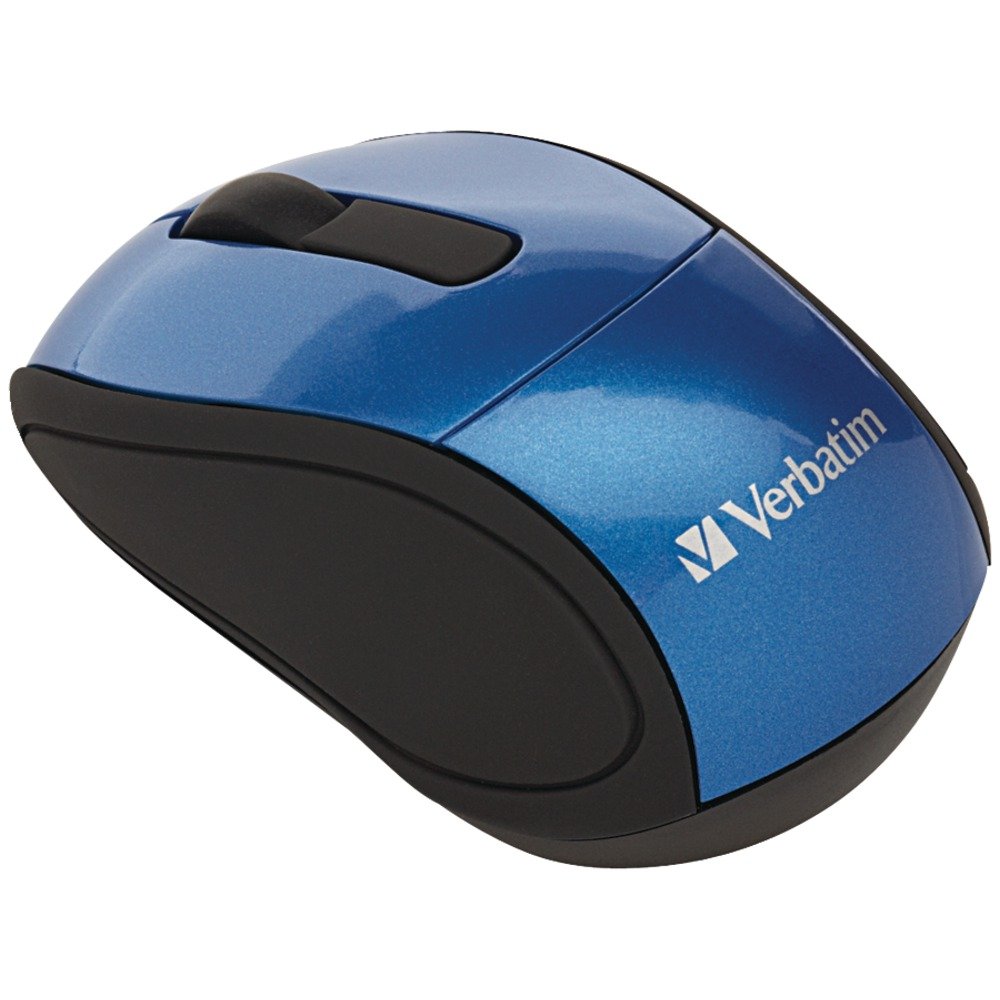
Image: A blue circular badge indicating a "1-Year Limited Warranty".
ສະຫນັບສະຫນູນ
For further assistance, technical support, or warranty claims, please visit the official Verbatim website or contact their customer service department. Contact information can typically be found on the Verbatim webເວັບໄຊ ຫຼືໃນຄູ່ມືການເລີ່ມຕົ້ນດ່ວນລວມຢູ່ໃນຜະລິດຕະພັນຂອງທ່ານ.


