1. ບົດແນະນຳ
This instruction manual provides comprehensive guidance for the proper use and maintenance of your Vivitar DVR545 5.0 Megapixel Digital Camcorder. Please read this manual thoroughly before operating the device to ensure optimal performance and longevity. Keep this manual for future reference.
2. ຜະລິດຕະພັນເກີນview
2.1 ອົງປະກອບ
The Vivitar DVR545 is a compact digital camcorder designed for capturing videos and still images. It features an 8x digital zoom, a 2.4-inch LCD screen, and supports SD memory cards for expanded storage.

Figure 1: The Vivitar DVR545 Digital Camcorder shown alongside its protective carrying case.
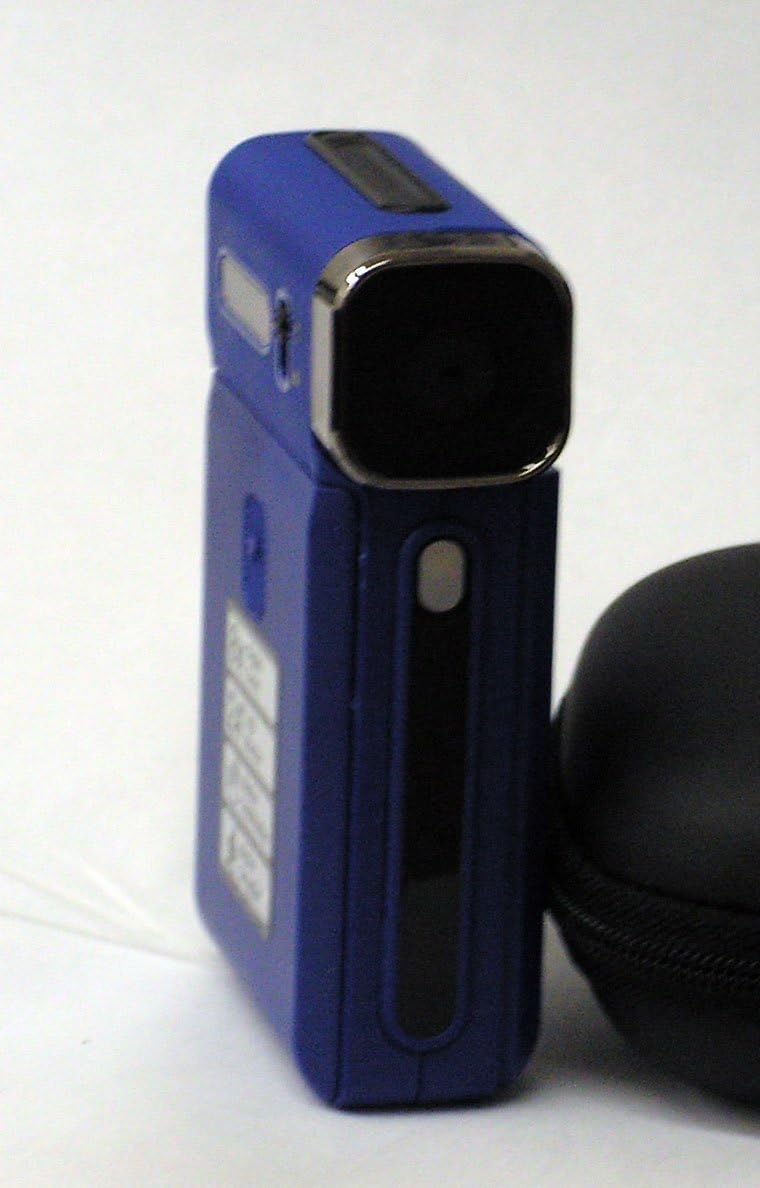
ຮູບທີ 2: A ໃກ້ຊິດ view of the Vivitar DVR545 Digital Camcorder, highlighting its front panel and lens.
3. ຕັ້ງຄ່າ
3.1 ການຕິດຕັ້ງ ແລະສາກແບັດ
- ຊອກຫາຊ່ອງໃສ່ຫມໍ້ໄຟຢູ່ໃນກ້ອງຖ່າຍວິດີໂອ.
- ເປີດຝາປິດ.
- Insert the provided rechargeable Li-ion battery, ensuring correct polarity as indicated inside the compartment.
- ປິດຝາປິດຊ່ອງໃສ່ຫມໍ້ໄຟຢ່າງປອດໄພ.
- Connect the camcorder to a power source using the supplied USB cable to charge the battery. The charging indicator light will illuminate.
- ອະນຸຍາດໃຫ້ແບດເຕີຣີສາກເຕັມກ່ອນທີ່ຈະໃຊ້ຄັ້ງທໍາອິດ.
3.2 ການຕິດຕັ້ງກາດຫນ່ວຍຄວາມຈໍາ
The camcorder has 64MB of internal memory. For extended recording and storage, an SD card is recommended.
- ຊອກຫາຊ່ອງໃສ່ບັດ SD ໃນກ້ອງວິດີໂອ.
- Insert an SD card into the slot with the metal contacts facing down, until it clicks into place.
- ເພື່ອເອົາ SD ກາດອອກ, ຄ່ອຍໆຍູ້ມັນເຂົ້າໄປຂ້າງໃນຈົນກ່ວາມັນອອກມາ.
3.3 ການເປີດເຄື່ອງເບື້ອງຕົ້ນ
Press and hold the power button (usually located on the side or top of the device) for a few seconds until the 2.4-inch LCD screen illuminates.
4. ຄໍາແນະນໍາການດໍາເນີນງານ
4.1 ການດໍາເນີນງານພື້ນຖານ
- ເປີດ/ປິດ: ກົດປຸ່ມເປີດປິດຄ້າງໄວ້.
- ຈໍ LCD: The 2.4-inch LCD screen displays the live view, ທາງເລືອກເມນູ, ແລະການຫຼິ້ນ.
- ການນໍາທາງ: Use the directional buttons to navigate through menus and settings.
4.2 ການບັນທຶກວິດີໂອ
- ເປີດກ້ອງຖ່າຍວິດີໂອ.
- Ensure the camcorder is in video recording mode (indicated by an icon on the LCD).
- ວາງກອບວັດຖຸຂອງທ່ານໂດຍໃຊ້ໜ້າຈໍ LCD.
- ກົດປຸ່ມບັນທຶກ (ໂດຍປົກກະຕິແລ້ວແມ່ນວົງມົນສີແດງ) ເພື່ອເລີ່ມການບັນທຶກ. ຕົວຊີ້ບອກການບັນທຶກຈະກະພິບ.
- Press the Record button again to stop recording. Videos are captured at 1080p resolution.
4.3 ການຖ່າຍຮູບ
- ເປີດກ້ອງຖ່າຍວິດີໂອ.
- Switch to still photo mode (indicated by a camera icon on the LCD).
- ກອບການສັກຢາຂອງເຈົ້າ.
- Press the Shutter button (often separate from the Record button) to capture a 5.0 megapixel image.
4.4 ຟັງຊັນຊູມ
Use the zoom controls (often labeled 'W' for Wide and 'T' for Telephoto) to adjust the 8x digital zoom. Press 'T' to zoom in and 'W' to zoom out.
4.5 ການເຊື່ອມຕໍ່ກັບຄອມພິວເຕີ (USB)
- ກວດໃຫ້ແນ່ໃຈວ່າກ້ອງຖ່າຍວິດີໂອເປີດຢູ່.
- ເຊື່ອມຕໍ່ກ້ອງຖ່າຍວິດີໂອກັບຄອມພິວເຕີຂອງທ່ານໂດຍໃຊ້ສາຍ USB ທີ່ໃຫ້ມາ.
- ກ້ອງວິດີໂອຄວນຈະປະກົດເປັນຮາດດິດທີ່ສາມາດຖອດອອກໄດ້ໃນຄອມພິວເຕີຂອງທ່ານ.
- You can now access and transfer your video and photo files.
5. ບໍາລຸງຮັກສາ
5.1 ການອະນາໄມກ້ອງວີດີໂອ
- ໃຫ້ໃຊ້ຜ້າອ່ອນໆທີ່ບໍ່ມີຂົນເພື່ອທຳຄວາມສະອາດຕົວກ້ອງວິດີໂອ.
- For the lens, use a specialized lens cleaning cloth and solution. Avoid touching the lens surface with your fingers.
- ຢ່າໃຊ້ສານເຄມີທີ່ຮຸນແຮງຫຼືນໍ້າຢາ ທຳ ຄວາມສະອາດທີ່ຫຍາບຄາຍ.
5.2 ການດູແລຫມໍ້ໄຟ
- ສາກແບດເຕີລີ່ຢ່າງເປັນປົກກະຕິ, ເຖິງແມ່ນວ່າບໍ່ໄດ້ໃຊ້, ເພື່ອຮັກສາຄວາມອາດສາມາດຂອງມັນ.
- ຫຼີກເວັ້ນການເປີດເຜີຍແບດເຕີລີ່ກັບອຸນຫະພູມທີ່ຮຸນແຮງ.
- If the camcorder will not be used for an extended period, remove the battery.
5.3 ການເກັບຮັກສາ
Store the camcorder in a cool, dry place, away from direct sunlight and excessive dust. Use the provided carrying case for protection during transport.
6. ການແກ້ໄຂບັນຫາ
6.1 ບັນຫາທົ່ວໄປ ແລະການແກ້ໄຂ
- ອຸປະກອນບໍ່ເປີດ: ກວດໃຫ້ແນ່ໃຈວ່າໄດ້ຕິດຕັ້ງແບັດເຕີຣີຢ່າງຖືກຕ້ອງ ແລະສາກເຕັມແລ້ວ.
- ບໍ່ສາມາດໂອນຍ້າຍໄດ້ files ກັບຄອມພິວເຕີ: Verify the USB cable is securely connected to both the camcorder and the computer. Ensure the camcorder is powered on. Try a different USB port.
- ຄຸນນະພາບຮູບພາບ / ວິດີໂອທີ່ບໍ່ດີ: Check if the lens is clean and free from smudges. Ensure adequate lighting in your recording environment.
- "Memory Full" error: ລຶບທີ່ບໍ່ຈໍາເປັນ files from the internal memory or insert an SD card with sufficient free space.
- ໜ້າຈໍ LCD ບໍ່ສະແດງ: Check if the camcorder is powered on. Adjust the screen angle if it's a swivel screen.
7. ຂໍ້ມູນຈໍາເພາະ
7.1 ລາຍລະອຽດດ້ານວິຊາການ
| ຍີ່ຫໍ້ | ວີວີຕ້າ |
| ຊື່ຕົວແບບ | DVR545 |
| ລ້ານພິກເຊລ | 5.0 |
| ຄວາມລະອຽດການຖ່າຍວິດີໂອ | 1080p |
| ຊູມດິຈິຕອລ | 8x |
| ຂະໜາດໜ້າຈໍ | 2.4 ນິ້ວ |
| ຫນ່ວຍຄວາມຈໍາພາຍໃນ | 64MB |
| ປະເພດຫນ່ວຍຄວາມຈໍາ Flash | SD |
| ເຕັກໂນໂລຊີການເຊື່ອມຕໍ່ | USB |
| ສະຖຽນລະພາບຮູບພາບ | ດິຈິຕອລ, Optical |
| ອົງປະກອບລວມ | ແບັດເຕີຣີ |
| ຊ່ວງໂຟກັສ | 150cm to infinite |
8. ການຮັບປະກັນແລະການສະຫນັບສະຫນູນ
For information regarding warranty coverage and customer support, please refer to the warranty card included with your product or visit the official Vivitar webເວັບໄຊ. ຮັກສາໃບຮັບເງິນການຊື້ຂອງທ່ານໄວ້ເປັນຫຼັກຖານການຊື້.


