
ແນະນຳ
The UGREEN CM889 7-in-1 USB-C Hub is designed to expand the connectivity options of your USB-C enabled devices. This compact and versatile hub transforms a single USB-C port into seven essential connections, including HDMI, USB 3.0, USB 2.0, SD/TF card readers, Gigabit Ethernet, and a Power Delivery (PD) charging port. It provides a comprehensive solution for connecting multiple peripherals, external displays, and charging your device simultaneously, enhancing productivity and convenience for various applications.
ຄຸນສົມບັດຜະລິດຕະພັນ
- ການເຊື່ອມຕໍ່ 7-in-1: Expands a single USB-C port into HDMI, USB 3.0 (x2), USB 2.0 (x1), SD card reader, TF card reader, Gigabit Ethernet, and USB-C PD charging port.
- 4K HDMI Output: Supports video output up to 4K resolution at 30Hz, enabling connection to external monitors, TVs, or projectors.
- ການໂອນຂໍ້ມູນຄວາມໄວສູງ: Two USB 3.0 ports offer data transfer speeds up to 5Gbps for quick file ການໂອນ.
- Power Delivery (PD) Support: USB-C PD charging port supports up to 100W power pass-through to keep your laptop charged.
- Gigabit-Ethernet: Provides a stable and fast wired network connection up to 1000Mbps.
- SD/TF Card Readers: Integrated slots for simultaneous reading of SD and TF (MicroSD) cards.
- ສຽບ ແລະ ຫຼິ້ນ: Requires no additional drivers or software installation for immediate use.
- ການອອກແບບທົນທານ: Constructed with aluminium alloy for enhanced durability and efficient heat dissipation.
- ຕົວຊີ້ວັດ LED: Visual feedback on connection status.
- ຄຸນນະສົມບັດຄວາມປອດໄພ: ລວມທັງ overcurrent, overvoltage, ແລະການປ້ອງກັນວົງຈອນສັ້ນ.
ຄູ່ມືການຕິດຕັ້ງ
Follow these steps to set up your UGREEN CM889 7-in-1 USB-C Hub:
- ເຊື່ອມຕໍ່ຫາອຸປະກອນໂຮສ: Plug the USB-C connector cable of the UGREEN CM889 hub into an available USB-C port on your laptop, tablet, or smartphone. Ensure the USB-C port on your device supports data transfer, video output (DisplayPort Alternate Mode), and Power Delivery for full functionality.
- ການເຊື່ອມຕໍ່ພະລັງງານ (ທາງເລືອກ): If your host device requires charging or if you are connecting power-intensive peripherals, connect your original USB-C power adapter to the USB-C PD port on the hub. The hub supports up to 100W power pass-through.
- ເຊື່ອມຕໍ່ອຸປະກອນຕໍ່ພ່ວງ:
- ຈໍສະແດງຜົນ HDMI: Connect an HDMI cable from your external monitor or TV to the HDMI port on the hub. Your device should automatically detect the external display.
- ອຸປະກອນ USB: Plug your USB-A peripherals (e.g., keyboard, mouse, USB flash drive, external hard drive) into the USB 3.0 or USB 2.0 ports.
- ສາຍເຄືອຂ່າຍ: For a wired internet connection, connect an Ethernet cable to the Gigabit RJ45 port on the hub.
- ບັດ SD/TF: Insert your SD or TF (MicroSD) memory cards into the corresponding slots.
- ຢືນຢັນການເຊື່ອມຕໍ່: The LED indicator on the hub will illuminate to show a successful connection to the host device.
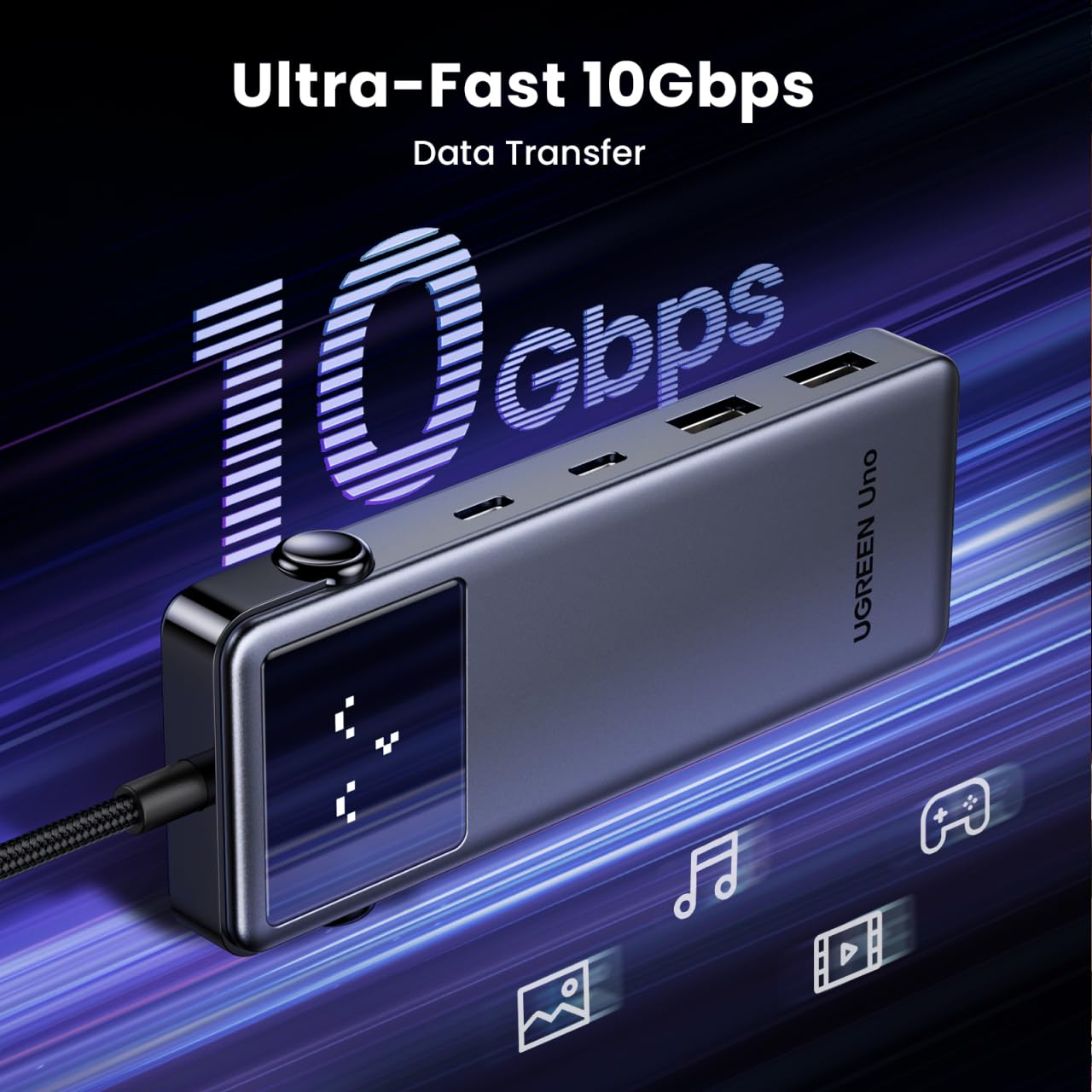
Image: UGREEN CM889 hub with its 7 ports labeled, including PD 100W, USB-C 3.0, USB-A 3.0 x 2, USB-A 2.0, HDMI 4K60Hz, and Gigabit RJ45.

Image: Visual representation of the LED display on the UGREEN CM889 hub, showing different icons for connecting to host, external display, PD charger, and external display + PD charging.
ຄໍາແນະນໍາການດໍາເນີນງານ
Once connected, the UGREEN CM889 hub operates automatically. Here's how to utilize its various functions:
- ການໂອນຂໍ້ມູນ: Insert USB flash drives, external hard drives, or other USB storage devices into the USB 3.0 or USB 2.0 ports. Files can be dragged and dropped between your host device and the connected storage. The USB 3.0 ports support speeds up to 5Gbps.
- ຜົນຜະລິດວິດີໂອ: After connecting an HDMI display, your host device's operating system will typically extend or mirror your display automatically. You can adjust display settings (resolution, orientation, mirroring/extending) through your device's display settings. The hub supports resolutions up to 4K@30Hz.
- ການສາກໄຟ: When a power adapter is connected to the PD port, the hub will pass power through to charge your host device. Ensure your power adapter provides sufficient wattage for both the hub and your device.
- ການເຂົ້າເຖິງເຄືອຂ່າຍ: The Gigabit Ethernet port provides a stable and high-speed internet connection. Once an Ethernet cable is connected, your device should automatically establish a wired network connection.
- ການອ່ານບັດ: Insert SD or TF cards into their respective slots. They will appear as removable drives on your host device, allowing you to access and transfer files.

Image: The UGREEN CM889 hub with a visual representation of high-speed data transfer, indicating up to 10Gbps capability for the main USB-C connection.

Image: Diagram illustrating the universal compatibility of the UGREEN CM889 hub with various laptops (MacBook Air/Pro, HP Envy, Dell XPS, Surface Pro, ThinkPad, ASUS Vivobook), tablets/phones (iPad Pro/Air/Mini, Galaxy Tab, iPhone 15, Galaxy S24/S23), and game consoles (ROG Ally, Steam Deck).

Image: A user demonstrating the connection of multiple peripherals like a keyboard, mouse, and external storage to the UGREEN CM889 hub, which is connected to a laptop.
ບໍາລຸງຮັກສາ
To ensure the longevity and optimal performance of your UGREEN CM889 USB-C Hub, follow these maintenance guidelines:
- ທໍາຄວາມສະອາດ: Use a soft, dry, lint-free cloth to gently wipe the surface of the hub. Avoid using liquid cleaners, aerosols, or solvents, as they may damage the device.
- ການເກັບຮັກສາ: ເມື່ອບໍ່ໄດ້ໃຊ້, ເກັບຮັກສາທໍ່ຢູ່ໃນບ່ອນທີ່ເຢັນ, ແຫ້ງແລ້ງຫ່າງຈາກແສງແດດໂດຍກົງແລະອຸນຫະພູມທີ່ຮຸນແຮງ.
- ການຈັດການ: ຫຼີກລ່ຽງການຖິ້ມສູນ ຫຼື ຜົນກະທົບທີ່ຮຸນແຮງ. ຫ້າມງໍ ຫຼື ດຶງສາຍ USB-C ທີ່ປະສົມປະສານຫຼາຍເກີນໄປ.
- Port Care: Keep the ports free from dust and debris. You can use compressed air to gently clear any obstructions.
ການແກ້ໄຂບັນຫາ
If you encounter issues with your UGREEN CM889 USB-C Hub, refer to the following common problems and solutions:
- ບໍ່ມີການສະແດງຜົນອອກຜ່ານ HDMI:
- Ensure your host device's USB-C port supports DisplayPort Alternate Mode (Alt Mode).
- Check the HDMI cable connection between the hub and the monitor. Try a different HDMI cable.
- Verify the monitor input source is set correctly to HDMI.
- ຣີສະຕາດອຸປະກອນໂຮສຂອງທ່ານ.
- ອຸປະກອນ USB ບໍ່ຮັບຮູ້:
- ໃຫ້ແນ່ໃຈວ່າສູນເຊື່ອມຕໍ່ຢ່າງປອດໄພກັບອຸປະກອນແມ່ຂ່າຍຂອງທ່ານ.
- Try connecting the USB device directly to your host device to confirm it's working.
- If connecting a high-power USB device (e.g., external hard drive), ensure the hub is connected to a power adapter via its PD port.
- ລອງໃຊ້ພອດ USB ອື່ນໃນ hub.
- No Power Delivery (PD) Charging:
- Ensure your USB-C power adapter is functional and connected to the hub's PD port.
- ກວດສອບວ່າພອດ USB-C ຂອງອຸປະກອນໂຮດຂອງທ່ານຮອງຮັບ Power Delivery.
- Check if the power adapter provides sufficient wattage ສໍາລັບອຸປະກອນຂອງທ່ານ.
- ຄວາມໄວການໂອນຂໍ້ມູນຊ້າ:
- Ensure you are using USB 3.0 compatible devices and cables for the USB 3.0 ports.
- Some older USB-C ports on host devices may not support full USB 3.0 speeds.
- Avoid connecting too many power-intensive devices simultaneously without external power.
- ບັນຫາການເຊື່ອມຕໍ່ອີເທີເນັດ:
- ກວດເບິ່ງການເຊື່ອມຕໍ່ສາຍ Ethernet ກັບທັງ Hub ແລະ router/modem ຂອງທ່ານ.
- ກວດສອບການຕັ້ງຄ່າເຄືອຂ່າຍຂອງທ່ານໃນອຸປະກອນໂຮດຂອງທ່ານ.
- ໃຫ້ແນ່ໃຈວ່າ router/modem ຂອງທ່ານເຮັດວຽກຢ່າງຖືກຕ້ອງ.
ຂໍ້ມູນຈໍາເພາະ
| ຍີ່ຫໍ້ | ສີຂຽວ |
| ໝາຍເລກຕົວແບບ | CM889 |
| ການໂຕ້ຕອບຮາດແວ | USB ປະເພດ C |
| ພອດ USB ທັງໝົດ | 7 (2x USB 3.0, 1x USB 2.0, 1x USB-C PD, 1x HDMI, 1x Gigabit Ethernet, 1x SD, 1x TF) |
| HDMI Output | 4K@30Hz |
| ຄວາມໄວຂໍ້ມູນ USB 3.0 | ສູງສຸດ 5Gbps |
| ການຈັດສົ່ງພະລັງງານ | Up to 100W Pass-Through |
| ຄວາມໄວອີເທີເນັດ | 10/100/1000Mbps (Gigabit) |
| ວັດສະດຸຫຸ້ມຫໍ່ | Aluminium Alloy, ABS Plastic, Copper |
| ຂະໜາດລາຍການ (L x W x H) | 10L x 5W x 15H ຊັງຕີແມັດ |
| ນ້ໍາຫນັກລາຍການ | 85 ກຣາມ |
| ປະເທດຕົ້ນກໍາເນີດ | ຈີນ |
ການຮັບປະກັນແລະການສະຫນັບສະຫນູນ
ການຮັບປະກັນ: The UGREEN CM889 7-in-1 USB-C Hub comes with a 1-Year Manufacturer Warranty from the date of purchase.
ການຊ່ວຍເຫຼືອລູກຄ້າ: For any technical assistance, warranty claims, or product inquiries, please contact our authorized distributor:
ຜູ້ຈຳໜ່າຍ NikitaGreen Terrace Building, Lane Number 5
South Koregaon Park, Pune 411001, MH, India.
ID ອີເມວ: care@nikitadistributors.com
ເບີໂທລະສັບ: 18002668571