
1. ຜະລິດຕະພັນເກີນview
The Soundcore Liberty 5 Pro Max are advanced wireless earbuds designed for superior audio experiences, crystal-clear communication, and smart productivity features. They integrate cutting-edge AI technology for noise cancellation, voice recording, and personalized sound.
ຄຸນນະສົມບັດທີ່ສໍາຄັນ:
- Guinness World Records Certified Call Quality: The Liberty 5 Pro Max offers exceptional call performance, certified by Guinness World Records for its speech quality.
- AI Voice Recorder & Transcription: The smart charging case features an integrated microphone to record in-person meetings and interviews, providing AI-generated transcriptions and summaries. (Note: Does not record online meetings or calls.)
- Intuitive AMOLED Smart Case: A 1.78" AMOLED display on the charging case allows direct control over AI recording, ANC settings, and earbud configurations, with customizable wallpapers.
- ການໂທທີ່ຈະແຈ້ງ: Equipped with 10 sensors and a Thus AI Chip, ensuring your voice is heard clearly in any environment, even in noisy conditions exceeding 100 dB.
- Instant Absolute Silence (ANC): Features 100% more effective Active Noise Cancellation than previous models, utilizing 8 sensors and a Thus AI Chip to process over 384K noise signals per second for immediate quiet.
- Personalized Audio with HearID 5.0: Tailor your sound experience with custom EQ and an AI audio optimizer, ensuring optimal sound quality.
- Lag-Free Voice Control: Access 20 integrated commands for music playback and volume adjustment with zero delay, thanks to offline processing.
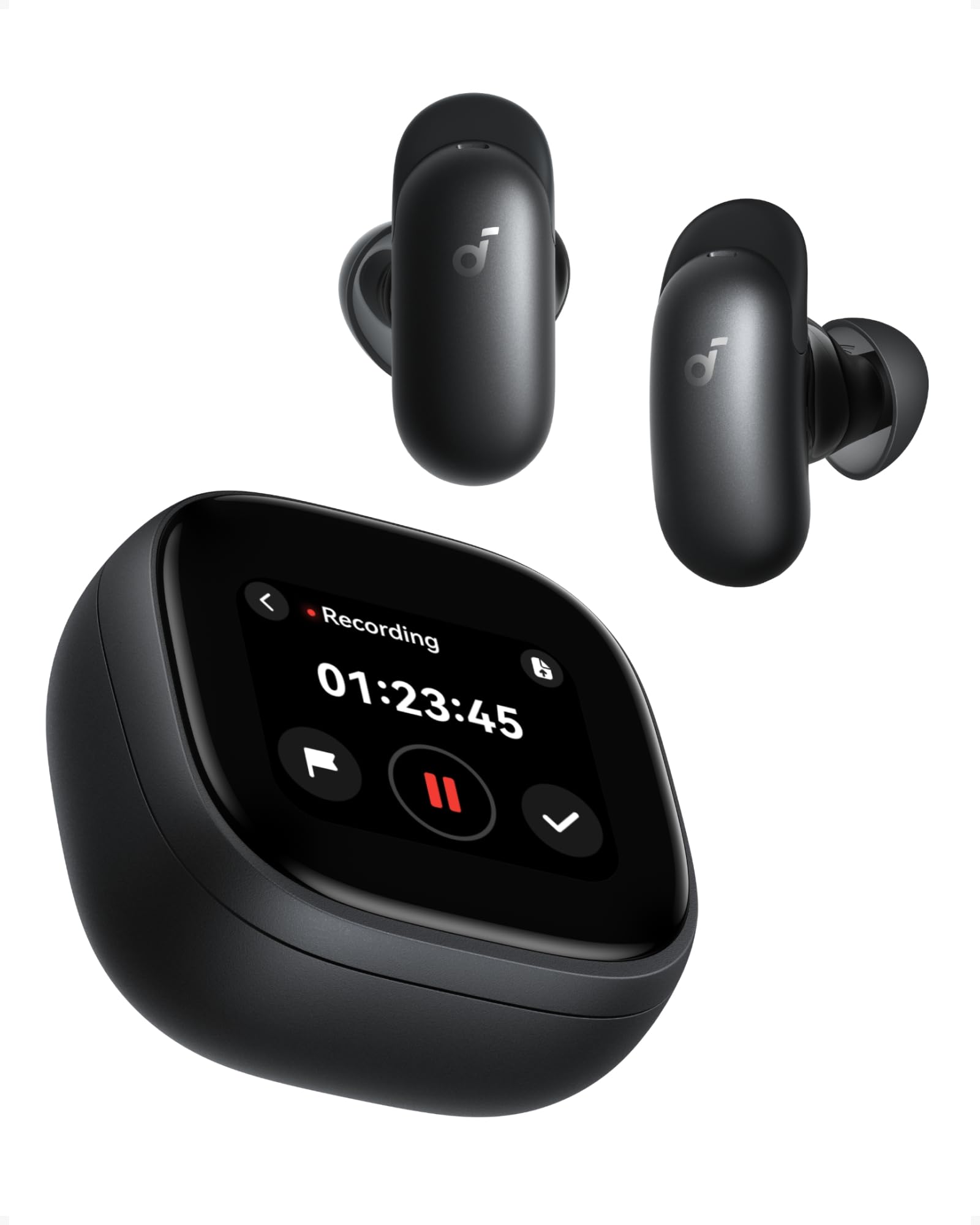
Image: Soundcore Liberty 5 Pro Max earbuds in their smart charging case.
2. ເນື້ອໃນຊຸດ
ໃຫ້ແນ່ໃຈວ່າລາຍການທັງໝົດຢູ່ໃນກ່ອງ:
- Soundcore Liberty 5 Pro Max Earbuds
- ກ່ອງສາກອັດສະລິຍະ
- Ear Tips: XXS, XS, S, M, L (Medium pre-installed)
- Ear Wings: 0, 1, 2 (Size 1 pre-installed)
- ສາຍສາກ USB-C

Image: All components included in the Soundcore Liberty 5 Pro Max package.
3. ການຕິດຕັ້ງແລະການນໍາໃຊ້ຄັ້ງທໍາອິດ
3.1 ການສາກຫູຟັງ ແລະ ເຄສ
- ວາງຫູຟັງໃສ່ຊ່ອງສາກໄຟ.
- Connect the charging case to a power source using the provided USB-C cable. The LED indicators on the case will show charging status.
- For wireless charging, place the case on a compatible wireless charging pad.
- A full charge for the earbuds takes approximately 50 minutes. The case provides multiple charges for extended use.
3.2 ການໃສ່ຫູຟັງໃຫ້ພໍດີ
For optimal sound quality and noise cancellation, it is crucial to choose the correct ear tips and ear wings that provide a secure and comfortable seal.
- Experiment with different sizes of ear tips (XXS, XS, S, M, L) and ear wings (0, 1, 2).
- Insert the earbuds into your ears and rotate them until they fit snugly and comfortably.
- Use the Soundcore app's "Tip Fit Test" feature to verify the seal.
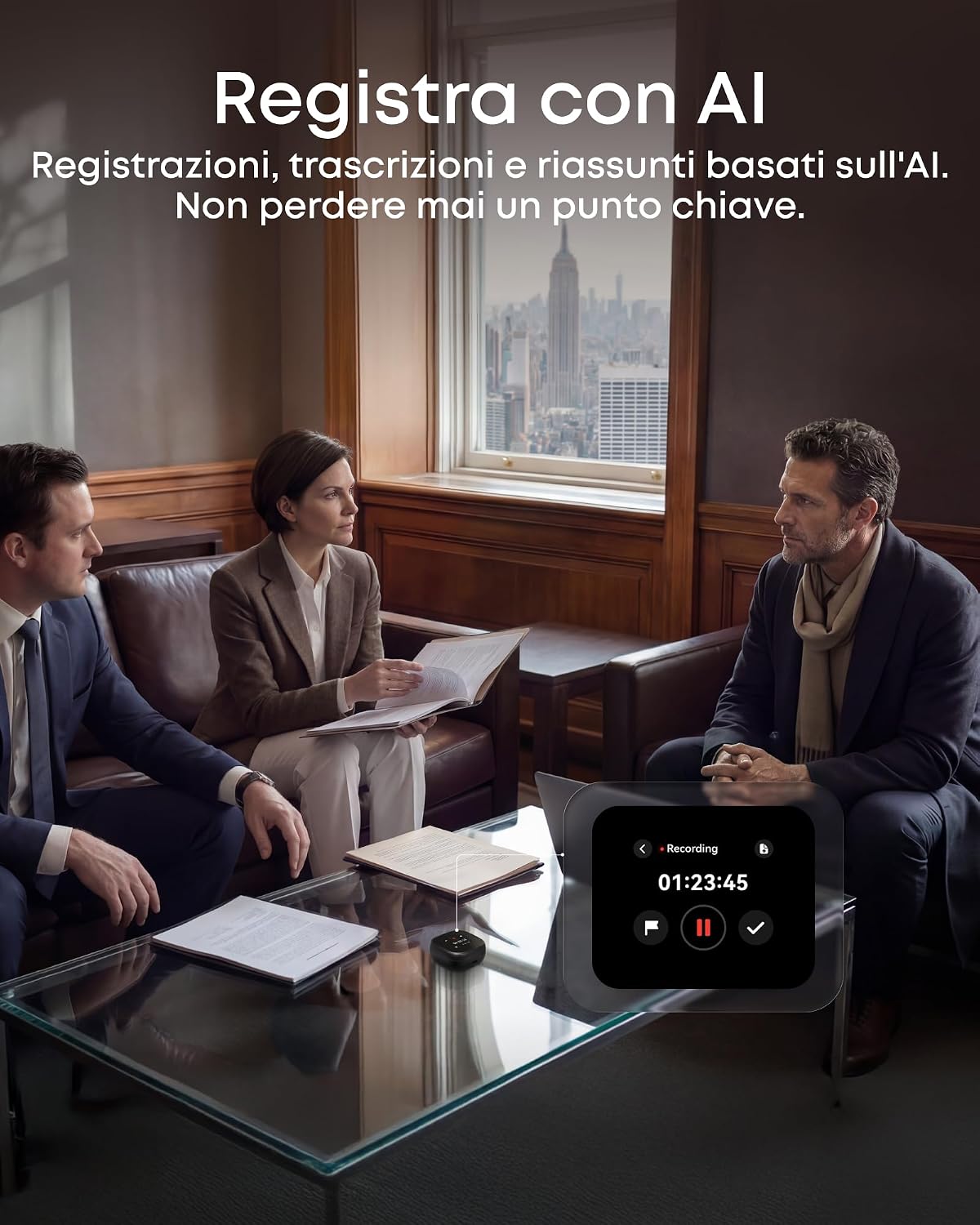
Image: Earbud correctly positioned in the ear for a secure fit.
3.3 ການຈັບຄູ່ກັບອຸປະກອນຂອງທ່ານ
- Open the charging case. The earbuds will automatically enter Bluetooth pairing mode (LEDs will flash).
- On your device (smartphone, tablet, PC), go to Bluetooth settings and select "Soundcore Liberty 5 Pro Max" from the list of available devices.
- Once connected, the earbuds will automatically connect to the last paired device when removed from the case.
- The Liberty 5 Pro Max supports simultaneous connection to up to 3 devices. Manage connections via the Soundcore app or the smart case display.

Image: Illustration of connecting the earbuds to multiple devices simultaneously.
3.4 Soundcore App Installation
Download the Soundcore app from the App Store (iOS) or Google Play Store (Android) to unlock full features, customize settings, and manage your earbuds.
4. ຄໍາແນະນໍາການດໍາເນີນງານ
4.1 Earbud Controls (Touch/Slide)
The earbuds feature touch and slide controls. Customize these controls via the Soundcore app.
- ຫຼິ້ນ/ຢຸດ: ແຕະເທື່ອດຽວໃສ່ຫູຟັງຫູຟັງ.
- ເພງຕໍ່ໄປ: ແຕະສອງເທື່ອໃສ່ຫູຟັງຫູຟັງເບື້ອງຂວາ.
- ຕິດຕາມກ່ອນ ໜ້າ ນີ້: ແຕະສອງເທື່ອໃສ່ຫູຟັງທາງຊ້າຍ.
- ປະລິມານຂຶ້ນ: Slide up on right earbud.
- ປະລິມານລົງ: Slide down on left earbud.
- ຮັບ/ສາຍໂທ: ແຕະເທື່ອດຽວໃສ່ຫູຟັງຫູຟັງ.
- ປະຕິເສດການໂທ: ກົດຫູຟັງອັນໃດອັນໜຶ່ງຄ້າງໄວ້ 2 ວິນາທີ.
- ປ່ຽນໂໝດ ANC: Press and hold left earbud for 2 seconds (cycles through ANC, Transparency, Normal).
4.2 Smart Charging Case Display
The 1.78" AMOLED display on the charging case provides direct access to various functions:
- AI Voice Recorder: Start, pause, and stop recordings. View ເວລາບັນທຶກ.
- ການຄວບຄຸມ ANC: Adjust Active Noise Cancellation modes (ANC, Transparency, Normal).
- Earbud Settings: Manage equalizer presets, customize controls, and perform firmware updates.
- ສະຖານະຫມໍ້ໄຟ: View battery levels for both earbuds and the charging case.
- Custom Wallpapers: Personalize the display background.

Image: Hand interacting with the smart charging case display, showing various control options.
4.3 Active Noise Cancellation (ANC) ແລະ ໂໝດຄວາມໂປ່ງໃສ
The Liberty 5 Pro Max offers advanced noise control:
- ໂໝດ ANC: Reduces ambient noise for an immersive listening experience. Ideal for travel or noisy environments.
- ໂໝດຄວາມໂປ່ງໃສ: Allows you to hear your surroundings while listening to audio. Useful for awareness in urban areas or conversations.
- ໂໝດປົກກະຕິ: ການຫຼິ້ນສຽງມາດຕະຖານໂດຍບໍ່ມີການຄວບຄຸມສຽງລົບກວນທີ່ໃຊ້ງານ.

Image: A man on a boat, illustrating the effectiveness of instant absolute silence with ANC.
4.4 AI Voice Recorder
Utilize the AI Voice Recorder for in-person meetings and interviews:
- Access the recorder via the smart case display or the Soundcore app.
- Start recording. The integrated microphone in the case will capture audio.
- After recording, the system will transcribe and generate AI summaries.
- Manage recordings, transcriptions, and summaries through the Soundcore app or the "Ask Anka" web ປະຕູ.

Image: Individuals in a meeting, demonstrating the use of the AI voice recorder.
4.5 Personalized Audio Settings
The Soundcore app allows you to customize your audio experience:
- HearID 5.0: Perform a hearing test to create a personalized EQ profile tailored to your unique hearing.
- EQ ແບບກຳນົດເອງ: Manually adjust equalizer settings to your preference.
- AI Audio Optimizer: Enhances sound quality based on AI analysis.

Image: A woman relaxing, enjoying personalized audio settings.
5. ບໍາລຸງຮັກສາ
- ທໍາຄວາມສະອາດ: Regularly clean the earbuds, ear tips, and charging case with a soft, dry, lint-free cloth. Avoid using harsh chemicals.
- ຄວາມຕ້ານທານນ້ໍາ: The earbuds have an IPX4 water resistance rating, meaning they are resistant to splashes and sweat. Do not submerge them in water. Ensure earbuds are dry before placing them back in the charging case.
- ການເກັບຮັກສາ: ເກັບຮັກສາຫູຟັງເອຍບັດໃສ່ໃນກະເປົ໋າສາກໄຟຂອງເຂົາເຈົ້າເມື່ອບໍ່ໄດ້ໃຊ້ເພື່ອປົກປ້ອງພວກມັນ ແລະ ສືບຕໍ່ສາກໄຟ.
6. ການແກ້ໄຂບັນຫາ
| ສະບັບ | ການແກ້ໄຂ |
|---|---|
| ຫູຟັງບໍ່ຈັບຄູ່ |
|
| ບໍ່ມີສຽງຫລືປະລິມານຕ່ ຳ |
|
| ANC ບໍ່ມີປະສິດທິພາບ |
|
| ບັນຫາການສາກໄຟ |
|
7. ຂໍ້ມູນຈໍາເພາະ
| ຄຸນສົມບັດ | ລາຍລະອຽດ |
|---|---|
| ຍີ່ຫໍ້ | ສຽງ |
| ຊື່ຕົວແບບ | Liberty 5 Pro Max |
| ໝາຍເລກຕົວແບບ | D1204 |
| ສີ | ດຳ |
| ປັດໄຈແບບຟອມ | ຫູ |
| ການຄວບຄຸມສິ່ງລົບກວນ | ການຍົກເລີກສິ່ງລົບກວນທີ່ໃຊ້ວຽກ (ANC) |
| impedance | 17 ໂອມ |
| ການຕອບສະໜອງຄວາມຖີ່ | 20 KHz |
| ຄວາມອ່ອນໄຫວ | 123 dB |
| ເຕັກໂນໂລຊີການເຊື່ອມຕໍ່ | ໄຮ້ສາຍ |
| ເຕັກໂນໂລຊີໄຮ້ສາຍ | Bluetooth |
| ລຸ້ນ Bluetooth | 6.1 |
| ປະເພດການຄວບຄຸມ | Touch and Slide Control |
| ວິທີການຄວບຄຸມ | ແອັບ, ສຽງ |
| Casing ວັດສະດຸ | ພາດສະຕິກ |
| ລະດັບຄວາມຕ້ານທານນ້ໍາ | IPX4 (ທົນທານຕໍ່ Splash ແລະ Sweat) |
| ອາຍຸການໃຊ້ງານແບັດເຕີຣີໂດຍສະເລ່ຍ (ຫູຟັງ) | 12 ຊົ່ວໂມງ |
| ເວລາສາກແບັດເຕີຣີ | 50 ນາທີ |
| ຄຸນນະສົມບັດພິເສດ | AI Note-Taker, AI Noise Cancellation, AMOLED Smart Case |
| ອຸປະກອນທີ່ເຂົ້າກັນໄດ້ | iPhone, Android, PC, Mac |
| GTIN (UPC) | 194644331047 |
8. ການຮັບປະກັນແລະການສະຫນັບສະຫນູນ
The Soundcore Liberty 5 Pro Max comes with a ຮັບປະກັນ 24 ເດືອນ ຈາກວັນທີ່ຊື້. ກະລຸນາຮັກສາຫຼັກຖານການຊື້ຂອງທ່ານສໍາລັບການຮຽກຮ້ອງການຮັບປະກັນ.
For technical support, troubleshooting assistance, or warranty inquiries, please visit the official Soundcore support webເວັບໄຊ ຫຼືຕິດຕໍ່ບໍລິການລູກຄ້າຂອງເຂົາເຈົ້າ. ທ່ານສາມາດຊອກຫາຂໍ້ມູນເພີ່ມເຕີມກ່ຽວກັບການ ຮ້ານ Soundcore ໃນ Amazon or the Soundcore app.
9. ຂໍ້ມູນຄວາມປອດໄພທີ່ສໍາຄັນ
- ຢ່າປ່ອຍໃຫ້ອຸນຫະພູມທີ່ຮຸນແຮງ.
- ຫຼີກລ້ຽງການຫຼຸດລົງຫຼືການອຸປະກອນທີ່ມີຜົນກະທົບທີ່ເຂັ້ມແຂງ.
- ຮັກສາໃຫ້ໄກຈາກເດັກນ້ອຍ ແລະສັດລ້ຽງ.
- ຢ່າຖອດ ຫຼືພະຍາຍາມສ້ອມແປງອຸປະກອນດ້ວຍຕົນເອງ.
- ໃຊ້ແຕ່ສາຍສາກ ແລະອະແດັບເຕີຕົ້ນສະບັບ ຫຼື ທີ່ໄດ້ຮັບການຮັບຮອງເທົ່ານັ້ນ.
- Avoid using earbuds at high volume for extended periods to prevent hearing damage.
10. ຊັບພະຍາກອນວິດີໂອ
ບໍ່ມີວິດີໂອຜະລິດຕະພັນຢ່າງເປັນທາງການ URLs were provided in the product data. Please refer to the official Soundcore website or YouTube channel for video tutorials and demonstrations.