
NEBO NEB-FLT-0075
NEBO Torchy 2K Rechargeable Pocket Flashlight User Manual
Model: NEB-FLT-0075 | Brand: NEBO
1. ບົດແນະນຳ
The NEBO Torchy 2K is a compact, powerful, and versatile rechargeable pocket flashlight designed for everyday carry, work, and emergency situations. It features multiple light modes, a magnetic base for hands-free use, and a durable, water-resistant construction.
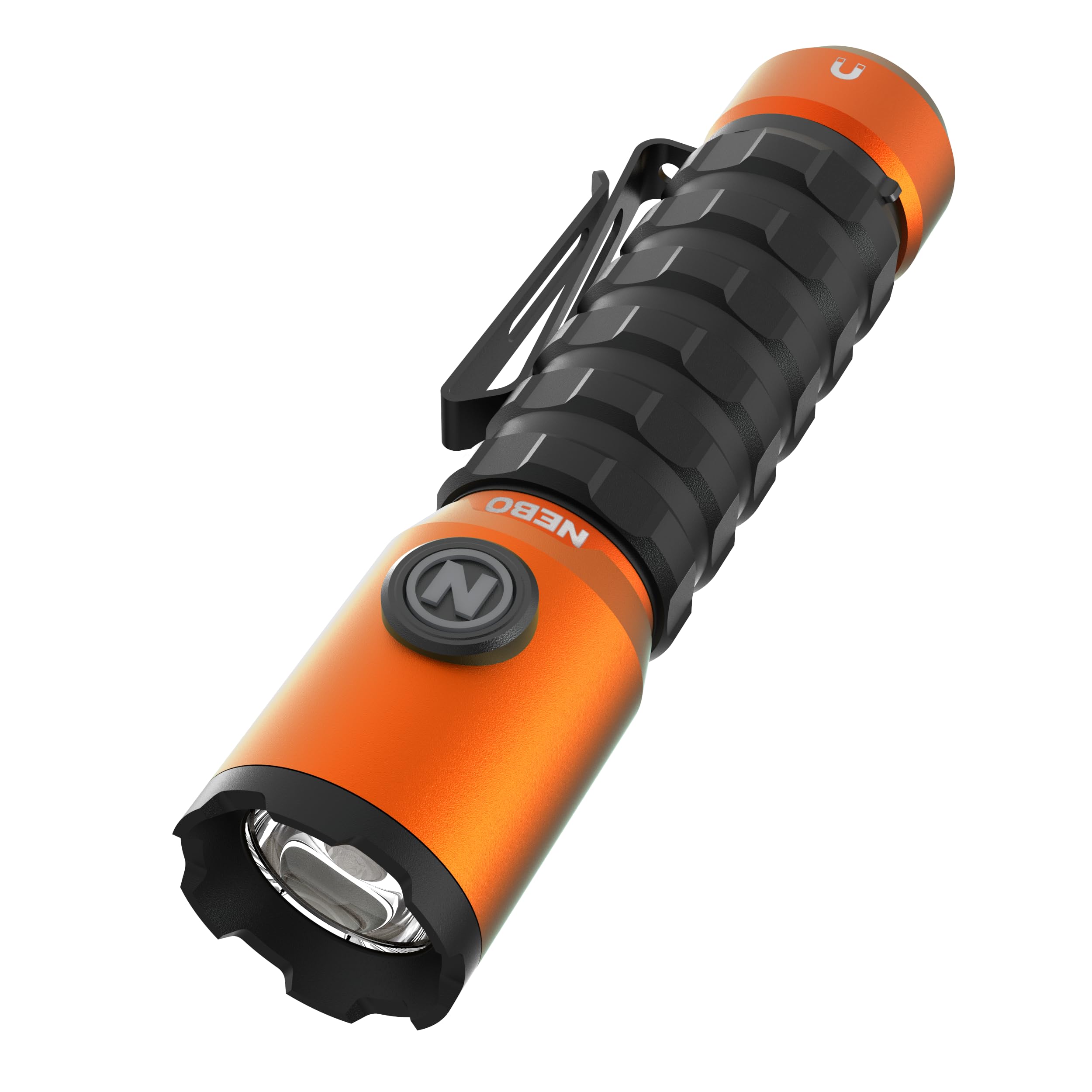
Image: The NEBO Torchy 2K Rechargeable Pocket Flashlight, showcasinການອອກແບບທີ່ກະທັດຮັດ ແລະ ສີສົ້ມ.
2. ຂໍ້ມູນຄວາມປອດໄພ
Please read all instructions and warnings before using this product. Failure to follow these instructions may result in electric shock, fire, or serious injury.
- ຢ່າເບິ່ງໂດຍກົງໃສ່ໄຟ LED.
- Do not disassemble, modify, or attempt to repair the flashlight.
- ຮັກສາໃຫ້ໄກຈາກເດັກນ້ອຍ.
- ຫຼີກລ້ຽງການເປີດໄຟສາຍກັບອຸນຫະພູມທີ່ຮ້າຍແຮງຫຼືແສງແດດໂດຍກົງເປັນເວລາດົນນານ.
- Use only the provided charging cable and compatible USB power sources.
3. ສິ່ງທີ່ຢູ່ໃນກ່ອງ
Upon opening your NEBO Torchy 2K package, you should find the following items:
- NEBO Torchy 2K Flashlight
- USB Charging MagCable
- Rechargeable 18650 Lithium-Ion Battery (pre-installed)
- ຄູ່ມືຜູ້ໃຊ້ (ເອກະສານນີ້)
Video: An unboxing video of the NEBO Torchy 2K Pocket Light, showing the contents of the package.
4. ຕັ້ງຄ່າ
4.1 Initial Battery Preparation
Before first use, ensure the protective paper disc is removed from the battery compartment. This disc prevents accidental activation during transit.
- Unscrew the magnetic base of the flashlight counter-clockwise.
- Carefully remove the small paper disc located between the battery and the contact point.
- Screw the magnetic base back on clockwise until secure.
4.2 Charging the Flashlight
The Torchy 2K is powered by an included 18650 rechargeable battery and recharges via the provided USB MagCable.
- Unscrew the magnetic base to reveal the rechargeable battery.
- Connect the USB end of the MagCable to a USB power source (e.g., wall adapter, computer).
- Connect the magnetic end of the MagCable to the magnetic base of the flashlight. The cable will magnetically snap into place.
- The charging indicator on the MagCable will glow red while charging and turn green when fully charged. Charging typically takes 3-5 hours.
4.3 Attaching the Pocket Clip
The Torchy 2K features a removable two-way steel pocket clip for convenient carrying.
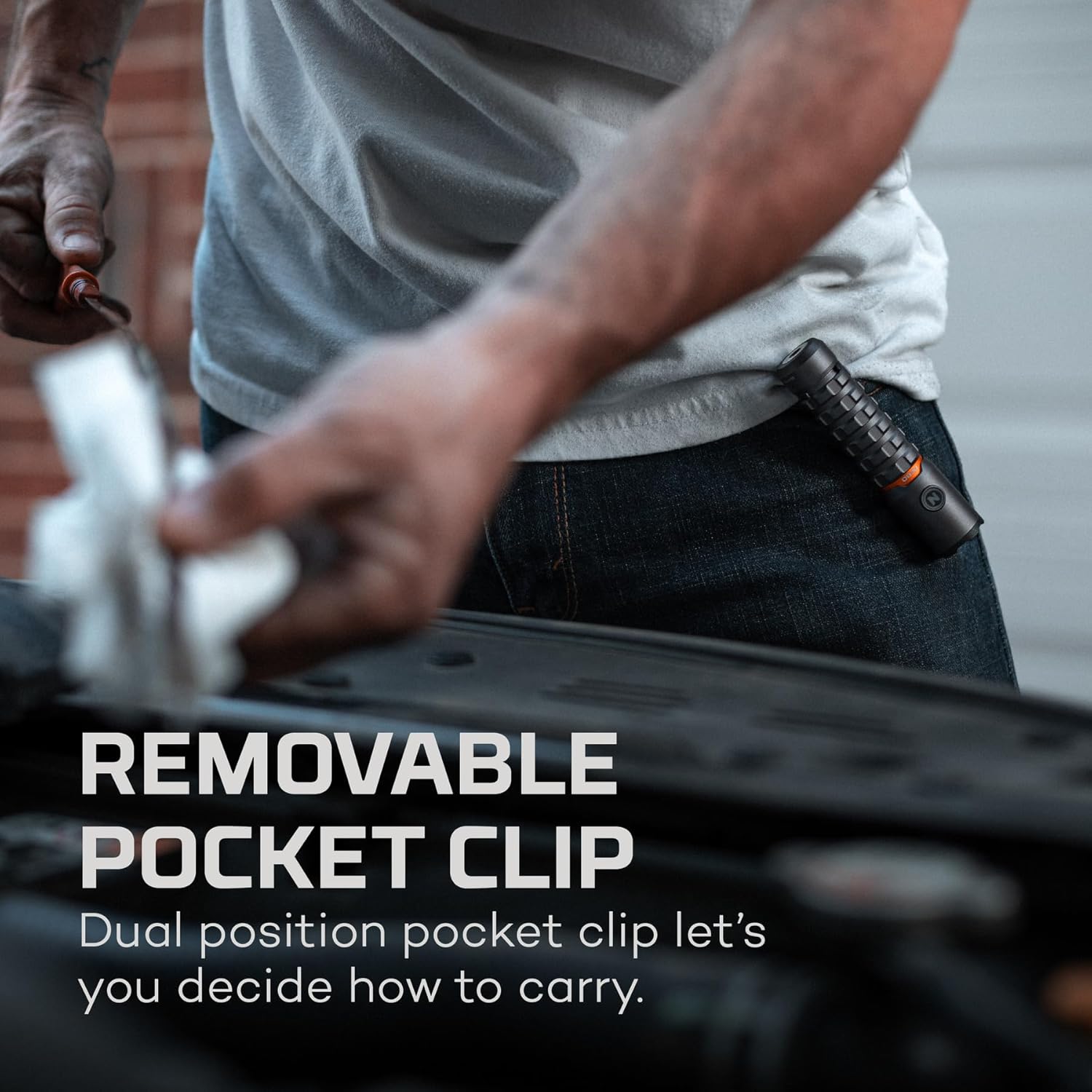
Image: A hand demonstrating the removable pocket clip on the NEBO Torchy 2K flashlight, showing its versatility.
4.4 Magnetic Base Functionality
The powerful magnetic base allows for hands-free lighting by attaching the flashlight to metal surfaces.

Image: The NEBO Torchy 2K flashlight magnetically attached to a metal shelf, providing hands-free illumination.
5. ຄໍາແນະນໍາການດໍາເນີນງານ
The Torchy 2K features 5 light modes: Turbo, High, Medium, Low, and Strobe. It also includes Smart Power Control (SPC) for smooth transitions and efficient battery use, and Power Memory Recall.
5.1 Turning On/Off and Cycling Modes
- ເພື່ອເປີດ: Press the power button once. The flashlight will turn on in the last used mode (Power Memory Recall).
- ຮູບແບບການຮອບວຽນ: While the flashlight is ON, press the power button repeatedly to cycle through High, Medium, and Low modes.
- ປິດ: If the flashlight has been ON for more than 8 seconds in any mode, a single press of the power button will turn it OFF. If less than 8 seconds, pressing the button will cycle to the next mode.
5.2 Activating Turbo Mode
Turbo mode provides the maximum 2000 lumens for a short burst of intense light.
- ເພື່ອກະຕຸ້ນ: Press and hold the power button at any time (whether the light is on or off).
- Turbo mode will run for 30-second intervals to prevent overheating. After 30 seconds, it will automatically fade to the previously used mode, or to High mode if the light was off.

Image: The NEBO Torchy 2K flashlight providing 2000 lumens of bright light in a confined space, highlighting its power.
5.3 Activating Strobe Mode
Strobe mode provides a flashing light for signaling or disorientation.
- ເພື່ອກະຕຸ້ນ: Double-click the power button at any time (whether the light is on or off).
5.4 ຕົວຊີ້ວັດແບັດເຕີຣີ
The power button glows to indicate battery status:
- Orange Glow: More than 25% battery power remaining.
- ກະພິບສີສົ້ມ: Less than 25% battery power remaining (charge soon).
6. ບໍາລຸງຮັກສາ
6.1 ການທໍາຄວາມສະອາດ
Wipe the flashlight with a clean, damp cloth. Do not use abrasive cleaners or solvents. Ensure the charging port and magnetic base are free of debris for optimal performance.
6.2 ຄວາມທົນທານ
The Torchy 2K is constructed from aircraft-grade aluminum, making it impact-resistant. It is also IPX6 water-resistant, meaning it can withstand powerful water jets, but should not be submerged.

Image: The NEBO Torchy 2K flashlight resting on a pile of screws, emphasizing its durable, impact-resistant design.

Image: The NEBO Torchy 2K flashlight with water droplets on its surface, highlighting its IPX6 water-resistant feature.
7. ການແກ້ໄຂບັນຫາ
| ບັນຫາ | ສາເຫດທີ່ເປັນໄປໄດ້ | ການແກ້ໄຂ |
|---|---|---|
| ໄຟສາຍບໍ່ເປີດ. | Battery is dead or protective disc is still in place. | Charge the battery. Ensure the protective paper disc has been removed from the battery compartment. |
| ໄຟສາຍບໍ່ສາກໄຟ. | MagCable not properly connected or power source issue. | Ensure the MagCable is securely connected to both the flashlight and the USB power source. Try a different USB power source. |
| ແສງອອກໜ້ອຍລົງ. | Low battery or incorrect mode. | Recharge the battery. Cycle through modes to ensure you are in a brighter setting. |
8. ຂໍ້ມູນຈໍາເພາະ
| ຄຸນສົມບັດ | ລາຍລະອຽດ |
|---|---|
| ໝາຍເລກຕົວແບບ | NEB-FLT-0075 |
| ຜົນຜະລິດແສງສະຫວ່າງ (ສູງສຸດ) | 2000 Lumens (Turbo) |
| ປະເພດແຫຼ່ງແສງ | LED |
| ແຫຼ່ງພະລັງງານ | Rechargeable Lithium Ion 18650 Battery |
| ວັດສະດຸ | ອາລູມີນຽມຊັ້ນເຮືອບິນ |
| ການຕໍ່ຕ້ານນ້ໍາ | IPX6 (ກັນນໍ້າ) |
| ຄວາມຕ້ານທານຜົນກະທົບ | ແມ່ນແລ້ວ |
| ຄຸນນະສົມບັດພິເສດ | Magnetic Base, Removable Pocket Clip, Smart Power Control, Power Memory Recall |
| ຂະໜາດ (L x W x H) | 4.28" x 0.99" x 1.18" |
| ນ້ຳໜັກ | 0.25 lbs |
9. ການຮັບປະກັນແລະການສະ ໜັບ ສະ ໜູນ
The NEBO Torchy 2K comes with a 1-year manufacturer's warranty. For warranty claims, product registration, or additional support, please visit the official NEBO webເວັບໄຊ:
Ask a question about this manual
Ask about setup, troubleshooting, compatibility, parts, safety, or missing instructions. Manuals+ will review the question and use this page’s manual context to help answer it.