
ແນະນຳ
The Roku Hiro 32-inch 720p HD Smart TV offers an integrated Roku streaming experience. This television features an HD display for clear picture quality and speakers with enhanced audio. It supports Bluetooth for private listening with headphones and includes Wi-Fi for internet connectivity. The Roku operating system provides a customizable home screen, access to numerous streaming channels, and automatic updates, making it suitable for various living spaces.
ແມ່ນຫຍັງຢູ່ໃນກ່ອງ
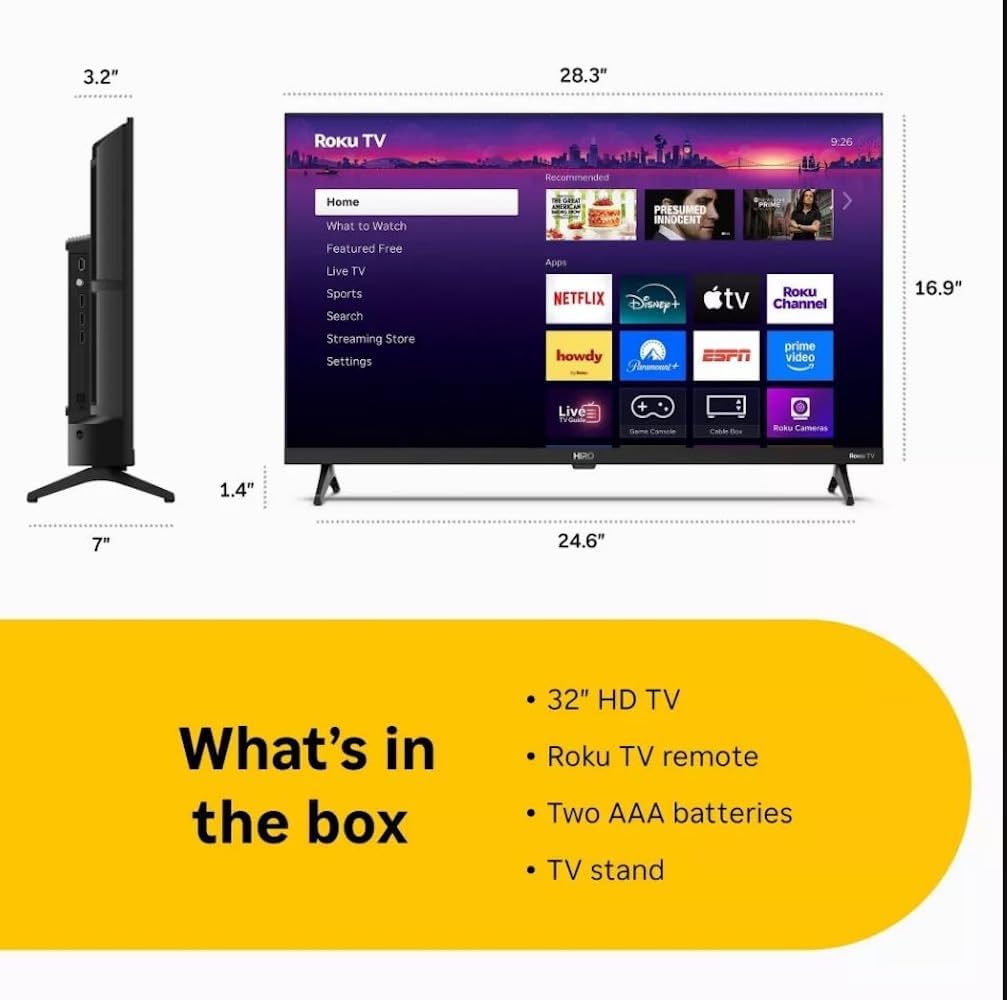
Diagram showing the dimensions of the Roku Hiro 32-inch TV and a list of included accessories: 32-inch HD TV, Roku TV remote, two AAA batteries, and TV stand.
- Hiro 32" 720p HD Smart TV Flat Screen LED Television with Roku TV
- ການຄວບຄຸມໄລຍະໄກ
- ໂທລະທັດ
- ສາຍໄຟ
- ຄູ່ມືຜູ້ໃຊ້
ຕັ້ງຄ່າ
1. ການຕິດຕັ້ງ Stand
Carefully place the TV screen-down on a soft, clean surface to prevent damage. Align the TV stand with the designated slots on the bottom of the TV. Secure the stand using the provided screws. Ensure the stand is firmly attached before proceeding.
2. ອຸປະກອນເຊື່ອມຕໍ່

ຫລັງ view of the Roku Hiro TV, showing the input/output ports including USB, HDMI, and antenna connections.
- ພະລັງງານ: ເຊື່ອມຕໍ່ສາຍໄຟກັບອິນພຸດໄຟຂອງໂທລະທັດ ແລະຈາກນັ້ນໄປຫາປລັກສຽບໃສ່ຝາ.
- HDMI: Connect external devices such as Blu-ray players, game consoles, or cable boxes to the HDMI ports. This TV features 3 HDMI ports.
- USB: ໃຊ້ພອດ USB ສຳລັບການຫຼິ້ນສື່ຈາກໄດຣຟ໌ USB.
- Optical Audio: Connect an external sound system using an optical audio cable for enhanced sound.
- ເສົາອາກາດ/ສາຍ: Connect an antenna or cable TV feed to the RF input for over-the-air or cable channels.
3. ການຕິດຕັ້ງເບື້ອງຕົ້ນ
After connecting all necessary cables, power on the TV. Follow the on-screen instructions to:
- ເລືອກພາສາຂອງທ່ານ.
- ເຊື່ອມຕໍ່ກັບເຄືອຂ່າຍ Wi-Fi ຂອງທ່ານ.
- ເປີດໃຊ້ບັນຊີ Roku ຂອງທ່ານ (ຫຼື ສ້າງບັນຊີໃໝ່).
- Scan for available channels if an antenna is connected.
ຄໍາແນະນໍາການດໍາເນີນງານ
ຟັງຊັນການຄວບຄຸມໄລຍະໄກ

Close-up of the Roku TV remote control, highlighting buttons for TV power, volume, mute, sleep timer, instant replay, options, and app shortcuts.
- ປຸ່ມເປີດປິດ: ເປີດ ຫຼືປິດໂທລະພາບ.
- Directional Pad (D-Pad): ນຳທາງເມນູ ແລະເລືອກລາຍການ.
- ປຸ່ມຕົກລົງ: ຢືນຢັນການເລືອກ.
- ປຸ່ມຫນ້າທໍາອິດ: ກັບຄືນໄປຫາໜ້າຈໍຫຼັກ Roku.
- ປຸ່ມກັບຄືນ: ກັບໄປໜ້າຈໍກ່ອນໜ້າ.
- ປະລິມານຂຶ້ນ/ລົງ: ປັບລະດັບສຽງໂທລະພາບ.
- ປິດສຽງ: ປິດສຽງ ຫຼືປິດສຽງໂທລະພາບ.
- ປຸ່ມລັດແອັບ: Direct access to popular streaming services (e.g., Netflix, Disney+, Apple TV+, Prime Video).
- ເຄື່ອງຈັບເວລານອນ: Sets a timer for the TV to turn off automatically.
- ການຫຼິ້ນຄືນທັນທີ: Jumps back a few seconds in supported content.
- ຕົວເລືອກ: Accesses additional settings or information for the current content.
Navigating the Roku OS

The Roku TV home screen interface, showing recommended content and various streaming applications.
The Roku home screen provides access to all your streaming channels, inputs, and settings. Use the D-Pad on your remote to navigate through the menu options on the left and the app grid on the right. You can customize the order of your channels by highlighting an app, pressing the * (Options) button, and selecting 'Move channel'.
ການຖ່າຍທອດເນື້ອຫາ
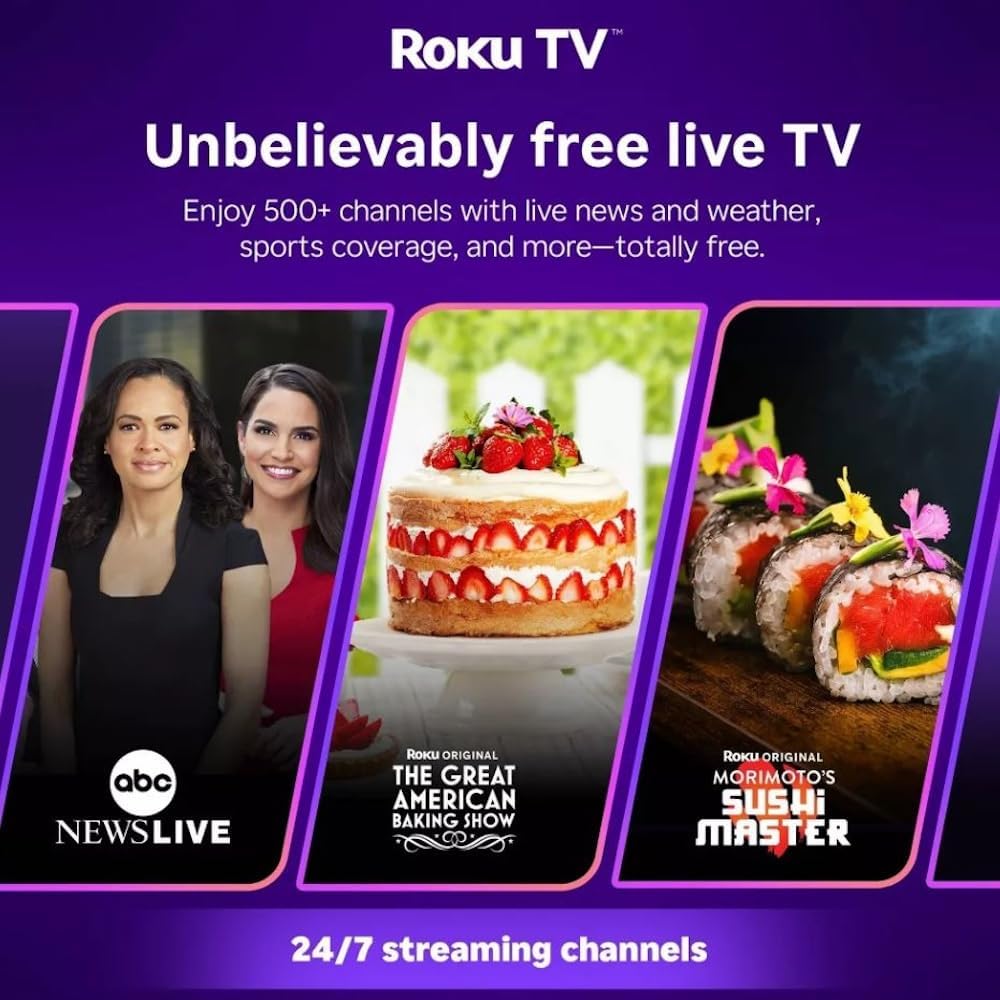
Roku TV interface promoting free live TV channels, featuring examples like ABC News Live, The Great American Baking Show, and Morimoto's Sushi Master.
Access a wide range of streaming services and free content through the Roku Channel Store. The Roku platform offers over 500 free channels, including live television, movies, and news. Use the 'Search' function on the home screen to find specific titles or channels.
ຄຸນສົມບັດສຽງ

Roku Hiro TV displaying the home screen with various streaming apps, emphasizing enhanced audio quality.
The TV features enhanced audio quality. For private listening, you can pair Bluetooth headphones directly with the TV. Navigate to Settings > Remotes & devices > Bluetooth devices > Pair new device to connect your headphones.
ບໍາລຸງຮັກສາ
ທໍາຄວາມສະອາດໂທລະພາບ
- ຖອດປລັກໂທລະທັດທຸກຄັ້ງກ່ອນທຳຄວາມສະອາດ.
- ໃຊ້ຜ້າແພທີ່ອ່ອນນຸ່ມ, ບໍ່ມີສານດ່າງເພື່ອເຊັດໜ້າຈໍ ແລະ ຕູ້ໃຫ້ຄ່ອຍໆ.
- ສໍາລັບຮອຍແຂງ, ເບົາບາງ dampໃສ່ຜ້າດ້ວຍນ້ໍາຫຼືເຄື່ອງເຮັດຄວາມສະອາດຫນ້າຈໍອ່ອນໆ, ທີ່ບໍ່ມີຮອຍຂີດຂ່ວນ. ຢ່າສີດນໍ້າສະອາດໃສ່ໜ້າຈໍໂດຍກົງ.
- ຫຼີກເວັ້ນການນໍາໃຊ້ສານເຄມີທີ່ຮຸນແຮງ, ແຜ່ນຂັດ, ຫຼືສານລະລາຍ.
ອັບເດດຊອບແວ
The Roku TV automatically checks for and installs software updates when connected to the internet. To manually check for updates, go to ການຕັ້ງຄ່າ > ລະບົບ > ອັບເດດຊອບແວ.
ການແກ້ໄຂບັນຫາ
| ບັນຫາ | ການແກ້ໄຂ |
|---|---|
| ບໍ່ມີພະລັງງານ | ກວດໃຫ້ແນ່ໃຈວ່າສາຍໄຟຖືກເຊື່ອມຕໍ່ຢ່າງປອດໄພກັບທັງໂທລະທັດ ແລະປ່ຽງໄຟຟ້າທີ່ເຮັດວຽກໄດ້. ລອງຮ້ານອື່ນ. |
| ບໍ່ມີຮູບ, ແຕ່ສຽງແມ່ນປະຈຸບັນ | ກວດເບິ່ງແຫຼ່ງປ້ອນຂໍ້ມູນ. ກົດ ບ້ານ button on the remote and select the correct input. Ensure all HDMI cables are securely connected. |
| ບໍ່ມີສຽງ, ແຕ່ມີຮູບພາບ | Check the volume level and ensure the TV is not muted. If using external audio, verify connections and settings. |
| ບໍ່ສາມາດເຊື່ອມຕໍ່ກັບ Wi-Fi ໄດ້ | Verify your Wi-Fi password. Restart your router and modem. Go to ການຕັ້ງຄ່າ > ເຄືອຂ່າຍ > ຕັ້ງຄ່າການເຊື່ອມຕໍ່ to reconfigure. |
| ການຄວບຄຸມໄລຍະໄກບໍ່ເຮັດວຽກ | ປ່ຽນແບັດໃນຣີໂໝດ. ກວດໃຫ້ແນ່ໃຈວ່າບໍ່ມີສິ່ງກີດຂວາງລະຫວ່າງຣີໂໝດ ແລະເຊັນເຊີ IR ຂອງໂທລະທັດ. |
ຂໍ້ມູນຈໍາເພາະ
| ຊື່ຕົວແບບ | H32C2C4 |
| ຂະໜາດໜ້າຈໍ | 32 ນິ້ວ |
| ເຕັກໂນໂລຊີການສະແດງ | LED |
| ຄວາມລະອຽດ | 720p |
| ອັດຕາການໂຫຼດຂໍ້ມູນຄືນໃໝ່ | 60 Hz |
| ລະບົບປະຕິບັດການ | Roku OS |
| ເຕັກໂນໂລຊີການເຊື່ອມຕໍ່ | Bluetooth, HDMI, Optical Audio, USB, Wi-Fi |
| Total Number of HDMI Ports | 3 |
| ພອດ USB ທັງໝົດ | 1 |
| ຂະໜາດສິນຄ້າ (ກວ້າງ x ຍາວ x ສູງ) | 3.2"D x 28.3"W x 16.9"H |
| ນ້ໍາຫນັກລາຍການ | 7.5 ປອນ |
| ສະບັບtage | 120 ໂວນ (AC) |
| ປະເພດການຕິດຕັ້ງ | Table Mount |
| ສີ | ດຳ |
ຂໍ້ມູນການຮັບປະກັນ
This Roku Hiro TV is covered by a 90-day Replacement Warranty. Please retain your proof of purchase for any warranty claims. For detailed terms and conditions, refer to the warranty documentation included with your product or visit the official Roku support webເວັບໄຊ.
ສະຫນັບສະຫນູນ
For further assistance, troubleshooting guides, or to contact customer support, please visit the official Roku support website. You can find comprehensive FAQs and contact information there.