
1. ບົດແນະນຳ
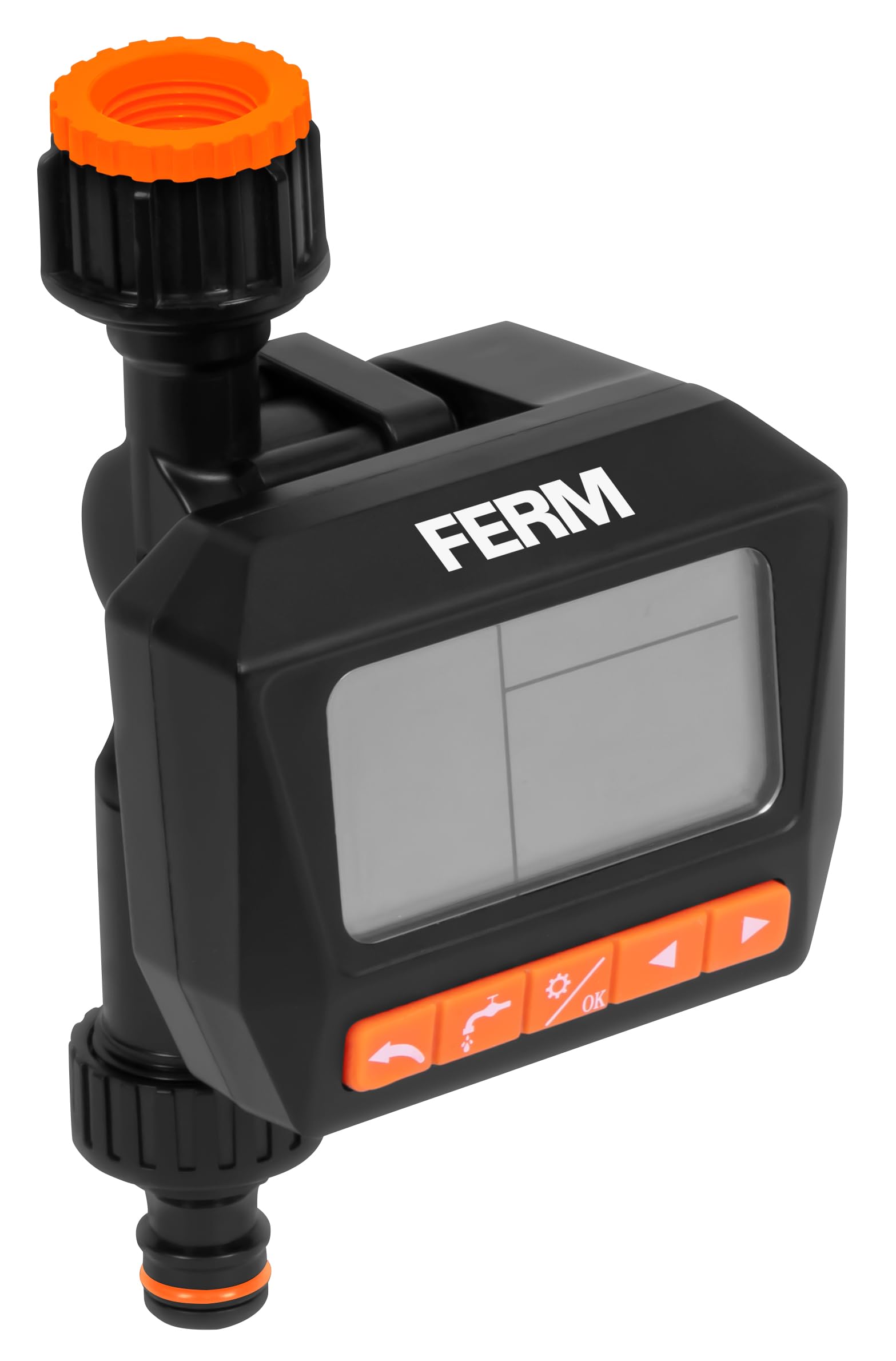
Thank you for choosing the FERM WTA1003 Digital Water Timer. This device is designed to automate your garden watering tasks, ensuring your plants receive consistent hydration. Please read this manual thoroughly before installation and operation to ensure proper use and longevity of the product.
2. ຄໍາແນະນໍາຄວາມປອດໄພ
- This device is intended for outdoor use with cold water only. Do not use with hot water or other liquids.
- Protect the device from freezing temperatures. Remove the timer from the faucet and store it indoors during winter to prevent damage.
- Do not immerse the timer in water. While it is IPX5 rated for water resistance, it is not designed for submersion.
- ໃຫ້ແນ່ໃຈວ່າແບັດເຕີຣີຖືກໃສ່ຢ່າງຖືກຕ້ອງຕາມເຄື່ອງໝາຍຂົ້ວ. ຖອດແບັດເຕີຣີອອກຖ້າອຸປະກອນຈະບໍ່ຖືກໃຊ້ເປັນເວລາດົນ.
- ຮັກສາໃຫ້ໄກຈາກເດັກນ້ອຍ.
3. ເນື້ອໃນຊຸດ
ກະລຸນາກວດເບິ່ງຊຸດສຳລັບລາຍການຕໍ່ໄປນີ້:
- FERM WTA1003 Digital Water Timer
- G3/4" (26.5 mm) faucet adapter
- G1/2" (21 mm) faucet adapter
- ການກັ່ນຕອງໂລຫະ
- Quick-connect hose fitting
- ຄູ່ມືການສອນ
Note: 2x AA batteries are not included and must be purchased separately.
4. ຕັ້ງຄ່າ
4.1 ການຕິດຕັ້ງຫມໍ້ໄຟ
- ຊອກຫາຊ່ອງໃສ່ຫມໍ້ໄຟຢູ່ດ້ານຫຼັງຂອງເຄື່ອງຈັບເວລາ.
- ເລື່ອນຝາປິດຫມໍ້ໄຟເປີດ.
- ໃສ່ແບັດເຕີຣີອາຄາລາຍ AA ສອງ (2) ກ້ອນ, ຮັບປະກັນວ່າຂົ້ວທີ່ຖືກຕ້ອງ (+/-).
- ປິດຝາປິດຫມໍ້ໄຟຢ່າງປອດໄພ.
4.2 ການເຊື່ອມຕໍ່ກັບ Faucet
The timer is compatible with most outdoor threaded faucets. It includes adapters for G3/4" (26.5 mm) and G1/2" (21 mm) threads.
- Ensure the metallic filter is placed inside the timer's inlet connection. This prevents debris from entering the timer.
- Screw the appropriate faucet adapter (G3/4" or G1/2") onto your outdoor faucet.
- Attach the water timer to the faucet adapter by screwing it on firmly by hand. Do not overtighten.

ຮູບພາບ 1: Assembly diagram of the water timer, showing the metallic filter, faucet connection, and hose quick-connect.
4.3 Connecting to Hose
- Attach your garden hose to the quick-connect fitting at the bottom of the water timer.
- ໃຫ້ແນ່ໃຈວ່າການເຊື່ອມຕໍ່ແມ່ນປອດໄພເພື່ອປ້ອງກັນການຮົ່ວໄຫຼ.
ຮູບພາບ 2: The FERM WTA1003 water timer installed on a brick wall faucet, actively watering a garden area.
5. ຄໍາແນະນໍາການດໍາເນີນງານ
The FERM WTA1003 features a large, readable LCD screen for easy programming.
5.1 ການຂຽນໂປຣແກຣມຕາຕະລາງການຫົດນໍ້າ
The timer allows for up to three watering programs per day or a weekly cycle. Watering duration can be set from 1 second to 99 minutes, and intervals from 1 hour to 15 days.
- ຕັ້ງເວລາປະຈຸບັນ: Use the 'TIME' button to set the current time and day.
- ໂຄງການ 1 (P1): Press 'PROG' to enter program mode. Select P1. Set the start time, watering duration, and frequency (e.g., daily, specific days of the week, or interval).
- Program 2 (P2) & Program 3 (P3): Repeat the steps for P1 to set up additional watering schedules if needed.
- Review ໂຄງການ: Use the 'PROG' button to cycle through and review your set programs.
- ເປີດໃຊ້: Ensure the timer is in 'AUTO' mode for the programs to run automatically.
5.2 Manual Watering (OPEN Function)
The 'OPEN' function allows you to manually turn on the water without affecting your programmed schedules. This is useful for temporary watering or using the faucet for other purposes.
- Press the 'OPEN' button to start manual watering.
- Press 'OPEN' again to stop manual watering.
5.3 OFF Function
To temporarily disable all watering programs and manual operation, use the 'OFF' function.
- Press the 'OFF' button to stop all watering. The display will show 'OFF'.
- Press 'OFF' again to return to 'AUTO' mode and resume programmed watering.

ຮູບພາບ 3: ຄຸນສົມບັດຈົບແລ້ວview with icons, highlighting watering intervals, multiple schedules, faucet compatibility, pressure range, and frost warning.
6. ບໍາລຸງຮັກສາ
6.1 ການເຮັດຄວາມສະອາດຕົວກອງ
Periodically check and clean the metallic filter located at the inlet of the timer to prevent blockages and ensure optimal water flow.
- ຖອດເຄື່ອງຈັບເວລາອອກຈາກ faucet.
- Remove the metallic filter.
- ລ້າງການກັ່ນຕອງພາຍໃຕ້ນ້ໍາແລ່ນເພື່ອເອົາສິ່ງເສດເຫຼືອທີ່ສະສົມ.
- ໃສ່ຕົວກອງທີ່ສະອາດຄືນໃໝ່ ແລະ ແນບໂມງຈັບເວລາກັບ faucet.
6.2 Winterization / Frost Protection
WARNING: Protect the timer from frost.
- Before the first frost, disconnect the water timer from the faucet and hose.
- ເອົາແບັດເຕີລີອອກ.
- Store the timer in a dry, frost-free location indoors.
7. ການແກ້ໄຂບັນຫາ
- ບໍ່ມີນ້ໍາໄຫຼ: Check if the faucet is fully open. Ensure the metallic filter is not clogged. Verify battery charge.
- ໂມງຈັບເວລາບໍ່ເປີດ: ກວດເບິ່ງການຕິດຕັ້ງແບດເຕີລີ່ແລະໃຫ້ແນ່ໃຈວ່າຫມໍ້ໄຟສົດ.
- Leaks from connections: Ensure all connections are tightened securely. Check rubber washers for proper seating and damage.
- Programs not running: Ensure the timer is in 'AUTO' mode. Verify that the current time and program start times are set correctly.
- ຈໍສະແດງຜົນຫວ່າງເປົ່າ ຫຼືມືດ: ປ່ຽນແບັດ.
8. ຂໍ້ມູນຈໍາເພາະ
- ຕົວແບບ: WTA1003
- ຍີ່ຫໍ້: ເຟີມ
- ຊ່ວງຄວາມກົດດັນນ້ໍາ: 0.5 - 8 bar
- ອັດຕາການໄຫຼຂອງນ້ໍາ: 15.8 - 21 liters per minute (depending on pressure)
- ໄລຍະເວລາການຫົດນໍ້າ: 1 ວິນາທີຫາ 99 ນາທີ
- ໄລຍະຫ່າງການຫົດນໍ້າ: 1 hour to 15 days
- ໂຄງການ: Up to 3 per day or weekly cycles
- ຄວາມເຂົ້າກັນໄດ້ຂອງ Faucet: G3/4" (26.5 mm) and G1/2" (21 mm)
- ຄວາມຕ້ານທານນ້ໍາ: IPX5
- ແຫຼ່ງພະລັງງານ: 2x AA ຫມໍ້ໄຟ (ບໍ່ລວມ)
- ວັດສະດຸ: ພາດສະຕິກ ABS
- ຕົ້ນກໍາເນີດ: ຈີນ
9. ການຮັບປະກັນແລະການສະຫນັບສະຫນູນ
FERM products are manufactured to high-quality standards. For warranty information or technical support, please refer to the documentation provided with your purchase or contact your retailer. Keep your proof of purchase for any warranty claims.