
ແນະນຳ
The Tiksounds X7 AI Translation Earbuds are designed to facilitate real-time language translation, music playback, and call management. These earbuds support 134 languages and feature multiple translation modes, Bluetooth 5.4 connectivity, and extended battery life. This manual provides instructions for proper setup, operation, and maintenance of your device.
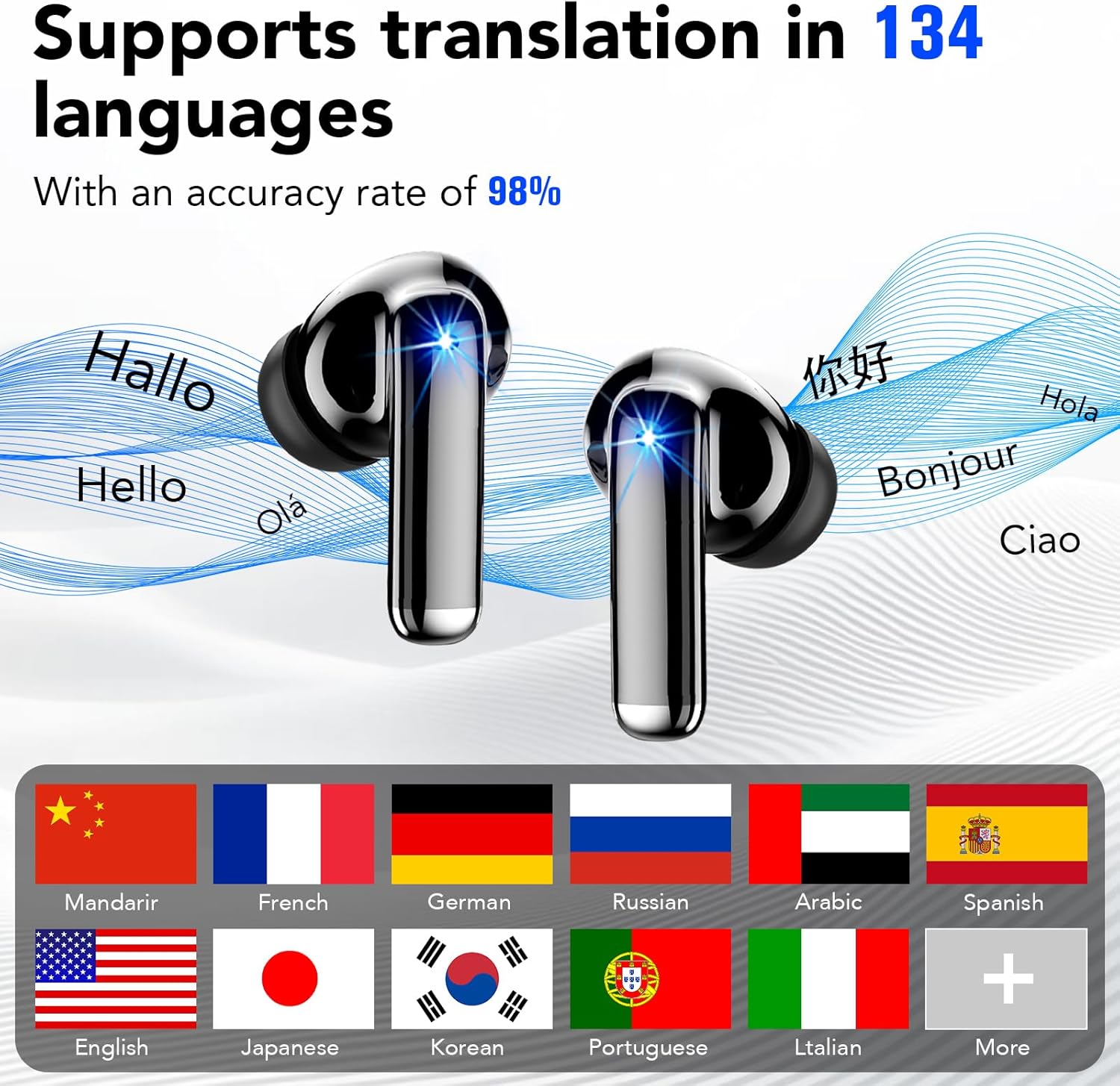
Image: Tiksounds X7 AI Translation Earbuds and charging case. The earbuds are black with a metallic sheen, shown next to their charging case which has an LED display.
ແມ່ນຫຍັງຢູ່ໃນກ່ອງ
ກວດສອບວ່າລາຍການທັງຫມົດຕໍ່ໄປນີ້ແມ່ນລວມຢູ່ໃນຊຸດຜະລິດຕະພັນຂອງທ່ານ:
- Wireless Earbuds (Tiksounds X7)
- ກ່ອງສາກ
- Silicone Ear Tips (S, M, L)
- ສາຍ USB Type-C
- ຄູ່ມືຜູ້ໃຊ້

Image: The contents of the Tiksounds X7 package, neatly arranged. It includes the earbuds, charging case, various sizes of silicone ear tips, a USB-C charging cable, and the user manual.
ຕັ້ງຄ່າ
1. ການສາກຫູຟັງ ແລະ ເຄສ
Before first use, fully charge the earbuds and charging case. Connect the provided USB Type-C cable to the charging case and a power source. The LED digital display on the case will indicate the charging status and battery level.

Image: The Tiksounds X7 charging case open, showing the earbuds inside and the LED digital display indicating battery percentage. A USB-C cable is also shown.
2. Connecting to the "NebulaBuds" App
- ດາວໂຫລດ App ໄດ້: Download the "NebulaBuds" app from your device's app store (App Store for iOS or Google Play Store for Android).
- ເປີດໃຊ້ Bluetooth: ໃຫ້ແນ່ໃຈວ່າ Bluetooth ຖືກເປີດໃຊ້ຢູ່ໃນໂທລະສັບສະຫຼາດຂອງທ່ານ.
- ຈັບຄູ່ຫູຟັງ: ເອົາຫູຟັງຫູຟັງອອກຈາກກ່ອງສາກ. ພວກເຂົາຈະເຂົ້າສູ່ໂໝດຈັບຄູ່ໂດຍອັດຕະໂນມັດ.
- ເຊື່ອມຕໍ່ຜ່ານ App: Open the "NebulaBuds" app, navigate to the device connection interface, and select "Connect device". Follow the on-screen prompts to complete the connection.

Image: A four-panel graphic illustrating the steps to connect the earbuds to the "NebulaBuds" app, showing app download, Bluetooth pairing, and in-app connection confirmation.
ຄໍາແນະນໍາການດໍາເນີນງານ
ແຕະການຄວບຄຸມ
The earbuds feature smart touch controls for various functions:
| ການປະຕິບັດ | ຟັງຊັນ |
|---|---|
| ແຕະຄັ້ງດຽວ | ຫຼິ້ນ/ຢຸດເພງ, ຮັບສາຍ/ວາງສາຍ |
| ແຕະສອງເທື່ອ (ຫູຟັງຊ້າຍ) | ເພງກ່ອນໜ້າ |
| ແຕະສອງເທື່ອ (ຫູຟັງຂວາ) | ຕິດຕາມຕໍ່ໄປ |
| ກົດຄ້າງໄວ້ (ຫູຟັງຊ້າຍ) | ປະລິມານລົງ |
| ກົດຄ້າງໄວ້ (ຫູຟັງຂວາ) | ປະລິມານຂຶ້ນ |
| ແຕະສາມເທື່ອ | ເປີດໃຊ້ຜູ້ຊ່ວຍສຽງ / ປະຕິເສດສາຍ |

Image: A visual representation of the touch control functions for the Tiksounds X7 earbuds, showing icons for voice answer, call management, volume, and track navigation.
ຮູບແບບການແປ
The earbuds support multiple translation modes via the "NebulaBuds" app:
- ການແປພາສາແບບສົດໆ: Utilizes simultaneous translation technology for instant language conversion. This mode supports 134 languages. Speak into your earbud, and the translation will be played back in the target language.
- Audio and Video Call Translation: Enables real-time language conversion during voice and video calls. This feature helps facilitate communication with individuals speaking different languages during online meetings or personal calls.
- Headphone + Phone Mode / Dual Ear Mode: Designed for quick two-way communication, such as ordering food or asking for directions. One person speaks into the phone, and the other listens via an earbud, or both use earbuds for direct conversation.
- ການແປຮູບ: Use your phone's camera through the app to translate text from images, such as menus, street signs, or documents. This mode supports 102 languages.
- Meeting Recording / Voice Notes: Converts spoken language to text and can generate mind maps from recordings. This mode is suitable for international conferences or lectures, allowing for later review.
- ໂໝດສົນທະນາ AI: Powered by advanced AI models, this mode provides intelligent conversations, answers questions, and offers assistance for writing or creative tasks.

Image: A screenshot of the "NebulaBuds" app interface demonstrating the real-time translation feature, showing two-way language conversion.

Image: A screenshot of the "NebulaBuds" app interface showing the audio and video call translation feature, with a video call in progress and translated text displayed.

Image: Two individuals in a business setting, each wearing an earbud, demonstrating the face-to-face translation mode for direct communication.

Image: A smartphone displaying the photo translation feature, with text from a book being translated on the screen.

Image: A group of people in a meeting, with a smartphone screen showing the voice notes feature actively recording and transcribing speech.

Image: A screenshot of the "NebulaBuds" app displaying the AI Chat Mode, showing an AI assistant providing information and answering questions.
ບໍາລຸງຮັກສາ
- ທໍາຄວາມສະອາດ: ອະນາໄມຫູຟັງຫູຟັງ ແລະກະເປົ໋າສາກໄຟເປັນປະຈຳດ້ວຍຜ້າແພທີ່ອ່ອນ, ແຫ້ງ, ບໍ່ມີສານຂັດ. ຢ່າໃຊ້ເຄື່ອງເຮັດຄວາມສະອາດຂັດຫຼືສານລະລາຍ.
- ຄວາມຕ້ານທານນ້ໍາ: The earbuds are IPX7 waterproof, meaning they can withstand immersion in up to 1 meter of water for 30 minutes. However, the charging case is not waterproof. Ensure earbuds are dry before placing them back in the charging case. Avoid exposing the charging case to liquids.
- ການເກັບຮັກສາ: Store the earbuds and charging case in a cool, dry place away from direct sunlight and extreme temperatures.
- ການດູແລຫມໍ້ໄຟ: ເພື່ອຍືດອາຍຸແບັດເຕີລີ, ຫຼີກເວັ້ນການຖອດແບດເຕີລີ່ເຕັມເລື້ອຍໆ. ສາກອຸປະກອນຢ່າງເປັນປົກກະຕິ, ເຖິງແມ່ນວ່າບໍ່ໄດ້ໃຊ້ເປັນໄລຍະເວລາທີ່ຍາວນານ.

Image: A graphic illustrating the IPX7 waterproof rating and ergonomic design of the earbuds, with an individual wearing them comfortably.
ການແກ້ໄຂບັນຫາ
If you encounter issues with your Tiksounds X7 earbuds, refer to the following common problems and solutions:
- ຫູຟັງບໍ່ຈັບຄູ່:
- ກວດໃຫ້ແນ່ໃຈວ່າໄດ້ສາກຫູຟັງຫູຟັງແລ້ວ.
- ປິດ ແລະເປີດ Bluetooth ຂອງໂທລະສັບຂອງທ່ານ.
- Place earbuds back in the case, close it, then reopen and try pairing again.
- Ensure the "NebulaBuds" app is installed and open.
- ຄວາມບໍ່ແນ່ນອນຂອງການແປ:
- Ensure a stable internet connection for optimal performance.
- ເວົ້າຢ່າງຈະແຈ້ງ ແລະໃນຈັງຫວະປານກາງ.
- Minimize background noise.
- ກວດສອບວ່າແຫຼ່ງທີ່ຖືກຕ້ອງແລະພາສາເປົ້າຫມາຍທີ່ຖືກຄັດເລືອກໃນ app ໄດ້.
- ບໍ່ມີສຽງຈາກຫູຟັງ:
- Check the volume level on your phone and the earbuds.
- ກວດໃຫ້ແນ່ໃຈວ່າຫູຟັງເອຍບັດຖືກເຊື່ອມຕໍ່ຢ່າງຖືກຕ້ອງກັບອຸປະກອນຂອງທ່ານ.
- ລອງເຊື່ອມຕໍ່ຫູຟັງເອຍບັດຄືນໃໝ່.
- ແອັບບໍ່ເຮັດວຽກ:
- ໃຫ້ແນ່ໃຈວ່າລະບົບປະຕິບັດການຂອງໂທລະສັບຂອງທ່ານແມ່ນອັບເດດແລ້ວ.
- Update the "NebulaBuds" app to the latest version.
- ປິດເປີດແອັບຯ ຫຼືໂທລະສັບຂອງທ່ານຄືນໃໝ່.
ຄຳຖາມທີ່ຖາມເລື້ອຍໆ (FAQ)
- Q: Is there a subscription fee?
- A: No subscription is required. All core features are free to use permanently after pairing your earbuds with the "NebulaBuds" app.
- ຖາມ: ພາສາໃດທີ່ຮອງຮັບ?
- A: The earbuds support 134 international languages, including English, Chinese, and German, covering most commonly used languages for travel, business, and study.
- Q: How accurate is the translation?
- A: Powered by advanced AI speech recognition and machine translation, the device delivers high accuracy for daily conversations and travel scenarios, with an accuracy rate of up to 98%.
ຂໍ້ມູນຈໍາເພາະ
| ຄຸນສົມບັດ | ລາຍລະອຽດ |
|---|---|
| ຍີ່ຫໍ້ | Tiksounds |
| ໝາຍເລກຕົວແບບ | X7 |
| ສີ | ດຳ |
| ການຈັດວາງຫູ | ໃນຫູ |
| ເຕັກໂນໂລຊີການເຊື່ອມຕໍ່ | ໄຮ້ສາຍ (Bluetooth) |
| ລຸ້ນ Bluetooth | 5.4 |
| ລະດັບຄວາມຕ້ານທານນ້ໍາ | IPX7 (ຫູຟັງເທົ່ານັ້ນ) |
| ອາຍຸແບັດເຕີຣີ (ຫູຟັງ) | 6-8 ຊົ່ວໂມງຕໍ່ການສາກໄຟຄັ້ງດຽວ |
| ອາຍຸແບັດເຕີຣີທັງໝົດ (ພ້ອມກ່ອງ) | ສູງສຸດ 40 ຊົ່ວໂມງ |
| ເວລາສາກໄຟ | ປະມານ. 1.5 ຊົ່ວໂມງສໍາລັບການສາກໄຟເຕັມ |
| ວິທີການຄວບຄຸມ | ແຕະ |
| ພາສາທີ່ຮອງຮັບ | 134 (Real-Time Translation, AI Chat, Voice Notes) |
| Supported Languages (Photo Translation) | 102 |
| Supported Languages (Audio/Video Call) | 21 |
ການຮັບປະກັນແລະການສະຫນັບສະຫນູນ
ຂໍ້ມູນການຮັບປະກັນ: The product comes with a 1-year warranty. Please retain your proof of purchase for warranty claims.
ການຊ່ວຍເຫຼືອລູກຄ້າ: For further assistance, technical support, or warranty inquiries, please refer to the contact information provided in the physical user manual included with your product or visit the official Tiksounds webເວັບໄຊ.