
1. ຕັ້ງຄ່າ
This section guides you through the initial setup of your CHUWI CoreBook X laptop.
1.1 ການແກະກ່ອງ ແລະ ການເປີດເຄື່ອງໃນເບື້ອງຕົ້ນ
- ເອົາແລັບທັອບ ແລະອຸປະກອນເສີມທັງໝົດອອກຈາກເຄື່ອງຫຸ້ມຫໍ່ຢ່າງລະມັດລະວັງ.
- Connect the provided USB-C power adapter to the laptop's USB-C port (PD Charging/USB 2.0) and then to a power outlet.
- Open the laptop lid. The laptop may power on automatically or you may need to press the power button located on the keyboard.
- ປະຕິບັດຕາມຄໍາແນະນໍາໃນຫນ້າຈໍເພື່ອເຮັດສໍາເລັດການຕິດຕັ້ງເບື້ອງຕົ້ນ Windows 11 Pro, ລວມທັງການເລືອກພາສາ, ການເຊື່ອມຕໍ່ເຄືອຂ່າຍ, ແລະການສ້າງບັນຊີຜູ້ໃຊ້.
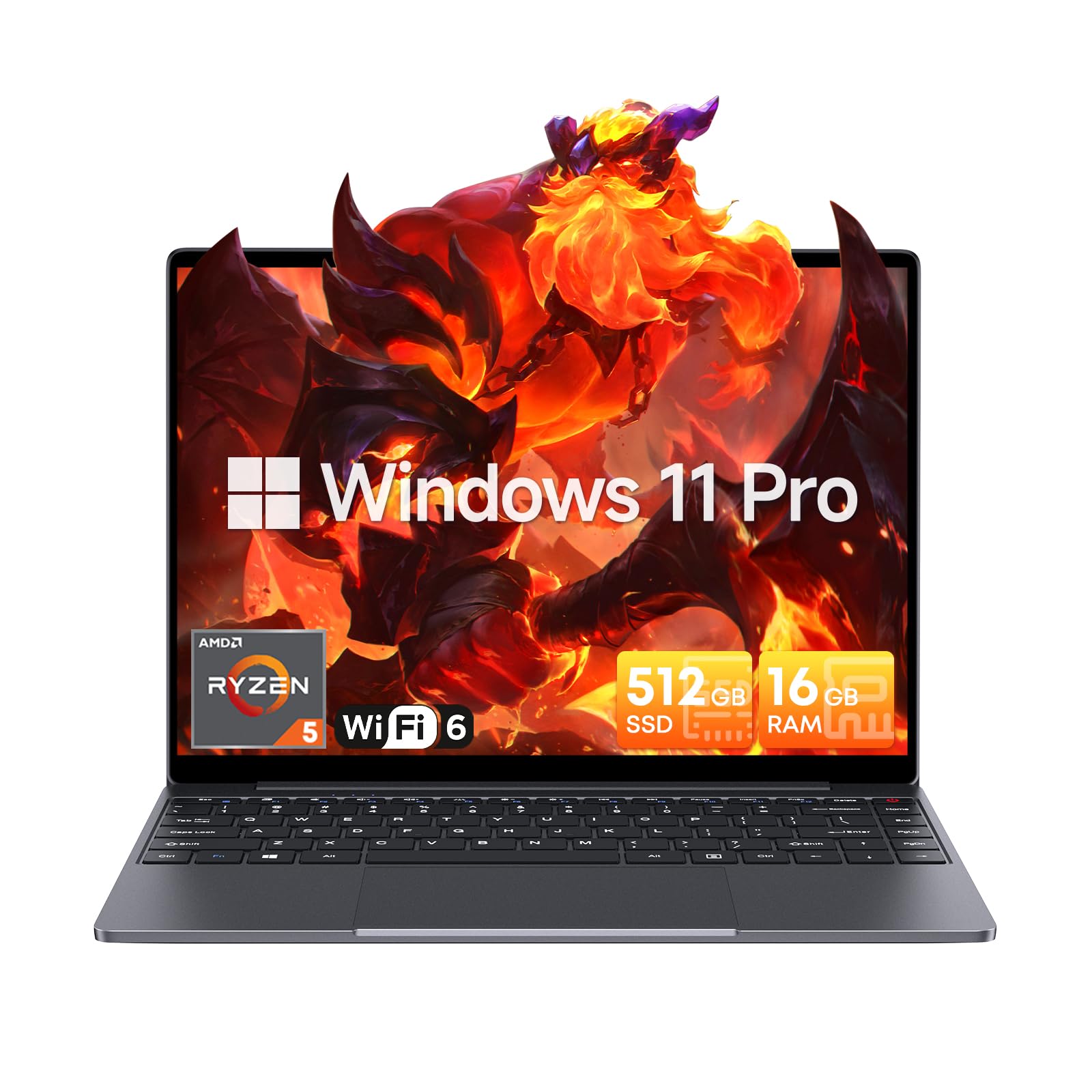
Image: The CHUWI CoreBook X laptop open on a desk, ready for use.
1.2 ການເຊື່ອມຕໍ່ອຸປະກອນຕໍ່
- ອຸປະກອນ USB: Connect USB mice, keyboards, or external storage devices to the available USB 3.0 ports.
- ການສະແດງພາຍນອກ: Use the HDMI 1.4 port or the full-featured USB Type-C port to connect an external monitor.
- ອຸປະກອນສຽງ: ເຊື່ອມຕໍ່ຫູຟັງ ຫຼື ລຳໂພງພາຍນອກກັບຊ່ອງສຽບສຽງ 3.5 ມມ.
- ບັດ TF: Insert a TF card into the TF card slot for additional storage.

ຮູບພາບ: ລາຍລະອຽດ view of the laptop's ports, including TF Card Slot, 3.5mm Headphone Jack, USB 3.0 Port, Lock Slot, USB Type-C (PD Charging/USB 2.0), HDMI 1.4, and Full-featured USB Type-C Port.
1.3 ການເຊື່ອມຕໍ່ເຄືອຂ່າຍ ແລະ Bluetooth
- Wi-Fi 6: ເພື່ອເຊື່ອມຕໍ່ກັບເຄືອຂ່າຍໄຮ້ສາຍ, ໃຫ້ຄລິກໄອຄອນ Wi-Fi ໃນແຖບໜ້າວຽກ, ເລືອກເຄືອຂ່າຍຂອງທ່ານ, ແລະໃສ່ລະຫັດຜ່ານ.
- Bluetooth 5.2: To pair Bluetooth devices, go to Windows Settings > Bluetooth & devices, turn on Bluetooth, and select your device to pair.
2. ການເຮັດວຽກ
This section covers the basic operation of your CHUWI CoreBook X laptop.
2.1 ການຄຸ້ມຄອງພະລັງງານ
- ເປີດ: ກົດປຸ່ມເປີດປິດ.
- ຮູບແບບການນອນ: ປິດຝາຫຼືເລືອກ "ນອນ" ຈາກເມນູເລີ່ມຕົ້ນ.
- ປິດລົງ: Select "Shut down" from the Start menu.
- ຣີສະຕາດ: Select "Restart" from the Start menu.
2.2 ແປ້ນພິມ ແລະ ແຜ່ນສໍາຜັດ
- The laptop features a full-sized backlit keyboard with white illumination. Use the function keys (Fn) in combination with other keys for shortcuts like adjusting brightness, volume, or toggling the backlight.
- The large touchpad supports multi-touch gestures for navigation. Refer to Windows settings for customizing touchpad gestures.

ຮູບພາບ: A close-up view of the laptop's backlit keyboard and large touchpad, highlighting its navigation features.
2.3 ຈໍສະແດງຜົນ ແລະສຽງ
- The 14-inch IPS display offers a 2160*1440 resolution. Adjust display settings (brightness, resolution, scaling) through Windows Display Settings.
- The laptop is equipped with stereo speakers. Volume can be controlled via the keyboard function keys or the Windows sound settings.
- An HD webcam is integrated for video conferencing.

Image: The laptop's 14-inch 2K IPS display showcasing vibrant colors and a comparison of 3:2 and 16:9 aspect ratios.
2.4 ວິດີໂອຜ່ານview
Video: An official product video demonstrating various features and usage scenarios of the CHUWI CoreBook X laptop, including its performance, display, and connectivity options.
3. ບໍາລຸງຮັກສາ
ການບຳລຸງຮັກສາທີ່ເໝາະສົມຮັບປະກັນຄວາມທົນທານ ແລະ ປະສິດທິພາບທີ່ດີທີ່ສຸດຂອງຄອມພິວເຕີໂນດບຸກຂອງທ່ານ.
3.1 ການທໍາຄວາມສະອາດ
- ໃຊ້ຜ້າທີ່ອ່ອນໆ, ບໍ່ມີສານດ່າງເພື່ອເຮັດຄວາມສະອາດຫນ້າຈໍ. ສໍາລັບຮອຍແຂງ, ງampໃສ່ຜ້າເລັກນ້ອຍດ້ວຍນ້ໍາຫຼືເຄື່ອງເຮັດຄວາມສະອາດຫນ້າຈໍທີ່ປອດໄພ.
- Wipe the chassis and keyboard with a soft, dry cloth. Avoid using harsh chemicals or abrasive materials.
- Periodically use compressed air to clear dust from the vents to maintain efficient cooling.
3.2 ການດູແລຫມໍ້ໄຟ
- Avoid fully discharging the battery frequently. Charge the laptop when the battery level is low.
- ເກັບຮັກສາຄອມພິວເຕີໂນດບຸກໄວ້ໃນບ່ອນທີ່ເຢັນແລະແຫ້ງ ຖ້າບໍ່ໄດ້ໃຊ້ເປັນເວລາດົນ ໂດຍໃຫ້ແບັດເຕີຣີສາກໄວ້ປະມານ 50-70%.
- Use only the original or certified compatible USB-C PD charger.
3.3 ການເກັບຮັກສາແລະການຍົກລະດັບຄວາມຈໍາ
The laptop supports RAM and SSD upgrades.
- The 16GB DDR4 RAM can be expanded up to 64GB via 2 SODIMM slots.
- The 512GB PCIe SSD can be expanded up to 2TB using the M.2 2280 PCIe slot.
- A convenient detachable bottom cover allows for easier access to upgrade components without removing the entire back panel.

Image: The underside of the laptop with the detachable cover removed, revealing the dual-channel SO-DIMM slot for RAM upgrades.
4. ການແກ້ໄຂບັນຫາ
ພາກນີ້ສະຫນອງການແກ້ໄຂສໍາລັບບັນຫາທົ່ວໄປທີ່ທ່ານອາດຈະພົບ.
4.1 ບັນຫາທົ່ວໄປ ແລະການແກ້ໄຂ
- ແລັບທັອບບໍ່ເປີດ:
- ໃຫ້ແນ່ໃຈວ່າອະແດັບເຕີໄຟເຊື່ອມຕໍ່ຢ່າງປອດໄພກັບແລັບທັອບ ແລະປລັກສຽບໄຟທີ່ເຮັດວຽກໄດ້.
- ກວດສອບວ່າປ່ຽງໄຟແມ່ນເຮັດວຽກໄດ້.
- ລອງກົດປຸ່ມເປີດປິດຄ້າງໄວ້ 10-15 ວິນາທີເພື່ອເຮັດການຣີເຊັດຍາກ.
- ບັນຫາການສະແດງ (ບໍ່ມີຮູບພາບ, ກະພິບ):
- ປັບຄວາມສະຫວ່າງໜ້າຈໍໂດຍໃຊ້ປຸ່ມຟັງຊັນ.
- ຖ້າຈໍພາບພາຍນອກເຊື່ອມຕໍ່, ລອງຕັດການເຊື່ອມຕໍ່ມັນ.
- ຣີສະຕາດແລັບທັອບ.
- ບັນຫາການເຊື່ອມຕໍ່ Wi-Fi ຫຼື Bluetooth:
- ໃຫ້ແນ່ໃຈວ່າ Wi-Fi/Bluetooth ຖືກເປີດໃຊ້ໃນການຕັ້ງຄ່າ Windows.
- ຣີສະຕາດເຣົາເຕີ/ໂມເດັມຂອງທ່ານສຳລັບບັນຫາ Wi-Fi.
- Remove and re-pair Bluetooth devices.
- Update network and Bluetooth drivers through Device Manager.
- ປະສິດທິພາບຊ້າ:
- ປິດແອັບພລິເຄຊັນທີ່ບໍ່ຈໍາເປັນທີ່ເຮັດວຽກຢູ່ໃນພື້ນຫຼັງ.
- Check for Windows updates and driver updates.
- ຮັບປະກັນພື້ນທີ່ຫວ່າງພຽງພໍໃນ SSD.
- ດໍາເນີນການສະແກນມັລແວ.
If you encounter issues not covered here or require further assistance, please refer to the Support section.
5. ຂໍ້ມູນຈໍາເພາະ
Detailed technical specifications for the CHUWI CoreBook X laptop.

Image: An illustration of the AMD Ryzen 5 processor, highlighting its core count, threads, and clock speed.
| ຄຸນສົມບັດ | ຂໍ້ມູນຈໍາເພາະ |
|---|---|
| ຊື່ຕົວແບບ | Corebook X |
| ໂຮງງານຜະລິດ | AMD Ryzen 5 (6 Cores, 12 Threads, up to 4.3 GHz) |
| ຮູບພາບ | AMD Radeon Graphics (1800MHz, Max 2GB Memory) |
| RAM | 16GB DDR4 (Expandable up to 64GB via 2 SODIMM slots) |
| ການເກັບຮັກສາ | 512GB PCIe SSD (Expandable up to 2TB via M.2 2280 PCIe slot) |
| ຈໍສະແດງຜົນ | 14-inch IPS, 2160*1440 Resolution, 100% sRGB Color Gamut |
| ລະບົບປະຕິບັດການ | Windows 11 Pro |
| ການເຊື່ອມຕໍ່ | Wi-Fi 6 (802.11ax), Bluetooth 5.2 |
| ທ່າເຮືອ | USB Type-C (PD Charging/USB 2.0), USB 3.0, HDMI 1.4, Full-featured USB Type-C, 3.5mm Audio Jack, TF Card Slot, Lock Slot |
| ແບັດເຕີຣີ | 46.2Wh Lithium-Ion Battery, 65W USB-C PD Fast Charging |
| ແປ້ນພິມ | Full-sized Backlit Keyboard with White Illumination |
| ແຜ່ນສໍາຜັດ | Large Touchpad, Multi-touch |
| Webກ້ອງ | HD Webກ້ອງ |
| ຂະໜາດ | 12.2"L x 9"W x 0.67"Th (17mm thin) |
| ນ້ຳໜັກ | 2.2 ປອນ (1.4 ກິໂລ) |
6. ການຮັບປະກັນ
The CHUWI CoreBook X laptop comes with a ການຮັບປະກັນຂອງຜູ້ຜະລິດ 1 ປີ.
This warranty covers defects in materials and workmanship under normal use. It does not cover damage caused by accidents, misuse, unauthorized repairs, or modifications. Please retain your proof of purchase for warranty claims.
7. ສະຫນັບສະຫນູນ
For technical assistance, warranty claims, or further inquiries, please contact CHUWI customer support.
- ຜູ້ຜະລິດສະຫນັບສະຫນູນ: Visit the official CHUWI webເວັບໄຊສໍາລັບຊັບພະຍາກອນສະຫນັບສະຫນູນ, FAQs, ແລະຂໍ້ມູນການຕິດຕໍ່.
- ສະຫນັບສະຫນູນຜູ້ຂາຍ: If purchased through a retailer, you may also contact the seller for assistance.