
1. ບົດແນະນຳ
Thank you for choosing the Soundstream SPM.804 8-inch Midrange Pro Audio Speaker. This speaker is designed to deliver clear, high-energy sound for both car and professional audio systems. It features a durable construction for reliable performance and enhanced mid-frequency clarity.
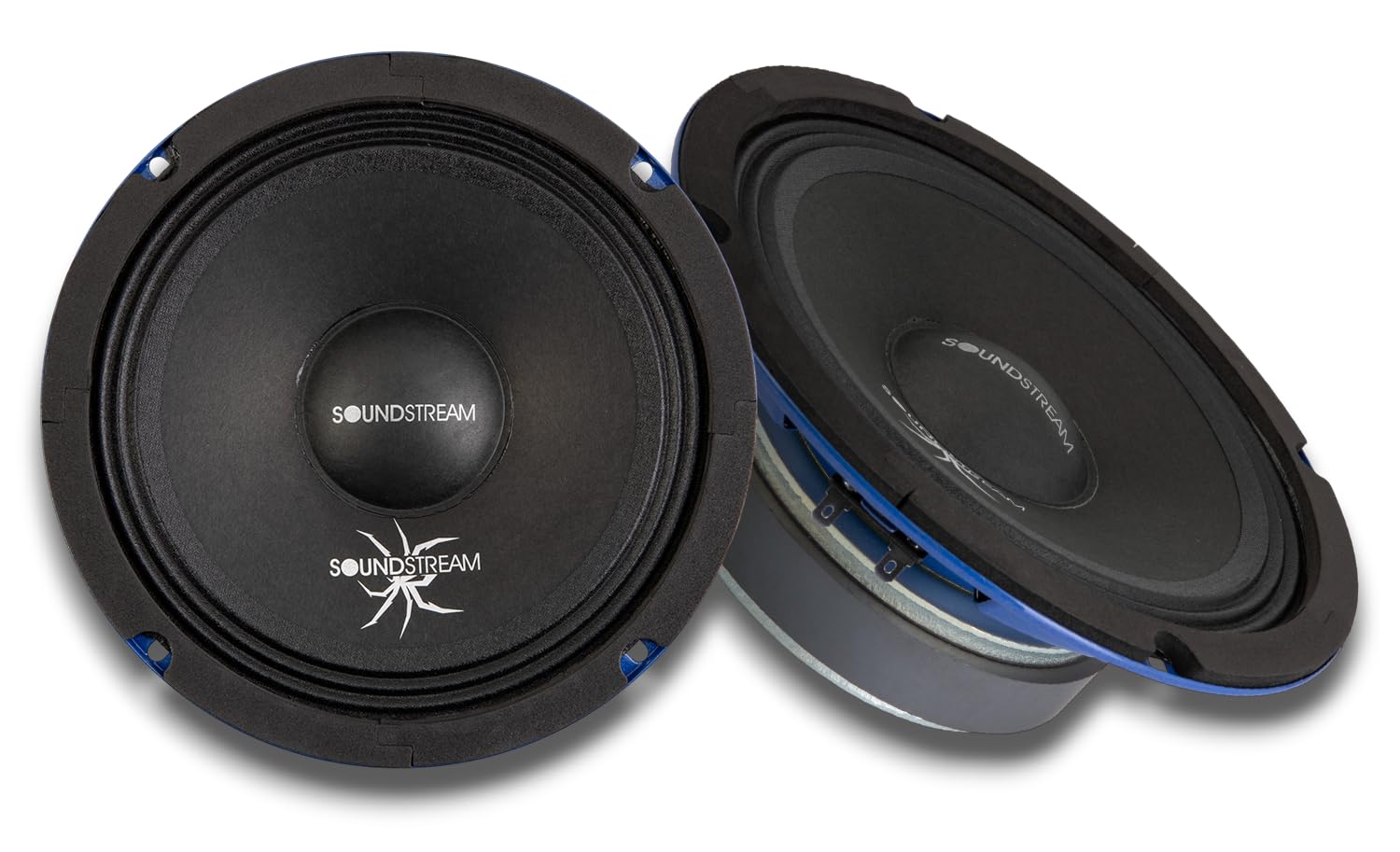
ຮູບ 1: ດ້ານຫນ້າ view of the Soundstream SPM.804 speaker.
This manual provides essential information for the proper installation, operation, and maintenance of your SPM.804 speakers. Please read it thoroughly before installation and keep it for future reference.
2. ສິ່ງທີ່ຢູ່ໃນກ່ອງ
- Soundstream SPM.804 8-inch Midrange Pro Audio Speaker (Pair)
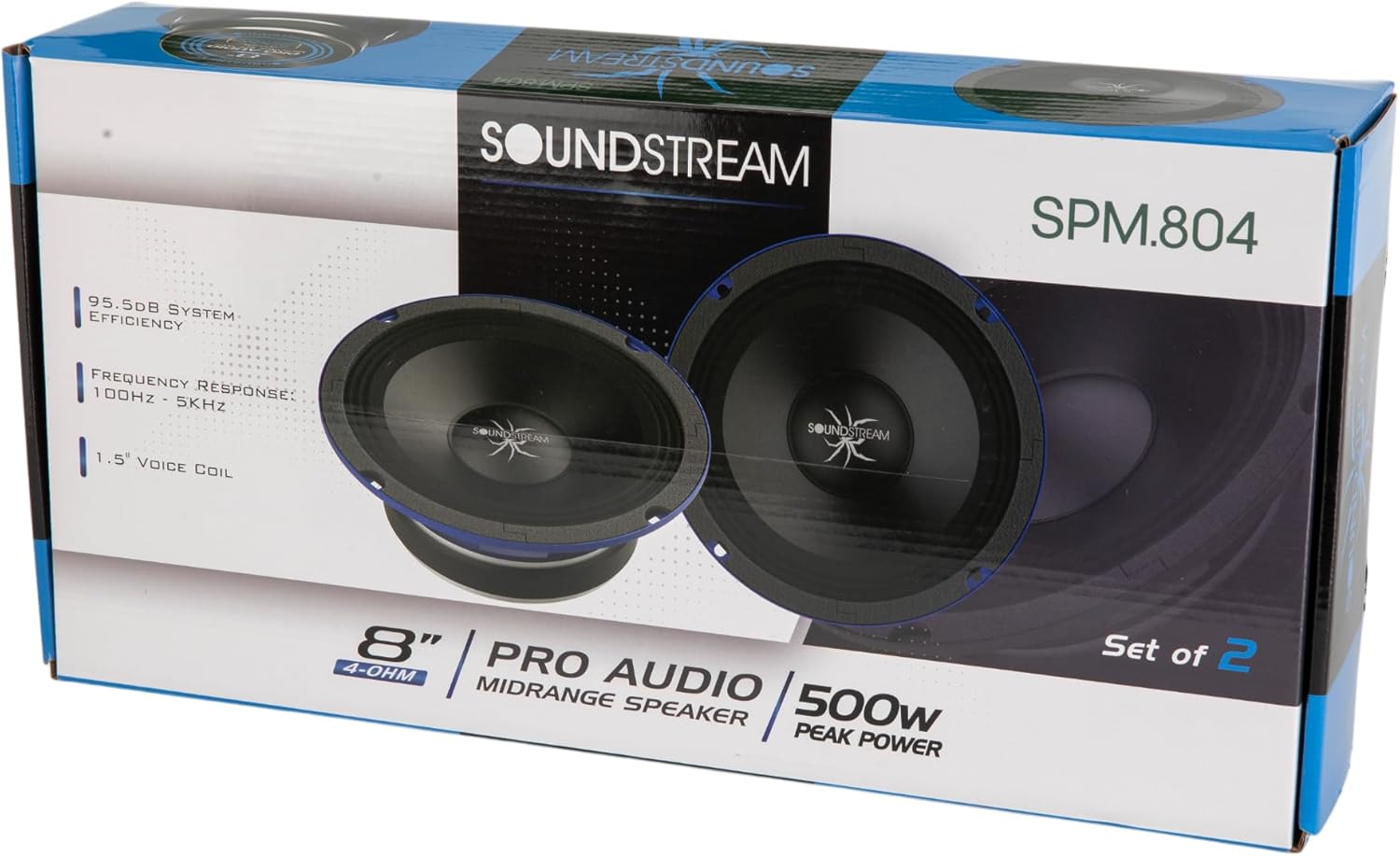
Figure 2: Product packaging showing the pair of Soundstream SPM.804 speakers.
3. ການຕິດຕັ້ງແລະການຕິດຕັ້ງ
3.1 ຂໍ້ຄວນລະວັງຄວາມປອດໄພ
- ຖອດແບັດເຕີລີຂອງລົດກ່ອນເລີ່ມເຮັດວຽກໄຟຟ້າ.
- Ensure proper ventilation for the speakers to prevent overheating.
- ໃຊ້ເຄື່ອງມືທີ່ເຫມາະສົມແລະໃສ່ແວ່ນຕາຄວາມປອດໄພໃນລະຫວ່າງການຕິດຕັ້ງ.
- ປຶກສາຜູ້ຕິດຕັ້ງມືອາຊີບຖ້າທ່ານບໍ່ແນ່ໃຈກ່ຽວກັບຂັ້ນຕອນໃດໆ.
3.2 ການຕິດຕັ້ງ
The SPM.804 speakers are designed for easy installation into various enclosures or door panels. Ensure the mounting surface is sturdy and free from obstructions.
- ຄວາມເລິກການຕິດຕັ້ງ: 2.79 ນິ້ວ (70.8 ມມ)
- ເສັ້ນຜ່າສູນກາງຕັດອອກ: 7.17 ນິ້ວ (182 ມມ)
- Carefully measure and mark the desired mounting location.
- Cut a circular opening with the specified cut-out diameter.
- ເຈາະຮູທົດລອງສໍາລັບ screws mounting.
- Place the speaker into the opening, ensuring a snug fit.
- Secure the speaker with appropriate screws, tightening them evenly to prevent distortion of the speaker frame.

ຮູບທີ 3: ມຸມ view of the speaker, illustrating its profile ສໍາລັບການຕິດຕັ້ງ.
3.3 ສາຍໄຟ
The SPM.804 speakers have a 4 Ohm impedance. Ensure your amplifier is stable at this impedance and can provide sufficient power.
- ລະບຸຂົ້ວບວກ (+) ແລະຂົ້ວລົບ (-) ຢູ່ເທິງລຳໂພງ ແລະ amplifier. The speaker terminals are typically marked.
- ເຊື່ອມຕໍ່ຂົ້ວບວກ (+) ຂອງລໍາໂພງກັບຜົນຜະລິດ (+) ບວກຂອງທ່ານ amplifier using high-quality speaker wire.
- ເຊື່ອມຕໍ່ຂົ້ວລົບ (-) terminal ຂອງລໍາໂພງກັບຜົນຜະລິດ (-) ລົບຂອງທ່ານ ampມີຊີວິດຊີວາ.
- ຮັບປະກັນການເຊື່ອມຕໍ່ທັງໝົດແມ່ນປອດໄພ ແລະບໍ່ມີວົງຈອນສັ້ນ.

ຮູບ 4: ດ້ານຫລັງ view of the speaker, highlighting the wiring terminals.
4. ຄໍາແນະນໍາການດໍາເນີນງານ
4.1 ການຈັດການພະລັງງານ
The SPM.804 speakers are rated for 250W RMS and 500W Max power. It is crucial to match your amplifier's output to these specifications to prevent damage.
- Avoid overdriving the speakers with excessive power, which can lead to distortion and damage.
- ກໍານົດຂອງທ່ານ amplifier's gain settings correctly to prevent clipping.
4.2 ໄລຍະເວລາພັກຜ່ອນ
Allow a break-in period of approximately 10-20 hours of normal listening before operating the speakers at high volumes. This allows the speaker's suspension components to loosen and perform optimally.
4.3 ການຕັ້ງຄ່າ Crossover
For optimal performance and speaker longevity, it is recommended to use a high-pass filter (HPF) with your midrange speakers. A typical starting point for the crossover frequency is around 100-150 Hz, with a slope of 12dB/octave or 24dB/octave. Adjust this setting based on your system's overall frequency response and your listening preferences.
5. ບໍາລຸງຮັກສາ
Your Soundstream SPM.804 speakers require minimal maintenance to ensure long-lasting performance.
- Keep the speakers free from dust and debris. Use a soft, dry cloth to gently wipe the cone and surround.
- ຫຼີກເວັ້ນການເປີດເຜີຍລໍາໂພງກັບອຸນຫະພູມທີ່ຮຸນແຮງຫຼືຄວາມຊຸ່ມຊື່ນ.
- Do not apply any liquids or cleaning agents directly to the speaker cone or surround.
- ກວດສອບການເຊື່ອມຕໍ່ສາຍໄຟເປັນປະຈຳເພື່ອຄວາມແໜ້ນໜາ ແລະ ການກັດກ່ອນ.
6. ການແກ້ໄຂບັນຫາ
If you experience issues with your SPM.804 speakers, refer to the following common problems and solutions:
| ບັນຫາ | ສາເຫດທີ່ເປັນໄປໄດ້ | ການແກ້ໄຂ |
|---|---|---|
| ບໍ່ມີສຽງຈາກລຳໂພງ | ສາຍໄຟວ່າງຫຼືບໍ່ຖືກຕ້ອງ; Amplifier off or in protect mode; Blown fuse | ກວດເບິ່ງການເຊື່ອມຕໍ່ສາຍໄຟທັງຫມົດ; ຢືນຢັນ amplifier status; Inspect and replace fuses if necessary |
| ສຽງບິດເບືອນ | Amplifier gain too high (clipping); Incorrect crossover settings; Damaged speaker | ຫຼຸດຜ່ອນ amplifier gain; Adjust crossover frequencies; Inspect speaker for physical damage |
| Weak or muffled sound | Incorrect polarity (speaker wired out of phase); Low power from ampມີຊີວິດຊີວາ | Verify speaker wire polarity (+ to + and - to -); Ensure amplifier is providing adequate power |
| ລຳໂພງຕັດອອກເປັນໄລຍະໆ | ການເຊື່ອມຕໍ່ວ່າງ; ຮ້ອນເກີນໄປ amplifier; Short circuit in wiring | Check all wiring; Ensure proper ventilation for amplifier; Inspect wiring for shorts |
If the problem persists after attempting these solutions, please contact Soundstream customer support or a qualified audio technician.
7. ຂໍ້ມູນຈໍາເພາະ
Detailed technical specifications for the Soundstream SPM.804 speaker:
| ຄຸນສົມບັດ | ຂໍ້ມູນຈໍາເພາະ |
|---|---|
| ໝາຍເລກຕົວແບບ | SPM.804 |
| ປະເພດລຳໂພງ | Midrange Pro Audio Speaker |
| ຂະຫນາດລໍາໂພງ | 8 ນິ້ວ |
| impedance | 4 ໂອມ |
| ພະລັງງານ RMS | 250 ວັດ |
| ພະລັງງານສູງສຸດ | 500 ວັດ |
| ຄວາມອ່ອນໄຫວ | 95.5 dB |
| ການຕອບສະໜອງຄວາມຖີ່ | 100 Hz - 5 kHz (typical for midrange) |
| ເຄື່ອງສຽງ | High-temp EISV |
| ວັດສະດຸແມ່ເຫຼັກ | Ferrite (44 ອໍ) |
| Cone Material | ເຈ້ຍສີດຳ |
| ອຸປະກອນອ້ອມຂ້າງ | ຜ້າ |
| ວັດສະດຸກະຕ່າ | Black-coated Steel |
| ຄວາມເລິກຂອງການຕິດຕັ້ງ | 2.79 ນິ້ວ (70.8 ມມ) |
| ເສັ້ນຜ່າສູນກາງຕັດອອກ | 7.17 ນິ້ວ (182 ມມ) |
| ຂະໜາດລາຍການ (D x W x H) | 3.3"D x 8"W x 8"H |
| ຈຳນວນຫົວໜ່ວຍ | 2.0 ນັບ (ຄູ່) |
| ເຕັກໂນໂລຊີການເຊື່ອມຕໍ່ | ມີສາຍ |
| ສີ | ດຳ |
| UPC | 709483071797 |
8. ຂໍ້ມູນການຮັບປະກັນ
Soundstream provides a ການຮັບປະກັນຈຳກັດ 1 ປີຈາກຜູ້ຜະລິດ for the SPM.804 speakers. This warranty covers defects in materials and workmanship under normal use. Please retain your proof of purchase for warranty claims.
The warranty does not cover damage caused by improper installation, abuse, accident, neglect, unauthorized repair, or modification. For full warranty terms and conditions, please refer to the official Soundstream webເວັບໄຊທ໌ຫຼືຕິດຕໍ່ສະຫນັບສະຫນູນລູກຄ້າ.
9. ການຊ່ວຍເຫຼືອລູກຄ້າ
For technical assistance, warranty inquiries, or additional product information, please visit the official Soundstream webເວັບໄຊ ຫຼືຕິດຕໍ່ພະແນກບໍລິການລູກຄ້າຂອງເຂົາເຈົ້າ.
- Soundstream ຢ່າງເປັນທາງການ Webເວັບໄຊ: www.soundstream.com
- ອ້າງເຖິງ webເວັບໄຊສໍາລັບຂໍ້ມູນຕິດຕໍ່, FAQs, ແລະຊັບພະຍາກອນເພີ່ມເຕີມ.