
1. ບົດແນະນຳ
Thank you for choosing the VOCOO 15.7" Digital Wall Timer and Clock. This device is designed to provide clear time display, versatile countdown and count-up timer functions, and customizable alarm settings for various environments such as offices, homes, kitchens, gyms, and classrooms. Please read this manual carefully to ensure proper setup and operation.
2. ມີຫຍັງແດ່
ກວດສອບວ່າອົງປະກອບທັງໝົດມີຢູ່ໃນຊຸດ:
- VOCOO 15.7" Digital Wall Timer and Clock
- ການຄວບຄຸມໄລຍະໄກ
- ສາຍໄຟ 16.4ຟຸດ
- ອະແດັບເຕີໄຟ 5V/2A
- 3 x AAA Batteries (for memory backup)
- 2 x ຫມໍ້ໄຟ AAA (ສໍາລັບການຄວບຄຸມໄລຍະໄກ)
- ຄູ່ມືຜູ້ໃຊ້ (ເອກະສານນີ້)
3. ຕັ້ງຄ່າ
3.1 ການເຊື່ອມຕໍ່ພະລັງງານ
- Connect the 16.4ft power cord to the DC 5V input port on the back of the timer.
- Plug the 5V/2A power adapter into a standard electrical outlet. The timer will power on automatically.
3.2 Memory Backup Battery Installation
The timer uses 3 AAA batteries (included) to retain settings during power outages. This ensures that time, colors, and alarms are preserved without reprogramming.
- ຊອກຫາຊ່ອງໃສ່ຫມໍ້ໄຟຢູ່ດ້ານຫຼັງຂອງເຄື່ອງຈັບເວລາ.
- ເປີດຝາປິດ.
- ໃສ່ແບັດເຕີຣີ AAA 3 ກ້ອນ, ໂດຍສັງເກດຂົ້ວທີ່ຖືກຕ້ອງ (+/-).
- ປິດຝາປິດຊ່ອງໃສ່ຫມໍ້ໄຟຢ່າງປອດໄພ.

Image: Illustration of memory backup battery installation. The diagram shows the timer connected to power and the location for AAA batteries to preserve settings during power loss.
3.3 ການຕິດຕັ້ງຫມໍ້ໄຟຄວບຄຸມໄລຍະໄກ
ຣີໂໝດຄວບຄຸມຕ້ອງໃຊ້ແບັດເຕີຣີ AAA 2 ກ້ອນ (ມີໃຫ້).
- ເປີດຊ່ອງໃສ່ຫມໍ້ໄຟຢູ່ດ້ານຫຼັງຂອງການຄວບຄຸມໄລຍະໄກ.
- ໃສ່ໝໍ້ໄຟ AAA 2 ອັນ, ຮັບປະກັນການຂົ້ວທີ່ຖືກຕ້ອງ.
- ປິດຝາປິດ.
3.4 ການຕິດຕັ້ງແລະການຈັດວາງ
The timer can be wall-mounted or placed on a desk.
- ຕິດຝາ: Use the keyhole slots on the back of the timer to hang it securely on screws (not included) in your desired wall location.
- ການຈັດວາງໂຕະ: Place the timer on a flat, stable surface.
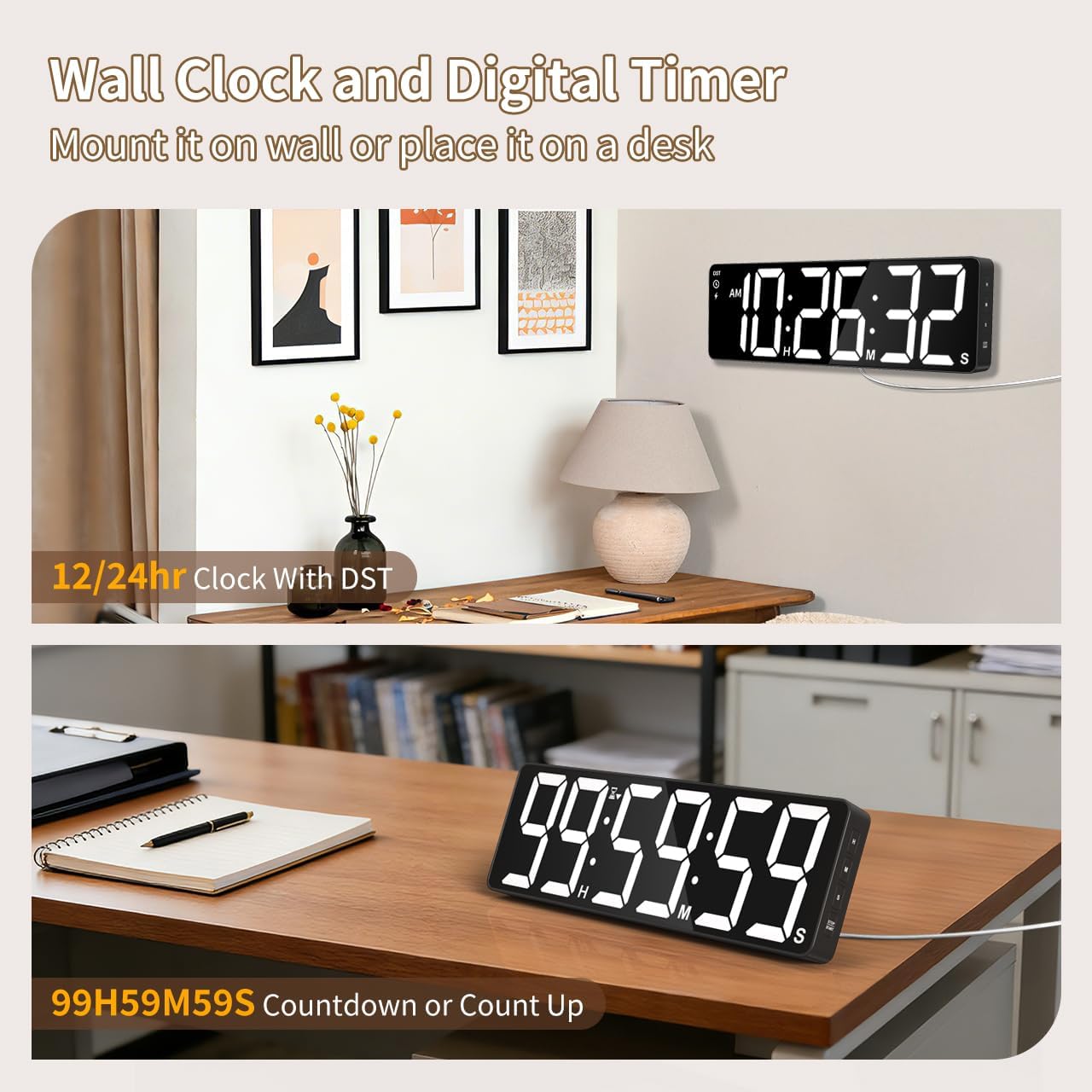
ຮູບພາບ: Examples of the digital timer's placement, showing it mounted on a wall and resting on a desk, illustrating its versatility.
4. ຄໍາແນະນໍາການດໍາເນີນງານ
The timer can be operated using the buttons on the device or the included remote control.

ຮູບພາບ: ຫຼາຍກວ່າview of the timer's physical buttons and the remote control, highlighting their functions for easy operation.
4.1 Basic Clock Settings
Upon initial power-on or after a full power loss without backup batteries, the clock may need to be set.
- ຕັ້ງເວລາ: ກົດ SET button on the remote or device. Use the number buttons (0-9) on the remote or the ຂຶ້ນ/ລົງ buttons on the device to adjust hours and minutes. Press SET ອີກເທື່ອຫນຶ່ງເພື່ອຢືນຢັນ.
- ຮູບແບບ 12/24 ຊົ່ວໂມງ: ກົດ 12/24ຊ button on the remote to switch between 12-hour (with AM/PM indicator) and 24-hour formats.
- ເວລາປະຢັດແສງກາງເວັນ (DST): The timer features automatic DST adjustment. Ensure the DST setting is enabled if your region observes it. Refer to the remote control for a dedicated DST button or a combination key press.
4.2 ການປັບຄວາມສະຫວ່າງ
The display has 3 brightness levels.
- ກົດ ຄວາມສະຫວ່າງ button on the remote or device to cycle through the available brightness levels (Dim, Medium, Bright).
4.3 ການເລືອກສີ
Choose from 18 color options for the display digits.
- ກົດ ສີອ່ອນ button on the remote or device to cycle through 8 solid colors, 3 RGB fixed colors, and 7 RGB gradient colors.

Image: Visual representation of the 18 color options and 3 brightness levels (Dim, Medium, Bright) available for the timer's display.
4.4 Timer Functions (Countdown/Count Up)
The timer supports both countdown and count-up modes, up to 99 hours, 59 minutes, and 59 seconds.
- Set Countdown: ກົດ ເວລາ on the remote. Use the number buttons (0-9) to input the desired time (HH:MM:SS). Press ເລີ່ມຕົ້ນ/ຢຸດຊົ່ວຄາວ ເພື່ອເລີ່ມຕົ້ນ.
- Count Up (Stopwatch): ກົດ ເວລາ ແລະຫຼັງຈາກນັ້ນ ອະນາໄມ to set the timer to 00:00:00. Press ເລີ່ມຕົ້ນ/ຢຸດຊົ່ວຄາວ ເພື່ອເລີ່ມຕົ້ນການນັບ.
- ຢຸດຊົ່ວຄາວ/ສືບຕໍ່: ກົດ ເລີ່ມຕົ້ນ/ຢຸດຊົ່ວຄາວ during an active timer to pause or resume.
- ຕັ້ງຄ່າ ໃໝ່: ກົດ ຣີເຊັດ to clear the current timer setting.
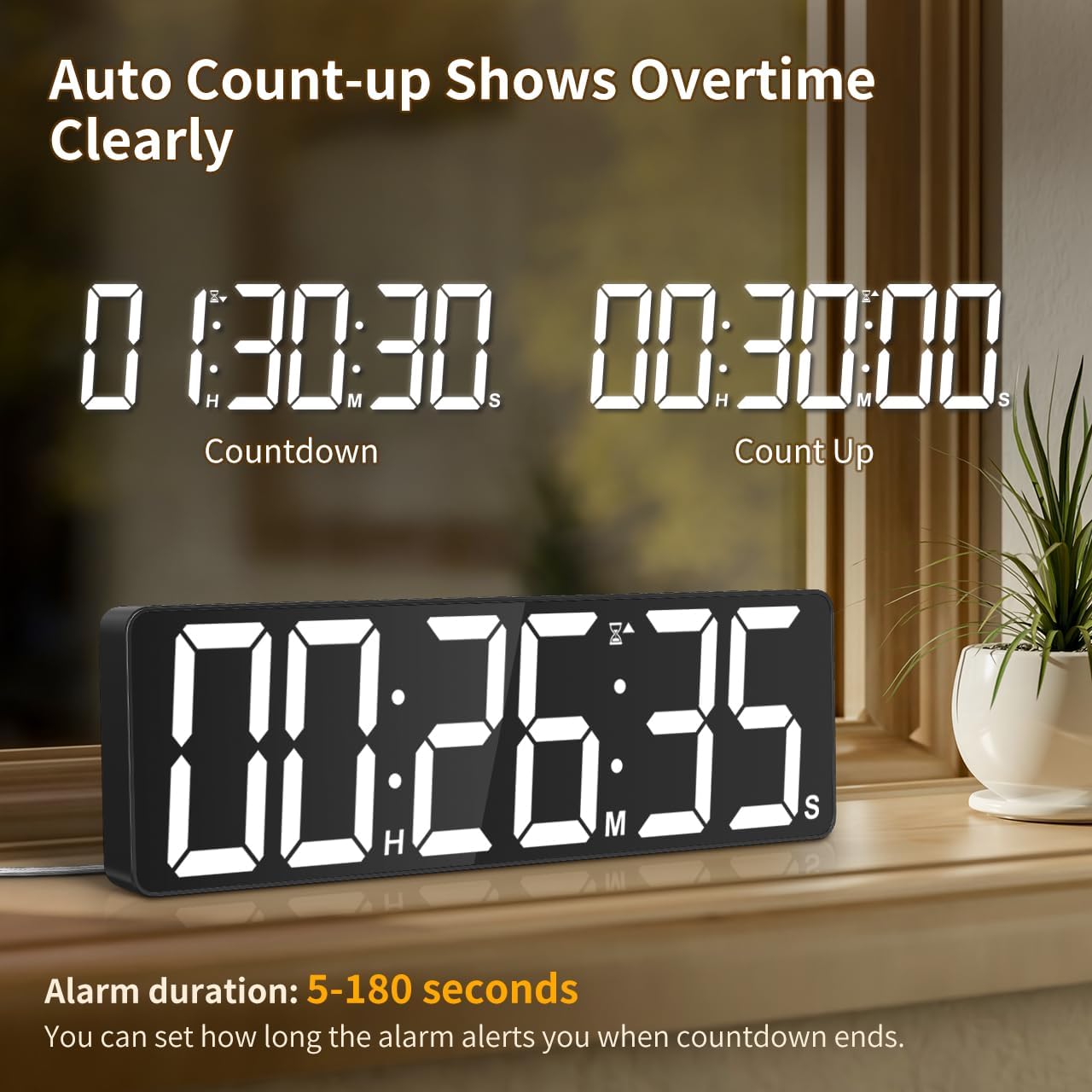
Image: The timer showing a countdown from 01:30:30 and an automatic count-up to 00:30:00 after a countdown finishes, indicating overtime tracking.
4.5 Quick-Set Shortcuts
The remote control includes 6 one-touch shortcut buttons for common timer durations:
- 3 ນາທີ
- 5 ນາທີ
- 15 ນາທີ
- 25 ນາທີ
- 30 ນາທີ
- 5 ຊົ່ວໂມງ
Press the desired shortcut button to instantly set and start a countdown.
4.6 ການຕັ້ງຄ່າໂມງປຸກ
The timer offers 6 distinct ringtones and 4 adjustable volume levels.
- ຕັ້ງໂມງປຸກ: ກົດ ປຸກ on the remote. Use number buttons to set the alarm time. Press ປຸກ ອີກເທື່ອຫນຶ່ງເພື່ອຢືນຢັນ.
- Select Ringtones: ກົດ ຣິງໂທນ button on the remote to cycle through the 6 available tones (Buzzer, Melody 1-5).
- ປັບລະດັບສຽງ: ກົດ ປະລິມານ button on the remote to cycle through 4 volume levels (L01-L04) or L00 for silent mode (digits flash).
- ໄລຍະເວລາປຸກ: The alarm duration can be set from 5 to 180 seconds. Refer to the remote control for specific buttons or combination presses to adjust this setting.
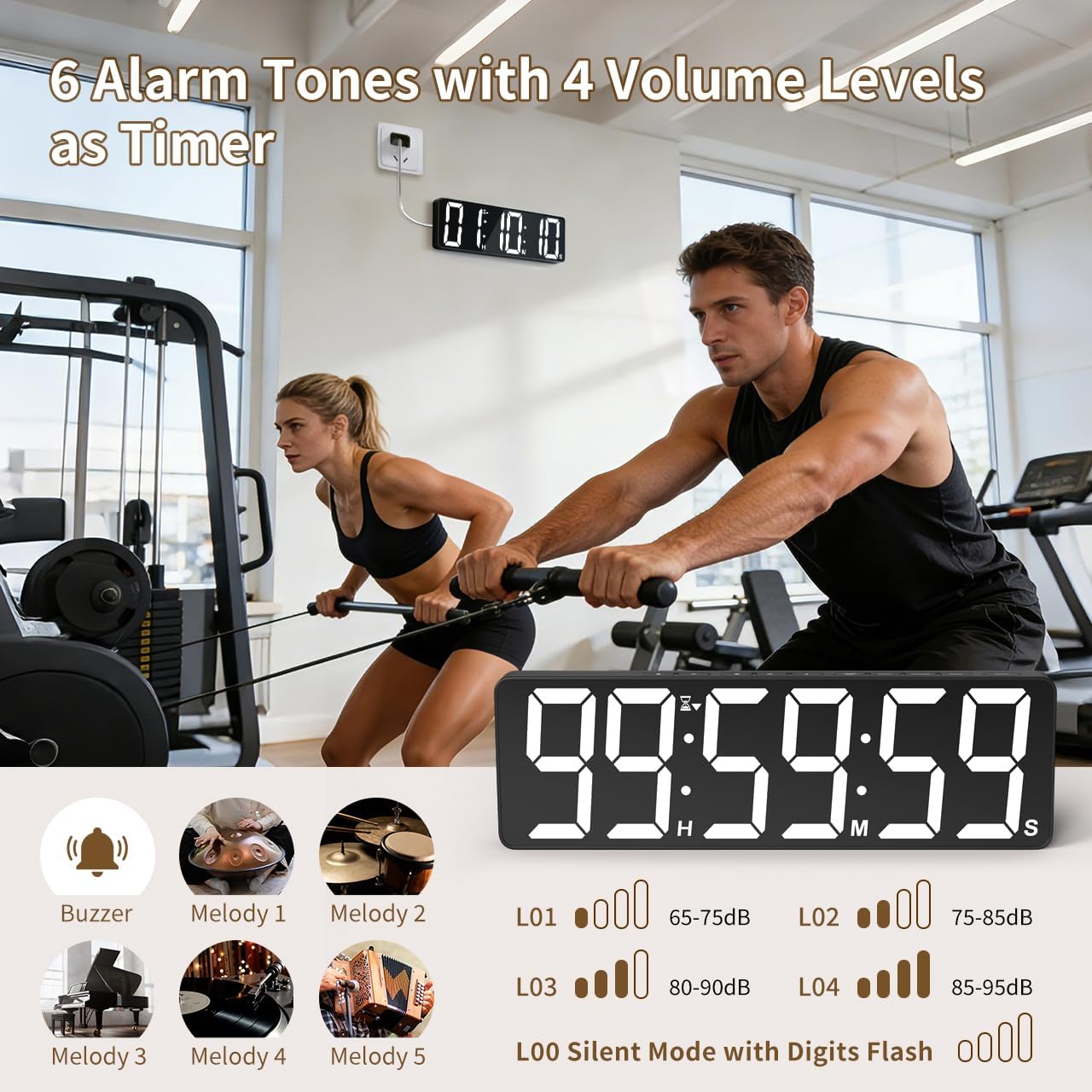
Image: Visual guide to the 6 alarm tones (Buzzer, Melody 1-5) and 4 volume levels (L01-L04), including a silent mode (L00) with flashing digits.
5. ບໍາລຸງຮັກສາ
5.1 ການທໍາຄວາມສະອາດ
To clean the timer, gently wipe the display and casinເຊັດອອກດ້ວຍຜ້າອ່ອນແລະແຫ້ງ. ຢ່າໃຊ້ນໍ້າຢາທໍາຄວາມສະອາດທີ່ມີສີຂັດ, ຕົວລະລາຍ ຫຼື ສີດໂດຍກົງໃສ່ອຸປະກອນ.
5.2 ການທົດແທນຫມໍ້ໄຟ
- Memory Backup Batteries: Replace the 3 AAA batteries in the main unit annually or if you notice settings are not retained during power outages.
- ຫມໍ້ໄຟຄວບຄຸມໄລຍະໄກ: ໃຫ້ປ່ຽນແບັດເຕີຣີ AAA 2 ກ້ອນໃນຣີໂໝດຄວບຄຸມເມື່ອຂອບເຂດ ຫຼື ການຕອບສະໜອງຂອງມັນຫຼຸດລົງ.
ຖິ້ມແບັດເຕີລີທີ່ໃຊ້ແລ້ວຕາມລະບຽບທ້ອງຖິ່ນສະເໝີ.
6. ການແກ້ໄຂບັນຫາ
- Timer not powering on: Ensure the power adapter is securely connected to both the timer and a working electrical outlet. Check if the outlet is functional.
- ການຄວບຄຸມໄລຍະໄກບໍ່ເຮັດວຽກ: Check if the remote control batteries are correctly installed and not depleted. Ensure there are no obstructions between the remote and the timer. The remote has a range of 30ft+.
- ການຕັ້ງຄ່າສູນເສຍຫຼັງຈາກພະລັງງານ outage: Verify that the 3 AAA memory backup batteries are installed correctly and are not depleted. Replace them if necessary.
- Display is dim or colors are incorrect: Adjust the brightness level using the ຄວາມສະຫວ່າງ button. Cycle through color options using the ສີອ່ອນ ປຸ່ມ.
- Alarm not audible: Check the alarm volume setting using the ປະລິມານ button on the remote. Ensure it is not set to L00 (silent mode).
7. ຂໍ້ມູນຈໍາເພາະ
| ໝາຍເລກຕົວແບບ | 6247 |
| ປະເພດການສະແດງ | LED |
| ຂະໜາດໜ້າຈໍ | 15.7 ນິ້ວ |
| ຄວາມສູງຕົວເລກ | 4.1 ນິ້ວ |
| ຕົວເລືອກສີ | 18 (8 solid, 3 RGB fixed, 7 RGB gradients) |
| ລະດັບຄວາມສະຫວ່າງ | 3 |
| ຊ່ວງເວລາຈັບເວລາ | ສູງສຸດ 99 ຊົ່ວໂມງ, 59 ນາທີ, 59 ວິນາທີ |
| Ringtones ປຸກ | 6 |
| ລະດັບສຽງເຕືອນ | 4 + Silent Mode |
| ໄລຍະເວລາປຸກ | 5-180 ວິນາທີ |
| ການປ້ອນຂໍ້ມູນພະລັງງານ | 5V/2A DC |
| ຄວາມຍາວຂອງສາຍໄຟ | 16.4 ຟຸດ (5 ແມັດ) |
| ສຳ ຮອງຂໍ້ມູນ ໜ່ວຍ ຄວາມ ຈຳ | 3 x ຫມໍ້ໄຟ AAA (ລວມ) |
| ສະຖານີໂທລະຄວບຄຸມໄລຍະໄກ | 2 x ຫມໍ້ໄຟ AAA (ລວມ) |
| ໄລຍະການຄວບຄຸມໄລຍະໄກ | 30ft+ |
| ຂະໜາດສິນຄ້າ (ກວ້າງ x ຍາວ x ສູງ) | 3.7D x 38W x 12H ຊັງຕີແມັດ |
| ນ້ໍາຫນັກລາຍການ | 820 ກຣາມ |
| ວັດສະດຸ | Acrylonitrile Butadiene ສະໄຕຣີນ |
8. ການຮັບປະກັນແລະການສະຫນັບສະຫນູນ
For warranty information or technical support, please refer to the contact details provided with your purchase or visit the official VOCOO webເວັບໄຊ. ຮັກສາໃບຮັບເງິນການຊື້ຂອງທ່ານສໍາລັບການຮ້ອງຂໍການຮັບປະກັນ.