
1. ບົດແນະນຳ
The ACECONN Sword Pro+ is a high-performance streaming smart TV box designed to deliver an immersive entertainment experience. Running on the Android 11 operating system, it supports 4K Ultra HD resolution at 60 frames per second with HDR10+ for crystal-clear visuals. Equipped with dual-band Wi-Fi (2.4G/5G) and 2GB RAM with 16GB storage, it ensures fast and stable streaming. The included voice remote with backlight offers convenient control. This manual provides essential information for setting up, operating, and maintaining your device.
2. ເນື້ອໃນຊຸດ
ກວດສອບວ່າລາຍການທັງຫມົດທີ່ລະບຸໄວ້ຂ້າງລຸ່ມນີ້ແມ່ນລວມຢູ່ໃນຊຸດຂອງທ່ານ:
- SWORD Pro+ TV Box ×1
- ການຄວບຄຸມໄລຍະໄກ× 1
- ສາຍ HDMI ×1
- ຜູ້ດັດແປງພະລັງງານ× 1
- ຄູ່ມືຜູ້ໃຊ້ ×1
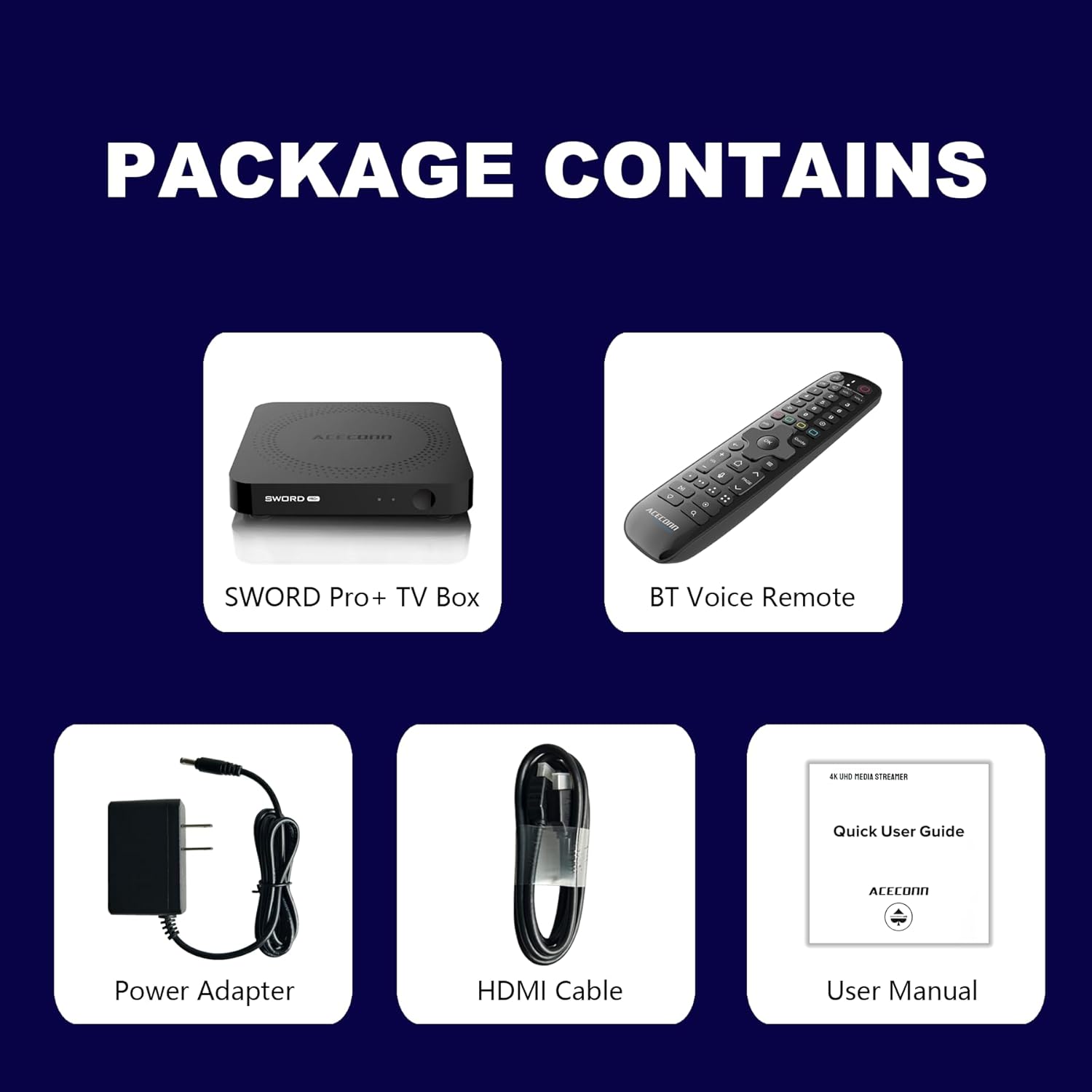
Figure 2.1: Package Contents. This image displays the SWORD Pro+ TV Box, BT Voice Remote, Power Adapter, HDMI Cable, and a Quick User Guide (User Manual).
3. ຜະລິດຕະພັນເກີນview
3.1 ຮູບແບບອຸປະກອນ

ຮູບທີ 3.1: ດ້ານໜ້າ ແລະ ດ້ານຫຼັງ Views of the SWORD Pro+ TV Box. The front features an IR receiver and power indicator. The side includes USB 2.0, USB 3.0, and a MicroSD card slot. The rear panel provides AV, Ethernet, HDMI, Optical audio, DC power input, and a 'Find Remote' button.
3.2 ຂະໜາດ
The ACECONN Sword Pro+ TV Box has compact dimensions for easy placement.
- ຄວາມຍາວ: 4.4 ນິ້ວ (11 ຊຕມ)
- ກວ້າງ: 4.4 ນິ້ວ (11 ຊຕມ)
- ຄວາມສູງ: 0.8 ນິ້ວ (2 ຊຕມ)

Figure 3.2: Device Dimensions. This image illustrates the length, width, and height of the SWORD Pro+ TV Box.
4. Remote Control Description
The included Bluetooth voice remote control features a backlight for ease of use in various lighting conditions. Familiarize yourself with the buttons and their functions:

Figure 4.1: Remote Control Layout. This diagram labels all buttons on the remote, including TV Power On/Off, STB Power On/Off, OK key for TV, TV Source, Number Keys, Mouse, Options, Color Keys, Information, Open TV Guide, Navigation (Up/Down/Left/Right), Confirm/Select, Exit, Menu, Home, Volume +/-, Page Up/Down, Channel Up/Down, Voice Assistant, Hot Keys, Play/Pause, Record, Setup Favorite, and Search.
- TV Power On/Off: Controls your television's power.
- STB Power On/Off: Controls the TV Box power.
- OK key for TV / TV Source: Selects options or changes TV input.
- ລະຫັດຕົວເລກ (0-9): For direct input of numbers.
- ຫນູ: Activates/deactivates mouse pointer mode.
- ຕົວເລືອກ: Accesses additional options within applications.
- Color Keys: ການເຮັດວຽກແຕກຕ່າງກັນໄປຕາມ ຄຳ ຮ້ອງສະ ໝັກ.
- ຂໍ້ມູນ: Displays information about current content.
- ຄູ່ມື: Opens the TV program guide.
- ການນຳທາງ (ຂຶ້ນ/ລົງ/ຊ້າຍ/ຂວາ): ຍ້າຍຕົວກະພິບ ຫຼືການເລືອກ.
- OK (Center): ຢືນຢັນການເລືອກ.
- ອອກ: Returns to the previous screen or exits an application.
- ເມນູ: Opens the context menu.
- ຫນ້າທໍາອິດ: ກັບໄປໜ້າຈໍຫຼັກ.
- ປະລິມານ +/-: ປັບລະດັບສຽງ.
- ໜ້າຂຶ້ນ/ລົງ: ເລື່ອນຜ່ານໜ້າຕ່າງໆ.
- ຜູ້ຊ່ວຍສຽງ: Activates voice control for commands and search.
- ຫຼິ້ນ/ຢຸດ: ຄວບຄຸມການຫຼິ້ນສື່.
- ບັນທຶກ: Initiates recording (if supported by application/service).
- Setup Favorite: Configures favorite channels or apps.
- ຊອກຫາ: Opens the search function.
5. ຄູ່ມືການຕິດຕັ້ງ
Follow these steps to set up your ACECONN Sword Pro+ TV Box:
- ເຊື່ອມຕໍ່ຫາໂທລະພາບ: Connect one end of the HDMI cable to the HDMI port on the TV Box and the other end to an available HDMI input on your television. Note the HDMI input number (e.g., HDMI 1, HDMI 2).
- ເຊື່ອມຕໍ່ກັບພະລັງງານ: Plug the power adapter into the DC IN port on the TV Box, then plug the adapter into a wall outlet. The device should power on automatically, or you may need to press the power button on the remote.
- ເລືອກການປ້ອນຂໍ້ມູນໂທລະພາບ: Turn on your television and use its remote control to select the correct HDMI input source that the TV Box is connected to. You should see the ACECONN boot logo on your screen.
- ການເຊື່ອມຕໍ່ເຄືອຂ່າຍ:
- Wi-Fi: Once the initial setup screen appears, navigate to the network settings. Select your Wi-Fi network from the list, enter the password, and connect. The device supports dual-band Wi-Fi (2.4G & 5G) for optimal performance.
- ອີເທີເນັດ: For a wired connection, connect an Ethernet cable from your router to the Ethernet port on the TV Box. The device will automatically detect and connect to the wired network.
- ການຕັ້ງຄ່າລະບົບເບື້ອງຕົ້ນ: Follow the on-screen prompts to complete the initial setup, which may include language selection, time zone, and Google account login.
- Remote Control Pairing (if necessary): If the remote control is not responsive, ensure batteries are installed correctly. For Bluetooth remotes, you may need to pair it in the device's Bluetooth settings. Refer to the remote control section for specific pairing instructions if provided on-screen.

Figure 5.1: Dual-Band WiFi. The SWORD Pro+ supports both 2.4G and 5G WiFi for faster and more stable internet connectivity.
6. ຄໍາແນະນໍາການດໍາເນີນງານ
6.1 ການນໍາທາງພື້ນຖານ
Use the directional pad (Up, Down, Left, Right) and the OK button on your remote control to navigate through the Android TV interface. The Home button will always return you to the main screen.
6.2 Using Voice Control
Press the Voice Assistant button on your remote control to activate the voice input feature. Speak clearly into the remote to search for content, open applications, or issue commands.

Figure 6.1: Smart Voice Control. This image demonstrates the voice control feature, allowing users to operate the device with spoken commands.
6.3 ການເຂົ້າເຖິງແອັບພລິເຄຊັນ
The TV Box comes with pre-installed applications, including the TVONAIR3 Streaming App. You can access more applications through the ACECONN exclusive app store or the Google Play Store. Navigate to the 'Apps' section on the home screen to view ແລະຈັດການແອັບພລິເຄຊັນທີ່ຕິດຕັ້ງຂອງທ່ານ.
6.4 4K HDR Streaming
To enjoy 4K HDR content, ensure your television supports 4K resolution and HDR10+. Connect the TV Box to an HDMI 2.1 port on your TV for optimal performance. Content quality will also depend on your internet speed and the streaming service's offerings.
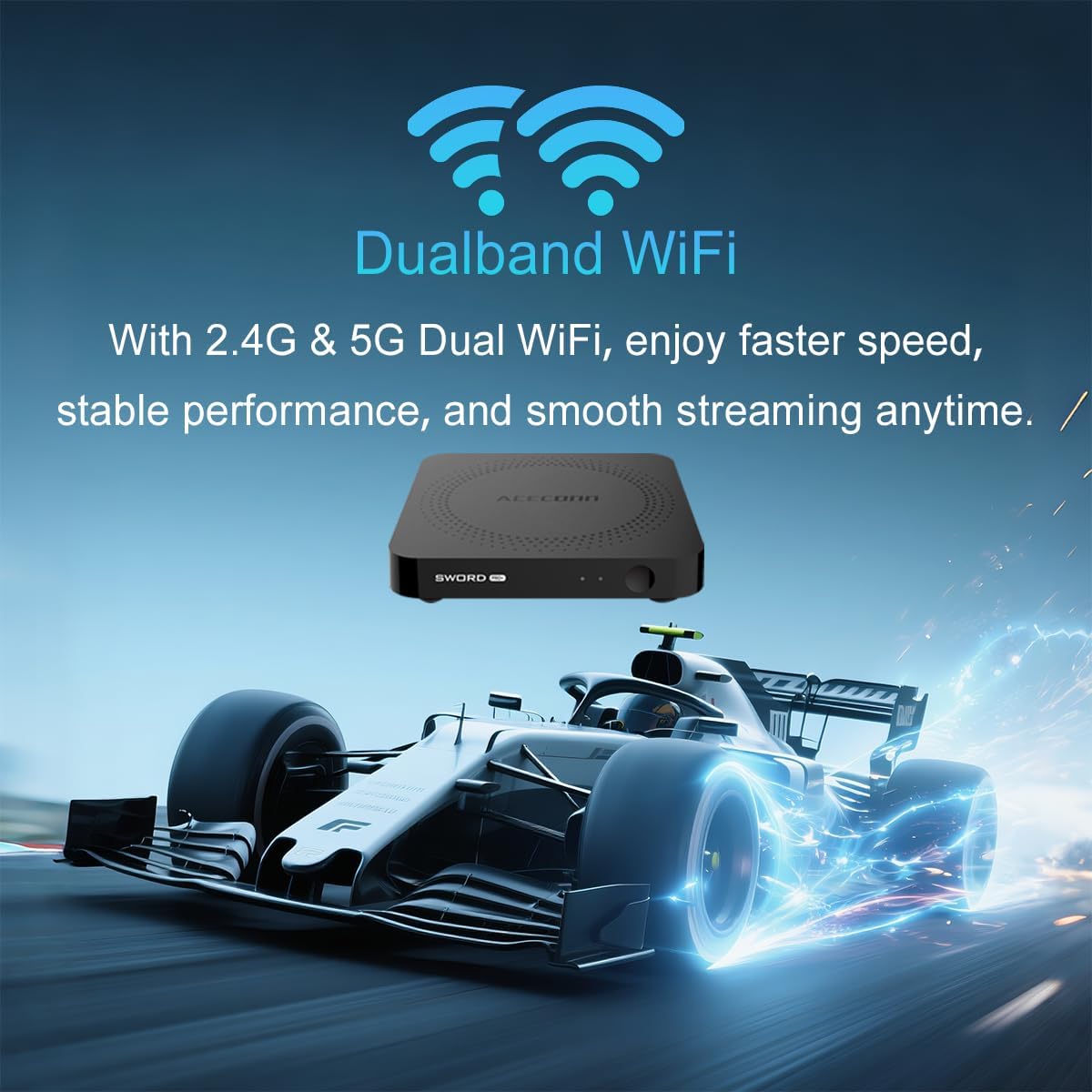
Figure 6.2: 4K HDR Support. The device supports 4K video streaming up to 3840x2160 at 60Hz, Dynamic HDR with frame-by-frame precision, and AV1 format decoding.
6.5 ການປັບປຸງລະບົບ (OTA)
The ACECONN Sword Pro+ supports Over-The-Air (OTA) updates for both the system and applications. It is recommended to keep your device updated to ensure optimal performance and access to the latest features and security enhancements. You can check for updates in the device's settings menu.
7. ບໍາລຸງຮັກສາ
Proper maintenance ensures the longevity and optimal performance of your TV Box:
- ທໍາຄວາມສະອາດ: ໃຊ້ຜ້າອ່ອນແລະແຫ້ງເພື່ອທຳຄວາມສະອາດດ້ານນອກຂອງອຸປະກອນ. ຫຼີກລ່ຽງນ້ຳຢາທຳຄວາມສະອາດ ຫຼື ວັດສະດຸຂັດ.
- ການລະບາຍອາກາດ: Ensure the TV Box is placed in a well-ventilated area. Do not cover ventilation openings or place the device in an enclosed space that could restrict airflow.
- ອັບເດດຊອບແວ: Regularly check for and install system and application updates to benefit from performance improvements and security patches.
- ເງື່ອນໄຂສິ່ງແວດລ້ອມ: ຫຼີກເວັ້ນການເປີດເຜີຍອຸປະກອນກັບອຸນຫະພູມທີ່ຮຸນແຮງ, ແສງແດດໂດຍກົງ, ຄວາມຊຸ່ມຊື່ນສູງ, ຫຼືສະພາບແວດລ້ອມທີ່ມີຝຸ່ນ.
- ວົງຈອນພະລັງງານ: ຖ້າອຸປະກອນບໍ່ຕອບສະໜອງ, ໃຫ້ຖອດອະແດບເຕີໄຟອອກສອງສາມວິນາທີ ແລະ ຈາກນັ້ນເຊື່ອມຕໍ່ມັນຄືນໃໝ່ເພື່ອປະຕິບັດການສາກໄຟຄືນໃໝ່.
8. ການແກ້ໄຂບັນຫາ
If you encounter issues with your ACECONN Sword Pro+, refer to the following common problems and solutions:
| ບັນຫາ | ສາເຫດທີ່ເປັນໄປໄດ້ | ການແກ້ໄຂ |
|---|---|---|
| ອຸປະກອນບໍ່ເປີດ. | ອະແດັບເຕີໄຟບໍ່ໄດ້ເຊື່ອມຕໍ່ ຫຼື ມີບັນຫາ. | ໃຫ້ແນ່ໃຈວ່າອະແດບເຕີໄຟຟ້າໄດ້ເຊື່ອມຕໍ່ກັບອຸປະກອນຢ່າງແໜ້ນໜາ ແລະ ປລັກສຽບໄຟຟ້າທີ່ໃຊ້ໄດ້. ລອງໃຊ້ປລັກສຽບອື່ນ. |
| No signal on TV screen. | ເລືອກອິນພຸດ HDMI ບໍ່ຖືກຕ້ອງ ຫຼື ສາຍ HDMI ວ່າງ. | Verify the HDMI cable is securely connected to both the TV Box and the TV. Select the correct HDMI input on your TV using your TV's remote. |
| ການຄວບຄຸມໄລຍະໄກບໍ່ເຮັດວຽກ. | Low batteries, remote not paired, or IR sensor blocked. | Replace batteries. Ensure the remote is paired via Bluetooth (check device settings). Ensure no obstructions between remote and TV Box. |
| Buffering or slow streaming. | Weak Wi-Fi signal, slow internet speed, or network congestion. | Move the TV Box closer to your Wi-Fi router or use an Ethernet cable for a wired connection. Restart your router. Check your internet service provider's speed. |
| Applications crashing or freezing. | App specific issue, low memory, or outdated app. | Clear the cache of the problematic app (Settings > Apps). Update the app from the Play Store. Restart the TV Box. |
9. ຂໍ້ມູນຈໍາເພາະ
Detailed technical specifications for the ACECONN Sword Pro+ TV Box:
- ຊື່ຕົວແບບ: SWORD PRO+
- ລະບົບປະຕິບັດການ: Android 11
- ໜ່ວຍປະມວນຜົນ: CPU Quad-core ARM Cortex-A35
- GPU: G31TM MP2 GPU, OpenGL ES 3.2, Vulkan 1.1, OpenCL 2.0
- RAM: 2GB DDR3
- ການເກັບຮັກສາພາຍໃນ: 16GB eMMC
- ຜົນຜະລິດວິດີໂອ: Up to 4Kx2K@60fps
- ຮອງຮັບ HDR: HDR10+/HLG
- ການຖອດລະຫັດວິດີໂອ: AV1, HEVC/H.265
- ການເຊື່ອມຕໍ່:
- Dual-band Wi-Fi (2.4G/5G)
- Bluetooth
- ອີເທີເນັດ
- ພອດ: HDMI 2.1, USB 2.0, USB 3.0, MicroSD Card Slot, AV, Optical, DC IN
- ຂະໜາດ: 4.4 x 4.4 x 0.8 ນິ້ວ (11 x 11 x 2 cm)
- ນ້ຳໜັກ: 1.1 ປອນ (ປະມານ 0.5 ກິໂລ)
- ບໍລິການອິນເຕີເນັດທີ່ຮອງຮັບ: Browser, Netflix, Skype, YouTube (and others via app stores)
- ປະເພດຄວບຄຸມ: ການຄວບຄຸມໄລຍະໄກ, ການຄວບຄຸມສຽງ

Figure 9.1: Key Features and Specifications. This image provides a visual summary of the device's capabilities, including Android 11, 4K 60fps, AV1 codec, 2GB DDR3 RAM, 16GB storage, HDMI 2.1, and the included smart Universal BT Remote with voice command and backlight.
10. ການຮັບປະກັນແລະການສະຫນັບສະຫນູນ
For warranty information, please refer to the documentation included with your purchase or visit the official ACECONN website. For technical support, product inquiries, or service, please contact ACECONN customer support through their official channels.