
1. ຜະລິດຕະພັນເກີນview
The Pomya 1080P Full HD Action Camera is a versatile and compact device designed for capturing high-quality video and photos in various environments. Featuring a 180° rotatable lens, night vision capabilities, and built-in WiFi, it is suitable for activities such as cycling, vlogging, and general outdoor recording.

Image: The Pomya Action Camera highlighting its 1080P Full HD resolution and 180-degree rotatable lens. Icons indicate video, photo, and recording capabilities.
ຄຸນນະສົມບັດທີ່ສໍາຄັນ:
- ການບັນທຶກ 1080P Full HD: Captures clear and smooth video at 1080p resolution.
- ເລນໝຸນໄດ້ 180°: Allows flexible adjustment of the camera angle for diverse shooting perspectives.
- Night Vision & LED Fill Light: Enables recording in low-light conditions with enhanced clarity.
- WiFi ໃນຕົວ: Facilitates wireless transfer of media to smartphones for easy sharing.
- ການບັນທຶກວົງ: ຂຽນທັບ foo ເກົ່າໂດຍອັດຕະໂນມັດtage ເພື່ອຮັບປະກັນການບັນທຶກຢ່າງຕໍ່ເນື່ອງ.
- ໜ້າຈໍ 1.5 ນິ້ວ: Provides a clear display for framing shots and reviewເນື້ອໃນ.
- ແບດເຕີຣີ້ມາດຕະຖານ 1000mAh: Offers extended recording time.
2. ສິ່ງທີ່ຢູ່ໃນກ່ອງ
ກະລຸນາກວດເບິ່ງເນື້ອໃນຂອງແພັກເກັດໃນເວລາທີ່ unboxing ເພື່ອຮັບປະກັນວ່າລາຍການທັງຫມົດແມ່ນມີຢູ່:
- 1 x Pomya Video Recorder (Action Camera)
- 1 x ຄູ່ມືຜູ້ໃຊ້
- 1 x ສາຍສາກ
3. ຕັ້ງຄ່າ
3.1 ການສາກອຸປະກອນ
Before initial use, fully charge the camera's internal 1000mAh battery. Connect the provided charging cable to the camera's charging port and a standard USB power adapter (not included) or a computer's USB port. The charging indicator will typically show the charging status and turn off or change color when fully charged.
3.2 ການໃສ່ແຜ່ນຄວາມຈໍາ
This camera supports external memory for storing recordings. Locate the memory card slot, typically protected by a cover. Insert a compatible microSD card (not included) with the contacts facing the correct direction until it clicks into place. Ensure the card is formatted correctly (e.g., FAT32) for optimal performance. The camera supports loop recording, which requires a memory card.
3.3 ການເປີດ/ປິດ
- ເພື່ອເປີດເຄື່ອງ: Press and hold the Power button for a few seconds until the screen illuminates.
- ປິດເຄື່ອງ: ກົດປຸ່ມເປີດປິດຄ້າງໄວ້ອີກຄັ້ງຈົນກວ່າອຸປະກອນຈະປິດ.
4. ຄໍາແນະນໍາການດໍາເນີນງານ
4.1 ການບັນທຶກວິດີໂອ
To record video, ensure the camera is powered on and in video mode. Press the independent recording button to start recording. Press it again to save the recording and stop. The camera captures video in 1080P Full HD resolution.
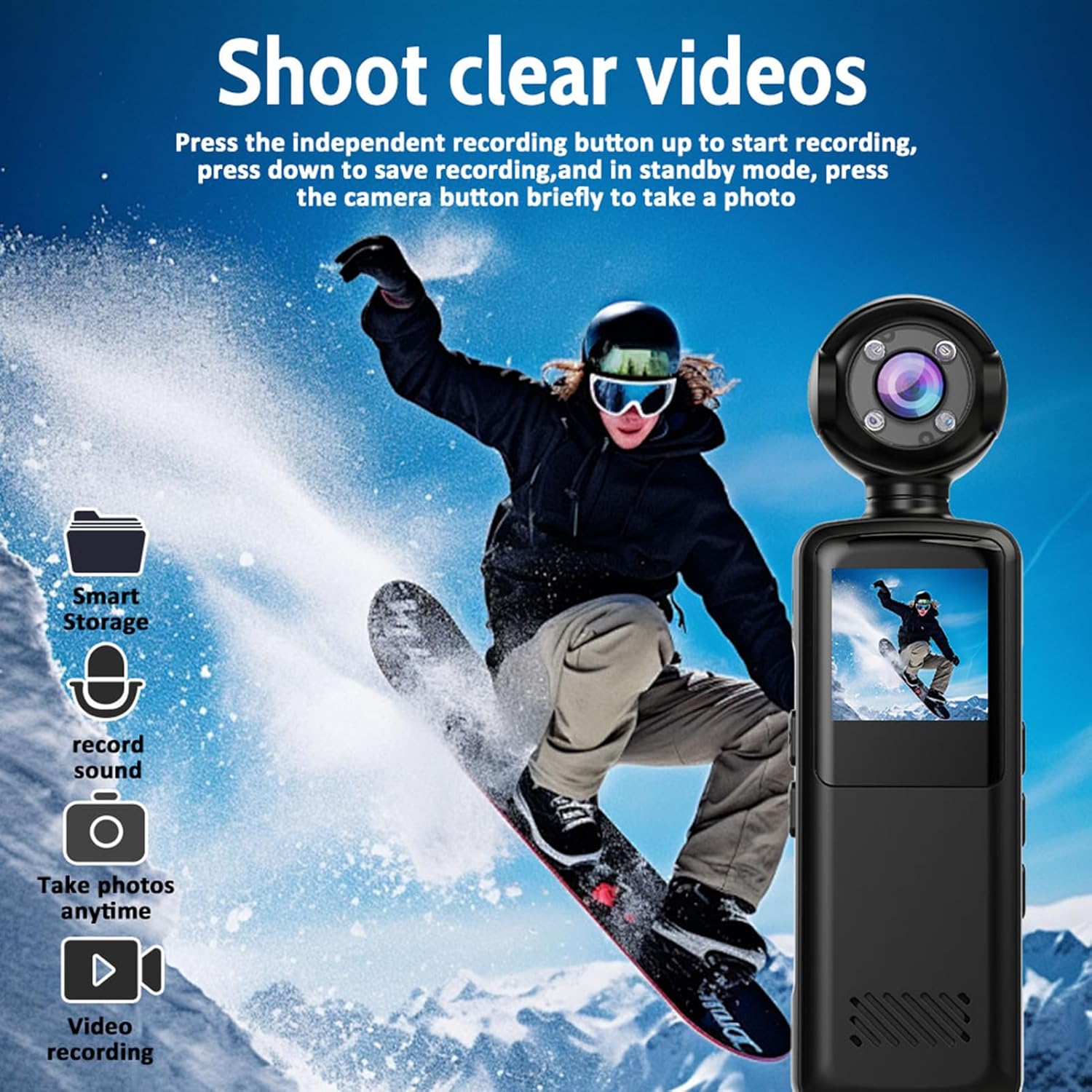
Image: The action camera capturing a snowboarder, illustrating its video recording capability. Icons for smart storage, sound recording, photo taking, and video recording are visible.
4.2 ການຖ່າຍຮູບ
In standby mode, briefly press the camera button to take a photo. The camera supports capturing still images alongside video recording.

Image: Illustrates the camera's three-in-one functionality: video recording (cyclist), photo capture (group of friends), and audio recording (MP3 file ຮູບສັນຍາລັກ).
4.3 180° Rotatable Lens
The camera features a lens that can rotate 180 degrees. This allows you to easily adjust the viewing angle to capture different perspectives without repositioning the entire device. Simply manually rotate the lens to your desired orientation.

Image: Demonstrates the 180-degree rotatable lens feature, showing the camera used by a snowboarder and a person working on a laptop, highlighting its versatility and WiFi connectivity.
4.4 ວິໄສທັດກາງຄືນ
The camera is equipped with advanced night vision and an LED fill light. This feature allows for clear recording in low-light environments, capturing vivid colors during the day and maintaining high-definition clarity at night.
4.5 ການບັນທຶກວົງ
When the memory card is full, the loop recording function automatically overwrites the oldest footage with new recordings. This ensures continuous recording without manual intervention, making it ideal for extended use.
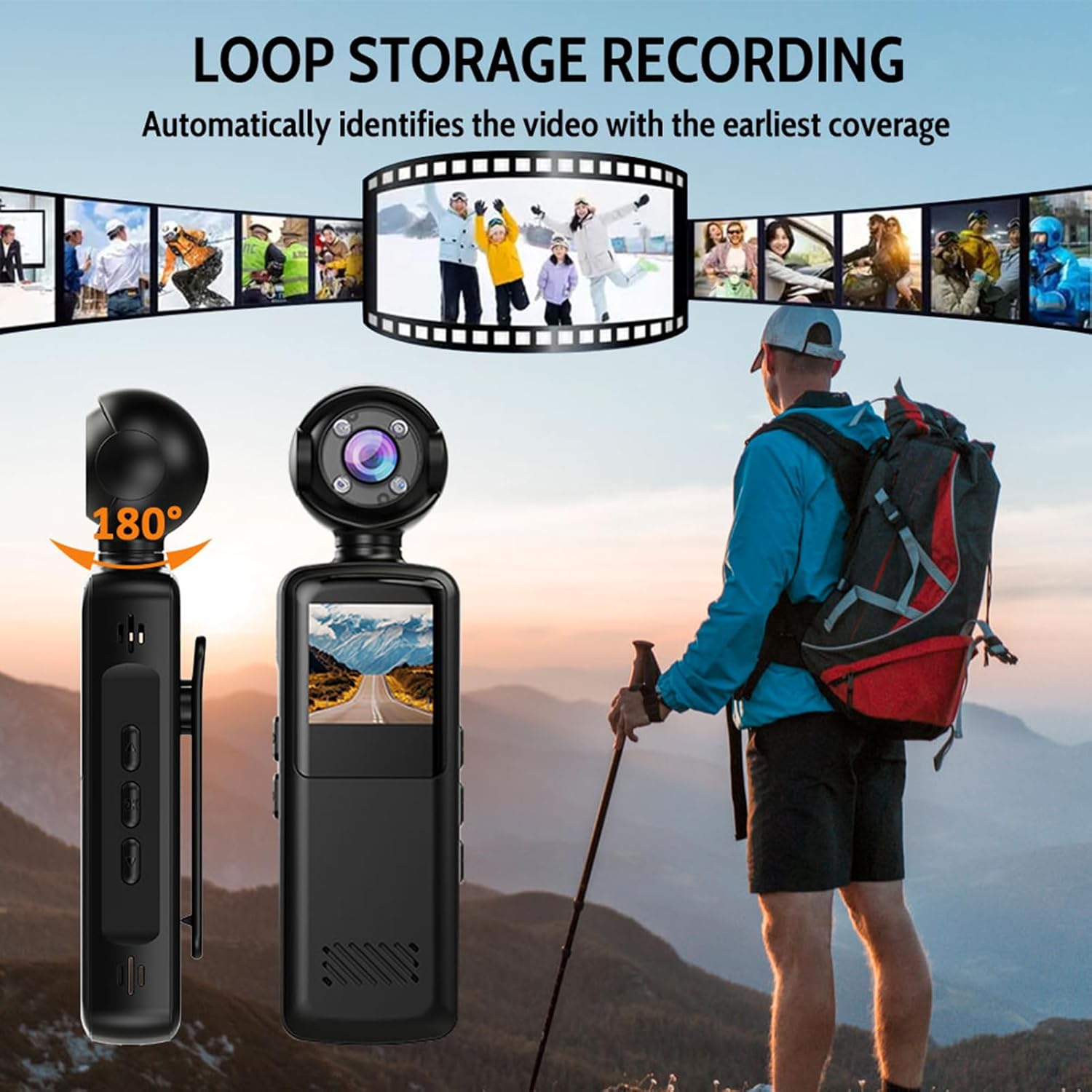
Image: Illustrates the loop storage recording feature, showing the camera alongside a hiker, with a filmstrip graphic indicating automatic identification and overwriting of the earliest video footage.
4.6 Wireless WiFi Connection
The camera has built-in WiFi for seamless transfer of videos and photos to your smartphone. Activate the WiFi hotspot on the camera, connect your phone to it, and use the dedicated app (if available, refer to product documentation for app details) to access and share your media without quality loss.

Image: Shows the camera wirelessly connected to a smartphone via WiFi, demonstrating how videos can be shared while maintaining high-definition image quality.

Image: A collage showing the camera capturing various moments: a person hiking, a soccer game, a celebration, and a road view from the camera's perspective, emphasizing its ability to 'Capture more moments'.
5. ບໍາລຸງຮັກສາ
5.1 ການທໍາຄວາມສະອາດກ້ອງຖ່າຍຮູບ
Use a soft, dry cloth to clean the camera body. For the lens, use a specialized lens cleaning cloth and solution to avoid scratches. Do not use harsh chemicals or abrasive materials.
5.2 ການເກັບຮັກສາ
ເກັບຮັກສາກ້ອງຖ່າຍຮູບໄວ້ໃນບ່ອນທີ່ເຢັນ, ແຫ້ງ ແລະ ຫ່າງຈາກແສງແດດໂດຍກົງ ແລະ ອຸນຫະພູມທີ່ຮຸນແຮງ. ຖ້າເກັບຮັກສາເປັນເວລາດົນ, ໃຫ້ແນ່ໃຈວ່າແບັດເຕີຣີໄດ້ຖືກສາກໄຟບາງສ່ວນ (ປະມານ 50%) ເພື່ອຍືດອາຍຸການໃຊ້ງານຂອງມັນ.
5.3 ການດູແລຫມໍ້ໄຟ
Avoid fully discharging the battery frequently. Recharge the battery regularly, even if the camera is not in use, to maintain battery health. Do not expose the battery to high temperatures.
6. ການແກ້ໄຂບັນຫາ
- ກ້ອງຖ່າຍຮູບບໍ່ເປີດ: ໃຫ້ແນ່ໃຈວ່າໄດ້ສາກໄຟແລ້ວ. ເຊື່ອມຕໍ່ຫາແຫຼ່ງພະລັງງານແລ້ວລອງໃໝ່ອີກຄັ້ງ.
- ບໍ່ສາມາດບັນທຶກ: Check if a memory card is inserted and has sufficient free space. Ensure the card is formatted correctly.
- ຄຸນນະພາບວິດີໂອບໍ່ດີ: ໃຫ້ແນ່ໃຈວ່າເລນສະອາດ. ກວດສອບສະພາບແສງ; ໃຊ້ວິໄສທັດກາງຄືນຖ້າຈຳເປັນ.
- ບັນຫາການເຊື່ອມຕໍ່ WiFi: Ensure the camera's WiFi is enabled. Restart both the camera and your smartphone.
- ອຸປະກອນບໍ່ຕອບສະໜອງ: If the camera freezes, locate the reset button (if available, often a small pinhole) and gently press it with a thin object.
7. ຂໍ້ມູນຈໍາເພາະ
| ຄຸນສົມບັດ | ຂໍ້ມູນຈໍາເພາະ |
|---|---|
| ໝາຍເລກຕົວແບບ | Pomyabpnrimkcs2 |
| ຄວາມລະອຽດຮູບພາບ | 1080P ຄວາມລະອຽດ Full HD |
| ຮູບແບບວິດີໂອ | MP4 (AVI mentioned in specifications, MP4 in description, prioritizing description for user clarity) |
| ໄມໂຄຣໂຟນ | Built-in High-Sensitivity Mic |
| ຄວາມອາດສາມາດຫມໍ້ໄຟ | 1000mAh |
| Viewໃນມຸມ | ມຸມກວ້າງ 140° |
| ວິໄສທັດກາງຄືນ | ຮອງຮັບ (ອິນຟາເຣດ) |
| ຈໍສະແດງຜົນ | ຫນ້າຈໍ 1.5 ນິ້ວ |
| ວັດສະດຸ / ສໍາເລັດຮູບ | PC + ABS with Matte Oil Finish |
| ການຈັດອັນດັບ IP | IP65 |
| ຂະໜາດ (ປະມານ) | 127.8mm (5.03in) Length, 35.5mm (1.39in) Width, 23.7mm (0.93in) Height |

Image: Technical drawing showing the approximate dimensions of the Pomya Action Camera: 127.8mm (5.03in) length, 35.5mm (1.39in) width, and 23.7mm (0.93in) height.
8. ການຮັບປະກັນແລະການສະຫນັບສະຫນູນ
8.1 ການຮັບປະກັນຈາກຜູ້ຜະລິດ
This product is covered by a manufacturer's warranty for 90 days from the date of purchase. Please retain your proof of purchase for warranty claims. The warranty covers defects in materials and workmanship under normal use.
8.2 ສະຫນັບສະຫນູນລູກຄ້າ
For technical assistance, troubleshooting, or warranty inquiries, please refer to the contact information provided with your purchase documentation or visit the official Pomya webເວັບໄຊ.