
1. ຜະລິດຕະພັນເກີນview
The Anern 10.2KW Hybrid Solar Inverter is an all-in-one solution designed for off-grid solar power systems. It integrates a 10.2KW pure sine wave inverter, a 160A MPPT solar charge controller, and a 160A AC battery charger. This unit supports dual PV input and dual AC output, making it suitable for various household and office loads. It is compatible with 48V Lead-Acid (Seal, AGM, Gel, Flooded) and Lithium batteries, providing a reliable power source for home backup and off-grid applications.
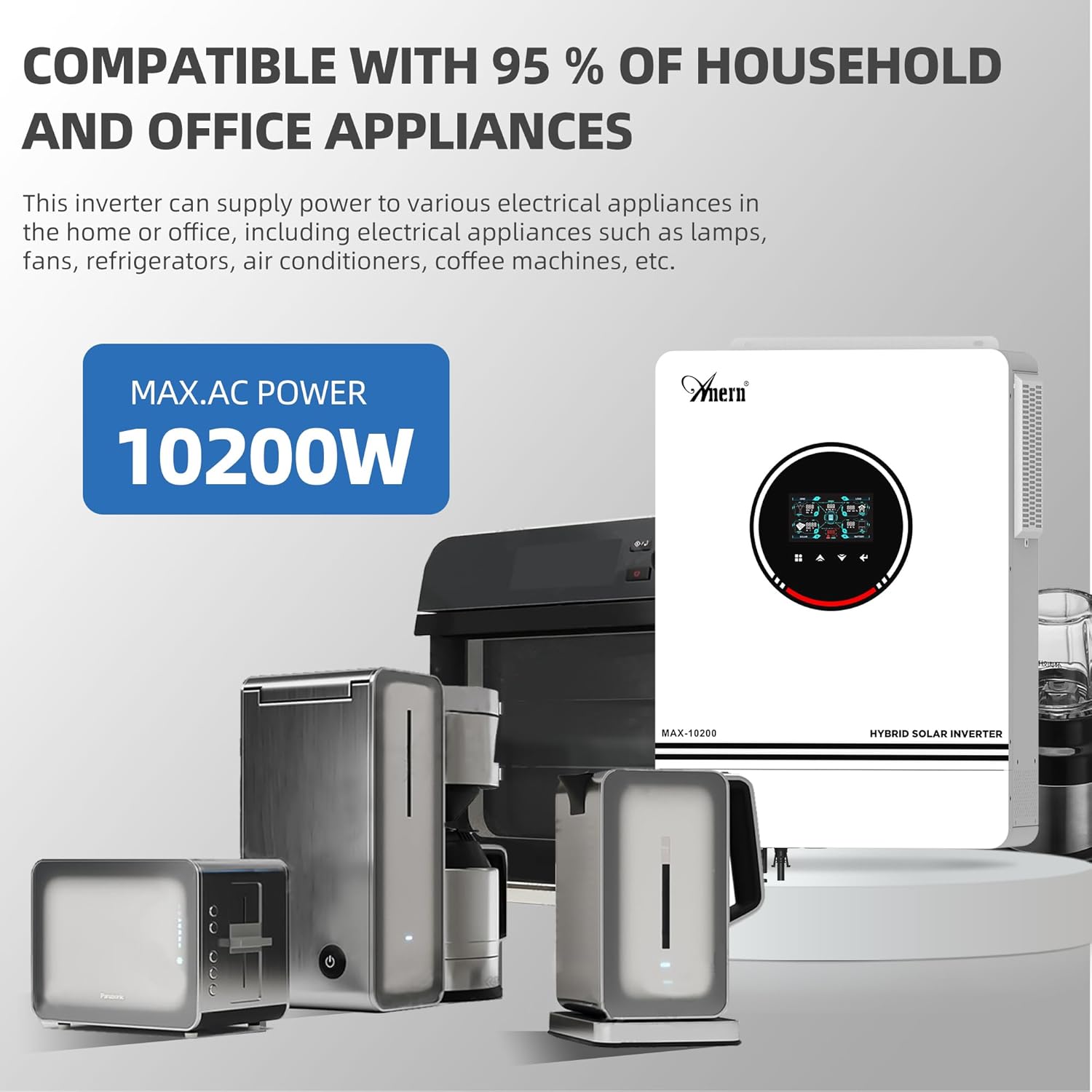
Figure 1: The Anern 10.2KW Hybrid Solar Inverter powering common household appliances.
2. ຄຸນນະສົມບັດທີ່ສໍາຄັນ
- ການອອກແບບທັງຫມົດໃນຫນຶ່ງ: Combines inverter, MPPT solar charge controller, and AC battery charger.
- ຜົນຜະລິດພະລັງງານສູງ: 10.2KW pure sine wave output, suitable for sensitive electronics.
- Dual PV Input: Supports up to 10200W (90-450VDC range, max 500VOC) from two independent PV inputs.
- ຜົນຜະລິດ AC ຄູ່: Provides uninterrupted power supply for various loads.
- ຄວາມເຂົ້າກັນໄດ້ຂອງຫມໍ້ໄຟກວ້າງ: Works with 48V Lead-Acid (Seal, AGM, Gel, Flooded) and Lithium batteries.
- ໂໝດແສງ RGB: Visual indication of different working modes (Purple-PV, Red-Battery, Blue-Utility).
- Backlight LCD Screen: Easy parameter browsing and setting.
- One-Click Restore: Quickly restore default settings to prevent configuration errors.
- ໂໝດສາກຫຼາຍ: Solar First (CSO), Solar and Utility (SNU), Only Solar (OSO).
- ໂໝດຜົນອອກຫຼາຍຮູບແບບ: Solar First, Mains First, SBU Priority.
- ການປົກປ້ອງທີ່ສົມບູນແບບ: Includes Overload, Over temperature, and Short circuit protection.
- Built-in Anti-dust Kit: Enhances product reliability in harsh environments.
- ຄວາມເຢັນປະສິດທິພາບ: Equipped with three cooling fans for effective heat dissipation.
- ຟັງຊັນເລີ່ມເຢັນ: Supports cold start at 46VDC.

ຮູບ 2: ເກີນview of the inverter's main power and charging capabilities.
3. ການຕິດຕັ້ງແລະການຕິດຕັ້ງ
Proper installation is crucial for the safe and efficient operation of your hybrid solar inverter. Please follow all local electrical codes and safety guidelines. It is recommended that installation be performed by a qualified professional.
3.1 ແຜນວາດສາຍ
The inverter supports dual photovoltaic (PV) inputs and dual AC outputs. Ensure all connections are secure and correctly polarized.

Figure 3: Comprehensive wiring diagram showing connections for PV, battery, AC input, and AC output.
3.2 ແນວທາງການເຊື່ອມຕໍ່
- PV Input: Max PV ເປີດວົງຈອນ voltage 500VDC. MPPT voltage range 90-450VDC. Suggested cable: 10 AWG/6mm². Connect solar modules in series for optimal performance.
- ການເຊື່ອມຕໍ່ຫມໍ້ໄຟ: Compatible with 48V lead-acid/lithium batteries. Recommended cable and terminal size: Wire size 2 AWG/Cable 25mm². Recommended Fuse: 150A.
- ຂາເຂົ້າ AC (ເຄື່ອງໃຊ້ໄຟຟ້າ/ເຄື່ອງກຳເນີດໄຟຟ້າ): 230 VDC. Maximum AC input voltage: 300VAC. Max AC charging current: 160A. Suggested cable: 10AWG/6mm². Recommended switch: 63A.
- ຜົນອອກ AC: Output power 10200W. Output voltage: 220V/230V. Suggested cable: 10AWG/6mm². Recommended breaker: 63A.
ໝາຍເຫດ: The inverter's output is 230V. For 110V/120V US home appliances, a separate converter (not included) is required to step down the voltage.

Figure 4: Rear panel connections for PV, AC, and battery inputs/outputs.
4. ຮູບແບບການເຮັດວຽກ
The inverter offers flexible charging and output modes to suit various energy management needs.
4.1 ຮູບແບບການສາກໄຟ
- CSO (ພະລັງງານແສງຕາເວັນກ່ອນ): Solar energy charges the battery as a priority. The utility company only charges the battery when solar input is unavailable.
- SNU (ພະລັງງານແສງຕາເວັນ ແລະ ສາທາລະນູປະໂພກ): Solar energy and utility power charge the battery simultaneously. (Default mode)
- OSO (ສະເພາະພະລັງງານແສງຕາເວັນ): Solar energy is the sole source of charging, regardless of utility availability.
4.2 ໂຫມດຜົນຜະລິດ
- ພະລັງງານແສງຕາເວັນທຳອິດ: Prioritizes solar power for loads. If solar is insufficient, the grid or battery supplements.
- ອາຫານຫຼັກກ່ອນ: Prioritizes utility power for loads. Solar power is used when utility is unavailable or for charging.
- ບຸລິມະສິດຂອງ SBU: Solar energy powers loads first. If solar is insufficient, battery power is used. If both are insufficient or battery voltage drops, utility power takes over.
4.3 RGB Light Indicators
The inverter features RGB lighting to indicate its current operating mode:
- ສີມ່ວງ: PV Mode (Solar power is active).
- ສີແດງ: Battery Mode (Operating from battery power).
- ສີຟ້າ: Utility Mode (Operating from grid/utility power).
- ສີຂາວ: Stationary Mode (Idle or standby).

Figure 5: RGB lighting indicates the inverter's current operational status.
5. ຄວາມເຂົ້າກັນໄດ້ຂອງແບັດເຕີຣີ
The inverter is designed to work with various 48V battery types, including Lead-Acid (Sealed, AGM, Gel, Flooded) and Lithium batteries.
- The inverter can be used without batteries.
- For Lithium batteries, it can only be connected to PACE BMS. It is not compatible with BMS from other manufacturers.
- The inverter cannot communicate with other battery brands.
- If using a Lithium battery, select "User defined" in program 05 to configure battery parameters.
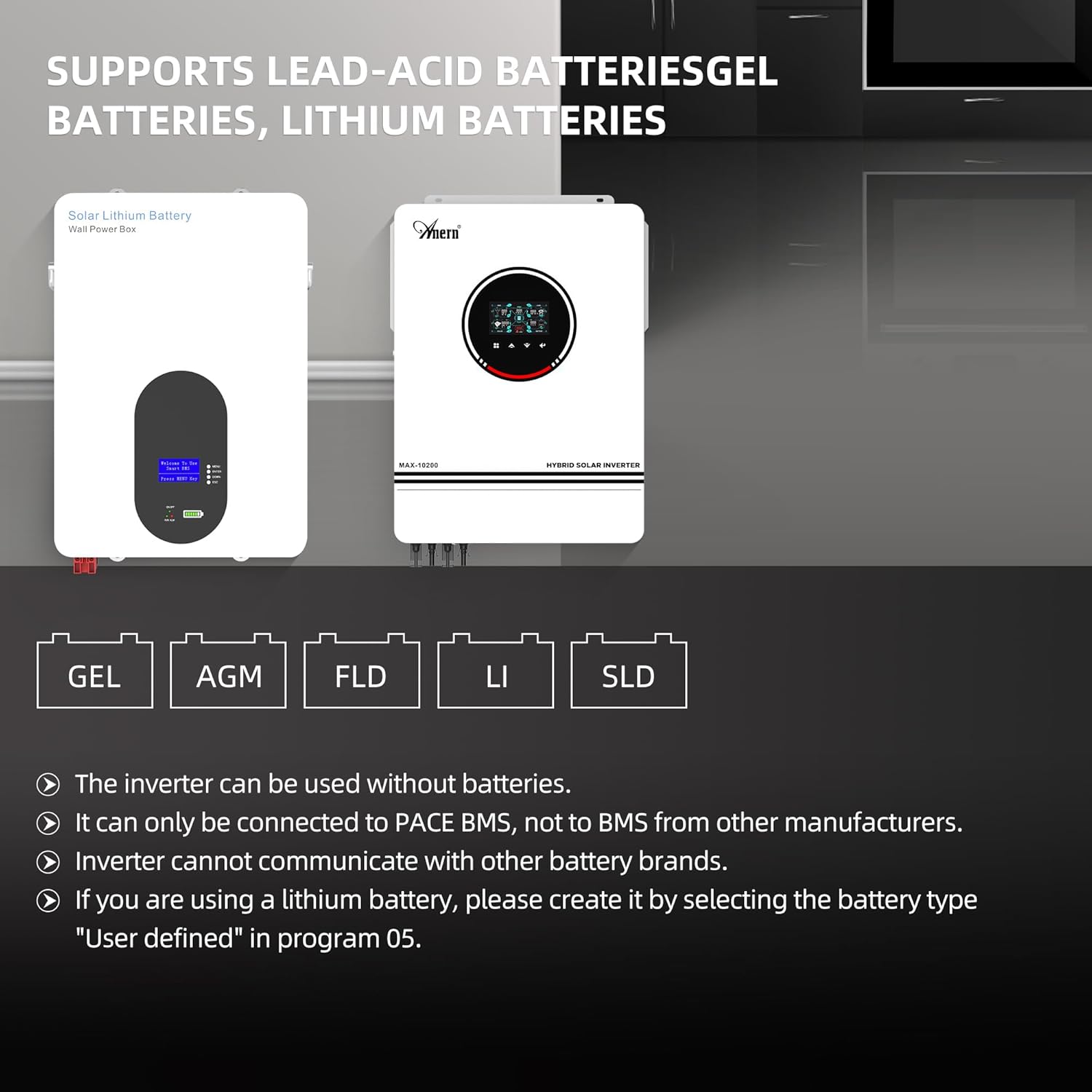
Figure 6: Supported battery types for the hybrid solar inverter.
6. Monitoring and Connectivity
The inverter includes a WiFi module for remote monitoring and control via a mobile application.
- The inverter can be used with a WiFi transmitter (included).
- Monitor your hybrid inverter anytime, anywhere, by registering via the dedicated app.
- The app provides real-time performance monitoring, data visualizations, and control over system settings.
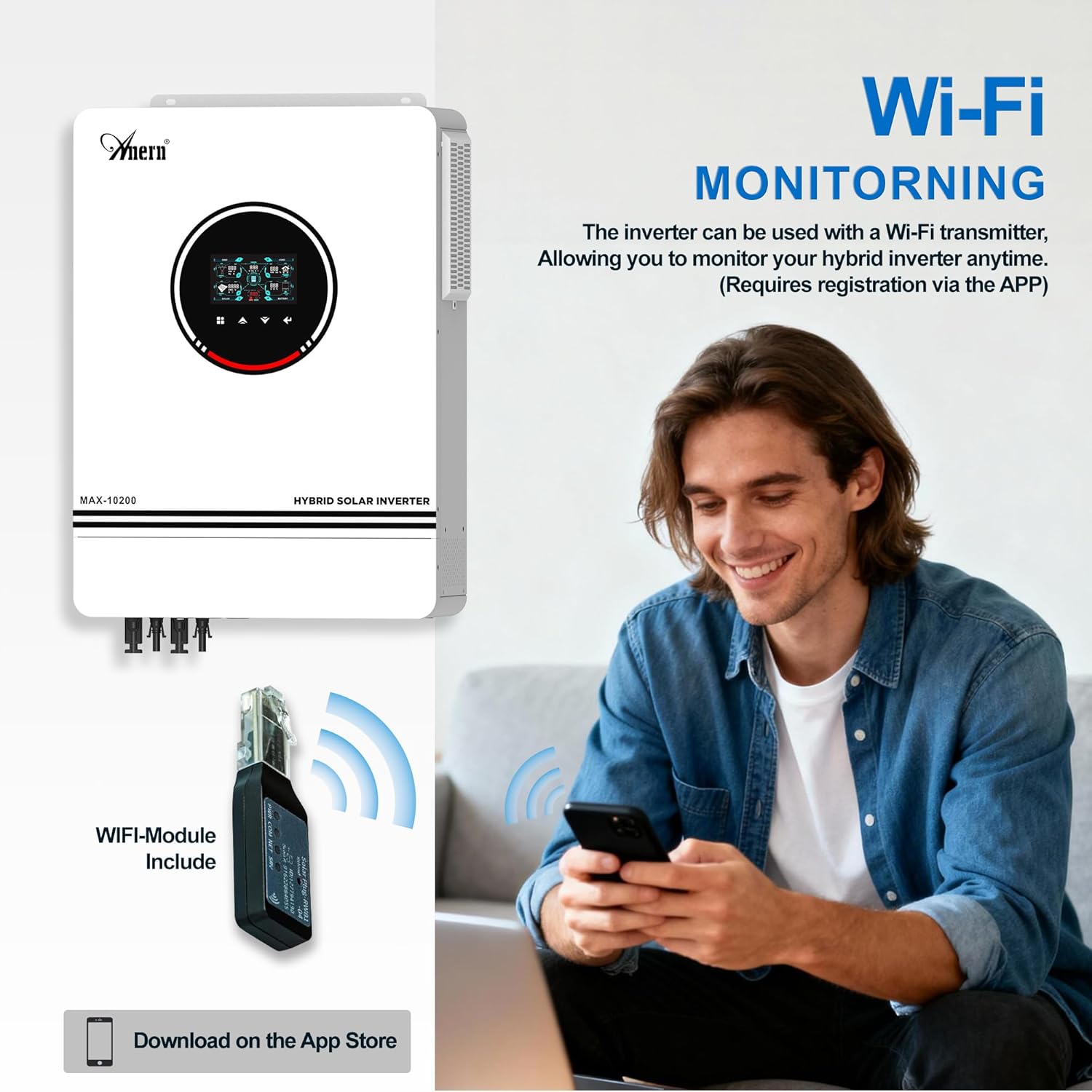
Figure 7: WiFi module for remote monitoring via a smartphone app.

Figure 8: The system's operation can be controlled and monitored via mobile phone.
7. ຄວາມປອດໄພ ແລະ ການປົກປ້ອງ
The Anern Hybrid Solar Inverter is equipped with multiple protection features to ensure safe and reliable operation.
- ການປ້ອງກັນການໂຫຼດເກີນ: ປ້ອງກັນຄວາມເສຍຫາຍຈາກການໂຫຼດຫຼາຍເກີນໄປ.
- ໃນໄລຍະປົກປັກຮັກສາອຸນຫະພູມ: Shuts down the unit if internal temperatures exceed safe limits.
- ການປ້ອງກັນວົງຈອນສັ້ນ: Protects against short circuits in the output.
- ການປົກປ້ອງກະແສໄຟຟ້າເກີນ: ປ້ອງກັນການໄຫຼວຽນຫຼາຍເກີນໄປ.
- Overvoltage ການປົກປ້ອງ: Protects against input voltage ກະຕຸ້ນ.
- ຕ່ ຳtage ການປົກປ້ອງ: Prevents deep discharge of batteries.
- Backfilling Protection: Prevents reverse current flow.
- ການປົກປ້ອງການສາກໄຟເກີນ: Ensures batteries are not overcharged.

Figure 9: Visual representation of the inverter's comprehensive safety protections.
8. ບໍາລຸງຮັກສາ
ການບໍາລຸງຮັກສາເປັນປົກກະຕິຈະຊ່ວຍຮັບປະກັນອາຍຸຍືນແລະປະສິດທິພາບທີ່ດີທີ່ສຸດຂອງ inverter ຂອງທ່ານ.
- ປ້ອງກັນຝຸ່ນ: The inverter features a built-in removable dust protection grille. Regularly clean this grille to prevent dust accumulation, which can cause short circuits and reduce efficiency.
- ລະບົບເຮັດຄວາມເຢັນ: The unit is equipped with three cooling fans for efficient heat dissipation. Ensure the fan vents are clear of obstructions to maintain proper airflow and prevent overheating.
- ການເຊື່ອມຕໍ່: ກວດສອບຈຸດເຊື່ອມຕໍ່ໄຟຟ້າທັງໝົດ (PV, ແບັດເຕີຣີ, ຂາເຂົ້າ/ຂາອອກ AC) ເປັນໄລຍະ ເພື່ອຮັບປະກັນວ່າພວກມັນແໜ້ນໜາ ແລະ ບໍ່ມີການກັດກ່ອນ.
- ສະພາບແວດລ້ອມ: ໃຫ້ແນ່ໃຈວ່າອິນເວີເຕີຖືກຕິດຕັ້ງຢູ່ໃນພື້ນທີ່ທີ່ມີລະບາຍອາກາດດີ, ຫ່າງຈາກແສງແດດໂດຍກົງ, ຄວາມຊຸ່ມຊື່ນ, ແລະວັດສະດຸໄວໄຟ.

Figure 10: Features for easy maintenance and efficient cooling.
9. ການແກ້ໄຂບັນຫາ
If you encounter any issues with your Anern 10.2KW Hybrid Solar Inverter, please refer to the following general guidelines. For specific error codes or persistent problems, consult the detailed troubleshooting section in the full product manual or contact customer support.
- ບໍ່ມີພະລັງງານ / ຈໍສະແດງຜົນປິດ: Check all power connections, including battery and AC input. Ensure the on/off switch is in the 'on' position. Verify battery voltage ຢູ່ໃນຂອບເຂດການດໍາເນີນງານ.
- ບໍ່ມີ Output AC: Check for overload conditions. Reduce the load if necessary. Verify AC output breaker is not tripped. Check for fault indicators on the LCD screen.
- ບໍ່ມີການສາກໄຟດ້ວຍແສງຕາເວັນ: Ensure PV panels are connected correctly and receiving sufficient sunlight. Check PV input voltage and current on the display. Verify MPPT controller is functioning.
- ແບັດເຕີຣີບໍ່ໄດ້ສາກ: Check battery connections and ensure battery type settings are correct in the inverter's menu (Program 05). Verify AC input is present if using utility charging.
- ລະຫັດຂໍ້ຜິດພາດ: If an error code appears on the LCD, note the code and refer to the comprehensive manual for its meaning and recommended actions.
If issues persist after following these steps, please contact Anern customer support for assistance.
10. ຂໍ້ກໍານົດດ້ານວິຊາການ
| ຂໍ້ມູນຈໍາເພາະ | ມູນຄ່າ |
|---|---|
| ຍີ່ຫໍ້ | ອັນເນີ |
| ຊື່ຕົວແບບ | Anern 10.2KW Hybrid Solar Inverter |
| ໝາຍເລກຕົວແບບ | B0G18VC2JV |
| ວັດtage | 10200 ວັດ |
| ສະບັບtage | 48 ໂວນ |
| ການປ້ອນຂໍ້ມູນ Voltage | 48 ໂວນ (DC) |
| ພະລັງງານຜົນຜະລິດ | 10200 ວັດ |
| ຜົນໄດ້ຮັບ Voltage | 230 ໂວນ (AC) |
| Peak Output Power Watts | 10200 |
| ຮູບແບບຄື້ນໄຟຟ້າອອກ | Sine Wave ບໍລິສຸດ |
| MPPT ຕົວຄວບຄຸມການສາກໄຟແສງອາທິດ | 160A |
| ເຄື່ອງສາກແບັດເຕີຣີ AC | 160A |
| Max PV Input (VOC) | 500VDC |
| ປະລິມານ PV MPPTtage ຂອບເຂດ | 90-450VDC |
| ປະເພດການສະແດງ | ຈໍ LCD |
| ການນໍາໃຊ້ທີ່ແນະນໍາສໍາລັບຜະລິດຕະພັນ | ບ້ານ |
| ແຫຼ່ງພະລັງງານ | ພະລັງງານແສງອາທິດ |
11. ການຮັບປະກັນແລະການສະຫນັບສະຫນູນ
The Anern 10.2KW Hybrid Solar Inverter comes with a ຮັບປະກັນ 1 ປີ. For warranty claims, technical support, or any inquiries, please contact Anern customer service. Ensure you have your product model number (B0G18VC2JV) and purchase details available when contacting support.
Anern is committed to providing high-quality solar solutions and professional after-sales support. If you experience a malfunction, providing pictures or videos of the issue can help our technicians diagnose the problem efficiently.
12. ວິດີໂອຜະລິດຕະພັນ
ວິດີໂອທີ 1: ຈົບແລ້ວview of the Anern 10200W Solar Hybrid Inverter and its integration into a smart solar power system, highlighting key components and benefits.