
ແນະນຳ
The eufy Robot Vacuum C28 is an advanced cleaning device designed to simplify floor maintenance. This all-in-one robot vacuum features powerful suction, a self-cleaning roller mop, and intelligent navigation to keep your home spotless. It is particularly effective for homes with pets, thanks to its specialized anti-tangle brush system and robust cleaning capabilities.
ແມ່ນຫຍັງຢູ່ໃນກ່ອງ
Upon unboxing your eufy Robot Vacuum C28, you should find the following components:
- ສະຖານີ Omni
- ເຄື່ອງດູດຝຸ່ນຫຸ່ນຍົນ
- ໃບຄວາມປອດໄພ
- ຄູ່ມືເລີ່ມຕົ້ນດ່ວນ
- ຖານທີ່ສາມາດຊອກຫາໄດ້

ຕັ້ງຄ່າ
Before using your eufy Robot Vacuum C28, follow these initial setup steps:
- ຖອດສ່ວນປະກອບທັງໝົດ: Carefully remove the robot vacuum, Omni Station, and all accessories from the packaging.
- Place the Omni Station: Choose a location with good Wi-Fi coverage, against a wall, and with at least 0.5 meters (1.6 feet) of clear space on both sides and 1.5 meters (4.9 feet) in front.
- ເຊື່ອມຕໍ່ພະລັງງານ: Plug the Omni Station into a power outlet.
- Install the robot: Place the robot vacuum onto the Omni Station to begin charging. Ensure the charging pins align.
- Download the eufy Clean App: Scan the QR code on the Quick Start Guide or search for "eufy Clean" in your app store. Follow the in-app instructions to connect your robot to your home Wi-Fi (2.4 GHz only).
- Initial mapping: Once connected, initiate a mapping run through the app. This allows the robot to learn your home's layout for efficient cleaning.

ຄໍາແນະນໍາການດໍາເນີນງານ
The eufy C28 offers various cleaning modes and smart features for customized cleaning.
ໂໝດທຳຄວາມສະອາດ
- Vacuum-Only: ເຫມາະສໍາລັບຜ້າພົມຫຼືໃນເວລາທີ່ mopping ບໍ່ຕ້ອງການ.
- Mop-Only: For hard floors requiring only mopping.
- ເຄື່ອງດູດຝຸ່ນ & Mop: Simultaneous vacuuming and mopping for comprehensive cleaning on hard floors.
Customized Cleaning via App
Use the eufy Clean app to tailor cleaning tasks to your specific needs:
- Cleaning Intensity: Adjust suction power (Standard, Turbo, Max) and water level (Low, Medium, High).
- Cleaning Times: Select the number of cleaning passes (x1, x2).
- ແຜນທີ່ຫຼາຍຊັ້ນ: The robot can store maps for up to 5 floors, automatically recognizing and adapting to different levels.
- ເຂດທີ່ບໍ່ມີໄປ: Set virtual boundaries to prevent the robot from entering specific areas.
- Custom Zones: Define specific areas for targeted cleaning.

ການຄວບຄຸມສຽງ
Activate cleaning effortlessly using voice commands with Amazon Alexa, Siri, and Google Assistant.

ຄຸນສົມບັດອັດສະລິຍະ
- Smart Voice Reminders: The robot provides real-time voice alerts for status updates and issues.
- ຕື່ມເງິນ ແລະສືບຕໍ່: Automatically recharges and resumes cleaning from where it left off.
- Secure Child Lock: Prevents accidental touches, ensuring peace of mind around children.

ຄຸນນະສົມບັດທີ່ສໍາຄັນ
HydroJet™ Self-Cleaning Roller Mop
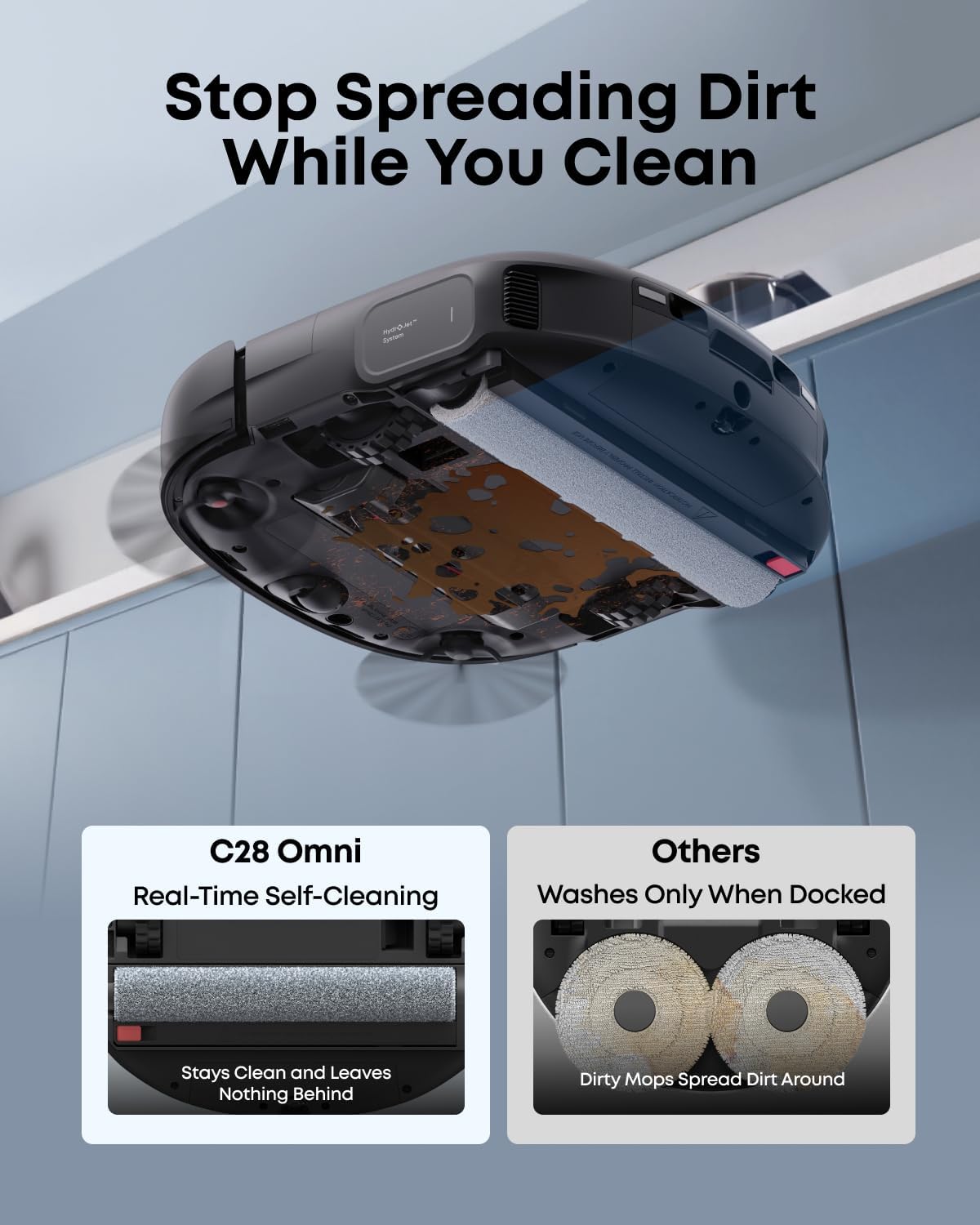
The 28cm HydroJet roller with 24 water ports cleans itself 9 times per second while mopping, effectively eliminating streaks from dirty paw prints and spills. This ensures your floors remain spotless from start to finish, providing real mopping, not just wiping.

DuoSpiral™ Anti-Tangle Brush
This innovative brush system handles up to 30 cm (11.8 in) long hair without wrapping around the roller, making it perfect for multi-pet families. It channels hair and debris straight to the central inlet, ensuring hassle-free cleaning and preventing clogged brushes.

15,000 Pa Turbo Suction
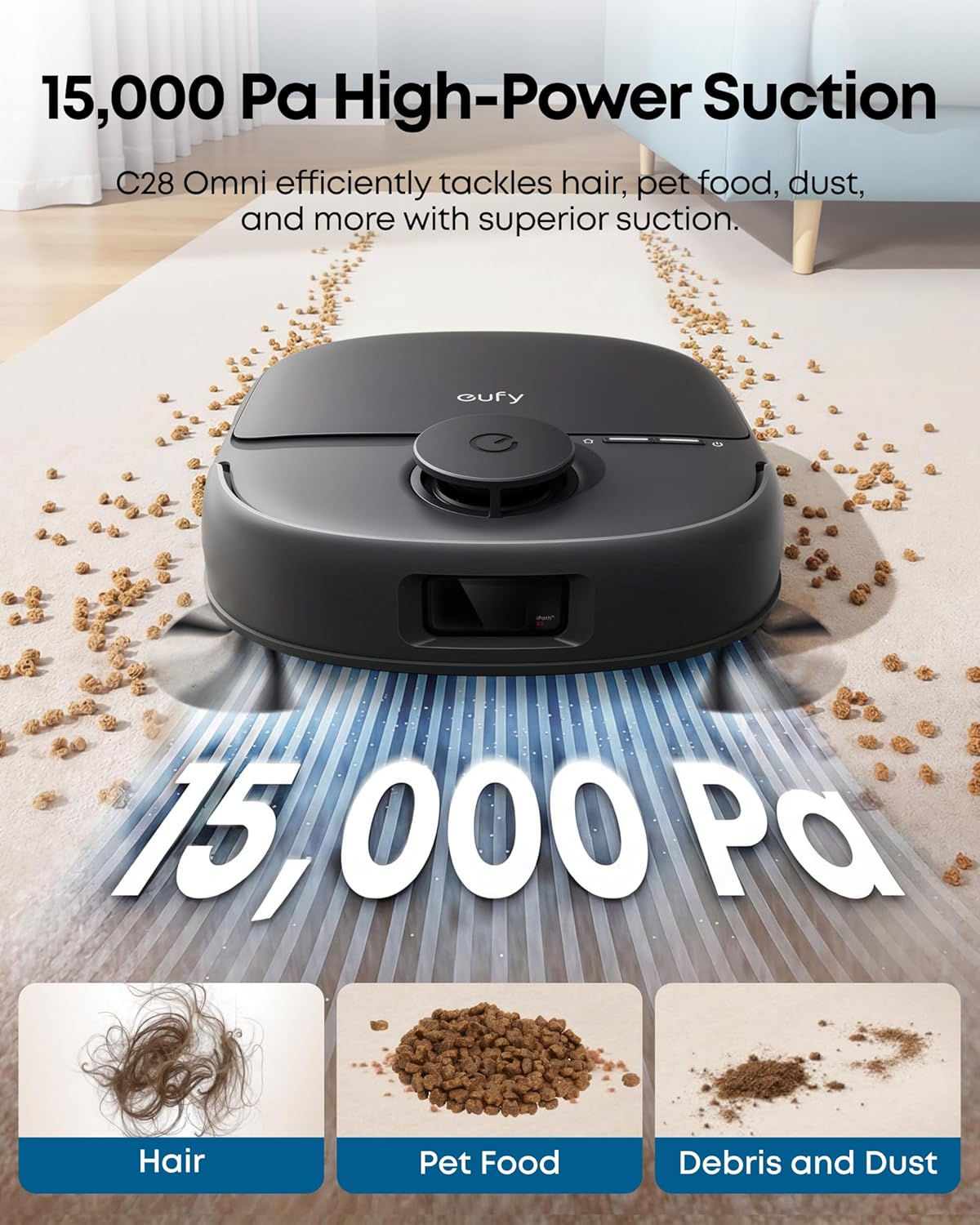
Experience deep cleaning with 15,000 Pa of turbo suction, effortlessly lifting pet hair, dander, kibble crumbs, and fine dust from both carpets and hard floors. The suction power automatically boosts when the robot detects carpets.
All-in-One Omni Station
The Omni Station provides up to 60 days of hands-free cleaning. It automatically empties the robot's dustbin, washes and dries the mop, refills the water tank, and collects wastewater. This comprehensive station minimizes manual intervention.

AI Obstacle Avoidance & Navigation (iPath™ 2.0 Laser Navigation)
The C28 utilizes iPath™ 2.0 Laser Navigation and AI obstacle avoidance to detect and navigate around objects as small as 3x3 cm, such as shoes, charger plugs, power strips, and toys. It can clean effectively even in low light or under furniture, ensuring uninterrupted cleaning day or night. The system runs locally on the device, safeguarding your privacy and data.

ໄລຍະເວລາແລ່ນຍາວ
Enjoy up to 139 minutes of quiet (55 dB) vacuuming and mopping on a single charge, covering up to 1,587 ft². This is powerful enough for multi-pet homes without frequent recharging.
Smart Care for Spotless Carpets
The mop automatically lifts by 10.8 mm when transitioning to carpets, preventing them from getting wet during mopping cycles.
ບໍາລຸງຮັກສາ
Regular maintenance ensures optimal performance of your eufy Robot Vacuum C28.
ເຮັດຄວາມສະອາດຫຸ່ນຍົນ
- ຜ້າຖູພື້ນແບບມ້ວນ: The HydroJet system self-cleans the mop during operation. For deeper cleaning, remove and rinse the roller mop.
- DuoSpiral Brushes: The anti-tangle design minimizes hair wrap. Periodically check and remove any trapped hair or debris.
- ແປງດ້ານຂ້າງ: Clean the side brushes regularly to ensure effective edge cleaning.
- ການກັ່ນຕອງລ້າງໄດ້: The filter is washable. Rinse it with water and allow it to air dry completely before reinstallation.
Omni Station Maintenance
- ຖົງຂີ້ຝຸ່ນ: The Omni Station automatically empties the robot's dustbin into a sealed 3L dust bag, which typically lasts up to 75 days depending on usage. Replace the bag when full.
- Clean and Dirty Water Tanks: Regularly refill the clean water tank and empty the dirty water tank.
- ເຂັມສາກໄຟ: Wipe the charging pins on both the robot and the Omni Station with a dry, soft cloth to ensure good contact.


ການແກ້ໄຂບັນຫາ
Here are solutions to common issues you might encounter with your eufy Robot Vacuum C28.
ບັນຫາການສາກໄຟ
If your robot is not charging or experiencing battery errors:
- Ensure the charging pins on both the robot and the Omni Station are clean and free of debris. Wipe them with a dry, soft cloth.
- Verify that the Omni Station is properly plugged into a working power outlet.
- If the robot repeatedly reverses or fails to stay docked, ensure the station is placed on a flat surface against a wall with adequate clear space around it.
- Check the eufy Clean app for any specific error messages or notifications regarding battery status.
Obstacle Avoidance Limitations
While the C28 features advanced AI obstacle avoidance, it has limitations:
- The robot may not avoid objects smaller than 3 cm (e.g., thin wires, small pet waste). It is recommended to clear such items before cleaning.
- In some cases, the robot might misidentify objects or areas, leading to missed spots. Adjusting the map in the app can help correct these issues.
ຂໍ້ມູນຈໍາເພາະ
| ຍີ່ຫໍ້ | eufy |
| ຊື່ຕົວແບບ | C28 |
| ຄຸນນະສົມບັດພິເສດ | App Control, HydroJet System, Powerful Suction, Self-Cleaning Mop |
| ສີ | ດຳ |
| ຂະໜາດສິນຄ້າ | 15.47"L x 14.6"W x 18.14"H |
| ອົງປະກອບລວມ | Omni Station, Robot Vacuum Cleaner |
| ປະເພດການກັ່ນຕອງ | ສາມາດຊັກໄດ້ |
| ຊີວິດຫມໍ້ໄຟ | 140 ນາທີ |
| ນ້ໍາຫນັກລາຍການ | 31 ປອນ |
| ຜູ້ຜະລິດ | eufy |
| ໝາຍເລກຕົວແບບ | T211A110 |
| ຕ້ອງໃຊ້ແບັດເຕີຣີ | ແມ່ນແລ້ວ (ມີແບັດເຕີຣີ 12V 1 ກ້ອນ) |
| ຄໍາແນະນໍາດ້ານຫນ້າ | Hard floor/ Wooden floor/ Short wool carpet |
ການຮັບປະກັນແລະການສະຫນັບສະຫນູນ
The eufy Robot Vacuum C28 comes with a 12-month warranty. For any issues or further assistance, please contact eufy Customer Support. You can find contact information on the official eufy website or through the eufy Clean app.


