ແນະນຳ
This manual provides essential information for the proper use and maintenance of your Moultrie Edge Camera Lens Cover. This accessory is designed to protect your Moultrie Edge trail camera lens from environmental factors, ensuring optimal performance and clear image capture in various outdoor conditions.
The lens cover features anti-fog properties to prevent condensation caused by temperature changes and offers robust protection against rain and other outdoor elements. It is engineered for a secure fit and easy installation, making it an ideal addition for trail cameras, hunting cameras, and wildlife photography setups.
ແມ່ນຫຍັງຢູ່ໃນກ່ອງ
- Camera Lens Cover
ການຕິດຕັ້ງແລະການຕິດຕັ້ງ
The Moultrie Edge Camera Lens Cover is designed for quick and tool-free attachment to your Moultrie Edge camera.
- Prepare Camera: Ensure your Moultrie Edge camera lens is clean and free of dust or debris before installation.
- Position Cover: Align the lens cover with the front of your Moultrie Edge camera, ensuring the opening is centered over the camera lens.
- ໄຟລ໌ແນບທີ່ປອດໄພ: Gently press the lens cover onto the camera until it fits snugly and securely. The design provides a reliable fit to prevent accidental dislodgement.
- ຢືນຢັນ Fit: Confirm that the cover is evenly seated and does not obstruct the camera's field of view or any sensors.
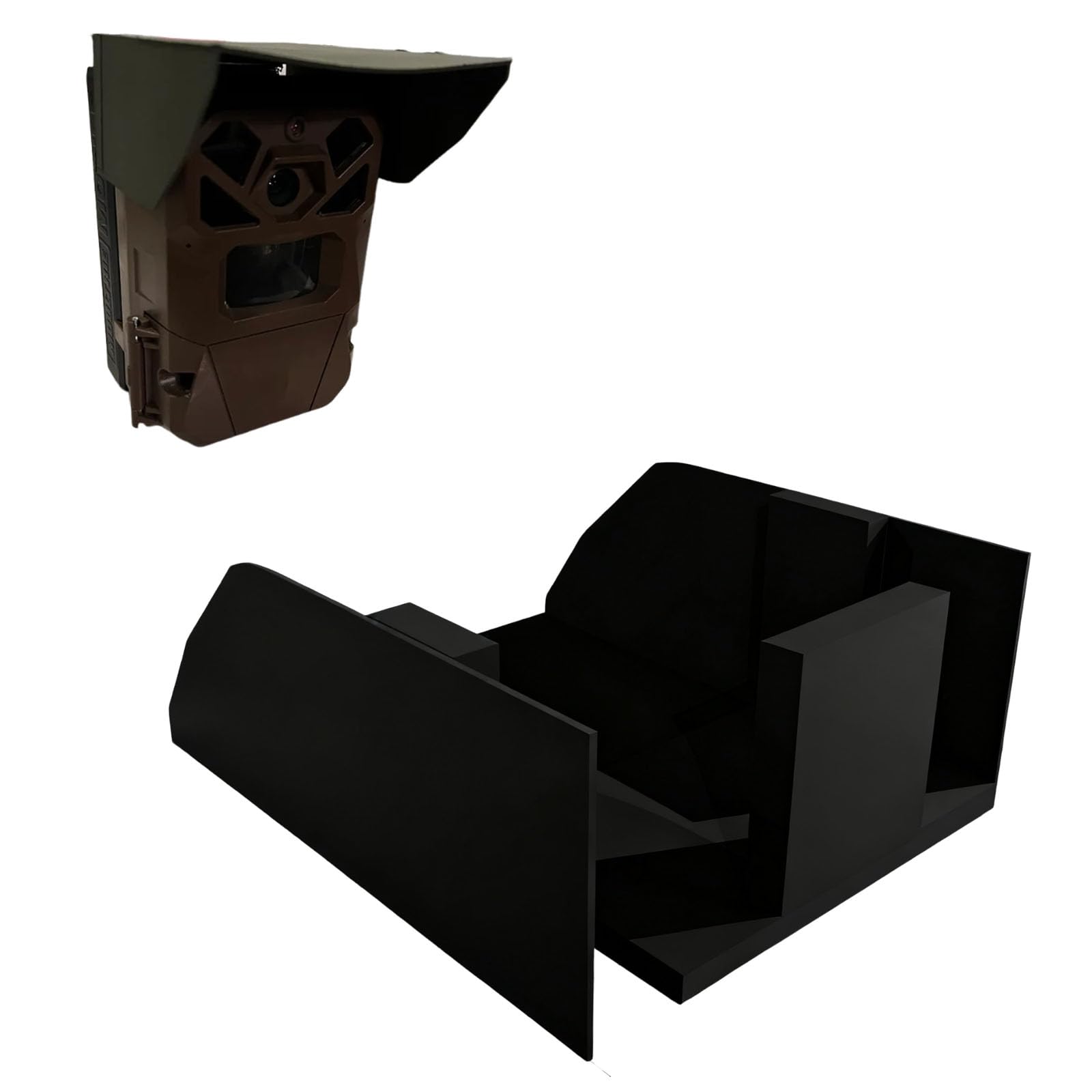
Image: The Moultrie Edge Camera Lens Cover, showing its design for protecting the camera lens.
ຄໍາແນະນໍາການດໍາເນີນງານ
Once installed, the lens cover operates passively to protect your camera.
- ຟັງຊັນຕ້ານໝອກ: The specialized material of the cover helps to prevent condensation from forming on the camera lens, which can occur due to temperature fluctuations in outdoor environments. This ensures clear, fog-free images and videos.
- ການປົກປ້ອງສະພາບອາກາດ: The cover acts as a barrier against rain, moisture, dust, and other environmental elements, safeguarding the camera lens and internal components from damage.
- ການນໍາໃຊ້ຢ່າງຕໍ່ເນື່ອງ: The lens cover is designed for continuous outdoor use, providing ongoing protection without interfering with the camera's operation.
ບໍາລຸງຮັກສາ
To ensure the longevity and effectiveness of your lens cover:
- ທໍາຄວາມສະອາດ: Periodically wipe the lens cover with a soft, damp cloth to remove dirt, dust, or smudges. Avoid abrasive cleaners or materials that could scratch the surface.
- ການກວດກາ: Regularly inspect the cover for any signs of wear, cracks, or damage. Replace if significant damage is observed to maintain optimal protection.
- ການເກັບຮັກສາ: When not in use, store the lens cover in a clean, dry place away from direct sunlight and extreme temperatures.
ການແກ້ໄຂບັນຫາ
If you encounter issues while using the lens cover, consider the following:
- Fogging Persists:
- Ensure the lens cover is properly seated and there are no gaps allowing moisture ingress.
- Verify that the camera lens itself is clean and dry before attaching the cover.
- In extreme temperature fluctuations, some minimal condensation might still occur on the camera body, but the lens cover is designed to protect the lens surface.
- Cover Feels Loose:
- Re-seat the cover, ensuring it clicks or fits securely into place.
- Inspect the cover for any physical damage that might affect its fit.
- ບັນຫາຄຸນນະພາບຮູບພາບ:
- Ensure the lens cover is clean and free of smudges or dirt that could obscure the camera's view.
- Confirm the cover is not misaligned, partially blocking the lens.
ຂໍ້ມູນຈໍາເພາະ
| ຊື່ຜະລິດຕະພັນ | Moultrie Edge Camera Lens Cover |
| ໝາຍເລກຕົວແບບ | 1 |
| ASIN | B0FSXQ13DG |
| ວັດສະດຸ | PETG |
| ປັດໄຈແບບຟອມ | ກໍລະນີ |
| ຄຸນນະສົມບັດພິເສດ | Weather Proof, Anti-Fog |
| ອຸປະກອນທີ່ເຂົ້າກັນໄດ້ | Moultrie Edge Cameras |
| ຂະໜາດສິນຄ້າ | 1 x 1 x 1 ນິ້ວ (ໂດຍປະມານ) |
| ຜູ້ຜະລິດ | ທົ່ວໄປ |
ຂໍ້ມູນການຮັບປະກັນ
Specific warranty details for this product are not provided in the available information. Please refer to the seller's return policy or contact the seller directly for any warranty-related inquiries.
ສະຫນັບສະຫນູນ
For further assistance, technical support, or questions regarding your Moultrie Edge Camera Lens Cover, please contact the retailer or manufacturer directly. Refer to your purchase documentation for contact details.