
ແນະນຳ
Thank you for choosing the TECKNET TK-HS049 Hybrid Active Noise Cancelling Headphones. These headphones are designed to provide a superior audio experience with advanced noise cancellation, long battery life, and versatile connectivity. This manual will guide you through the setup, operation, and maintenance of your new headphones.
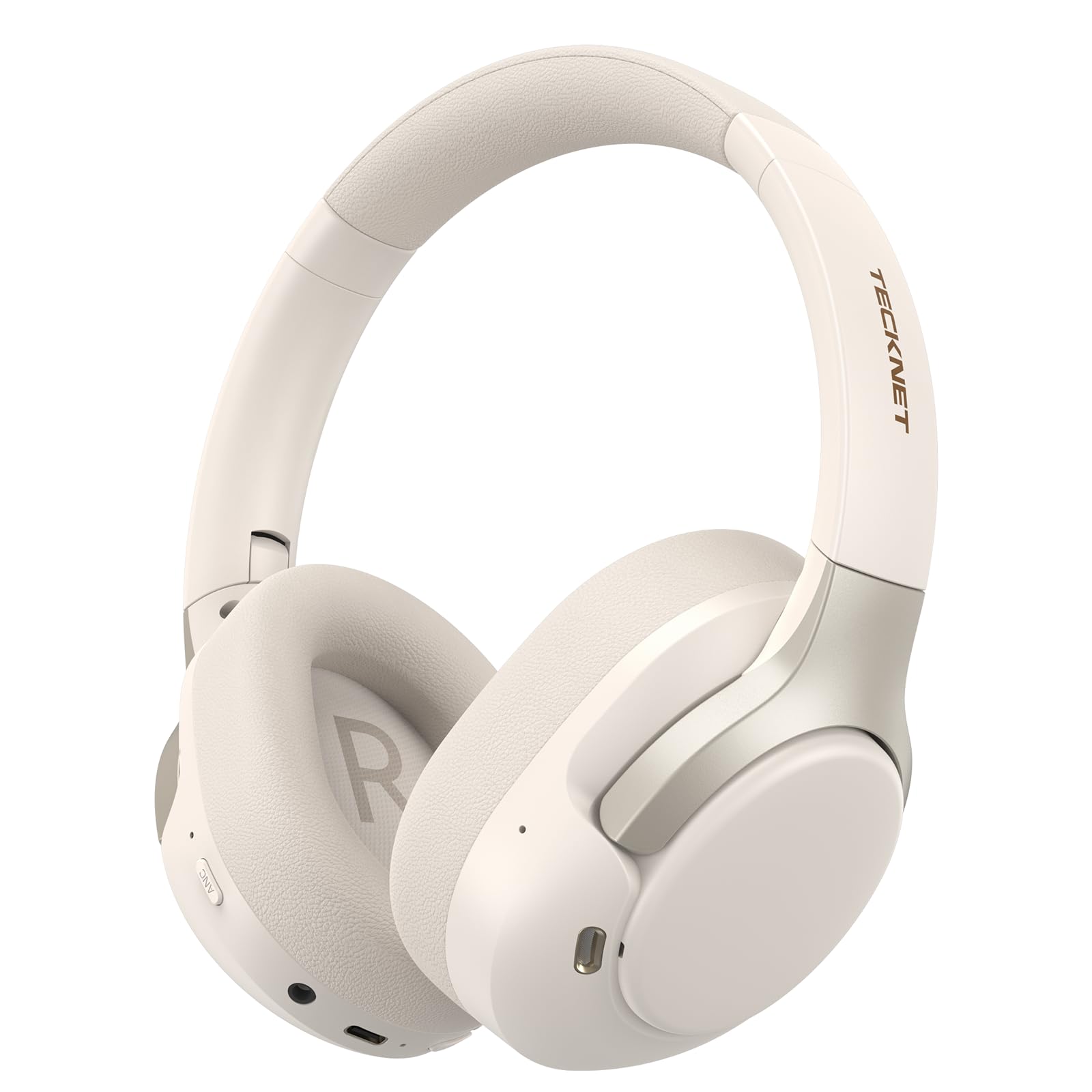
Image: TECKNET TK-HS049 Hybrid Active Noise Cancelling Headphones.
ແມ່ນຫຍັງຢູ່ໃນກ່ອງ
- 1 x TECKNET TK-HS049 ANC Headphones
- ສາຍສຽງ 1 x 3.5 ມມ
- 1 x ຄູ່ມືຜູ້ໃຊ້
- 1 x ສາຍສາກ Type-C

Image: Contents of the product packaging.
ສິນຄ້າເກີນview
Familiarize yourself with the various components and controls of your TECKNET TK-HS049 headphones.
ຮູບພາບ: ຂ້າງ view of the headphones highlighting control buttons and ports.
ອົງປະກອບທີ່ສໍາຄັນ:
- ປຸ່ມເປີດປິດ: ໃຊ້ເພື່ອເປີດ/ປິດຫູຟັງ ແລະ ສຳລັບການຈັບຄູ່ Bluetooth.
- ປຸ່ມເພີ່ມສຽງຂຶ້ນ/ຕິດຕາມຕໍ່ໄປ: ເພີ່ມປະລິມານ ຫຼືຂ້າມໄປຫາເພງຕໍ່ໄປ.
- ປະລິມານລົງ/ປຸ່ມຕິດຕາມກ່ອນໜ້າ: ຫຼຸດລະດັບສຽງ ຫຼື ໄປຫາເພງກ່ອນໜ້ານີ້.
- ປຸ່ມຫຼາຍຟັງຊັນ: ຫຼິ້ນ/ຢຸດເພງ, ຮັບສາຍ/ວາງສາຍ.
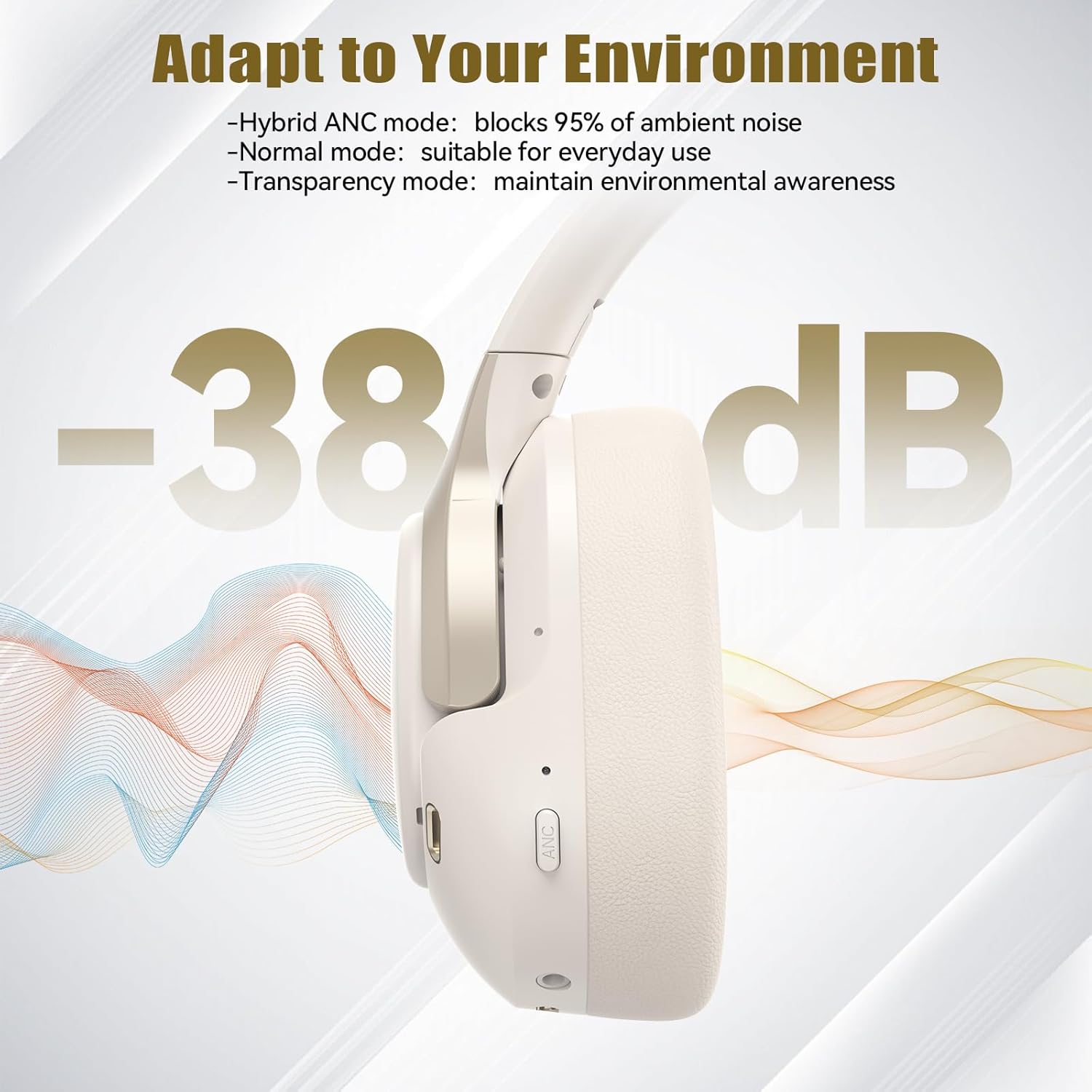
- ປຸ່ມ ANC: Toggles Active Noise Cancellation modes.
- ຜອດສາກໄຟ Type-C: ສໍາລັບການສາກໄຟຫູຟັງ.
- Jack ສຽງ 3.5mm: ສໍາລັບການເຊື່ອມຕໍ່ສຽງມີສາຍ.
- ໄມໂຄຣໂຟນ: ສໍາລັບການໂທແລະຄໍາສັ່ງສຽງ.
ຕັ້ງຄ່າ
1. ການສາກຫູຟັງ
Before first use, fully charge your headphones. Connect the supplied Type-C charging cable to the charging port on the headphones and the other end to a USB power source (e.g., wall adapter, computer USB port).
- ຕົວຊີ້ວັດ LED ຈະສະແດງສະຖານະການສາກໄຟ.
- ໂດຍປົກກະຕິການສາກເຕັມຈະໃຊ້ເວລາປະມານ 2-3 ຊົ່ວໂມງ.
2. ເປີດ/ປິດ
- ເປີດ: Press and hold the Power button for 3 seconds until the LED indicator flashes blue.
- ປິດພະລັງງານ: Press and hold the Power button for 3 seconds until the LED indicator flashes red and then turns off.
3. ການຈັບຄູ່ Bluetooth
ເພື່ອເຊື່ອມຕໍ່ຫູຟັງຂອງທ່ານກັບອຸປະກອນຜ່ານ Bluetooth:
- ກວດໃຫ້ແນ່ໃຈວ່າປິດຫູຟັງແລ້ວ.
- ກົດປຸ່ມເປີດປິດຄ້າງໄວ້ເປັນເວລາ 5 ວິນາທີ ຈົນກວ່າໄຟ LED ຈະກະພິບເປັນສີແດງ ແລະ ສີຟ້າສະຫຼັບກັນ, ເຊິ່ງເປັນຕົວຊີ້ບອກເຖິງໂໝດການຈັບຄູ່.
- ໃນອຸປະກອນຂອງທ່ານ (ໂທລະສັບສະຫຼາດ, ແທັບເລັດ, ແລັບທັອບ), ເປີດໃຊ້ Bluetooth ແລະຊອກຫາອຸປະກອນທີ່ມີຢູ່.
- Select "TECKNET TK-HS049" from the list of devices.
- ເມື່ອເຊື່ອມຕໍ່ແລ້ວ, ຕົວຊີ້ວັດ LED ຈະກະພິບເປັນສີຟ້າຊ້າ slowly.
4. ການເຊື່ອມຕໍ່ອຸປະກອນຄູ່
The headphones support simultaneous connection to two Bluetooth devices, allowing seamless switching between them.
- Pair the headphones with the first device (e.g., smartphone) as described above.
- ປິດໃຊ້ງານ Bluetooth ໃນອຸປະກອນທໍາອິດ. ຫູຟັງຈະເຂົ້າສູ່ໂໝດຈັບຄູ່ຄືນໃໝ່.
- Pair the headphones with the second device (e.g., laptop).
- ເປີດໃຊ້ Bluetooth ຄືນໃໝ່ໃນອຸປະກອນທຳອິດ. ຫູຟັງຄວນເຊື່ອມຕໍ່ກັບອຸປະກອນທັງສອງໂດຍອັດຕະໂນມັດ.
- To switch audio, simply play media on the desired device.

Image: Dual device connection setup.
5. ການເຊື່ອມຕໍ່ສາຍ
ສຳລັບອຸປະກອນທີ່ບໍ່ມີ Bluetooth ຫຼື ເມື່ອແບັດເຕີຣີອ່ອນ, ໃຫ້ໃຊ້ສາຍສຽງ 3.5 ມມ ທີ່ມີໃຫ້.
- ສຽບປາຍດ້ານໜຶ່ງຂອງສາຍສຽງ 3.5 ມມ ເຂົ້າກັບຊ່ອງສຽບສຽງຂອງຫູຟັງ.
- ສຽບສົ້ນອີກເບື້ອງນຶ່ງເຂົ້າໄປໃນຊ່ອງສຽບສຽງ 3.5mm ຂອງອຸປະກອນຂອງທ່ານ.
- Note: Some headphone functions (e.g., ANC, EQ modes) may be limited or unavailable in wired mode without power.

Image: Wired connection via 3.5mm audio jack.
ປະຕິບັດການ
1. Active Noise Cancellation (ANC) ໂໝດ
Press the ANC button to cycle through the available noise cancellation modes:
- ໂໝດ ANC ແບບປະສົມ: Blocks up to 35dB-38dB of ambient noise, ideal for travel or noisy environments.
- ໂໝດປົກກະຕິ: ANC is off, suitable for everyday use where some environmental awareness is desired.
- ໂໝດຄວາມໂປ່ງໃສ: Allows ambient sounds to pass through, enhancing awareness of your surroundings.

Image: Hybrid Active Noise Cancellation in action.
2. ການຫຼິ້ນເພງ
- ຫຼິ້ນ/ຢຸດ: ກົດປຸ່ມ Multi-function ຄັ້ງດຽວ.
- ເພງຕໍ່ໄປ: ກົດປຸ່ມເພີ່ມສຽງຄ້າງໄວ້.
- ຕິດຕາມກ່ອນ ໜ້າ ນີ້: ກົດປຸ່ມປະລິມານລົງຄ້າງໄວ້.
- ປະລິມານຂຶ້ນ: ກົດປຸ່ມ Volume Up ສັ້ນໆ.
- ປະລິມານລົງ: ກົດປຸ່ມ Volume Down ສັ້ນໆ.
3. ການຄຸ້ມຄອງການໂທ
- ຮັບ/ສາຍໂທ: ກົດປຸ່ມ Multi-function ຄັ້ງດຽວ.
- ປະຕິເສດການໂທ: ກົດປຸ່ມຫຼາຍຟັງຊັນຄ້າງໄວ້ 2 ວິນາທີ.
- ຜູ້ຊ່ວຍສຽງ: ກົດປຸ່ມມັລຕິຟັງຊັນສອງຄັ້ງເພື່ອເປີດໃຊ້ຜູ້ຊ່ວຍສຽງຂອງອຸປະກອນຂອງທ່ານ.
4. EQ Music Modes
The headphones feature 6 EQ music modes to optimize your listening experience for different genres. Press the EQ button (if available, or refer to specific button on your model) to cycle through these modes:
- ເຕັ້ນ
- ຫີນ
- ຄລາສິກ
- ສຽງຮ້ອງ
- ເບສ
- ອ່ອນ

Image: Cycling through 6 EQ music modes.
ບໍາລຸງຮັກສາ
To ensure the longevity and optimal performance of your TECKNET TK-HS049 headphones, follow these maintenance guidelines:
- ທໍາຄວາມສະອາດ: ໃຊ້ຜ້າອ່ອນໆແຫ້ງເພື່ອທຳຄວາມສະອາດຫູຟັງ ແລະ ຜ້າພັນຫົວ. ຢ່າໃຊ້ນໍ້າຢາທຳຄວາມສະອາດທີ່ມີສານຂັດ ຫຼື ສານລະລາຍ.
- ການເກັບຮັກສາ: When not in use, store the headphones in a cool, dry place, preferably in a protective case to prevent dust and damage.
- ຫຼີກເວັ້ນຄວາມຊຸ່ມ: Although the headphones have a waterproof rating, avoid prolonged exposure to water or high humidity. Do not submerge them.
- ການສາກໄຟ: Only use the provided Type-C cable for charging. Avoid overcharging the battery.
- ອຸນຫະພູມ: ຢ່າເຮັດໃຫ້ຫູຟັງຢູ່ໃນອຸນຫະພູມທີ່ຮຸນແຮງ (ຮ້ອນ ຫຼືເຢັນ).
ການແກ້ໄຂບັນຫາ
ຖ້າທ່ານພົບບັນຫາໃດໆກັບຫູຟັງຂອງທ່ານ, ໃຫ້ອ້າງອີງເຖິງບັນຫາທົ່ວໄປ ແລະວິທີແກ້ໄຂບັນຫາຕໍ່ໄປນີ້:
| ບັນຫາ | ການແກ້ໄຂ |
|---|---|
| ຫູຟັງຈະບໍ່ເປີດ. | ໃຫ້ແນ່ໃຈວ່າຫູຟັງສາກໄຟແລ້ວ. ເຊື່ອມຕໍ່ກັບແຫຼ່ງພະລັງງານ ແລະ ລອງອີກຄັ້ງຫຼັງຈາກສອງສາມນາທີ. |
| ບໍ່ສາມາດຈັບຄູ່ຜ່ານ Bluetooth ໄດ້. | Make sure the headphones are in pairing mode (LED flashing red/blue). Disable and re-enable Bluetooth on your device. Ensure no other devices are connected. |
| ບໍ່ມີສຽງ ຫຼືສຽງຕໍ່າ. | Check volume levels on both headphones and your connected device. Ensure the headphones are properly paired. Try playing audio from a different source. |
| ANC ບໍ່ມີປະສິດທິພາບ. | Ensure ANC mode is activated. Check that the earcups form a good seal around your ears. ANC is most effective against low-frequency, constant noise. |
| ໄມໂຄຣໂຟນບໍ່ເຮັດວຽກ. | Ensure the headphones are connected via Bluetooth. Check microphone settings on your device. |
ຂໍ້ມູນຈໍາເພາະ
Detailed technical specifications for the TECKNET TK-HS049 headphones:
| ຄຸນສົມບັດ | ລາຍລະອຽດ |
|---|---|
| ໝາຍເລກຕົວແບບ | TK-HS049 |
| ເຕັກໂນໂລຊີການເຊື່ອມຕໍ່ | ໄຮ້ສາຍ (Bluetooth), ມີສາຍ ( Jack 3.5mm) |
| ລຸ້ນ Bluetooth | 6.0 |
| ການຄວບຄຸມສິ່ງລົບກວນ | ການຕັດສຽງລົບກວນແບບປະສົມ (ສູງສຸດ 38dB) |
| ປະເພດຄົນຂັບ | 40mm Dynamic Drivers |
| ຊ່ວງຄວາມຖີ່ | 20Hz - 20,000Hz (supports up to 40kHz for high-resolution audio) |
| ອາຍຸແບັດເຕີຣີ (ANC ເປີດ) | ສູງສຸດເຖິງ 40 ຊົ່ວໂມງ (ໃນລະດັບສຽງ 60%) |
| ອາຍຸແບັດເຕີຣີ (ANC ປິດ) | ສູງສຸດ 70 ຊົ່ວໂມງ |
| ວິທີການຄວບຄຸມ | ປຸ່ມທາງດ້ານຮ່າງກາຍ |
| ການຈັດວາງຫູ | ເກີນຫູ |
| ວັດສະດຸ | Fabric, Silicone, Memory Foam (earcups) |
| ລະດັບຄວາມຕ້ານທານນ້ໍາ | ກັນນ້ຳ |
| ໄມໂຄຣໂຟນ | ໄມໂຄຣໂຟນ ENC 4 ໂຕ |
| ຮູບແບບ EQ | 6 Presets (Dance, Rock, Classical, Vocal, Bass, Soft) |

Image: Battery life overview.

Image: 40mm dynamic drivers for premium audio.

Image: Comfort features including memory foam earcups and adjustable headband.
ການຮັບປະກັນແລະການສະຫນັບສະຫນູນ
TECKNET TK-HS049 headphones come with a ຮັບປະກັນ 36 ເດືອນ. If you encounter any problems during product use, please contact our professional customer service team for assistance. You can typically find contact information on the TECKNET official webເວັບໄຊທ໌ຫຼືຜ່ານເວທີການຊື້ຂອງທ່ານ.