
1. ບົດແນະນຳ
The SinoTrack V529 OBD2 Scanner is a professional diagnostic tool designed to provide comprehensive vehicle health reports. It offers a range of functions including reading and clearing diagnostic trouble codes, live data streaming, battery health tests, I/M readiness checks, and performance testing for gasoline vehicles. This manual provides detailed instructions for setting up and operating your V529 scanner.
1.1 ເນື້ອໃນຊຸດ
- V529 OBD2 Diagnostic Scanner
- PU Waterproof Bag
- ຄູ່ມືຜູ້ໃຊ້
1.2 ລັກສະນະທີ່ສໍາຄັນ
- ອ່ານ ແລະ ລຶບລ້າງລະຫັດ: Access and clear diagnostic trouble codes (DTCs) across multiple vehicle systems.
- ການຖ່າຍທອດຂໍ້ມູນສົດ: View real-time data from various sensors, including oxygen sensor tests, with graphing capabilities.
- Battery Test & Voltage ການຕິດຕາມກວດກາ: ວັດແທກຫມໍ້ໄຟ voltage and cranking health to prevent unexpected breakdowns.
- ສະຖານະຄວາມພ້ອມຂອງ I/M: ກວດສອບສະຖານະຂອງຈໍຕິດຕາມທີ່ກ່ຽວຂ້ອງກັບການປ່ອຍອາຍພິດເພື່ອກໍານົດວ່າຍານພາຫະນະພ້ອມແລ້ວສໍາລັບການທົດສອບການກວດກາ/ການບໍາລຸງຮັກສາຫຼືບໍ່.
- Mode 6 & Mode 8 (EVAP Test): Utilize advanced emissions monitoring and EVAP system tests.
- ການທົດສອບປະສິດທິພາບ: Conduct acceleration, braking, and distance tests to evaluate vehicle safety and performance.
- DTC Library & Repair Guidance: Access an extensive built-in database of over 40,000 fault codes with definitions and troubleshooting guides.
- ການອອກແບບທີ່ເປັນມິດກັບຜູ້ໃຊ້: Features a 2.8-inch color screen, quick search function, data replay, and a smart indicator light.
- ສະຫນັບສະຫນູນຫຼາຍພາສາ: Supports 12 languages including English, German, French, Spanish, Japanese, and Russian.
2. ຂໍ້ມູນຄວາມປອດໄພ
Please read and understand all safety instructions before using the SinoTrack V529 OBD2 Scanner. Failure to follow these instructions may result in injury or damage to the device or vehicle.
- ສະເຫມີປະຕິບັດການທົດສອບລົດຍົນໃນສະພາບແວດລ້ອມທີ່ປອດໄພ.
- Do not wear loose clothing or jewelry when working on a vehicle.
- Keep the scanner away from hot engine parts or moving components.
- ໃຫ້ແນ່ໃຈວ່າລົດຈອດຢູ່ໃນພື້ນລະດັບທີ່ມີເບກບ່ອນຈອດລົດ.
- Never connect or disconnect the scanner while the ignition is on or the engine is running, unless specifically instructed by a diagnostic procedure.
- Use appropriate eye protection and gloves when necessary.
- The V529 is designed for gasoline vehicles and does not support advanced functions like ABS, SRS, TPMS, transmission temperature, service resets, or MS-CAN connections.
3. ຕັ້ງຄ່າ
The SinoTrack V529 scanner is designed for easy plug-and-play operation. It draws power directly from your vehicle's OBD-II port.
3.1 Locating the OBD-II Port
The OBD-II (On-Board Diagnostics II) port is typically located under the dashboard on the driver's side of the vehicle. In some vehicles, it may be found in the center console area or near the passenger side. Refer to your vehicle's owner's manual if you have difficulty locating it.
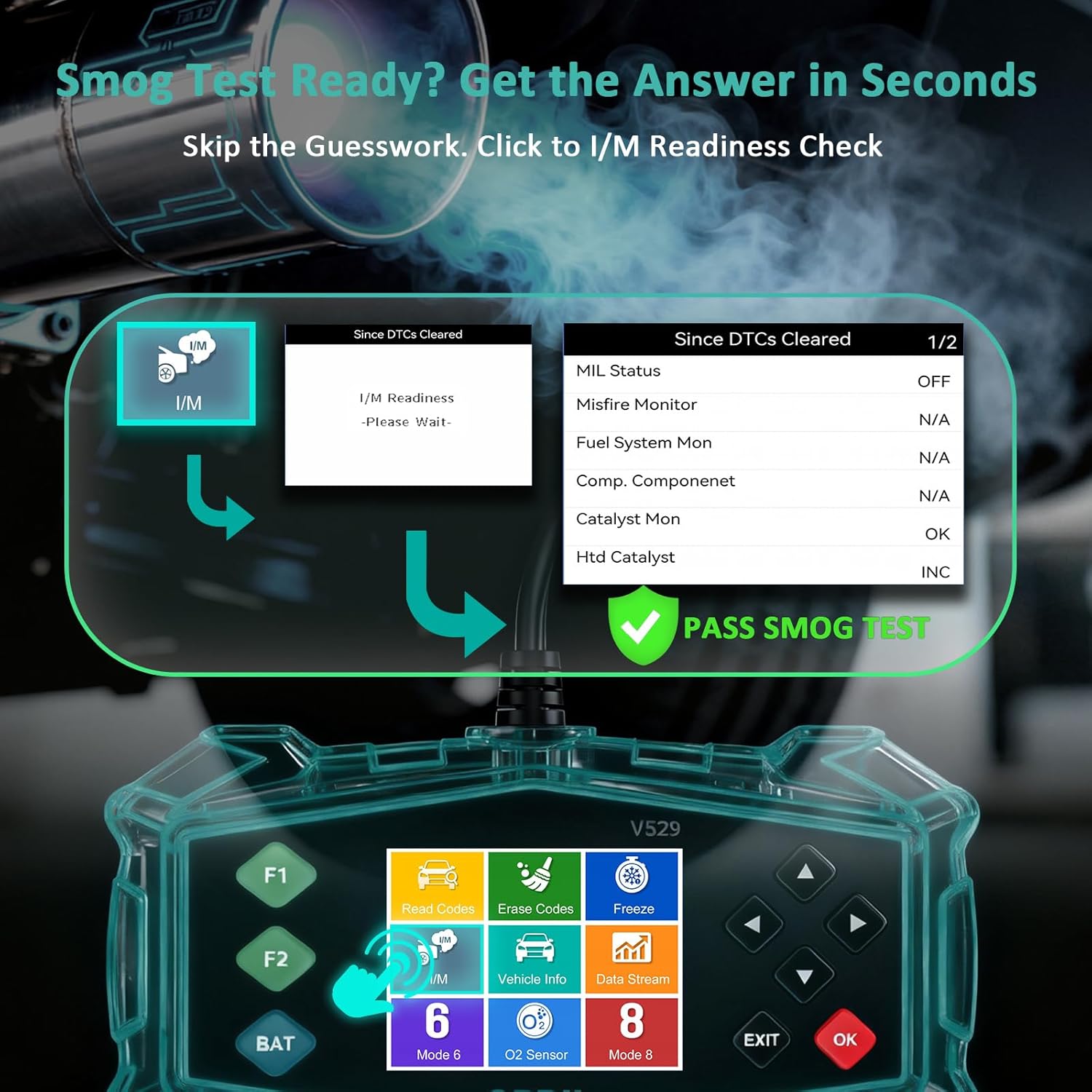
Figure 3.1: Universal Compatibility and OBD-II Port Location
3.2 ການເຊື່ອມຕໍ່ເຄື່ອງສະແກນ
- ໃຫ້ແນ່ໃຈວ່າລະບົບຈູດໄຟຂອງຍານພາຫະນະປິດຢູ່.
- Plug the V529 scanner's OBD-II connector firmly into the vehicle's OBD-II port.
- ໝຸນສະຕາດຂອງຍານພາຫະນະໄປທີ່ຕຳແໜ່ງ ON (ເຄື່ອງຈັກສາມາດປິດ ຫຼື ເປີດໄດ້, ຂຶ້ນກັບການທົດສອບ). ເຄື່ອງສະແກນຈະເປີດໂດຍອັດຕະໂນມັດ.
4. ຄໍາແນະນໍາການດໍາເນີນງານ
The V529 features a user-friendly interface with a 2.8-inch color screen and intuitive navigation buttons.
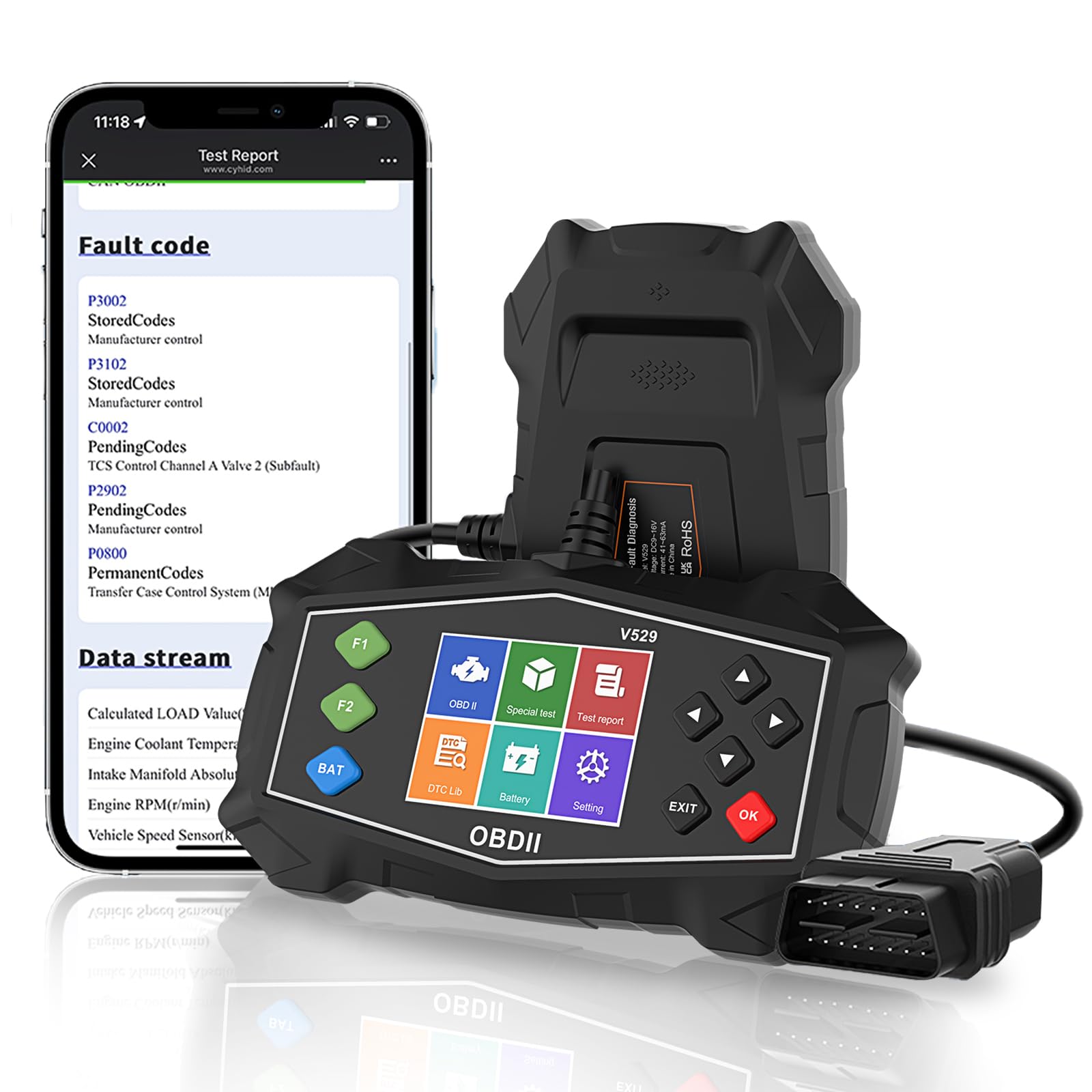
Figure 4.1: SinoTrack V529 Main Interface Overview
4.1 ການນໍາທາງພື້ນຖານ
- ໃຊ້ ຂຶ້ນ/ລົງ arrow buttons to scroll through menu options.
- ໃຊ້ ຊ້າຍ/ຂວາ arrow buttons to navigate between screens or adjust values.
- ກົດ OK ເພື່ອຢືນຢັນການເລືອກ ຫຼື ເຂົ້າສູ່ເມນູ.
- ກົດ ອອກ button to return to the previous screen or exit a function.
4.2 ການອ່ານ ແລະລຶບລະຫັດບັນຫາການວິນິໄສ (DTCs)
This function allows you to retrieve and clear fault codes that illuminate the Check Engine Light (MIL).

Figure 4.2: Core Diagnostic Functions
- ຈາກເມນູຫລັກ, ເລືອກ ອ່ານລະຫັດ ກັບ view DTC ປັດຈຸບັນ, ທີ່ຍັງຄ້າງຢູ່, ແລະ ຖາວອນ.
- The scanner will display the codes and their definitions.
- ເພື່ອລຶບລະຫັດ, ເລືອກ ລຶບລະຫັດ from the main menu. Confirm your selection when prompted.
- Note: Clearing codes will turn off the Check Engine Light, but if the underlying issue is not resolved, the light will reappear.
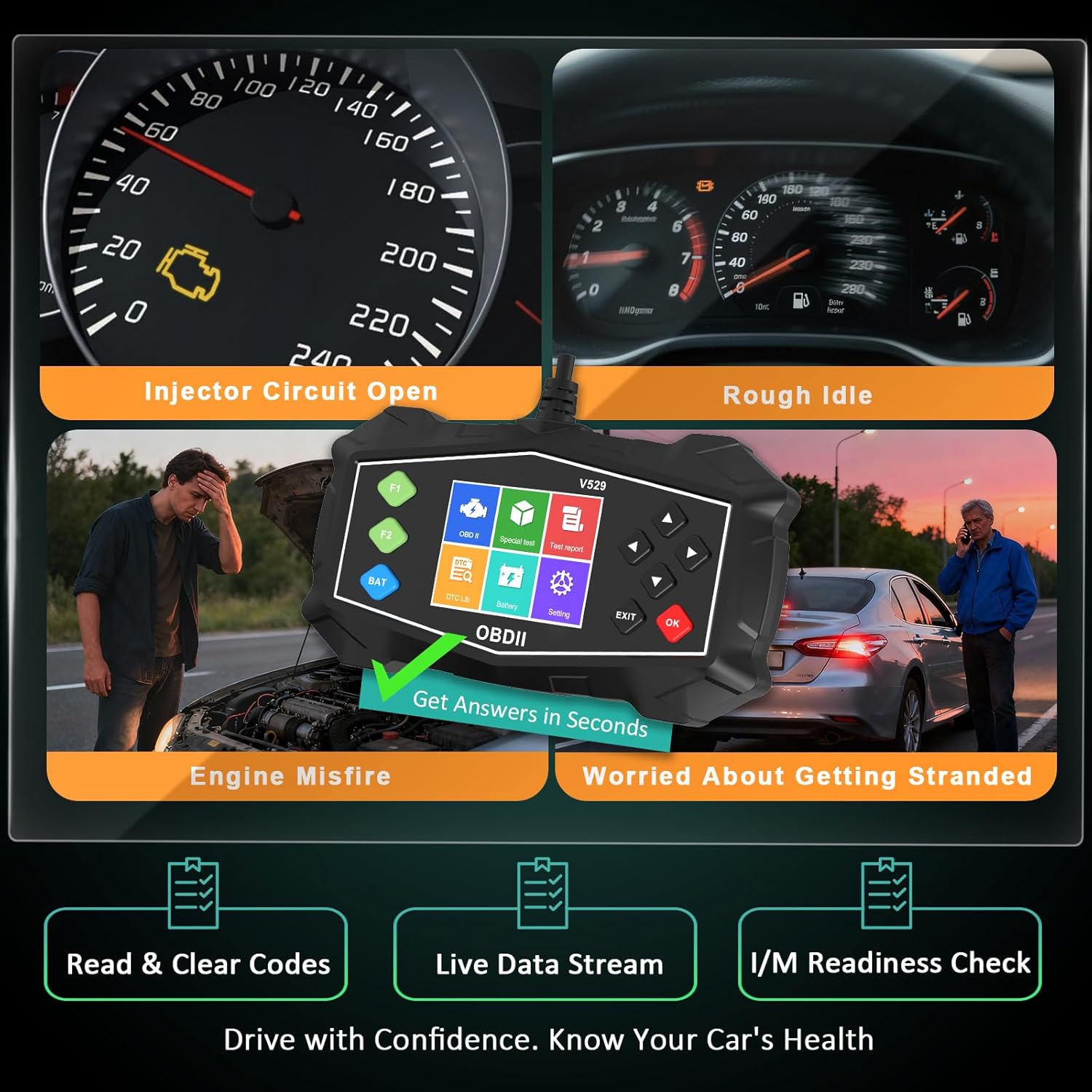
Figure 4.3: Identifying Common Vehicle Issues
4.3 ຊອກຫາ DTC
The V529 includes an extensive built-in library to define DTCs.
- ຈາກເມນູຫລັກ, ເລືອກ ຫໍສະໝຸດ DTC.
- Enter the 5-character DTC using the arrow buttons and OK ປຸ່ມ.
- The scanner will display the definition and potential causes for the code.

Figure 4.4: Instant DTC Definitions
4.4 ການຖ່າຍທອດຂໍ້ມູນສົດ
Monitor real-time sensor data to observe vehicle performance and diagnose intermittent issues.
- ຈາກເມນູຫລັກ, ເລືອກ ຂໍ້ມູນສົດ.
- ເລືອກທີ່ຈະ view data in list format or graphical format.
- Scroll through the various parameters such as engine RPM, coolant temperature, fuel trim, and oxygen sensor readings.
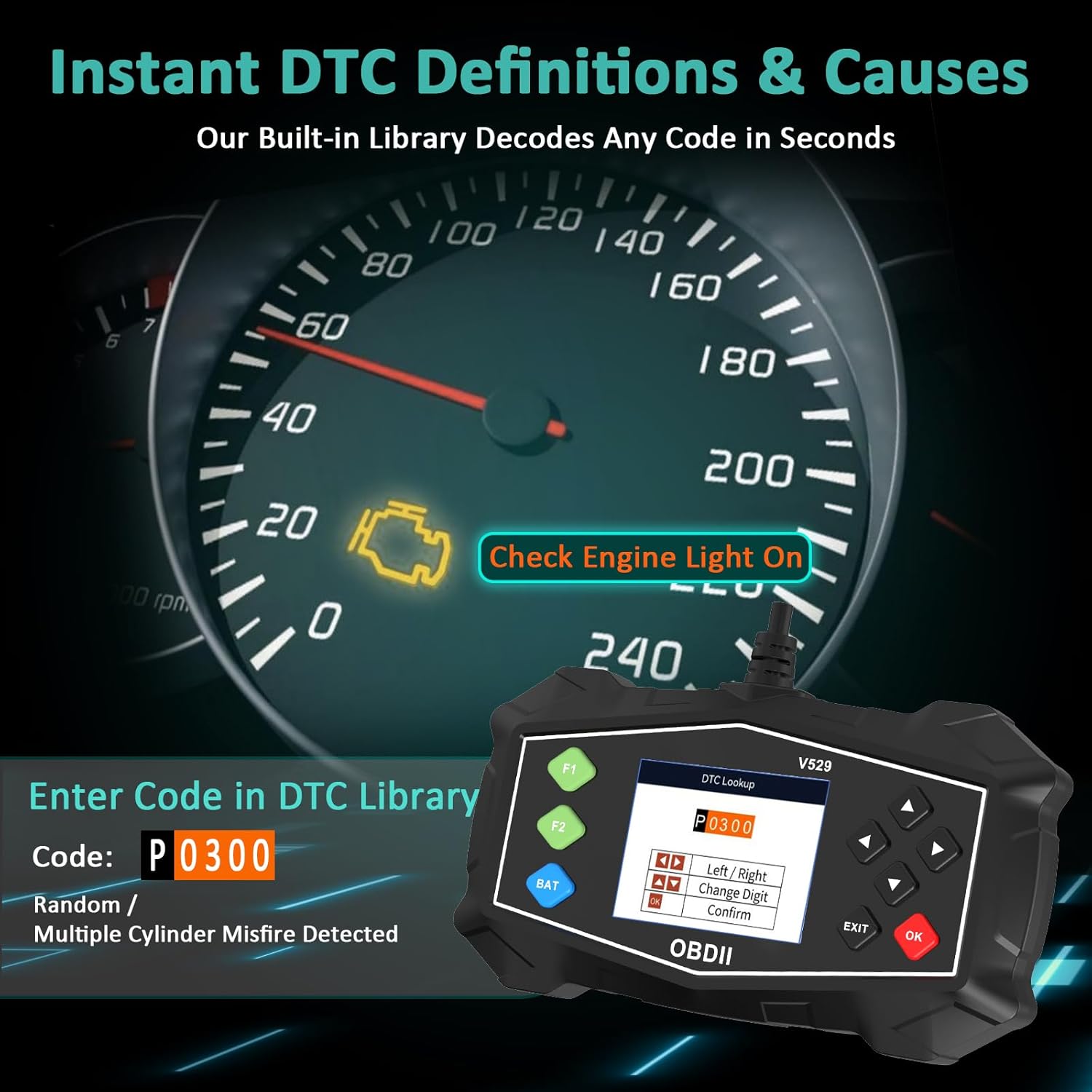
Figure 4.5: Live Data Stream Interface
4.5 I/M Readiness Check
This function checks the status of the vehicle's emission-related monitoring systems.
- ຈາກເມນູຫລັກ, ເລືອກ ຄວາມພ້ອມຂອງ I/M.
- The scanner will display the status of various monitors (e.g., Misfire Monitor, Fuel System Monitor, O2 Sensor Monitor).
- A 'Ready' status indicates the monitor has completed its diagnostic cycle. 'Not Ready' means the cycle is incomplete.

Figure 4.6: I/M Readiness Status
4.6 ການທົດສອບຫມໍ້ໄຟ
Perform a quick test to assess the vehicle's battery voltage and cranking health.
- ຈາກເມນູຫລັກ, ເລືອກ ການທົດສອບຫມໍ້ໄຟ.
- ປະຕິບັດຕາມຄຳແນະນຳໃນໜ້າຈໍເພື່ອປະຕິບັດການທົດສອບ.
- ເຄື່ອງສະແກນຈະສະແດງລະດັບແບັດເຕີຣີtage and a health assessment.
4.7 Mode 6 & Mode 8 (EVAP Test)
These advanced functions provide access to non-continuous monitor test results and allow for control of the EVAP system leak test.
- ຮູບແບບທີ 6: Retrieves test results for continuously and non-continuously monitored systems.
- Mode 8 (EVAP Test): Initiates a test of the Evaporative Emission Control System (EVAP) to check for leaks.
4.8 Performance Tests
Evaluate your vehicle's acceleration, braking, and distance performance.
- ຈາກເມນູຫລັກ, ເລືອກ ການທົດສອບປະສິດທິພາບ.
- Choose the desired test (Acceleration, Braking, or Distance).
- Follow the on-screen instructions carefully to perform the test safely.
5. ບໍາລຸງຮັກສາ
Proper maintenance ensures the longevity and reliable operation of your SinoTrack V529 scanner.
- ທໍາຄວາມສະອາດ: ໃຊ້ອ່ອນ, ງamp ຜ້າເຊັດເພື່ອທຳຄວາມສະອາດພາຍນອກຂອງເຄື່ອງສະແກນ. ຢ່າໃຊ້ນ້ຳຢາທຳຄວາມສະອາດທີ່ມີສີຂັດ ຫຼື ຕົວລະລາຍ.
- ການເກັບຮັກສາ: Store the scanner in its protective PU waterproof bag when not in use. Keep it in a dry, cool place away from direct sunlight and extreme temperatures.
- ການດູແລສາຍໄຟ: Avoid bending or crimping the OBD-II cable excessively. Always grasp the connector when plugging or unplugging, not the cable itself.
- ອັບເດດຊອບແວ: Check the SinoTrack official website periodically for any available software updates to ensure optimal performance and compatibility.
6. ການແກ້ໄຂບັນຫາ
If you encounter issues while using your SinoTrack V529 scanner, refer to the following common problems and solutions:
| ບັນຫາ | ສາເຫດທີ່ເປັນໄປໄດ້ | ການແກ້ໄຂ |
|---|---|---|
| ເຄື່ອງສະແກນບໍ່ເປີດ. | Loose connection; vehicle ignition off; blown fuse in vehicle's OBD-II circuit. | Ensure the scanner is firmly connected. Turn vehicle ignition to ON. Check vehicle's fuse box for a blown fuse related to the OBD-II port. |
| ຂໍ້ຄວາມ "ການເຊື່ອມຕໍ່ຜິດພາດ" ຫຼື "ການສື່ສານຜິດພາດ". | Incorrect protocol; vehicle not OBD-II compliant; faulty connection. | Verify your vehicle is OBD-II compliant (most vehicles 1996 and newer). Ensure the connection is secure. Try on another OBD-II compliant vehicle if possible. |
| Cannot clear DTCs. | Ignition not in ON position; underlying fault still present. | Ensure ignition is ON (engine off). If the fault is still active, the code cannot be cleared until the issue is repaired. |
| ໜ້າຈໍຄ້າງ ຫຼື ບໍ່ຕອບສະໜອງ. | ຄວາມຜິດພາດຂອງຊອບແວຊົ່ວຄາວ. | Disconnect the scanner from the vehicle, wait a few seconds, then reconnect. If the issue persists, contact customer support. |
7. ຂໍ້ມູນຈໍາເພາະ
| ຄຸນສົມບັດ | ລາຍລະອຽດ |
|---|---|
| ຍີ່ຫໍ້ | SinoTrack |
| ຕົວແບບ | V529 |
| ຂະໜາດໜ້າຈໍ | 2.8 ນິ້ວ |
| ແຫຼ່ງພະລັງງານ | Corded Electric (via OBD-II port) |
| ລະບົບປະຕິບັດການ | Android 4.0 (Internal System) |
| ປະເພດລົດຍົນ | Universal Fit (for OBD-II compliant gasoline vehicles) |
| ຮອງຮັບ OBDII Protocols | SAE J1850 PWM, SAE J1850 VPW, ISO9141-2, ISO14230-4 KWP (5 baud init), ISO14230-4 KWP (fast init), ISO15765-4 CAN (11bit ID, 500 Kbaud), ISO15765-4 CAN (29bit ID, 500 Kbaud), ISO15765-4 CAN (11bit ID, 250 Kbaud), ISO15765-4 CAN (29bit ID, 250 Kbaud) |
| ນ້ໍາຫນັກລາຍການ | 15.5 ອອນ |
| ຂະໜາດແພັກເກັດ | 8.7 x 5.08 x 1.93 ນິ້ວ |
8. ການຮັບປະກັນແລະການສະຫນັບສະຫນູນ
SinoTrack products are designed for reliability and performance. For warranty information, technical support, or service inquiries, please refer to the contact information provided in your product packaging or visit the official SinoTrack webເວັບໄຊ. ຮັກສາໃບຮັບເງິນການຊື້ຂອງທ່ານສໍາລັບການຮ້ອງຂໍການຮັບປະກັນ.
ສໍາລັບຊັບພະຍາກອນເພີ່ມເຕີມແລະຄໍາຖາມທີ່ຖືກຖາມເລື້ອຍໆ, ທ່ານອາດຈະໄປຢ້ຽມຢາມ SinoTrack Store on Amazon.