
ແນະນຳ
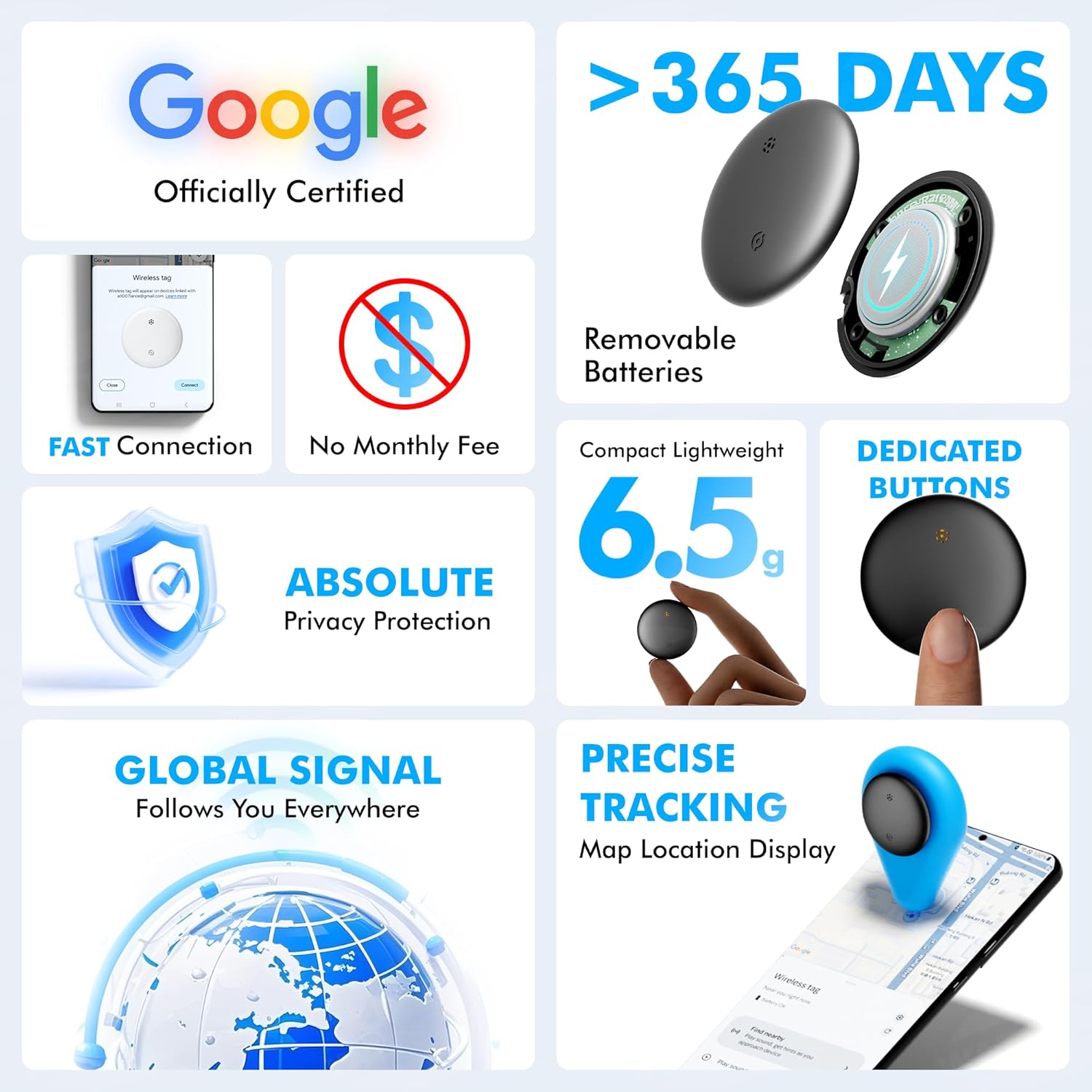
The WATSABRO Bluetooth Tracker is a Google-certified smart item finder designed to help you locate your belongings using the Google Find My Device network. This device is compatible with Android and Samsung phones (Android 9+). It offers features such as a loud alarm, precision finding, global tracking, and privacy protection. This manual provides instructions for setting up, operating, maintaining, and troubleshooting your WATSABRO Bluetooth Tracker.
ຕັ້ງຄ່າ
1. ການເປີດໃຊ້ງານເບື້ອງຕົ້ນ ແລະ ການຈັບຄູ່
To activate your WATSABRO Bluetooth Tracker and pair it with your Android device:
- Ensure your Android phone (Android 9+ required) has the Google Find My Device app installed and Bluetooth is enabled.
- Press the button on the WATSABRO tracker briefly. The device will emit a "Beep" sound, indicating it is powered on.
- Open the Google Find My Device app on your phone. The app should detect the new tracker.
- Follow the on-screen prompts to connect the tracker. This typically involves tapping "Connect" when prompted, agreeing to terms, and then opening the app to complete the connection.
ໝາຍເຫດ: This tracker only supports Android Google account devices and does not require additional apps or monthly fees.


2. ການຕິດຕັ້ງຫມໍ້ໄຟ
The WATSABRO Bluetooth Tracker uses a replaceable CR2032 battery. The device comes with a built-in battery and spare batteries. To replace the battery:
- Use the provided opening tool to gently pry open the tracker casing.
- ເອົາແບັດ CR2032 ເກົ່າອອກ.
- ໃສ່ແບັດ CR2032 ໃໝ່ ໂດຍໃຫ້ດ້ານບວກ (+) ຫັນໜ້າຂຶ້ນ.
- ປິດຄasing ຢ່າງປອດໄພ.
ໝາຍເຫດ: The battery life is up to 2 years. Dispose of used batteries responsibly.
ຄໍາແນະນໍາການດໍາເນີນງານ
1. Locating Items with Sound and Precision Finding
When your item is within Bluetooth range (up to 50m/165ft), you can make the tracker ring:
- ເປີດແອັບ Google ຊອກຫາອຸປະກອນຂອງຂ້ອຍ.
- Select your WATSABRO tracker from the list of devices.
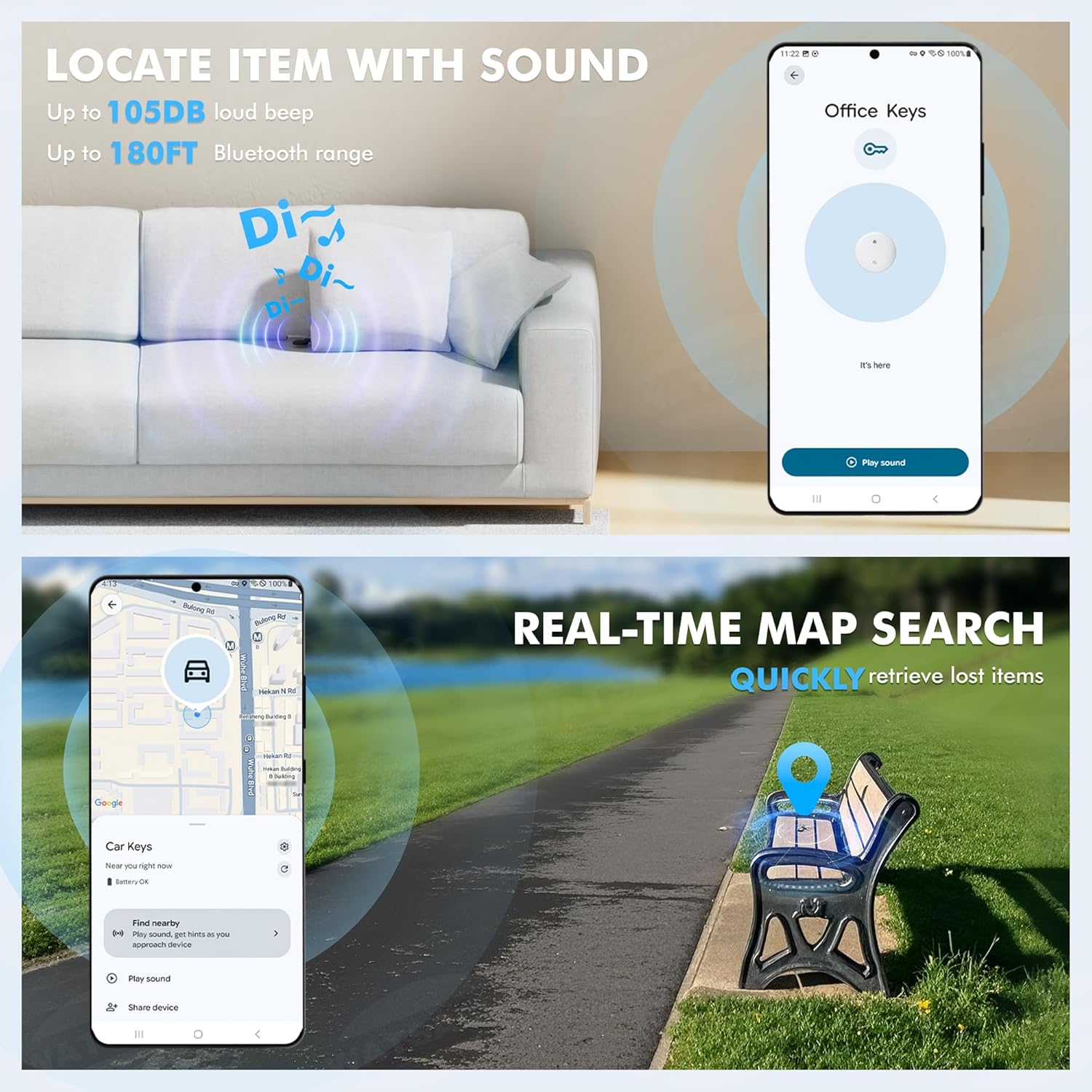
- Tap the "Play sound" option. The tracker will emit a loud 100dB beep to help you find it quickly.
- For precision finding, tap "Find nearby". As you move closer to the tracker, a growing circle on your screen will guide you to its exact location.


Video: A demonstration of the WATSABRO Bluetooth Tracker's connect and function, including playing sound and using the "Find Nearby" feature to locate the device.
2. Global Tracking via Google's Network
If your item is lost outside of Bluetooth range, the Google Find Hub function utilizes the Bluetooth signal network of nearby Android devices to update your tracker's location on Google Maps. This works even if your device is offline.

3. Sharing Device Location
You can share your tracker's location with up to 10 trusted contacts. They can help locate shared items (like luggage or keys) within their Google Find My Device app. This is ideal for family tracking or group travel.

Video: A demonstration of the wireless tag device, showing its features and how it can be used to track items.
4. Privacy and Anti-Tracking
The WATSABRO Bluetooth Tracker prioritizes your privacy. Location data is end-to-end encrypted, meaning it is never stored on the tracker or visible to Google. Only you can see the location history of your items. The device also includes built-in anti-tracking alerts, notifying you if an unknown tracker is moving with you.
5. ການອອກແບບກັນນ້ໍາ
The tracker is IP66 waterproof and comes with an included silicone case. This design allows it to withstand rain, splashes, and submersion up to 3 feet for 1 hour, making it suitable for outdoor use and equipment tracking.
6. ຄໍາຮ້ອງສະຫມັກອະເນກປະສົງ
The ultra-lightweight (60g) design and included silicone rope allow the tracker to be easily attached to various items. Common uses include:
- ກະແຈ
- ກະເປົາເງິນ
- ກະເປົາ
- Pet collars (as a pet tracker)
- Bicycles (as a bike tracker)
- Tools or equipment
- ອຸປະກອນການແພດ

ບໍາລຸງຮັກສາ
ການປ່ຽນແບັດ
As mentioned in the setup section, the CR2032 battery can be replaced. It is recommended to replace the battery every 2 years or when the Google Find My Device app indicates low battery. Always use a fresh CR2032 battery for optimal performance.
ທໍາຄວາມສະອາດ
To clean your WATSABRO Bluetooth Tracker, wipe it with a soft, damp cloth. Avoid using harsh chemicals or abrasive materials, as these may damage the device or its waterproof seal. Ensure the device is completely dry before re-attaching the silicone case or exposing it to water.
ການແກ້ໄຂບັນຫາ
1. ບັນຫາການເຊື່ອມຕໍ່
If your tracker is not connecting or frequently disconnecting:
- Ensure your phone's Bluetooth is on and the Google Find My Device app has location permissions enabled.
- Check if the tracker's battery is low and replace it if necessary.
- ລອງຣີສະຕາດໂທລະສັບຂອງທ່ານ ແລະຕົວຕິດຕາມ (ໂດຍການຖອດ ແລະໃສ່ແບັດເຕີລີຄືນໃໝ່).
- Ensure your Android device is running Android 9+ and is linked to a Google account.
- Move closer to the tracker to establish an initial connection.
Video: Instructions on how to fix common connection problems with the WATSABRO Bluetooth Tracker.
2. ຕັ້ງຄ່າອຸປະກອນຄືນໃໝ່
If the tracker is unresponsive or you wish to re-pair it, you can perform a device reset:
- Quickly press the button on the tracker five times.
- On the fifth press, hold the button down.
- Release the button when you hear rapid beeping, indicating the reset is complete.
Video: A short video demonstrating the button instructions for the WATSABRO Bluetooth Tracker, including how to check if it's on and how to perform a device reset.
3. Tracker Not Ringing Loudly
If the 100dB alarm is not as loud as expected, ensure there are no obstructions covering the speaker on the tracker. Also, check the battery level, as a low battery might affect sound output.
4. Inaccurate Location
Location accuracy depends on the density of the Google Find My Device network. In areas with fewer Android devices, location updates might be less frequent or precise. Ensure your phone's location services are enabled for the Find My Device app.
ຂໍ້ມູນຈໍາເພາະ
| ຄຸນສົມບັດ | ລາຍລະອຽດ |
|---|---|
| ຍີ່ຫໍ້ | WATSABRO |
| ໝາຍເລກຕົວແບບ | B0FLQ3MXHD |
| ຄວາມເຂົ້າກັນໄດ້ | Android 9+ (Google Find My Device / Find Hub) |
| ປະເພດຫມໍ້ໄຟ | CR2032 (ປ່ຽນແທນໄດ້) |
| ຊີວິດຫມໍ້ໄຟ | ເຖິງ 2 ປີ |
| ລະດັບສຽງປຸກ | 100dB |
| ຊ່ວງ Bluetooth | ເຖິງ 50m / 165ft |
| ການປະເມີນກັນນ້ໍາ | IP66 (withstands rain, splashes, 1-hour submersion at 3ft) |
| ນ້ຳໜັກ | 60 ກຣາມ |
| ວັດສະດຸ | ຊິລິໂຄນ, ພາດສະຕິກ |
ການຮັບປະກັນແລະການສະຫນັບສະຫນູນ
For warranty information and customer support, please refer to the documentation included with your purchase or contact WATSABRO customer service directly. The product typically comes with a standard manufacturer's warranty.
ສໍາລັບການຊ່ວຍເຫຼືອເພີ່ມເຕີມ, ທ່ານສາມາດໄປຢ້ຽມຢາມໄດ້ WATSABRO Store on Amazon.