
1. ຜະລິດຕະພັນເກີນview
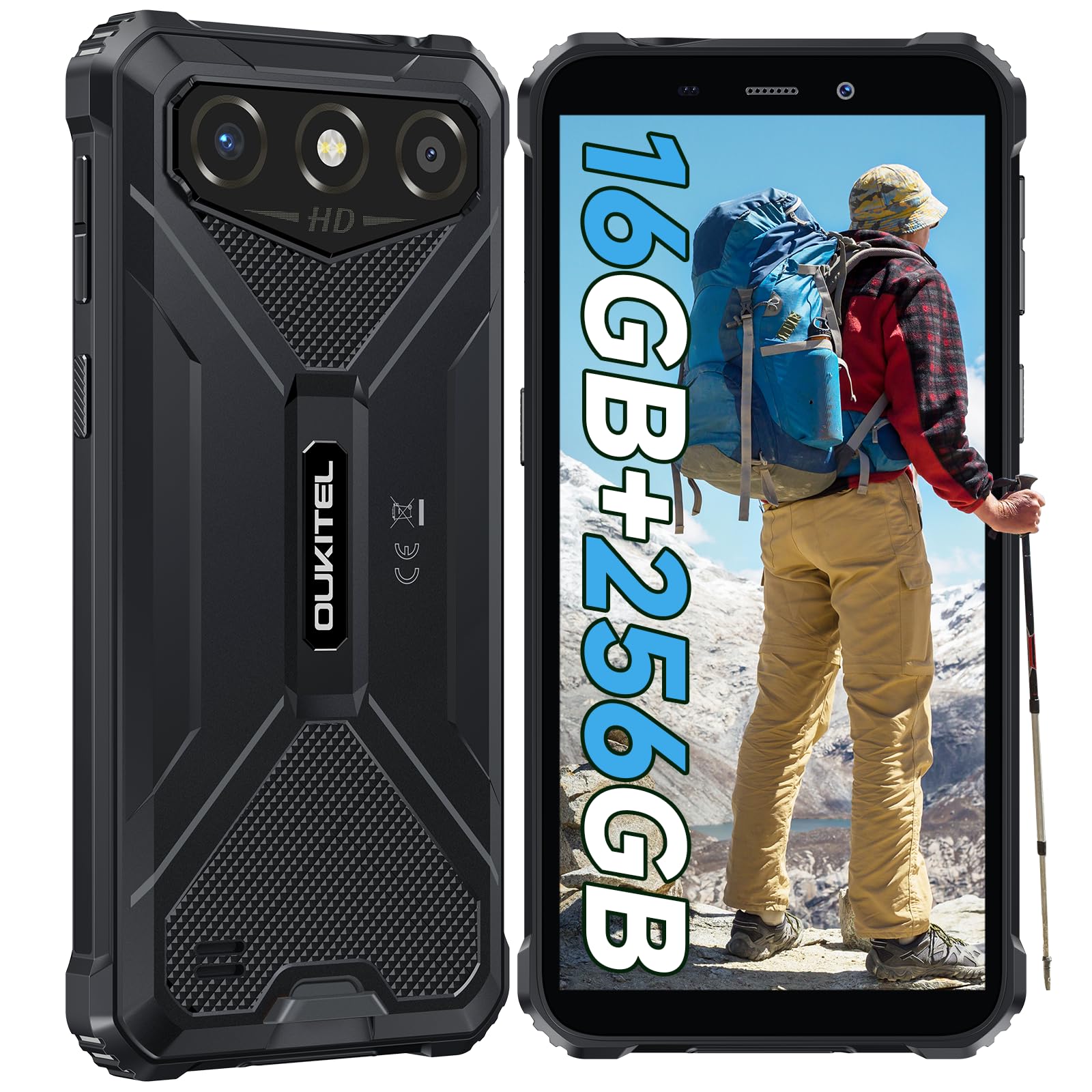
The OUKITEL G3 is a rugged smartphone designed for durability and performance in challenging environments. It features a 6.0-inch HD display, a 6300mAh battery, 16GB RAM (expandable), 256GB ROM (expandable to 1TB), and a 13MP main camera. The device is certified with IP68, IP69K, and MIL-STD-810H ratings, ensuring resistance to water, dust, and drops. It operates on Android 14 and supports 4G Dual SIM, GPS, Face ID, and OTG functionality.
2. ເນື້ອໃນຊຸດ
ກວດສອບວ່າລາຍການທັງຫມົດແມ່ນມີຢູ່ໃນຊຸດຂອງທ່ານ:
- 1x OUKITEL G3 Smartphone
- 1x ເຄື່ອງສາກ
- 1x ສາຍ Type-C
- 1x SIM Card Ejector Pin
- 1x ຄູ່ມືຜູ້ໃຊ້

3. ການຕິດຕັ້ງເບື້ອງຕົ້ນ
3.1. ການໃສ່ແຜ່ນ SIM ແລະບັດ TF
- ຊອກຫາຖາດຊິມກາດຢູ່ດ້ານຂ້າງຂອງອຸປະກອນ.
- Use the provided SIM ejector pin to open the tray.
- Carefully place your Nano SIM cards (up to two) and/or a TF card (for memory expansion up to 1TB) into the designated slots.
- ໃຫ້ແນ່ໃຈວ່າບັດຖືກຮັດຢ່າງຖືກຕ້ອງຕາມທີ່ລະບຸໄວ້ໃນຖາດ.
- ຄ່ອຍໆຍູ້ຖາດກັບໃສ່ໂທລະສັບຈົນກວ່າມັນຈະກົດໃສ່ບ່ອນ.

3.2. ການສາກແບັດເຕີຣີ
Before first use, fully charge the device. Connect the Type-C cable to the phone's charging port and the other end to the provided charger. Plug the charger into a power outlet. The battery indicator on the screen will show charging status. The OUKITEL G3 features a 6300mAh battery for extended use.
3.3. ເປີດ / ປິດພະລັງງານ
- ເພື່ອເປີດເຄື່ອງ: ກົດປຸ່ມເປີດ/ປິດຄ້າງໄວ້ຈົນກວ່າໂລໂກ້ OUKITEL ຈະປາກົດ.
- ເພື່ອປິດເຄື່ອງ: ກົດປຸ່ມເປີດປິດຄ້າງໄວ້, ຈາກນັ້ນເລືອກ "ປິດເຄື່ອງ" ຈາກຕົວເລືອກໃນໜ້າຈໍ.
- ເພື່ອຣີສະຕາດ: ກົດປຸ່ມເປີດປິດຄ້າງໄວ້, ຈາກນັ້ນເລືອກ "ຣີສະຕາດ" ຈາກຕົວເລືອກ.
4. ຄໍາແນະນໍາການດໍາເນີນງານ
4.1. ການສະແດງແລະການນໍາທາງ
The OUKITEL G3 features a 6.0-inch HD display with 450 nits brightness and Corning Glass 5 protection. Navigate the Android 14 interface using touch gestures: tap, swipe, pinch-to-zoom. Access quick settings by swiping down from the top of the screen.

4.2. ຟັງຊັນກ້ອງຖ່າຍຮູບ
The device is equipped with a 13MP rear camera and a 5MP front camera. Open the Camera app to capture photos and videos. Features include:
- ໂໝດຮູບມາດຕະຖານ: For everyday photography.
- AI Beauty Mode: Enhances facial features in portraits.
- ໂໝດກ້ອງຖ່າຍຮູບໃຕ້ນ້ຳ: Allows capturing photos and videos while submerged up to 1.5m for 30 minutes. Ensure all ports are securely sealed before underwater use.
- ໂໝດພາໂນຣາມາ: ສຳລັບການຖ່າຍຮູບພູມສັນຖານມຸມກວ້າງ.

4.3. Battery Management and OTG
The 6300mAh battery provides extended usage. To optimize battery life, manage screen brightness, close unused applications, and enable power-saving modes when needed. The device supports OTG (On-The-Go) reverse charging, allowing you to use your OUKITEL G3 to charge other compatible devices via a Type-C OTG cable (sold separately).

4.4. Custom Key and Security Features
- ກະແຈແບບກຳນົດເອງ: A programmable button on the side of the device for quick access to specific applications or functions. Configure its actions (single click, double click, long press) in the phone settings.
- Face ID: Use facial recognition for secure unlocking of your device. Set up Face ID in the Security settings.
- GPS ນຳ ທາງ: The OUKITEL G3 supports GPS, GLONASS, Beidou, and Galileo navigation systems for accurate positioning.

5. ການບໍາລຸງຮັກສາແລະຄວາມທົນທານ
The OUKITEL G3 is built to withstand harsh conditions, certified with IP68, IP69K, and MIL-STD-810H standards.
- IP68 ກັນນ້ໍາ: Protected against continuous immersion in water up to 1.5 meters for 30 minutes. Ensure all port covers are tightly sealed before exposure to water.
- IP69K Dust Resistance: ປ້ອງກັນຢ່າງເຕັມທີ່ຈາກການເຂົ້າໄປໃນຝຸ່ນແລະຄວາມກົດດັນສູງ, jets ນ້ໍາອຸນຫະພູມສູງ.
- MIL-STD-810H Drop Resistance: Designed to withstand drops from up to 1.5 meters. The aluminum frame and rubberized corners provide enhanced shock absorption.
ເພື່ອເຮັດຄວາມສະອາດອຸປະກອນ, ໃຊ້ soft, damp cloth. Avoid harsh chemicals or abrasive materials. Regularly check port covers for proper sealing to maintain water and dust resistance.

6. ການແກ້ໄຂບັນຫາ
If you encounter issues with your OUKITEL G3, refer to the following common solutions:
| ບັນຫາ | ການແກ້ໄຂທີ່ເປັນໄປໄດ້ |
|---|---|
| ອຸປະກອນບໍ່ເປີດ | ໃຫ້ແນ່ໃຈວ່າໄດ້ສາກໄຟແລ້ວ. ເຊື່ອມຕໍ່ສາຍສາກແລ້ວລໍຖ້າສອງສາມນາທີກ່ອນທີ່ຈະພະຍາຍາມເປີດເຄື່ອງອີກຄັ້ງ. |
| ສັນຍານເຄືອຂ່າຍບໍ່ດີ | Check if SIM cards are correctly inserted. Move to an area with better network coverage. Contact your service provider if the issue persists. |
| ແອັບພລິເຄຊັນຂັດຂ້ອງ ຫຼືຄ້າງ | Close background applications. Clear the cache of the problematic app. Restart the device. Ensure sufficient storage space is available. |
| ແບັດເຕີຣີໝົດໄວ | ຫຼຸດຄວາມສະຫວ່າງໜ້າຈໍ. ປິດໃຊ້ງານຄຸນສົມບັດທີ່ບໍ່ໄດ້ໃຊ້ເຊັ່ນ Wi-Fi, Bluetooth, GPS. ປິດແອັບທີ່ໃຊ້ພະລັງງານຫຼາຍ. ກວດເບິ່ງການໃຊ້ແບັດເຕີຣີໃນການຕັ້ງຄ່າເພື່ອລະບຸຜູ້ກະທຳຜິດ. |
| ໜ້າຈໍສຳຜັດບໍ່ຕອບສະໜອງ | ປິດເປີດອຸປະກອນຄືນໃໝ່. ຖ້າບັນຫາຍັງຄົງຢູ່, ໃຫ້ດຳເນີນການຣີເຊັດເປັນຄ່າໂຮງງານ (ສຳຮອງຂໍ້ມູນກ່ອນ). |
7. ຂໍ້ກໍານົດດ້ານວິຊາການ
| ຄຸນສົມບັດ | ລາຍລະອຽດ |
|---|---|
| ຍີ່ຫໍ້ | OUKITEL |
| ຕົວແບບ | G3 |
| ລະບົບປະຕິບັດການ | Android 14 |
| RAM | 4GB (ສາມາດຂະຫຍາຍໄດ້ເຖິງ 16GB RAM virtual) |
| ບ່ອນຈັດເກັບຂໍ້ມູນພາຍໃນ (ROM) | 256GB |
| ການເກັບຮັກສາທີ່ຂະຫຍາຍໄດ້ | Up to 1TB (TF card) |
| ຂະຫນາດຈໍສະແດງຜົນ | 6.0 ນິ້ວ |
| ຄວາມລະອຽດການສະແດງ | HD (450 nits brightness, Corning Glass 5) |
| ອັດຕາການໂຫຼດຂໍ້ມູນຄືນໃໝ່ | 60Hz |
| ກ້ອງຫຼັງ | 13 ລ້ານພິກເຊລ |
| ກ້ອງໜ້າ | 5 ລ້ານພິກເຊລ |
| ຄວາມອາດສາມາດຫມໍ້ໄຟ | 6300 mAh |
| ພອດສາກໄຟ | USB Type-C |
| ການຈັດອັນດັບຄວາມທົນທານ | IP68, IP69K, MIL-STD-810H |
| ຮອງຮັບຊິມກາດ | Dual 4G Nano SIM |
| ການນໍາທາງ | GPS, GLONASS, Beidou, Galileo |
| ຄວາມປອດໄພທາງຊີວະມິຕິ | Face ID |
| ສຽງ Jack | 3.5ມມ |
For detailed energy efficiency information, please refer to the EU EPREL database: https://eprel.ec.europa.eu/qr/2400970

8. ການຮັບປະກັນແລະການສະຫນັບສະຫນູນ
OUKITEL provides the following support for the G3 smartphone:
- ນະໂຍບາຍການສົ່ງຄືນ: 30-day no-reason return.
- ການຮັບປະກັນ: TWO-YEAR warranty.
- ສະຫນັບສະຫນູນດ້ານວິຊາການ: Long-term technical assistance.
- ບໍລິການລູກຄ້າ: ບໍລິການລູກຄ້າອອນໄລນ໌ 24 ຊົ່ວໂມງ.
For any inquiries or support, please contact OUKITEL official customer service.