
1. ບົດແນະນຳ
Thank you for choosing the UCOCARE Mini Portable Projector V18. This projector is designed to provide a high-quality visual and audio experience for various entertainment and presentation needs. Featuring native 1080P resolution with 4K support, AI-enhanced visuals and audio, and smart screen adjustments, it offers versatility and ease of use. Please read this manual thoroughly before using the product to ensure proper operation and to maximize its lifespan.
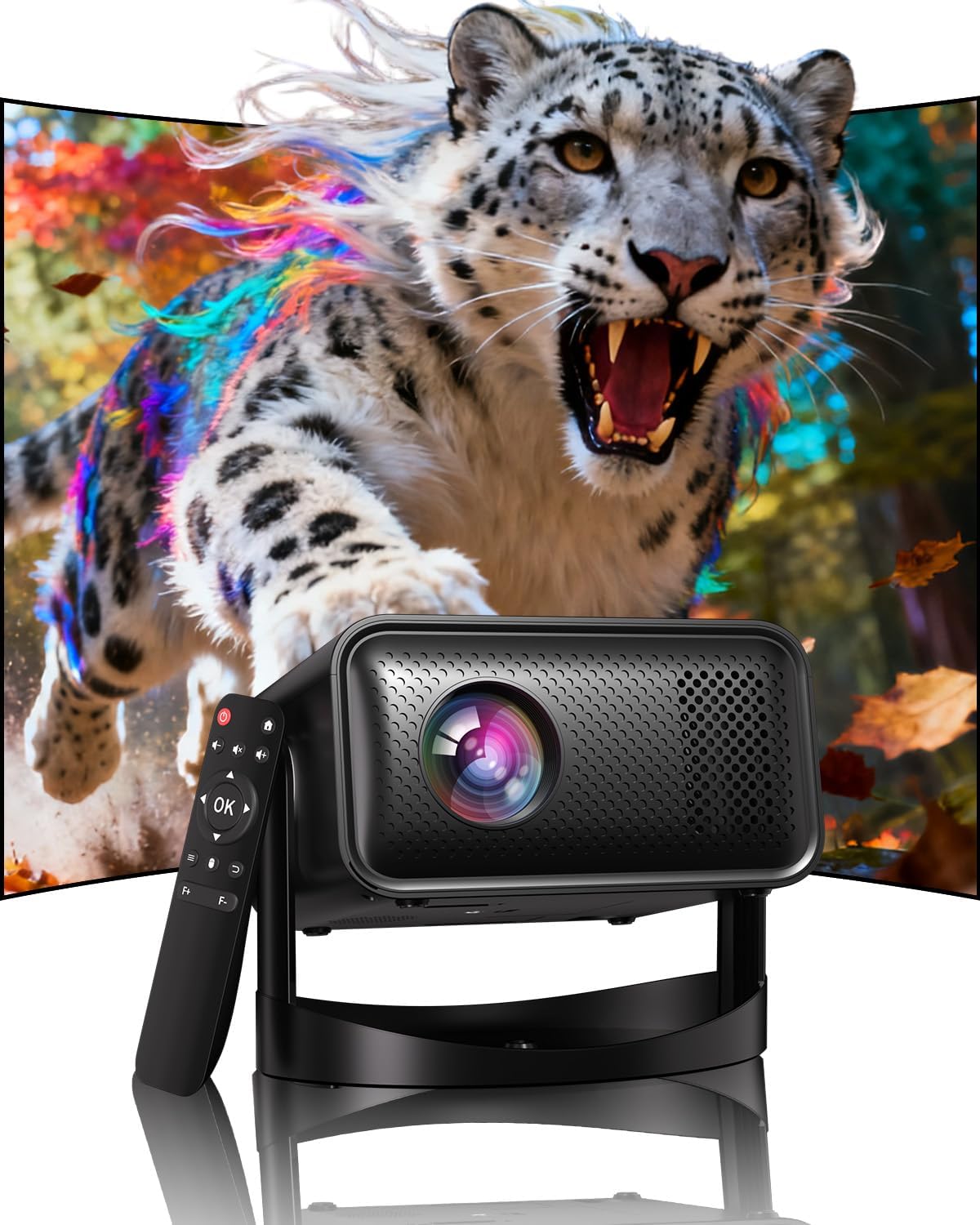
Image: The UCOCARE Mini Portable Projector V18, showcasing its compact design and the vibrant projection capabilities.
2. ຂໍ້ມູນຄວາມປອດໄພ
- ຢ່າເບິ່ງໂດຍກົງໃນເລນໂປເຈັກເຕີເມື່ອ lamp ແມ່ນຢູ່.
- ຮັບປະກັນການລະບາຍອາກາດທີ່ເຫມາະສົມຮອບໂປເຈັກເຕີເພື່ອປ້ອງກັນຄວາມຮ້ອນເກີນ.
- ໃຊ້ພຽງແຕ່ອະແດັບເຕີໄຟທີ່ໃຫ້ມາກັບອຸປະກອນ.
- ເກັບຮັກສາໂປເຈັກເຕີໃຫ້ຫ່າງຈາກນໍ້າ, ຄວາມຊຸ່ມ ແລະ ວັດສະດຸໄວໄຟ.
- ຫຼີກເວັ້ນການວາງໂປເຈັກເຕີຢູ່ເທິງພື້ນຜິວທີ່ບໍ່ຫມັ້ນຄົງ.
- ຢ່າພະຍາຍາມຖອດປະກອບ ຫຼື ສ້ອມແປງໂປເຈັກເຕີດ້ວຍຕົວທ່ານເອງ. ຕິດຕໍ່ຝ່າຍສະໜັບສະໜູນລູກຄ້າເພື່ອຂໍຄວາມຊ່ວຍເຫຼືອ.
3. ເນື້ອໃນຊຸດ
ກວດສອບວ່າລາຍການທັງຫມົດແມ່ນມີຢູ່ໃນຊຸດຂອງທ່ານ:
- UCOCARE Mini Portable Projector V18
- ການຄວບຄຸມໄລຍະໄກ
- ສາຍໄຟ
- ຄູ່ມືຜູ້ໃຊ້ (ເອກະສານນີ້)
4. ຜະລິດຕະພັນເກີນview
The UCOCARE V18 projector combines advanced features in a compact design, making it suitable for various environments. It weighs approximately 2.09 pounds and measures 8.35 x 8.03 x 5.28 inches.

Image: The compact and lightweight design of the UCOCARE Mini Portable Projector V18, highlighting its dimensions and portability.
4.1 ລັກສະນະທີ່ສໍາຄັນ
- ຄວາມລະອຽດ 1080P ພື້ນເມືອງພ້ອມຮອງຮັບ 4K: Delivers sharp and detailed images.
- AI-Enhanced Visuals: Improves detail, contrast, and color for a lifelike viewປະສົບການ.
- AI-Enhanced Audio: Provides clear dialogue and rich, distortion-free sound.
- Smart Screen Adjustment: Features electric focus, 50%-100% zoom, and auto keystone correction.
- Dual-Band WiFi: Supports 2.4GHz/5GHz for stable and high-speed streaming.
- ການເຊື່ອມຕໍ່ Bluetooth: For wireless audio devices.
- 180° Flexible Rotating Stand: Allows projection on walls, ceilings, or tables.
- ການເຊື່ອມຕໍ່ທົ່ວໄປ: HDMI, USB, and 3.5mm audio jack.
5. ຕັ້ງຄ່າ
5.1 ການຈັດວາງ
Position the projector on a stable surface. The 180° flexible rotating stand allows you to adjust the projection angle to suit your needs, whether projecting on a wall, ceiling, or screen.
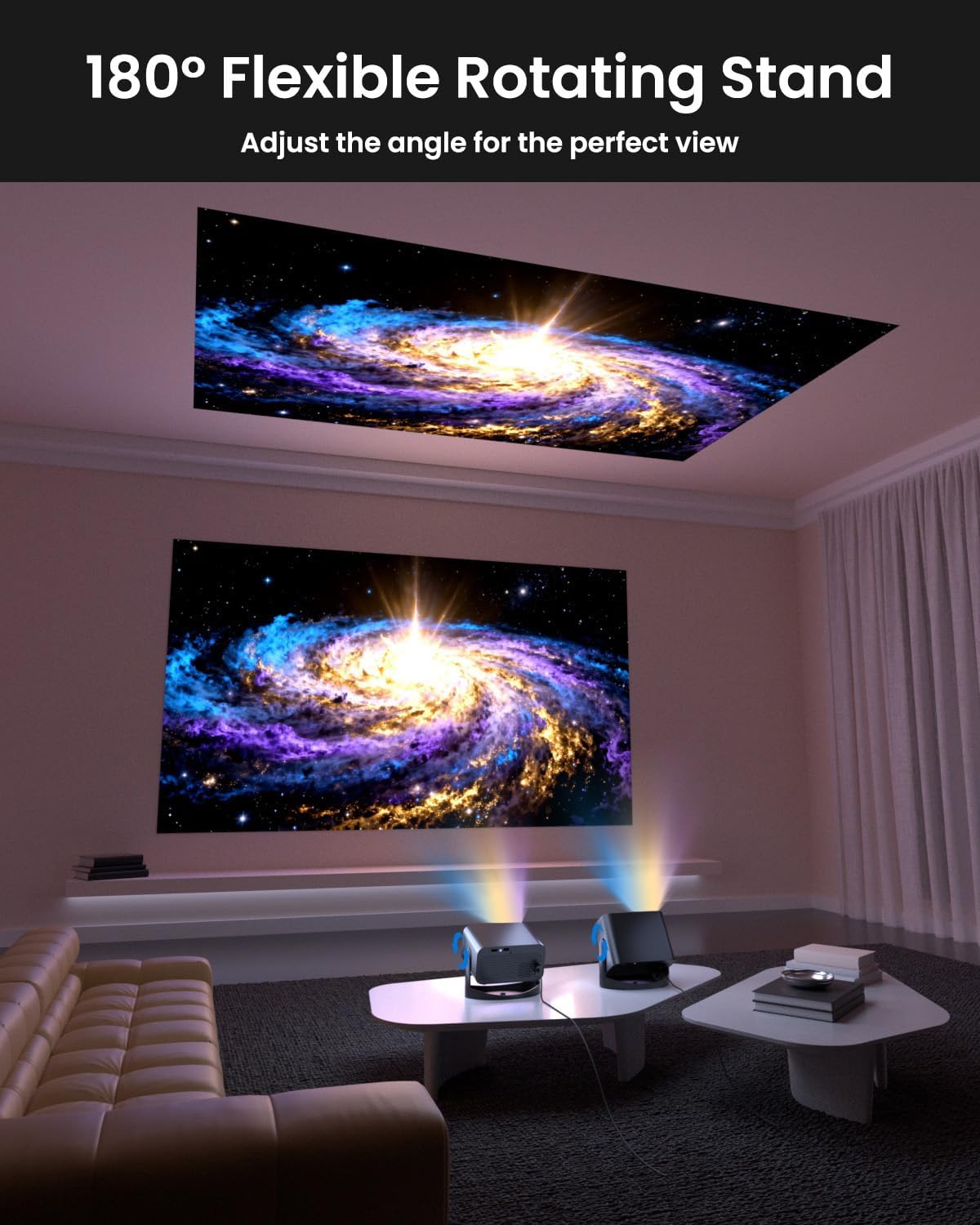
Image: The UCOCARE Mini Portable Projector V18 demonstrating its flexible 180° rotating stand, allowing projection onto various surfaces.
5.2 ການເຊື່ອມຕໍ່ພະລັງງານ
- ເຊື່ອມຕໍ່ສາຍໄຟເຂົ້າກັບພອດປ້ອນຂໍ້ມູນພະລັງງານຂອງໂປເຈັກເຕີ.
- ສຽບສາຍໄຟອີກດ້ານໜຶ່ງເຂົ້າໄປໃນປລັກສຽບໄຟ.
- ກົດປຸ່ມເປີດປິດຢູ່ໂປເຈັກເຕີ ຫຼືຣີໂໝດຄວບຄຸມເພື່ອເປີດມັນ.
5.3 Initial Screen Adjustment
The projector features smart screen adjustment for optimal viewing.
- ໂຟກັສໄຟຟ້າ: Use the remote control to activate one-touch electric focus for a clear image.
- ການແກ້ໄຂ Keystone ອັດຕະໂນມັດ: The projector will automatically correct vertical distortion.
- Zoom Function (50%-100%): Adjust the screen size without moving the projector using the remote control.

Image: Visual representation of the smart screen adjustment features: Electric Focus, 50%-100% Zoom, and Auto Keystone Correction.
5.4 Network Connection (WiFi)
- ໄປທີ່ເມນູ 'ການຕັ້ງຄ່າ' ໃນໂປເຈັກເຕີ.
- ເລືອກ 'ເຄືອຂ່າຍ' ຫຼື 'ການຕັ້ງຄ່າ WiFi'.
- Choose your desired 2.4GHz or 5GHz WiFi network from the list.
- ໃສ່ລະຫັດຜ່ານແລະເຊື່ອມຕໍ່.
5.5 ການຈັບຄູ່ Bluetooth
- Go to the 'Settings' menu and select 'Bluetooth'.
- ເປີດໃຊ້ Bluetooth ໃນໂປເຈັກເຕີ.
- Put your Bluetooth audio device (e.g., speaker, headphones) into pairing mode.
- ເລືອກອຸປະກອນຂອງທ່ານຈາກລາຍການຢູ່ໜ້າຈໍໂປເຈັກເຕີເພື່ອຈັບຄູ່.
6. ການເຮັດວຽກ
6.1 ການເຊື່ອມຕໍ່ອຸປະກອນພາຍນອກ
ໂປເຈັກເຕີຮອງຮັບແຫຼ່ງປ້ອນຂໍ້ມູນຕ່າງໆ:
- HDMI: Connect devices like laptops, gaming consoles, or TV sticks using an HDMI cable.
- USB: Plug in a USB drive to play media files ໂດຍກົງ.
- Jack ສຽງ 3.5mm: ເຊື່ອມຕໍ່ລຳໂພງ ຫຼື ຫູຟັງແບບມີສາຍຈາກພາຍນອກ.
- ການສົ່ງສັນຍານໄຮ້ສາຍ: Stream content from your smartphone or tablet via WiFi.

ຮູບພາບ: ຫຼາຍກວ່າview of the UCOCARE Mini Portable Projector V18's universal multi-device connectivity options.
6.2 ຄຸນນະພາບຂອງຮູບພາບ
Experience stunning visuals with AI-enhanced technology.

Image: The UCOCARE Mini Portable Projector V18's AI-enhanced video quality, detailing 4K support, HDR 10+, Native 1080P, and Wide Color Gamut.
6.3 ຄຸນນະພາບສຽງ
The projector features AI-enhanced audio for an immersive sound experience.
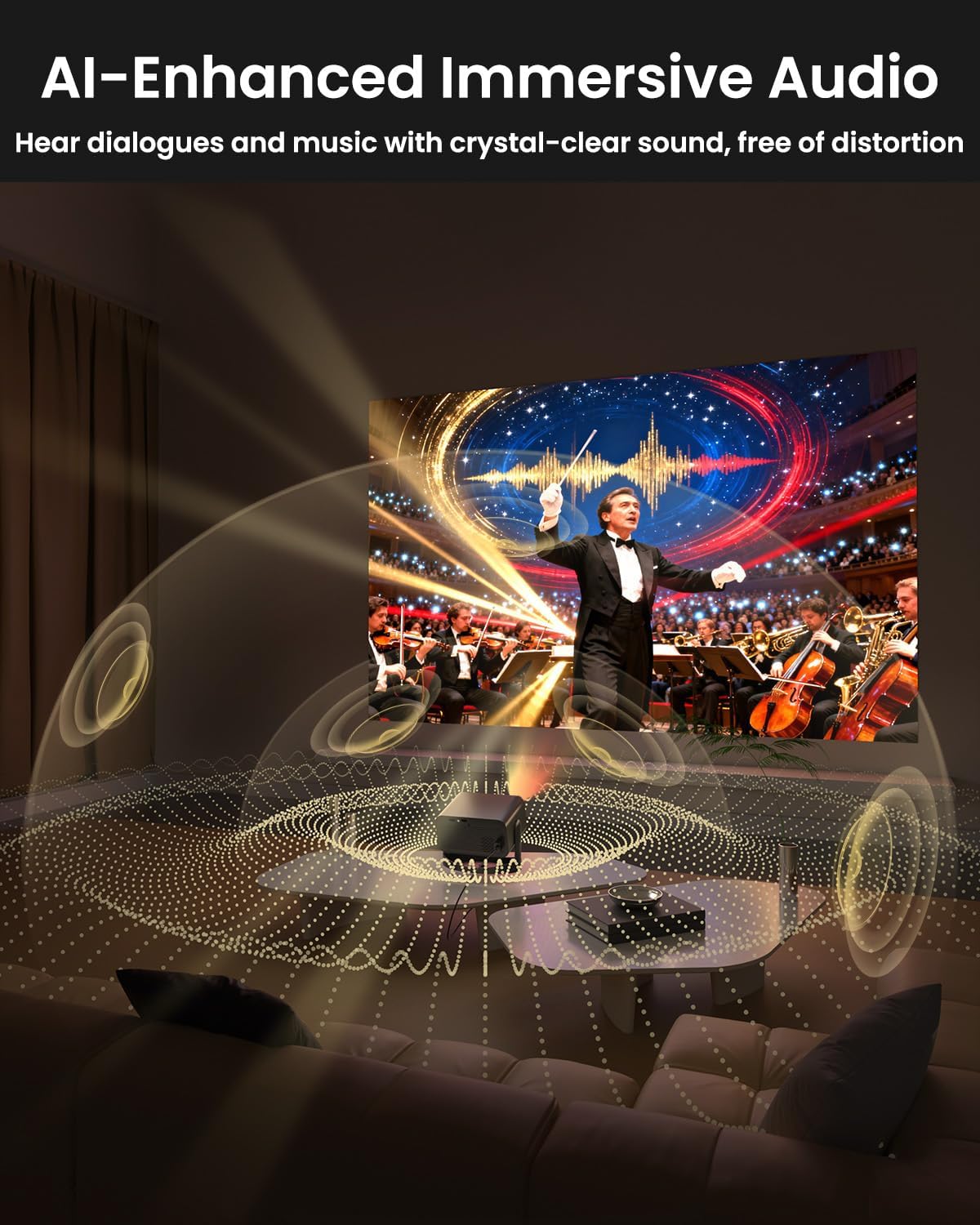
Image: The UCOCARE Mini Portable Projector V18 delivering AI-enhanced immersive audio, creating a surround sound experience.
6.4 ຫນ້າທີ່ຄວບຄຸມໄລຍະໄກ
The included remote control allows you to navigate menus, adjust volume, change input sources, and control playback. Refer to the remote control diagram in your quick start guide for specific button functions.
6.5 ສະຖານະການນຳໃຊ້
The UCOCARE V18 projector is versatile for various uses:
- Home Theatre: Enjoy movies and shows on a large screen.
- ເກມ: Connect your console for an immersive gaming experience.
- ການນໍາສະເຫນີທຸລະກິດ: Project documents and slides for meetings.
- Bedtime Relax: Project calming visuals or stories onto the ceiling.

Image: The UCOCARE Mini Portable Projector V18 adapting to various scenarios, including home theater, business, gaming, and relaxation.
7. ບໍາລຸງຮັກສາ
7.1 ການເຮັດຄວາມສະອາດເລນ
ໃຊ້ຜ້າອ່ອນໆທີ່ບໍ່ມີຂົນທີ່ອອກແບບມາສະເພາະສຳລັບເລນ optical ເພື່ອເຊັດເລນໂປເຈັກເຕີຢ່າງອ່ອນໂຍນ. ຫຼີກລ່ຽງການໃຊ້ວັດສະດຸທີ່ມີສີຂັດ ຫຼື ສານເຄມີທີ່ຮຸນແຮງ.
7.2 ການກຳຈັດຂີ້ຝຸ່ນ
Regularly clean the projector's exterior with a soft, dry cloth. For ventilation openings, use a soft brush or compressed air to remove dust buildup, ensuring proper airflow.
7.3 ການເກັບຮັກສາ
ເມື່ອບໍ່ໄດ້ໃຊ້ເປັນເວລາດົນ, ໃຫ້ເກັບຮັກສາໂປເຈັກເຕີໄວ້ໃນບ່ອນເຢັນ, ແຫ້ງແລ້ງ, ຫ່າງຈາກແສງແດດໂດຍກົງ ແລະ ອຸນຫະພູມສູງສຸດ. ໃຊ້ການຫຸ້ມຫໍ່ຕົ້ນສະບັບຫຼືກໍລະນີປ້ອງກັນເພື່ອປ້ອງກັນຝຸ່ນແລະຄວາມເສຍຫາຍ.
8. ການແກ້ໄຂບັນຫາ
ຖ້າເຈົ້າພົບບັນຫາກັບໂປເຈັກເຕີຂອງເຈົ້າ, ໃຫ້ອ້າງອີງເຖິງບັນຫາ ແລະວິທີແກ້ໄຂບັນຫາທົ່ວໄປຕໍ່ໄປນີ້:
| ບັນຫາ | ສາເຫດທີ່ເປັນໄປໄດ້ | ການແກ້ໄຂ |
|---|---|---|
| ບໍ່ມີຮູບພາບໃນ ໜ້າ ຈໍ | ຕັດການເຊື່ອມຕໍ່ສາຍໄຟ, ແຫຼ່ງປ້ອນເຂົ້າບໍ່ຖືກຕ້ອງ, ເປີດຝາປິດແວ່ນ. | ກວດສອບການເຊື່ອມຕໍ່ໄຟຟ້າ, ເລືອກແຫຼ່ງປ້ອນຂໍ້ມູນທີ່ຖືກຕ້ອງ, ເອົາຝາປິດເລນອອກ. |
| ຮູບພາບມົວ | Focus not adjusted, projector too far/close. | Use electric focus function. Adjust projector distance if necessary. |
| ບໍ່ມີສຽງ | ລະດັບສຽງຕໍ່າເກີນໄປ, ບໍ່ໄດ້ເຊື່ອມຕໍ່ອຸປະກອນສຽງພາຍນອກ, ສຽງອອກບໍ່ຖືກຕ້ອງ. | Increase volume, check Bluetooth connection or 3.5mm cable, select correct audio output in settings. |
| WiFi/Bluetooth connectivity issues | Out of range, incorrect password, interference. | Ensure projector is within range of router/device. Re-enter password. Reduce interference. |
| ການຄວບຄຸມໄລຍະໄກບໍ່ເຮັດວຽກ | Batteries low/dead, obstruction, remote not paired. | Replace batteries. Remove obstructions. Re-pair remote if applicable. |
9. ຂໍ້ມູນຈໍາເພາະ
| ຄຸນສົມບັດ | ລາຍລະອຽດ |
|---|---|
| ຍີ່ຫໍ້ | UCOCARE |
| ໝາຍເລກຕົວແບບ | V18 |
| ຄວາມລະອຽດການສະແດງ | Native 1920 x 1080 (1080P), 4K Supported |
| ເຕັກໂນໂລຊີການເຊື່ອມຕໍ່ | 2.4GHz/5GHz Wi-Fi, Bluetooth, 3.5mm Jack, HDMI, USB |
| ຄຸນນະສົມບັດພິເສດ | 4K Supported, Native 1080P, Adjustable Stand, Electric Focus, Auto Keystone, Portable Mini Size, Built-In 2.4G/5GHz WiFi, Built-In Bluetooth |
| ນ້ໍາຫນັກລາຍການ | 2.09 ປອນ |
| ຂະໜາດແພັກເກັດ | 8.35 x 8.03 x 5.28 ນິ້ວ |
| ການນໍາໃຊ້ທີ່ແນະນໍາ | ທຸລະກິດ, ການສຶກສາ, ເກມ, ໂຮງໜັງໃນບ້ານ |
10. ການຮັບປະກັນແລະການສະຫນັບສະຫນູນ
UCOCARE products are manufactured to high-quality standards. For warranty information, please refer to the documentation included with your purchase or visit the official UCOCARE website. If you require technical assistance or have questions not covered in this manual, please contact UCOCARE customer support.
Contact information can typically be found on the product packaging or the official brand webເວັບໄຊ.