
Xbox EP2-29563
Xbox Wireless Controller Storm Breaker Special Edition
ຮຸ່ນ: EP2-29563
ຍີ່ຫໍ້: Xbox
ແນະນຳ
The Xbox Wireless Controller Storm Breaker Special Edition is designed to provide an enhanced gaming experience across multiple platforms. This controller features a unique aesthetic with classic grays and blacks, offset with whites, along with textured grips for improved handling. It offers seamless connectivity and customizable controls to optimize your gameplay.
ຄຸນນະສົມບັດທີ່ສໍາຄັນ
- Storm Breaker Special Edition Design: Features a distinctive gray, black, and white pattern.
- Textured Triggers: Provides enhanced grip and control during gameplay.
- ດ້າມຈັບທີ່ເຮັດດ້ວຍຢາງ: Located on the back cases for secure handling.
- Wireless & Bluetooth Connectivity: Easily pairs with Xbox consoles, PCs, and mobile devices.
- ປຸ່ມແບ່ງປັນ: Seamlessly capture and share screenshots and game recordings.
- ການສ້າງແຜນທີ່ປຸ່ມທີ່ສາມາດປັບແຕ່ງໄດ້: Personalize controls using the Xbox Accessories app.
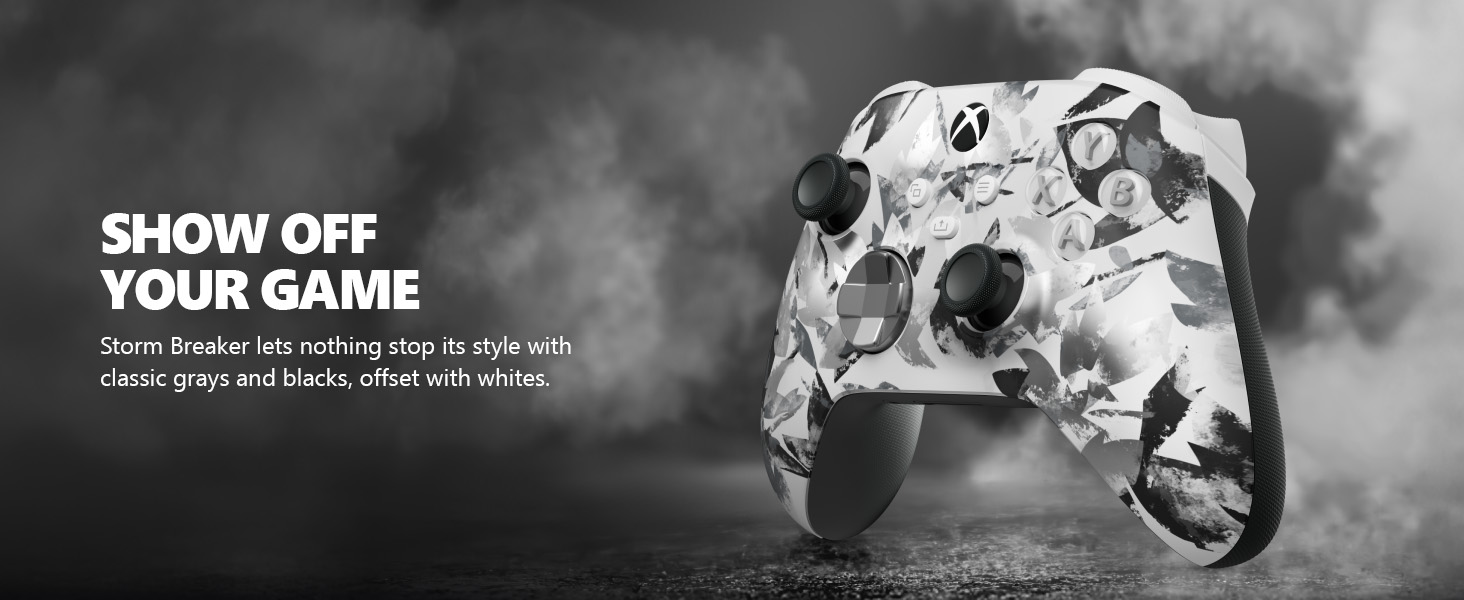
Image: The Xbox Wireless Controller Storm Breaker Special Edition showcasing its distinctive color scheme.
ຕັ້ງຄ່າ
1. ການຕິດຕັ້ງຫມໍ້ໄຟ
The controller requires two AA batteries (included). To install:
- ຊອກຫາຊ່ອງໃສ່ແບັດເຕີຣີຢູ່ດ້ານຫຼັງຂອງຕົວຄວບຄຸມ.
- Press the small tab and lift the battery cover.
- Insert the two AA batteries, ensuring correct polarity (+ and -).
- ປ່ຽນຝາຄອບຄືນຈົນກວ່າມັນກົດເຂົ້າໄປ.
2. ການຈັບຄູ່ກັບອຸປະກອນ
The controller supports both Xbox Wireless and Bluetooth for versatile connectivity.
- For Xbox Console:
- ເປີດເຄື່ອງຫຼິ້ນເກມ Xbox ຂອງທ່ານ.
- Press the Xbox button on your controller to turn it on.
- ກົດປຸ່ມຄູ່ຄ້າງໄວ້ (⏚) on the top of the controller until the Xbox button flashes rapidly.
- Press the Pair button on your Xbox console (usually near the USB port or on the front).
- The Xbox button on the controller will become solid when connected.
- For PC (Windows 10/11) via Bluetooth:
- ໃຫ້ແນ່ໃຈວ່າ PC ຂອງທ່ານເປີດໃຊ້ Bluetooth ແລ້ວ.
- Press the Xbox button on your controller to turn it on.
- ກົດປຸ່ມຄູ່ຄ້າງໄວ້ (⏚) on the top of the controller until the Xbox button flashes rapidly.
- ໃນ PC ຂອງທ່ານ, ໃຫ້ໄປທີ່ການຕັ້ງຄ່າ > ອຸປະກອນ > Bluetooth ແລະອຸປະກອນອື່ນໆ.
- Select "Add Bluetooth or other device" and then "Bluetooth".
- Choose "Xbox Wireless Controller" from the list and follow on-screen prompts.
- For Mobile Devices (Android/iOS):
- ເປີດໃຊ້ Bluetooth ໃນອຸປະກອນມືຖືຂອງທ່ານ.
- Press the Xbox button on your controller to turn it on.
- ກົດປຸ່ມຄູ່ຄ້າງໄວ້ (⏚) on the top of the controller until the Xbox button flashes rapidly.
- On your mobile device, search for Bluetooth devices and select "Xbox Wireless Controller" to pair.
ວິດີໂອ: ຫຼາຍກວ່າview of the Xbox Wireless Controller, demonstrating its physical features and ports, useful for understanding setup.
ປະຕິບັດການຄວບຄຸມ
1. ການຄວບຄຸມພື້ນຖານ
- ໂປ້ມື: Use for movement and camera control.
- D-Pad: Ideal for precise directional input in games and menu navigation.
- ປຸ່ມ A, B, X, Y: Primary action buttons for in-game commands.
- Triggers (LT/RT) & Bumpers (LB/RB): Used for various actions like shooting, accelerating, or menu selection.
2. Share Button
The dedicated Share button (⤓) allows you to quickly capture and share your gaming moments:
- Press once to take a screenshot.
- Press and hold to record the last 30 seconds of gameplay.
3. ສາຍຫູຟັງ
A 3.5mm audio jack is located at the bottom of the controller, allowing you to connect compatible headsets for in-game audio and chat.
4. Customization with Xbox Accessories App
Download the Xbox Accessories app on your Xbox console or Windows PC to customize button mapping and create personalized controller profiles.
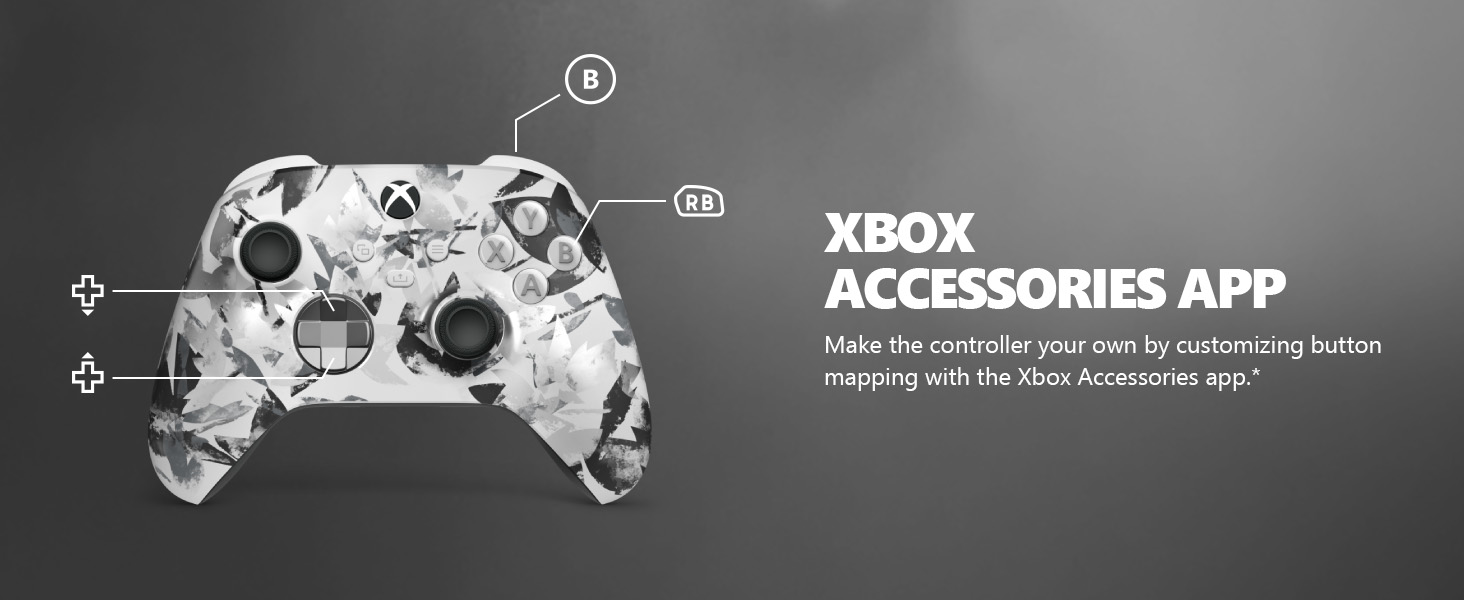
Image: The Share button and an illustration of button mapping customization via the Xbox Accessories app.
ບໍາລຸງຮັກສາ
- ທໍາຄວາມສະອາດ: ໃຊ້ຜ້າອ່ອນໆແຫ້ງເພື່ອທຳຄວາມສະອາດຕົວຄວບຄຸມ. ຫຼີກລ່ຽງນ້ຳຢາທຳຄວາມສະອາດທີ່ມີສີຂັດ ຫຼື ຕົວລະລາຍ.
- ການດູແລຫມໍ້ໄຟ: Remove batteries if the controller will not be used for an extended period to prevent leakage.
- ການເກັບຮັກສາ: ເກັບຮັກສາເຄື່ອງຄວບຄຸມໄວ້ໃນບ່ອນທີ່ເຢັນ, ແຫ້ງ, ຫ່າງຈາກແສງແດດໂດຍກົງແລະອຸນຫະພູມທີ່ສຸດ.
ການແກ້ໄຂບັນຫາ
- ຕົວຄວບຄຸມບໍ່ໄດ້ເຊື່ອມຕໍ່:
- ໃຫ້ແນ່ໃຈວ່າມີການຕິດຕັ້ງ ແລະສາກໄຟຢ່າງຖືກຕ້ອງ.
- ພະຍາຍາມຂະບວນການຈັບຄູ່ຄືນໃໝ່ຕາມທີ່ໄດ້ອະທິບາຍໄວ້ໃນພາກການຕັ້ງຄ່າ.
- ກວດສອບການລົບກວນຈາກອຸປະກອນໄຮ້ສາຍອື່ນໆ.
- Update controller firmware via the Xbox Accessories app.
- ປຸ່ມບໍ່ຕອບສະໜອງ:
- ເຮັດຄວາມສະອາດອ້ອມປຸ່ມເພື່ອເອົາສິ່ງເສດເຫຼືອໃດໆ.
- Test the controller with another device or game to isolate the issue.
- ອາຍຸແບັດເຕີຣີສັ້ນ:
- ໃຊ້ແບດເຕີຣີ້ AA ສົດ, ຄຸນນະພາບສູງ.
- Consider using a rechargeable battery pack (sold separately) for extended play.
ຂໍ້ມູນຈໍາເພາະ
| ຄຸນສົມບັດ | ລາຍລະອຽດ |
|---|---|
| ໝາຍເລກຕົວແບບ | EP2-29563 |
| ການເຊື່ອມຕໍ່ | Xbox Wireless, Bluetooth |
| ຄວາມເຂົ້າກັນໄດ້ | Xbox Series X|S, Xbox One, Windows 10/11, Android, iOS |
| ແຫຼ່ງພະລັງງານ | ໝໍ້ໄຟ AA 2 ໜ່ວຍ (ລວມ) |
| Audio Port | ຊ່ອງສຽບຫູຟັງ 3.5 ມມ |
| ຂະໜາດ | 6.91 x 5.61 x 2.76 ນິ້ວ |
| ນ້ຳໜັກ | 14.1 ອອນ |
| ຜູ້ຜະລິດ | Microsoft |
ການຮັບປະກັນແລະການສະຫນັບສະຫນູນ
For warranty information and technical support, please refer to the documentation included with your product or visit the official Xbox support webເວັບໄຊ. ຮັກສາຫຼັກຖານການຊື້ຂອງທ່ານສໍາລັບການຮ້ອງຂໍການຮັບປະກັນ.
ສະຫນັບສະຫນູນອອນໄລນ໌: support.xbox.com
Ask a question about this manual
Ask about setup, troubleshooting, compatibility, parts, safety, or missing instructions. Manuals+ will review the question and use this page’s manual context to help answer it.