
1. ຜະລິດຕະພັນເກີນview
The PAXA Clipbuds 7 are open-ear wireless earbuds designed for comfort and situational awareness. They feature Bluetooth 5.4 connectivity, a dual LED battery display, touch controls, and IP45 water resistance.
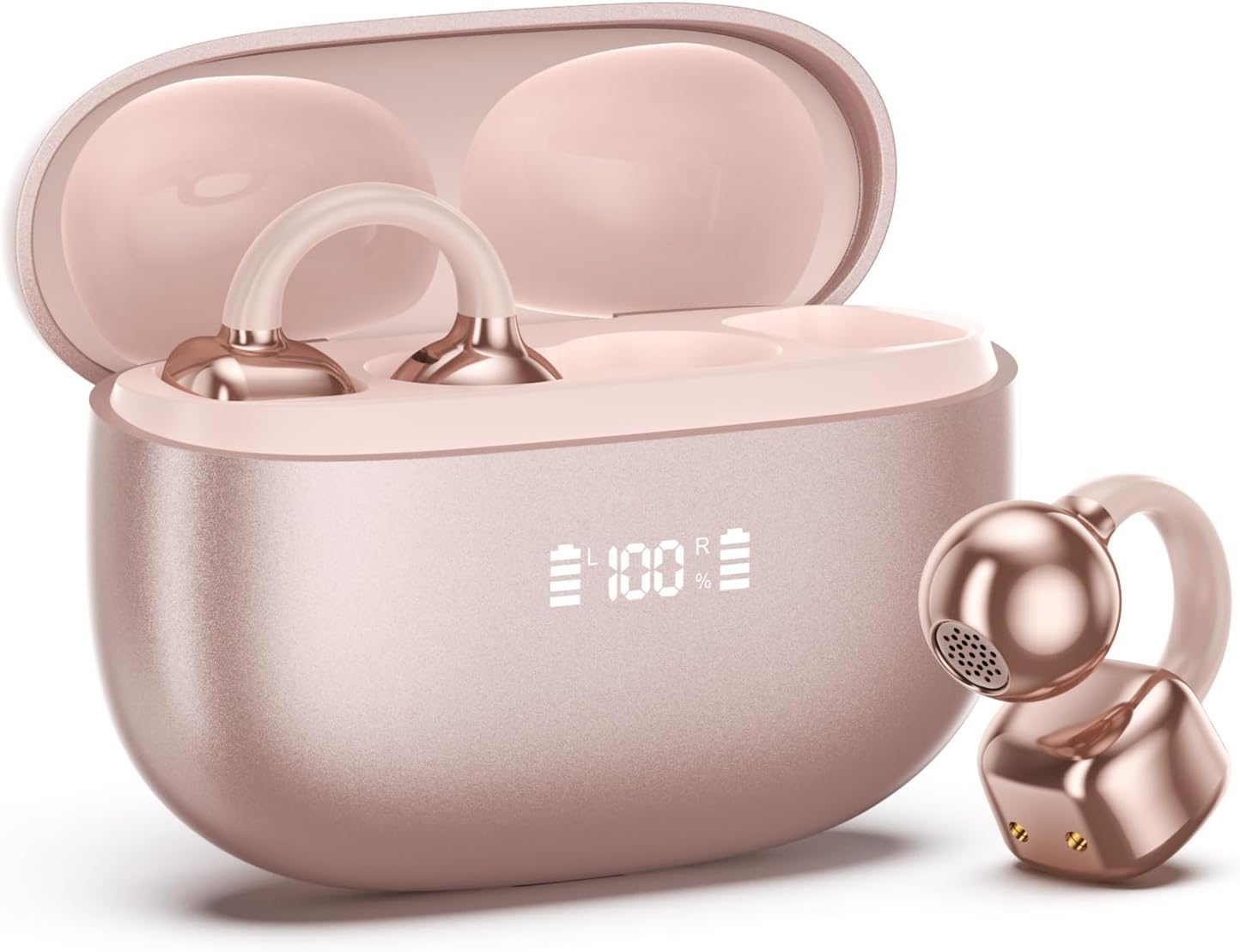
Image 1.1: PAXA Clipbuds 7 Rose Gold Earbuds and Charging Case. The earbuds are shown in their open charging case, which features an LED display indicating battery levels. One earbud is also shown outside the case.
ຄຸນນະສົມບັດທີ່ສໍາຄັນ:
- Open-ear design for comfort and environmental awareness.
- Bluetooth 5.4 ສຳລັບການເຊື່ອມຕໍ່ໄຮ້ສາຍທີ່ໝັ້ນຄົງ ແລະ ມີປະສິດທິພາບ.
- Dual LED display on charging case for battery status.
- Touch controls for music, calls, and voice assistant.
- Up to 44 hours total playtime with charging case.
- IP45 ຕ້ານຝຸ່ນແລະນ້ໍາ.
- Ultra-lightweight design (4.5g per earbud).
2. ເນື້ອໃນຊຸດ
ໃຫ້ແນ່ໃຈວ່າທຸກລາຍການຢູ່ໃນຊຸດ:
- Clip on Earbuds (1 pair)
- ກ່ອງສາກໄຟໄຮ້ສາຍ (1)
- ສາຍສາກ (1)
- ຄູ່ມືຜູ້ໃຊ້ (1)
3. ການຕິດຕັ້ງແລະການຈັບຄູ່
3.1 ການສາກໄຟເບື້ອງຕົ້ນ
Before first use, fully charge the earbuds and the charging case. Connect the provided charging cable to the Type-C port on the charging case and a USB power source. The LED display on the case will indicate the charging status.
3.2 ການໃສ່ຫູຟັງ
The Clipbuds 7 are designed to clip onto the thinnest part of your ear. Adjust the earbud tip to align with your ear canal for optimal sound and comfort.
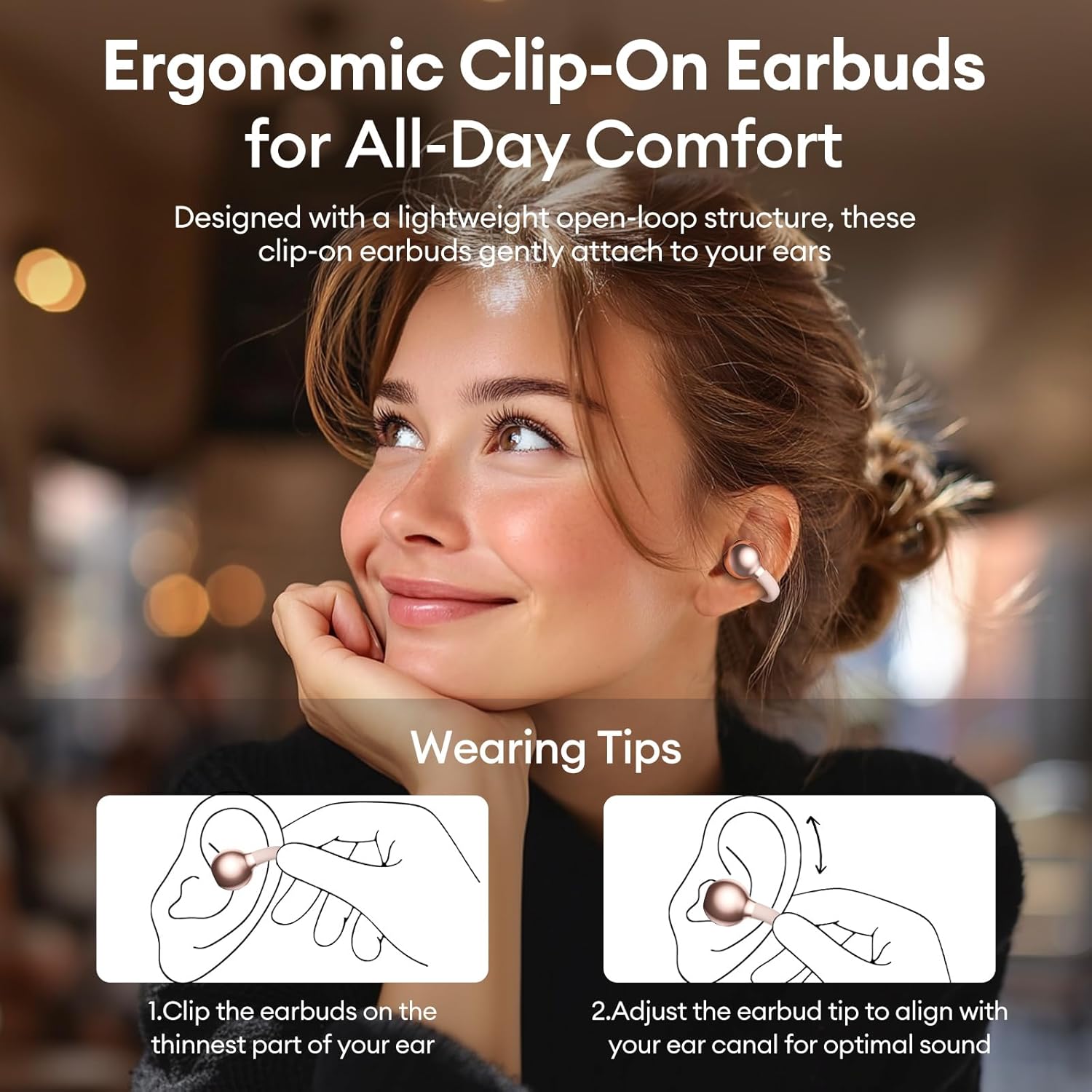
Image 3.2: Wearing instructions for PAXA Clipbuds 7. The diagram illustrates clipping the earbud onto the ear and adjusting for fit.
3.3 ການຈັບຄູ່ Bluetooth
- ກວດໃຫ້ແນ່ໃຈວ່າໄດ້ສາກຫູຟັງຫູຟັງ ແລະຢູ່ພາຍໃນກ່ອງສາກ.
- ເປີດກ່ອງສາກໄຟ. ຫູຟັງເອຍບັດຈະເຂົ້າສູ່ໂໝດຈັບຄູ່ໂດຍອັດຕະໂນມັດ.
- ໃນອຸປະກອນຂອງທ່ານ (ໂທລະສັບສະຫຼາດ, ແທັບເລັດ, ແລັບທັອບ), ໄປທີ່ການຕັ້ງຄ່າ Bluetooth.
- ຊອກຫາ "Clipbuds 7" in the list of available devices and select it to connect.
- Once connected, the earbuds will automatically pair with your device in the future when removed from the case.
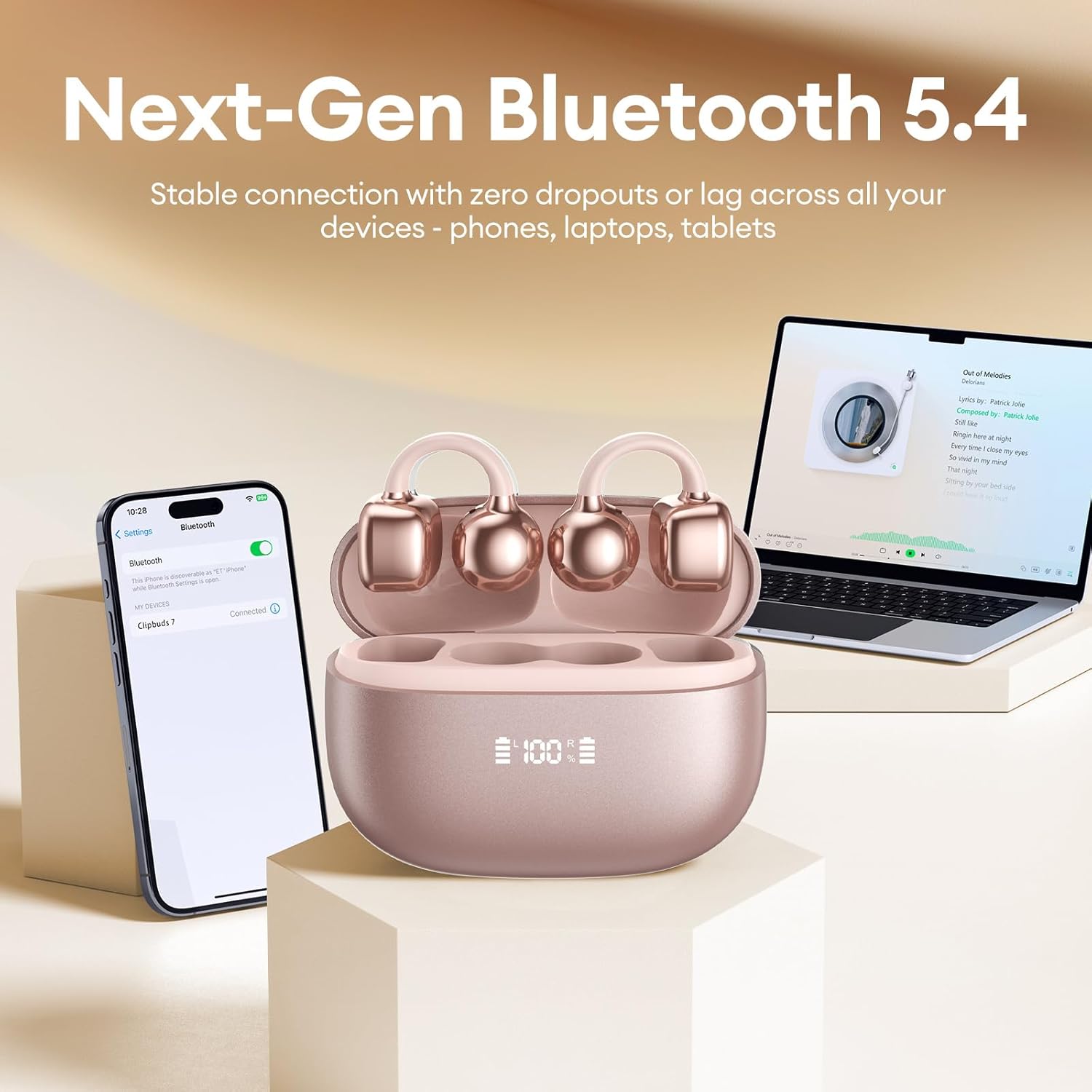
Image 3.3: PAXA Clipbuds 7 connected via Bluetooth to a smartphone and a laptop, demonstrating multi-device compatibility.
4. ຄໍາແນະນໍາການດໍາເນີນງານ
4.1 ແຕະການຄວບຄຸມ
The Clipbuds 7 feature sensitive touch controls on each earbud. Refer to the following table for functions:

Image 4.1: Visual guide for PAXA Clipbuds 7 touch controls, showing actions for calls, music, and voice assistant.
| ຟັງຊັນ | ການປະຕິບັດ |
|---|---|
| ຕອບ/ວາງສາຍ | Double-click either earbud |
| ປະຕິເສດການໂທ | ກົດຫູຟັງອັນໃດອັນໜຶ່ງຄ້າງໄວ້ 2 ວິນາທີ |
| ຫຼິ້ນ/ຢຸດຊົ່ວຄາວ | Double-click either earbud |
| ເພງກ່ອນໜ້າ | Triple-click the left (L) earbud |
| ເພງຕໍ່ໄປ | Triple-click the right (R) earbud |
| ປະລິມານ + | Click the right (R) earbud |
| ປະລິມານ - | Click the left (L) earbud |
| ຜູ້ຊ່ວຍສຽງ (Siri, ຜູ້ຊ່ວຍ Google) | Hold both earbuds for 2 seconds |
4.2 LED Battery Display
The charging case features a dual LED display that shows the battery percentage of the case and each individual earbud (L and R).
4.3 Open-Ear Awareness
The open-ear design allows you to hear your audio while remaining aware of your surroundings. This feature is beneficial for activities like running, cycling, or commuting where situational awareness is important.

Image 4.3: Individuals using PAXA Clipbuds 7 during work, sports, and social gatherings, highlighting their versatility and open-ear design.
5. ຫມໍ້ໄຟແລະການສາກໄຟ
The Clipbuds 7 offer extended battery life for prolonged use.
- ເວລາຫຼິ້ນຫູຟັງ: ສູງສຸດ 8 ຊົ່ວໂມງຕໍ່ການສາກໄຟຄັ້ງດຽວ.
- ເວລາຫຼິ້ນທັງົດ: ເຖິງ 44 ຊົ່ວໂມງກັບກໍລະນີການສາກໄຟ.
- ການສາກໄວ: 10 ນາທີຂອງການສາກໄຟໃຫ້ເວລາຫຼິ້ນປະມານ 3 ຊົ່ວໂມງ.

Image 5.1: Illustration of the PAXA Clipbuds 7 charging case, highlighting the 44-hour total battery life and fast charging capability.
6. ການບໍາລຸງຮັກສາແລະການດູແລ
6.1 ການຕໍ່ຕ້ານນ້ໍາແລະຝຸ່ນ
The Clipbuds 7 have an IP45 rating, making them resistant to dust and splashes of water. This means they can withstand sweat and light rain, making them suitable for workouts and outdoor activities. However, they are not designed for submersion in water.
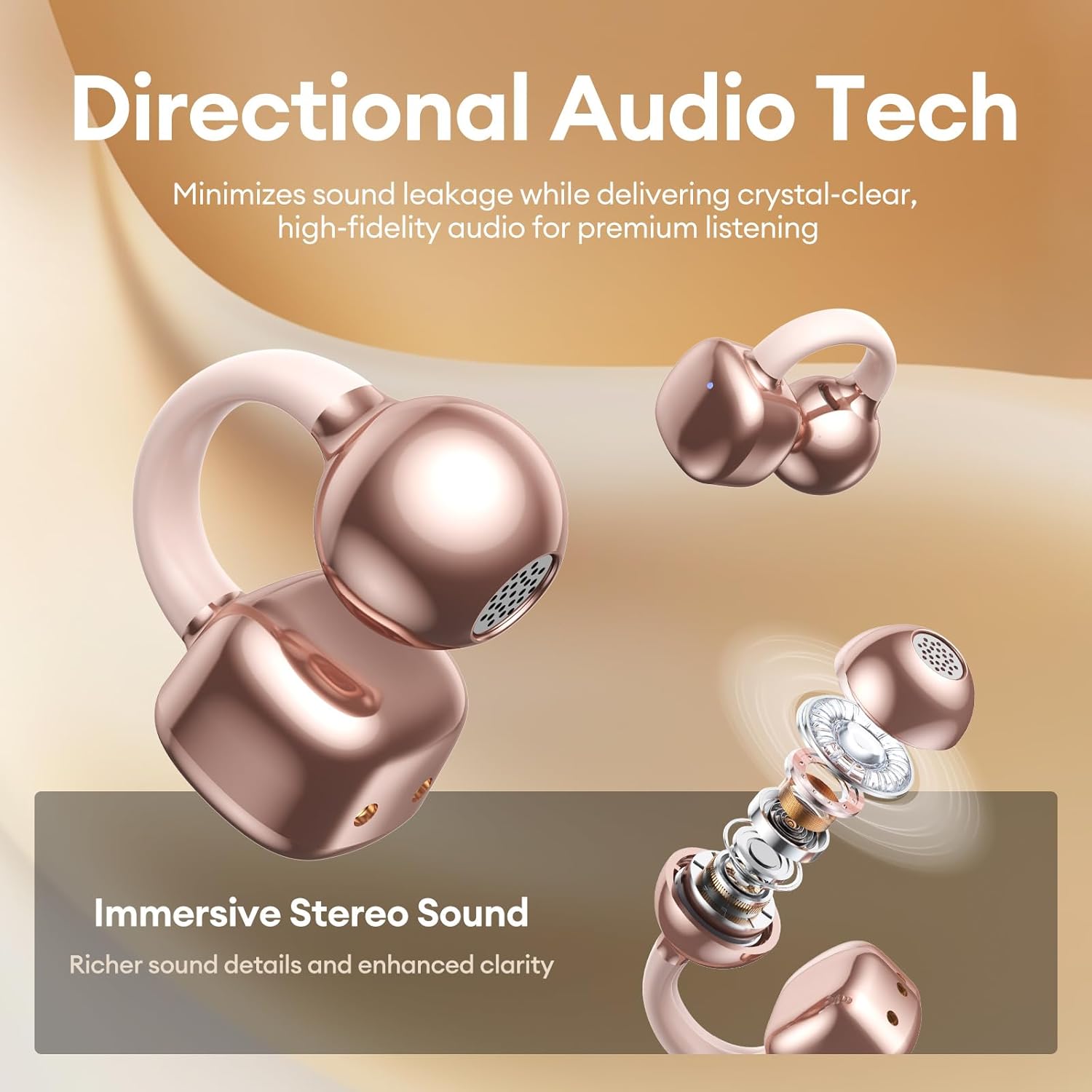
Image 6.1: A person wearing PAXA Clipbuds 7 during light rain, illustrating the IP45 water resistance feature.
6.2 ການທໍາຄວາມສະອາດ
To maintain optimal performance and hygiene, regularly clean your earbuds and charging case with a soft, dry, lint-free cloth. Avoid using abrasive materials or harsh chemicals.
7. ການແກ້ໄຂບັນຫາ
If you encounter issues with your Clipbuds 7, try the following solutions:
- ບໍ່ມີບັນຫາສຽງ/ການເຊື່ອມຕໍ່:
- ກວດໃຫ້ແນ່ໃຈວ່າໄດ້ສາກຫູຟັງຫູຟັງແລ້ວ.
- ກວດສອບວ່າ Bluetooth ເປີດໃຊ້ງານຢູ່ໃນອຸປະກອນຂອງທ່ານ.
- Forget "Clipbuds 7" from your device's Bluetooth list and re-pair.
- Ensure earbuds are within Bluetooth range (up to 50 feet).
- ຫູຟັງບໍ່ສາກ:
- ກວດເບິ່ງວ່າສາຍສາກໄດ້ເຊື່ອມຕໍ່ຢ່າງປອດໄພກັບທັງກໍລະນີ ແລະແຫຼ່ງພະລັງງານຫຼືບໍ່.
- ຮັບປະກັນວ່າກະເປົ໋າສາກໄຟເອງມີພະລັງງານ.
- ເຮັດຄວາມສະອາດລາຍຊື່ຜູ້ຕິດຕໍ່ການສາກໄຟຢູ່ທັງຫູຟັງຫູຟັງ ແລະ ເຄສ.
- ການຄວບຄຸມການສໍາພັດບໍ່ຕອບສະຫນອງ:
- ໃຫ້ແນ່ໃຈວ່ານິ້ວມືຂອງທ່ານສະອາດແລະແຫ້ງ.
- Restart the earbuds by placing them in the case and closing it, then reopening.
8. ຂໍ້ມູນຈໍາເພາະ
| ຄຸນສົມບັດ | ລາຍລະອຽດ |
|---|---|
| ຊື່ຕົວແບບ | ຄລິບບູດ 7 |
| ຍີ່ຫໍ້ | PAXA |
| ເຕັກໂນໂລຊີການເຊື່ອມຕໍ່ | ໄຮ້ສາຍ (Bluetooth) |
| ລຸ້ນ Bluetooth | 5.4 |
| ຊ່ວງ Bluetooth | ສູງເຖິງ 50 ຟຸດ |
| ການຈັດວາງຫູ | ເປີດຫູ |
| ປະເພດການຄວບຄຸມ | ແຕະການຄວບຄຸມ |
| ອາຍຸແບັດເຕີຣີ (ການສາກເທື່ອດຽວ) | 8 ຊົ່ວໂມງ |
| ອາຍຸແບັດເຕີຣີທັງໝົດ (ພ້ອມກ່ອງ) | 44 ຊົ່ວໂມງ |
| ລະດັບຄວາມຕ້ານທານນ້ໍາ | IP45 (Dust/Water Resistant) |
| ການຄວບຄຸມສິ່ງລົບກວນ | Hybrid Noise Cancellation (ENC for calls) |
| ວັດສະດຸ | Silicone Rubber + Plastic |
| ນ້ໍາຫນັກລາຍການ | 2.39 ອອນ |
| ອົງປະກອບລວມ | Clip on Earbuds, Wireless Charging Case, Charging Cable, User Manual |
9. ການຮັບປະກັນແລະການສະຫນັບສະຫນູນ
For warranty information and customer support, please refer to the contact details provided with your purchase or visit the official PAXA webເວັບໄຊ. ຮັກສາຫຼັກຖານການຊື້ຂອງທ່ານສໍາລັບການຮຽກຮ້ອງການຮັບປະກັນໃດໆ.
10. ວິດີໂອຜະລິດຕະພັນຢ່າງເປັນທາງການ
The following videos provide additional information and demonstrations of the PAXA Clipbuds 7.
PAXA Clipbuds7 Open Ear Clip On Earbuds with LED Display
Video 10.1: This video from PAXA Direct showcases the features of the Clipbuds 7, including the LED display and open-ear design. It demonstrates the product's appearance and some functionalities.
PAXA High-Street Jewelry Open Ear Clip On Earbuds
Video 10.2: This video from PAXA Direct highlights the aesthetic and design aspects of the Clipbuds 7, emphasizing their jewelry-like appearance and comfortable fit.