
ຄໍາແນະນໍາຄວາມປອດໄພທີ່ສໍາຄັນ
ກະລຸນາອ່ານຄໍາແນະນໍາທັງໝົດຢ່າງລະອຽດກ່ອນທີ່ຈະໃຊ້ເຄື່ອງບົດ. ເກັບຄູ່ມືນີ້ໄວ້ເພື່ອອ້າງອີງໃນອະນາຄົດ.
- ຮັກສາເດັກນ້ອຍ ແລະສັດລ້ຽງຢູ່ຫ່າງຈາກເຄື່ອງຕັດ.
- ຮັກສາເຄື່ອງນຸ່ງທີ່ຫຼວມ, ເຄື່ອງປະດັບ, ຜົມ ແລະ ມືໃຫ້ຫ່າງຈາກຊ່ອງໃສ່ເຈ້ຍ.
- Do not spray any flammable products onto the shredder.
- ຢ່າທຳລາຍວັດຖຸໂລຫະ, ເຈ້ຍປຽກ ຫຼື ປ້າຍກາວ.
- ຖອດປລັກເຄື່ອງບົດເມື່ອບໍ່ໄດ້ໃຊ້ງານ ຫຼື ກ່ອນການທຳຄວາມສະອາດ.
- ຢ່າໃຊ້ເຄື່ອງບົດຖ້າສາຍໄຟເສຍຫາຍ.
ສິນຄ້າເກີນview
The Staples 12-Sheet Micro-Cut Personal Shredder (ST62153) is designed for secure disposal of personal and office documents. It features micro-cut shredding for enhanced security (P-4 rating), reducing documents to 4mm x 12mm pieces.
ຄຸນນະສົມບັດທີ່ສໍາຄັນປະກອບມີ:
- ຄວາມອາດສາມາດຂອງການ shredding: Up to 12 sheets of paper per pass.
- ຄວາມເຂົ້າກັນໄດ້ຂອງວັດສະດຸ: Shreds paper, credit cards, standard staples, small paper clips, and CDs/DVDs.
- ລະດັບຄວາມປອດໄພ: P-4 micro-cut for high security.
- ເວລາແລ່ນ: 20 minutes continuous operation, followed by a 40-minute cool-down period.
- ຖັງຂີ້ເຫຍື້ອ: 5-gallon (18.9L) pull-out bin for easy emptying.
- ຄຸນນະສົມບັດຄວາມປອດໄພ: Auto Start/Stop, Auto Reverse, Overload Protection, blue ready LED indicator, red flash for bin full indicator.
- ການເຄື່ອນຍ້າຍ: Equipped with casters for easy movement.

Image: The shredder in operation, feeding a document into the micro-cut slot.
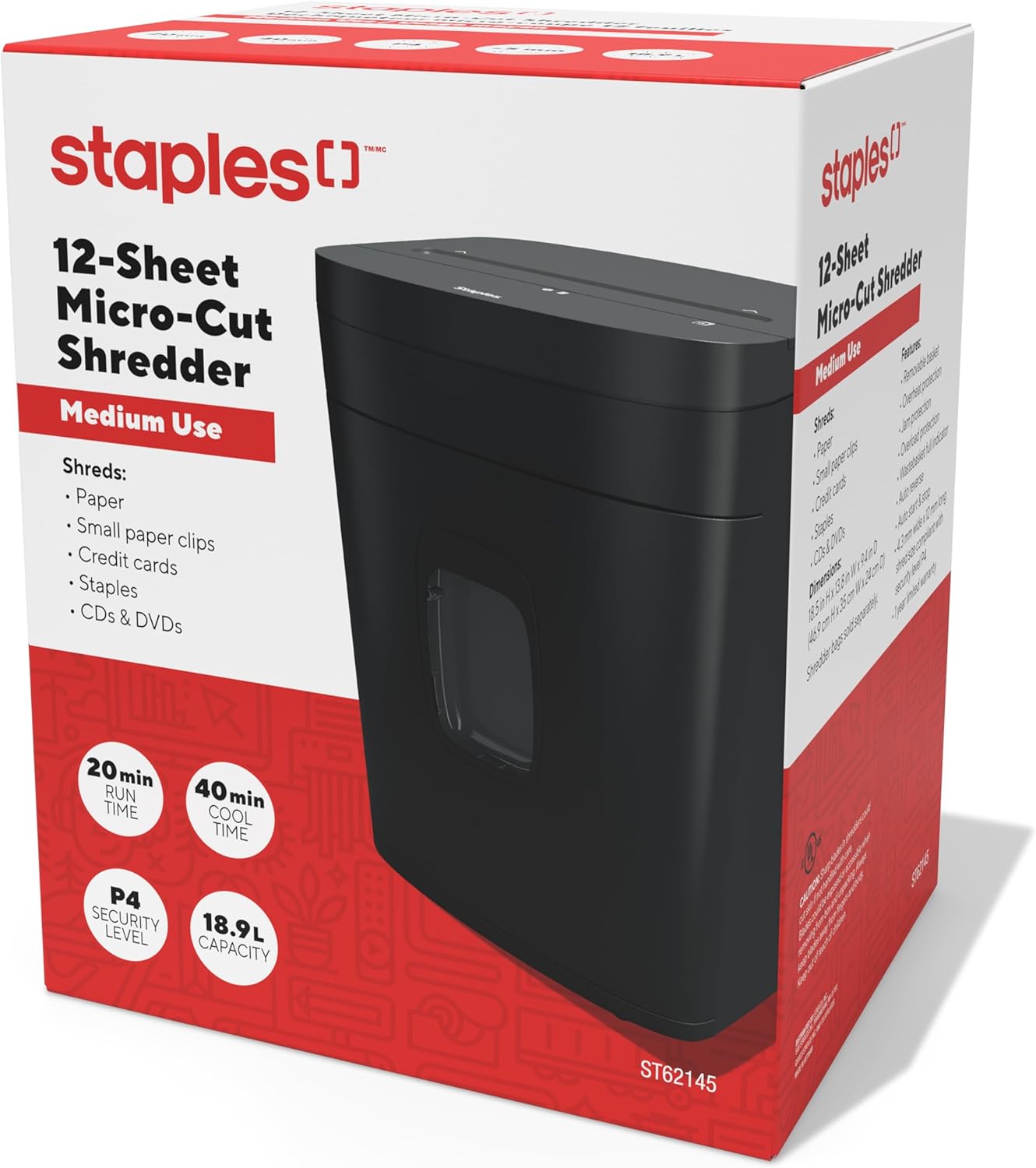
Image: The retail packaging for the Staples 12-Sheet Micro-Cut Personal Shredder.
ເນື້ອໃນຊຸດ
ກວດສອບວ່າລາຍການທັງຫມົດແມ່ນມີຢູ່ໃນຊຸດ:
- Staples 12-Sheet Micro-Cut Personal Shredder Unit
- ຄູ່ມືແນະ ນຳ (ເອກະສານນີ້)
ຕັ້ງຄ່າ
- ການຫຸ້ມຫໍ່: Carefully remove the shredder from its packaging. Remove any protective materials or plastic bags.
- ການຈັດວາງ: Position the shredder on a flat, stable surface. Ensure there is adequate space around the unit for ventilation and to access the waste bin. The shredder is equipped with casters for easy mobility.
- ການເຊື່ອມຕໍ່ພະລັງງານ: ສຽບສາຍໄຟເຂົ້າໄປໃນປ່ຽງໄຟຟ້າມາດຕະຖານ.

Image: The shredder positioned in an office setting, demonstrating its compact size.

ຮູບພາບ: A ລາຍລະອຽດ view of the shredder's base, highlighting the integrated casters for easy movement.
ການດໍາເນີນງານ
- ເປີດ: Ensure the shredder is plugged in. The blue LED indicator should illuminate, indicating the shredder is ready for operation.
- Shredding Paper: Insert up to 12 sheets of paper into the paper entry slot. The shredder will automatically start when paper is detected and stop once shredding is complete.
- ການທຳລາຍວັດສະດຸອື່ນໆ: The shredder can also process credit cards, CDs/DVDs, standard staples, and small paper clips. Insert these items one at a time into the designated entry slot (if separate) or the main paper entry slot.
- ການດໍາເນີນງານຢ່າງຕໍ່ເນື່ອງ: The shredder is designed for 20 minutes of continuous use. After this period, allow the unit to cool down for 40 minutes to prevent overheating and ensure longevity.
- ປີ້ນກັບອັດຕະໂນມັດ: If too much paper is inserted, the Auto Reverse feature will attempt to clear the jam by reversing the shredding action.

ຮູບພາບ: A close-up view of the paper entry slot on the shredder's top panel.
ບໍາລຸງຮັກສາ
- ລ້າງຖັງຂີ້ເຫຍື້ອ: When the waste bin is full, a red indicator light will flash. Pull out the 5-gallon capacity bin from the front of the shredder and empty the shredded material. Reinsert the bin securely.
- ທໍາຄວາມສະອາດ: Unplug the shredder before cleaning. Use a soft, dry cloth to wipe the exterior. Do not use abrasive cleaners or solvents. For optimal performance, periodically oil the shredder blades with shredder oil (sold separately).
- Cool-Down Periods: Adhere to the 40-minute cool-down period after 20 minutes of continuous use to prevent motor strain and extend the life of the shredder.
ການແກ້ໄຂບັນຫາ
| ບັນຫາ | ສາເຫດທີ່ເປັນໄປໄດ້ | ການແກ້ໄຂ |
|---|---|---|
| Shredder does not start | Not plugged in; waste bin not fully inserted; power switch off. | Ensure power cord is securely plugged in. Push waste bin completely into place. Check power switch position. |
| ເຈ້ຍຕິດ | Too much paper inserted; paper folded or crumpled. | Utilize the Auto Reverse function. If jam persists, unplug, carefully remove paper from the entry slot. Reduce paper quantity for future shredding. |
| Shredder stops during operation (overheating) | Exceeded continuous run time (20 minutes); motor overload. | Allow the shredder to cool down for 40 minutes. The Overload Protection feature will reset automatically. |
| Red bin full indicator flashing | ຖັງຂີ້ເຫຍື້ອເຕັມແລ້ວ. | Empty the waste bin and reinsert it securely. |
ຂໍ້ມູນຈໍາເພາະ
| ຄຸນສົມບັດ | ລາຍລະອຽດ |
|---|---|
| ໝາຍເລກຕົວແບບ | ST62153 |
| ປະເພດ shred | ຕັດໄມໂຄຣ |
| ລະດັບຄວາມປອດໄພ | P-4 |
| ຂະຫນາດ Shred | 4mm x 12mm |
| ຄວາມອາດສາມາດຂອງແຜ່ນ | 12 ແຜ່ນ |
| ຄວາມອາດສາມາດຂອງຖັງ | 5 ກາລອນ (18.9 ລິດ) |
| ເວລາແລ່ນຢ່າງຕໍ່ເນື່ອງ | 20 ນາທີ |
| ເວລາເຢັນລົງ | 40 ນາທີ |
| ລະດັບສຽງ | 65 ເດຊິເບວ |
| ຂະໜາດ (L x W x H) | 38.4 ມ x 30 ກ x 47 ສ ຊັງຕີແມັດ (13.8"ຍ x 9.4"ກ x 18.5"ສ) |
| ນ້ໍາຫນັກລາຍການ | 10.16 ກິໂລ (22.4 ປອນ) |
| ຜູ້ຜະລິດ | ເຫຼັກເສັ້ນ |
| UPC | 718103440509 |
ຂໍ້ມູນການຮັບປະກັນ
This Staples 12-Sheet Micro-Cut Personal Shredder (ST62153) is covered by a ການຮັບປະກັນຜູ້ຜະລິດຈໍາກັດ 1 ປີ from the date of purchase. This warranty covers defects in materials and workmanship under normal use. For warranty claims or further details, please contact customer support.
ການຊ່ວຍເຫຼືອລູກຄ້າ
For technical assistance, troubleshooting, or warranty inquiries, please contact Staples customer support.
ຂໍ້ມູນຕິດຕໍ່ຜູ້ຜະລິດ:
500 STAPLES DR
FRAMINGHAM MA 01702-4474
ສະຫະລັດອາເມຣິກາ
Please visit the official Staples website or your local Staples store for additional support resources.