
ແນະນຳ
This user manual provides detailed instructions for the MOVHEIYL Replacement Remote Control. This remote is designed to be compatible with various tower fan models, including Pelonis 36, 40, 42 inch, Pure Mate PM742, Russell Hobbs RHTWR3S, and Pro Breeze 40, 41 inch bladeless tower fans. Please read this manual carefully before use to ensure proper operation and to maximize the lifespan of your device.
ຂໍ້ມູນຄວາມປອດໄພ
- ຮັກສາຣີໂໝດຄວບຄຸມໃຫ້ຫ່າງຈາກນ້ຳ ແລະ ຄວາມຊຸ່ມຫຼາຍເກີນໄປ.
- ຫຼີກລ້ຽງການວາງການຄວບຄຸມຫ່າງໄກສອກຫຼີກຫຼືເຮັດໃຫ້ມັນມີຜົນກະທົບທີ່ເຂັ້ມແຂງ.
- Do not expose the remote control to direct sunlight or high temperatures for extended periods.
- ຢ່າພະຍາຍາມຖອດອອກ ຫຼື ດັດແປງຣີໂມດຄວບຄຸມ. ນີ້ຈະເຮັດໃຫ້ການຮັບປະກັນເປັນໂມຄະ.
- ຖິ້ມແບັດເຕີລີທີ່ໃຊ້ແລ້ວຢ່າງມີຄວາມຮັບຜິດຊອບຕາມລະບຽບທ້ອງຖິ່ນ.
ສິນຄ້າເກີນview
The MOVHEIYL replacement remote control is constructed from high-quality ABS material, ensuring durability and a comfortable grip. It features soft silicone buttons for easy and responsive operation.
ຮູບທີ 1: ດ້ານໜ້າ view of the MOVHEIYL remote control, highlighting the ABS environmental protection material and soft silicon buttons for quality and health protection.
ຟັງຊັນປຸ່ມ
ເຮັດຄວາມຄຸ້ນເຄີຍກັບປຸ່ມຕ່າງໆໃນການຄວບຄຸມໄລຍະໄກຂອງທ່ານ:

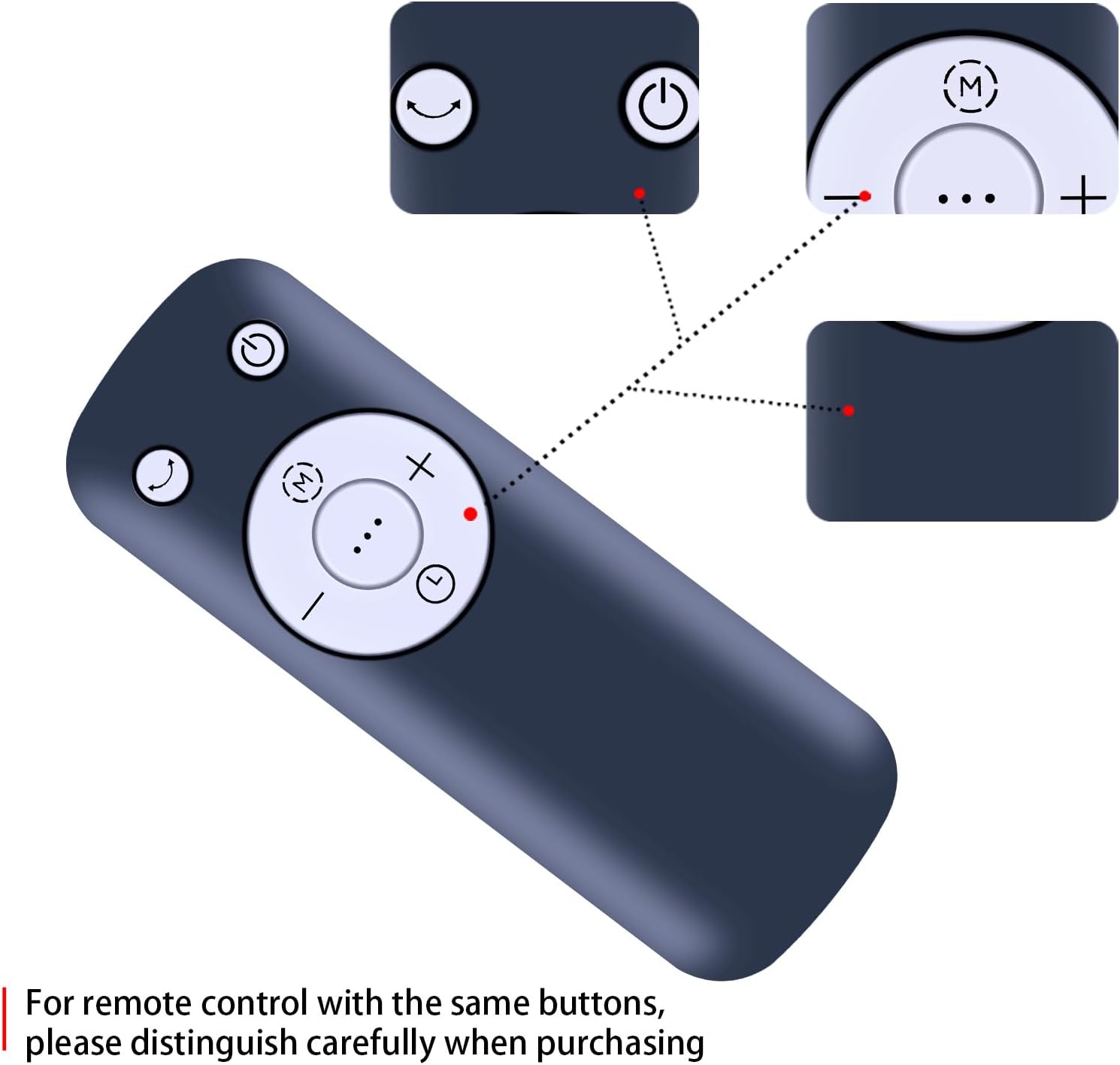
ຮູບທີ 2: ລະອຽດ view of the remote control buttons, showing Power, Mode, Oscillation, Speed Up (+), Speed Down (-), and Timer (clock icon) functions. Note: For remote controls with similar button layouts, ensure careful distinction during purchase.
- ປຸ່ມເປີດປິດ (⏻): ເປີດ ຫຼື ປິດພັດລົມ.
- ປຸ່ມໂໝດ (M): Cycles through different fan modes (e.g., Normal, Natural, Sleep).
- Oscillation Button (⏎): Activates or deactivates the fan's oscillation feature.
- Speed Up Button (+): ເພີ່ມຄວາມໄວພັດລົມ.
- Speed Down Button (-): ຫຼຸດຄວາມໄວຂອງພັດລົມ.
- ປຸ່ມຈັບເວລາ (⏱): Sets the fan's timer function.
ຕັ້ງຄ່າ
ການຕິດຕັ້ງຫມໍ້ໄຟ
The remote control requires two 1.5V AAA batteries (not included). Follow these steps to install the batteries:
- ຊອກຫາຝາປິດຊ່ອງໃສ່ຫມໍ້ໄຟຢູ່ດ້ານຫຼັງຂອງຣີໂໝດຄວບຄຸມ.
- ເລື່ອນຝາປິດລົງລຸ່ມ ຫຼືກົດປຸ່ມ (ຖ້າມີ) ເພື່ອເປີດຊ່ອງໃສ່.
- ໃສ່ແບັດເຕີຣີ AAA ສອງກ້ອນ, ຮັບປະກັນວ່າຂົ້ວບວກ (+) ແລະຂົ້ວລົບ (-) ກົງກັບເຄື່ອງໝາຍພາຍໃນຊ່ອງ.
- ປິດຝາປິດຊ່ອງໃສ່ໝໍ້ໄຟໂດຍການເລື່ອນມັນກັບເຂົ້າບ່ອນຈົນກວ່າມັນຈະກົດຢ່າງປອດໄພ.
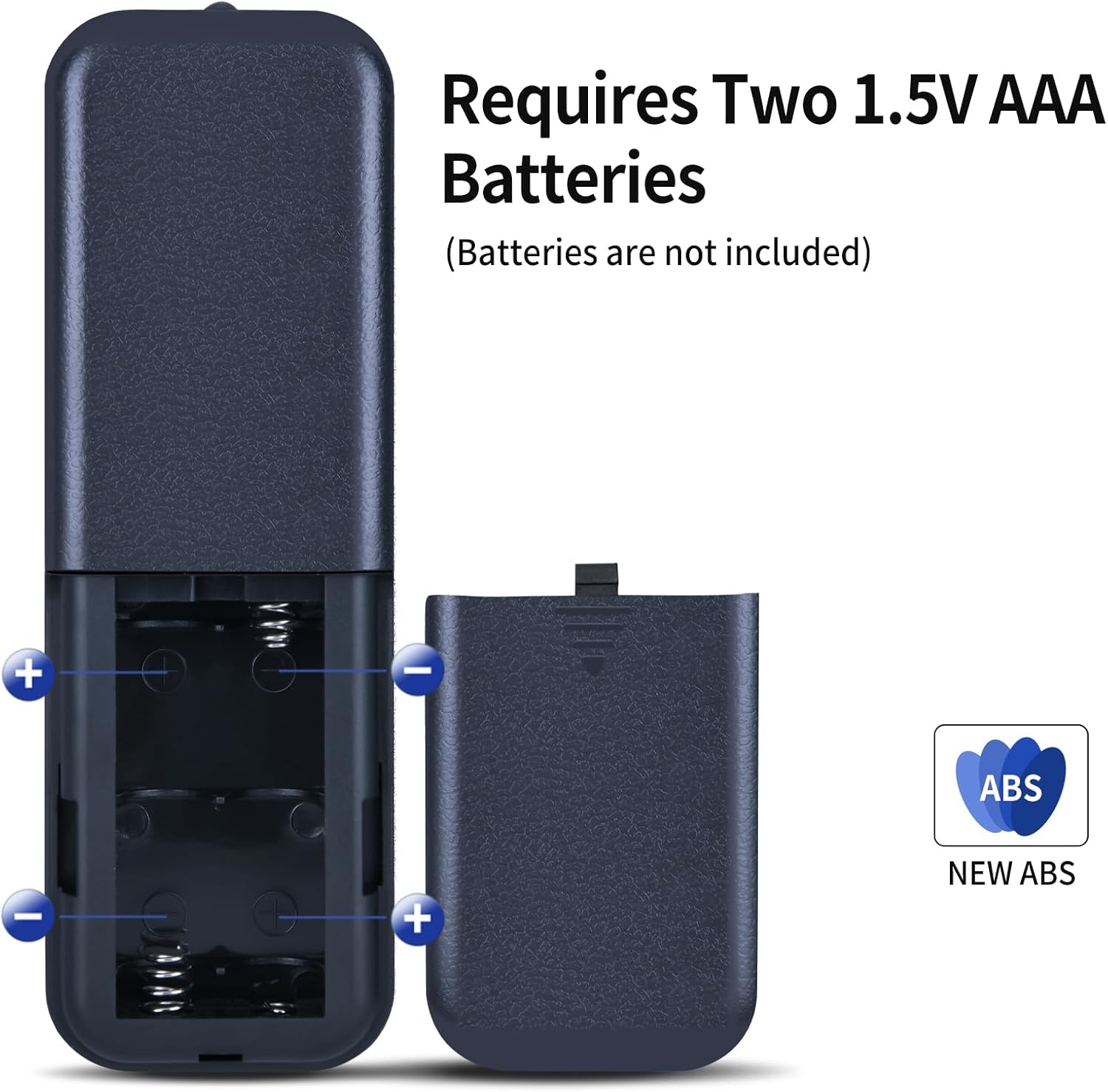
ຮູບທີ 3: Illustration of the battery compartment, showing the correct orientation for inserting two 1.5V AAA batteries. Batteries are not included with the remote control.
ການດໍາເນີນງານ
Once batteries are installed, the remote control is ready for use. No programming or setup is required. Simply point the remote control towards your compatible tower fan and press the desired function button.

ຮູບທີ 4: A hand demonstrating the use of the remote control to operate a tower fan.
ໄລຍະທາງປະຕິບັດການ
The remote control offers an extended transmission distance and stable performance. It can operate effectively up to 8 meters (approximately 26 feet) from the fan, provided there are no significant obstructions between the remote and the fan's infrared receiver.
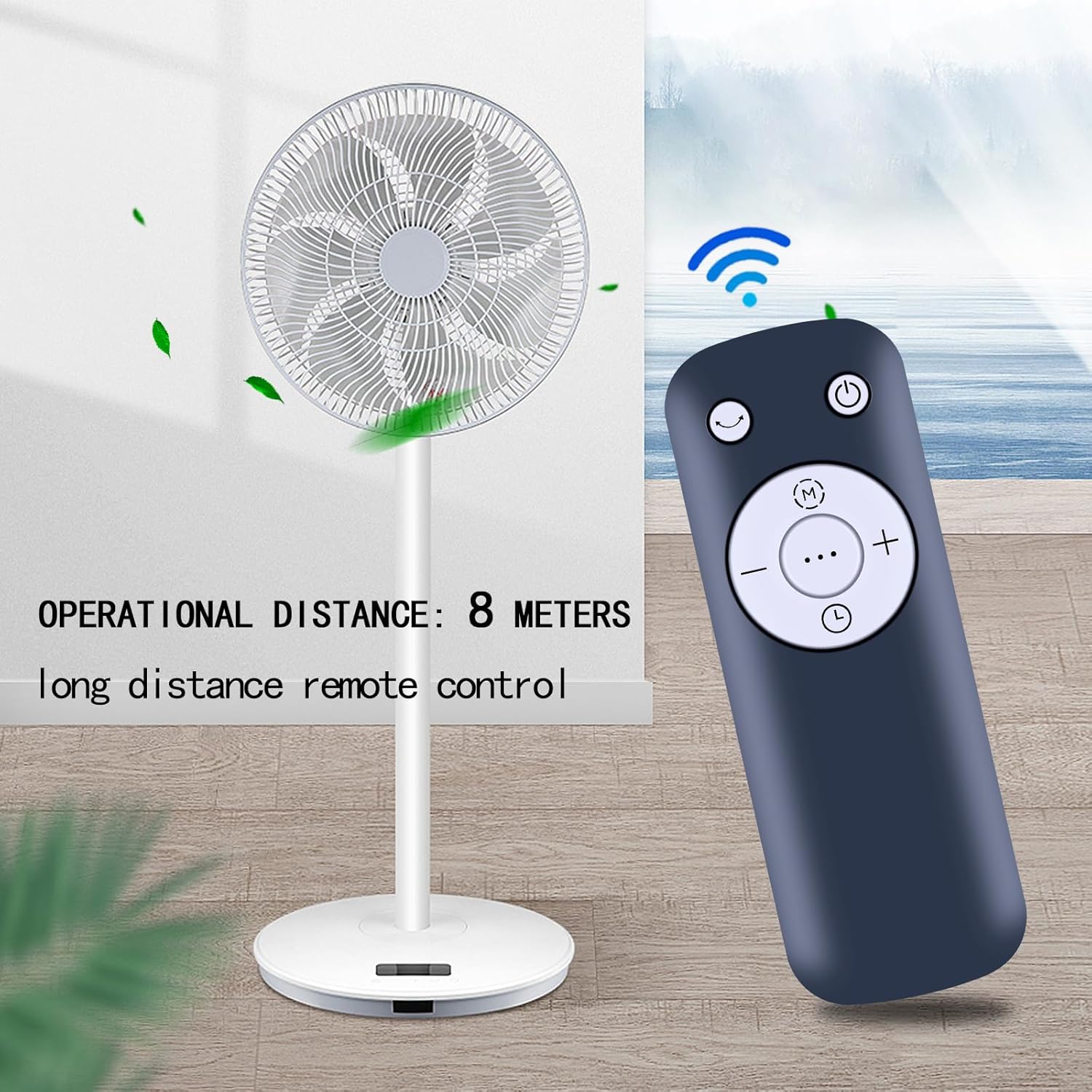
ຮູບທີ 5: The remote control positioned near a tower fan, illustrating an effective operational distance of 8 meters for long-distance control.
ບໍາລຸງຮັກສາ
ທໍາຄວາມສະອາດ
To clean the remote control, gently wipe it with a soft, dry cloth. Do not use liquid cleaners, abrasive pads, or chemical solvents, as these may damage the surface or internal components.
ການປ່ຽນແບັດ
Replace the batteries when the remote control's range decreases or if it stops responding. Always replace both batteries at the same time with new AAA batteries. Refer to the "Battery Installation" section for detailed steps.
ການແກ້ໄຂບັນຫາ
| ບັນຫາ | ສາເຫດທີ່ເປັນໄປໄດ້ | ການແກ້ໄຂ |
|---|---|---|
| ການຄວບຄຸມໄລຍະໄກບໍ່ເຮັດວຽກ. | ແບັດເຕີຣີຕາຍ ຫຼື ຕິດຕັ້ງບໍ່ຖືກຕ້ອງ. | ປ່ຽນແບັດໃໝ່, ຮັບປະກັນການຂົ້ວທີ່ຖືກຕ້ອງ (+/-). |
| Remote control range is short. | Low battery power; Obstruction between remote and fan. | Replace batteries. Ensure a clear line of sight to the fan's infrared receiver. |
| Fan does not respond to specific buttons. | Remote control not compatible with fan model; Button malfunction. | Verify fan model compatibility. If compatible, contact customer support. |
ຂໍ້ມູນຈໍາເພາະ
- ຍີ່ຫໍ້: MOVHEIYL
- ອຸປະກອນທີ່ເຂົ້າກັນໄດ້: Tower Fans (Pelonis 36/40/42 Inch, Pure Mate PM742, Russell Hobbs RHTWR3S, Pro Breeze 40/41 Inch Bladeless)
- ເຕັກໂນໂລຍີການເຊື່ອມຕໍ່: ອິນຟາເຣດ
- ໄລຍະສູງສຸດ: 12 meters (approx. 39 feet) - Note: Practical operational distance is typically up to 8 meters for optimal performance.
- ສີ: ດຳ
- ຄຸນນະສົມບັດພິເສດ: ການອອກແບບ Ergonomic
- ວັດສະດຸ: ABS ຄຸນນະພາບສູງ
- ແຫຼ່ງພະລັງງານ: ແບັດເຕີຣີ 2 x 1.5V AAA (ບໍ່ລວມ)
- ຂະໜາດ: 17 x 3.8 x 1.4 cm
- ນ້ຳໜັກ: 130 ກຣາມ
ການຮັບປະກັນແລະການສະຫນັບສະຫນູນ
This remote control comes with a 12-month warranty. We are committed to providing excellent after-sales service. If you encounter any issues with our product or service, please do not hesitate to contact us at any time. Our support team is available to assist you.
For warranty claims or technical assistance, please refer to the contact information provided with your purchase or visit our official webເວັບໄຊ.