
ແນະນຳ
Thank you for choosing the Dyurwa ZY02 Portable Bluetooth Speaker. This manual provides essential information for setting up, operating, and maintaining your speaker to ensure optimal performance and longevity. The Dyurwa ZY02 offers wireless stereo sound, IPX7 waterproofing, dynamic RGB lights, and TWS pairing capabilities, making it ideal for various environments including outdoors, home parties, travel, and beach use.
ແມ່ນຫຍັງຢູ່ໃນກ່ອງ
- 1 x Dyurwa Bluetooth Speaker
- 1 x ຄູ່ມືຜູ້ໃຊ້
- 1 x Power Cable (Micro USB)
ຕັ້ງຄ່າ
ກຳລັງສາກລຳໂພງ
Before first use, fully charge your Dyurwa ZY02 speaker. Connect the included Micro USB cable to the charging port on the speaker and a compatible USB power adapter (not included). A full charge typically takes 2-3 hours. The speaker features up to 12 hours of playtime, which may vary based on volume levels and light settings.

Image: The Dyurwa ZY02 speaker highlighting its 12-hour battery life, with a note that continuous playtime is achieved under 50% volume and light-off settings.
ການຈັບຄູ່ Bluetooth
- ເປີດ: ກົດປຸ່ມເປີດປິດຄ້າງໄວ້ (⏻) on the speaker until you hear an audible prompt and the LED indicator flashes.
- ເປີດໃຊ້ Bluetooth: On your mobile phone, tablet, or other Bluetooth-enabled device, go to the Bluetooth settings and enable Bluetooth.
- ເລືອກອຸປະກອນ: Look for 'Dyurwa ZY02' in the list of available devices and select it to pair.
- ການຢືນຢັນ: Once successfully paired, you will hear a confirmation tone, and the LED indicator will turn solid blue.

Image: The Dyurwa ZY02 speaker wirelessly connected to a smartphone and a television, illustrating its Bluetooth 5.3 rock-solid connection for instant, skip-free pairing.
True Stereo (TWS) Pairing
To achieve a true stereo sound experience, you can pair two Dyurwa ZY02 speakers together:
- ກວດໃຫ້ແນ່ໃຈວ່າລຳໂພງທັງສອງເປີດຢູ່ ແລະບໍ່ໄດ້ເຊື່ອມຕໍ່ກັບອຸປະກອນ Bluetooth ອື່ນໆ.
- On one speaker (this will be the primary speaker), press and hold the TWS pairing button (often indicated by an infinity symbol or two interlocking circles) for a few seconds.
- The primary speaker will search for the secondary speaker. Once connected, you will hear a confirmation tone.
- Now, connect your device to the primary speaker via Bluetooth as described above. Both speakers will play audio in stereo.
ປະຕິບັດການລໍາໂພງ
ຟັງຊັນປຸ່ມ
The Dyurwa ZY02 features intuitive controls on its top panel:
- ປຸ່ມເປີດປິດ (⏻): ກົດຄ້າງໄວ້ເພື່ອເປີດ/ປິດ. ກົດສັ້ນໆເພື່ອກວດສອບສະຖານະແບັດເຕີຣີ.
- ປຸ່ມໂໝດ (M): Short press to switch between Bluetooth, AUX, or TF Card modes.
- ປະລິມານລົງ (-): ກົດສັ້ນເພື່ອຫຼຸດລະດັບສຽງ. ກົດຄ້າງໄວ້ສຳລັບເພງກ່ອນໜ້າ.
- ປຸ່ມຫຼິ້ນ/ຢຸດຊົ່ວຄາວ (▶): ກົດສັ້ນເພື່ອຫຼິ້ນ ຫຼືຢຸດເພງ.
- ປະລິມານຂຶ້ນ (+): ກົດສັ້ນເພື່ອເພີ່ມລະດັບສຽງ. ກົດຄ້າງໄວ້ສຳລັບເພງຕໍ່ໄປ.
- TWS/Connect Button (∞): Press and hold for TWS pairing. Short press to disconnect TWS.
- Bass Button (BASS): Short press to activate/deactivate enhanced bass mode.
- ປຸ່ມໄຟ (💡): Short press to cycle through dynamic RGB light modes.

Image: The Dyurwa ZY02 speaker showcasing its control panel with buttons for power, mode, volume, play/pause, TWS, bass, and light functions.
Dynamic RGB Light Show
Enhance your listening experience with the speaker's dynamic RGB light show. Press the Light button (💡) to cycle through various colored light modes that sync to the beat of your music. Customize the light effects to match your preference and elevate the atmosphere of any gathering.

Image: The Dyurwa ZY02 speaker with its dual drivers illuminated by vibrant, dynamic RGB lights, demonstrating the light show feature.
ບໍາລຸງຮັກສາ
ກັນນ້ຳ (IPX7)
The Dyurwa ZY02 speaker boasts an IPX7 waterproof rating, meaning it can be submerged in up to 1 meter of water for 30 minutes. This makes it suitable for use in the shower, at the beach, by the pool, or during outdoor activities like hiking and kayaking. Ensure the charging port cover is securely closed before exposing the speaker to water.
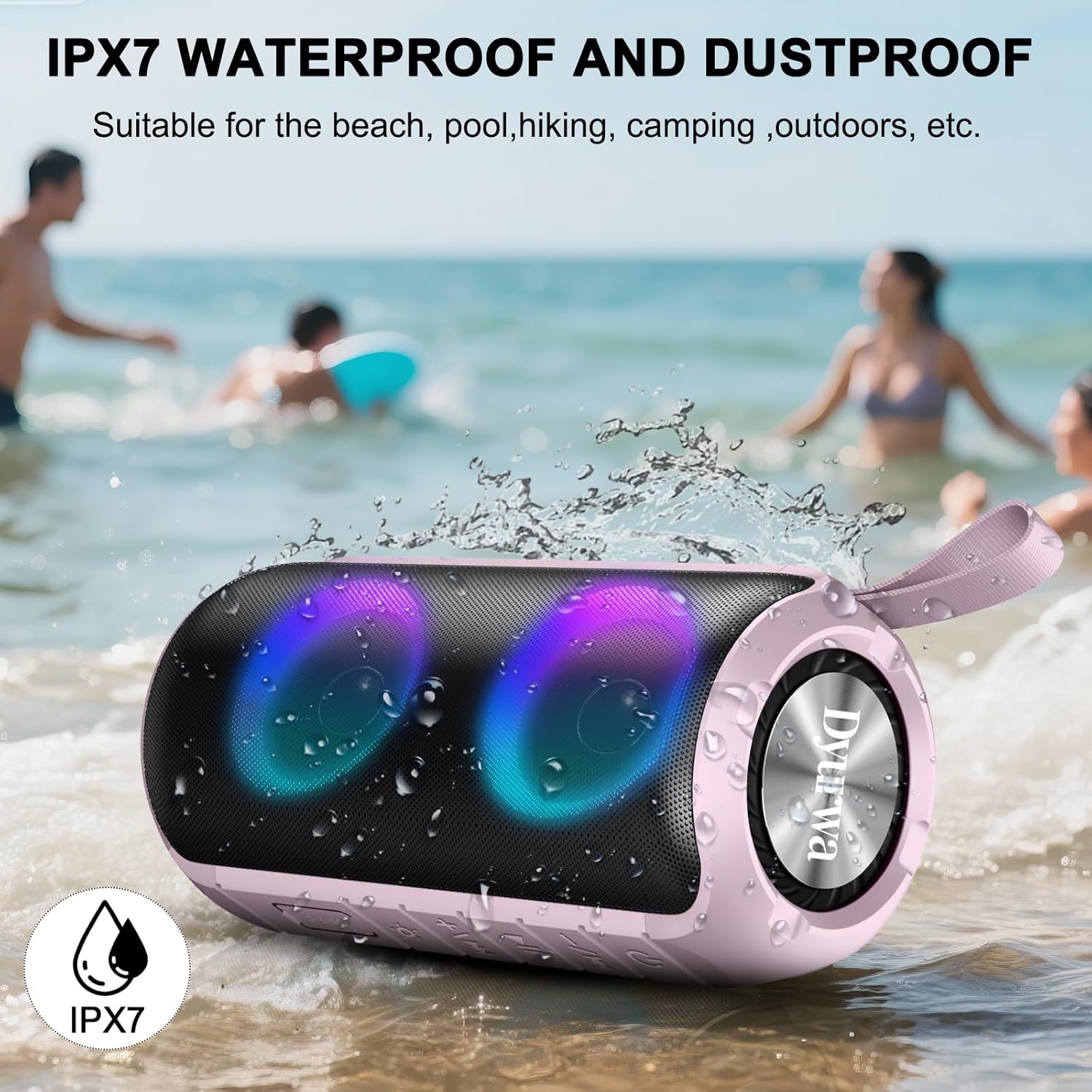
Image: The Dyurwa ZY02 speaker being splashed with water at a beach, illustrating its IPX7 waterproof and dustproof capabilities.
ການເຮັດຄວາມສະອາດແລະການເກັບຮັກສາ
ເພື່ອເຮັດຄວາມສະອາດລໍາໂພງຂອງທ່ານ, ໃຫ້ໃຊ້ soft, damp cloth. Avoid using harsh chemicals or abrasive cleaners. Store the speaker in a cool, dry place away from direct sunlight and extreme temperatures when not in use for extended periods.
ການແກ້ໄຂບັນຫາ
- ລຳໂພງຈະບໍ່ເປີດ: ໃຫ້ແນ່ໃຈວ່າລຳໂພງສາກໄຟເຕັມແລ້ວ. ເຊື່ອມຕໍ່ມັນກັບແຫຼ່ງພະລັງງານ ແລະ ລອງອີກຄັ້ງ.
- ບໍ່ສາມາດຈັບຄູ່ຜ່ານ Bluetooth ໄດ້: Make sure the speaker is in Bluetooth pairing mode (flashing LED). Check that Bluetooth is enabled on your device and that the speaker is within range (up to 33 feet/10 meters). Forget previous pairings on your device and try pairing again.
- ບໍ່ມີສຽງ: Check the volume levels on both the speaker and your connected device. Ensure the speaker is correctly paired and not in another mode (e.g., AUX, TF Card).
- ຄຸນະພາບສຽງບໍ່ດີ: Move the speaker closer to your device to improve Bluetooth signal. Ensure there are no obstructions between the speaker and your device.
- ບັນຫາການຈັບຄູ່ TWS: Ensure both speakers are fully charged and not connected to any other device. Follow the TWS pairing instructions carefully.
ຂໍ້ມູນຈໍາເພາະ
| ຄຸນສົມບັດ | ລາຍລະອຽດ |
|---|---|
| ຍີ່ຫໍ້ | Dyurwa |
| ຊື່ຕົວແບບ | ZY02 |
| ເຕັກໂນໂລຊີການເຊື່ອມຕໍ່ | Bluetooth 5.3 |
| ປະເພດລຳໂພງ | ກາງແຈ້ງ |
| ຄຸນນະສົມບັດພິເສດ | Music Player, RGB Lights, TWS Pairing, IPX7 Waterproof |
| ອຸປະກອນທີ່ເຂົ້າກັນໄດ້ | ໂທລະສັບສະຫຼາດ, ແທັບເລັດ, ຄອມພິວເຕີ |
| ລຳໂພງກຳລັງຜົນຜະລິດສູງສຸດ | 180 ວັດ |
| ເວລາຫຼິ້ນ | Up to 12 hours (varies by volume/light settings) |
| ເວລາສາກໄຟ | 2-3 ຊົ່ວໂມງ |
| ລະດັບຄວາມຕ້ານທານນ້ໍາ | ກັນນໍ້າ IPX7 |
| ຂະໜາດສິນຄ້າ | 2.54"D x 5"W x 4"H |
| ນ້ໍາຫນັກລາຍການ | 1.36 ປອນ |
| ໝໍ້ໄຟ | 1 ຫມໍ້ໄຟທີ່ຕ້ອງການ (ລວມ) |
ການຮັບປະກັນແລະການສະຫນັບສະຫນູນ
For warranty information or technical support, please refer to the contact details provided on the product packaging or visit the official Dyurwa webເວັບໄຊ. ຮັກສາໃບຮັບເງິນການຊື້ຂອງທ່ານໄວ້ເປັນຫຼັກຖານການຊື້ສໍາລັບການຮຽກຮ້ອງການຮັບປະກັນໃດໆ.