
1. ບົດແນະນຳ
This manual provides essential information for setting up, operating, and maintaining your Samsung QE43Q7FAAU 43-inch QLED 4K Smart TV. Please read this manual thoroughly to ensure safe and optimal use of your television.
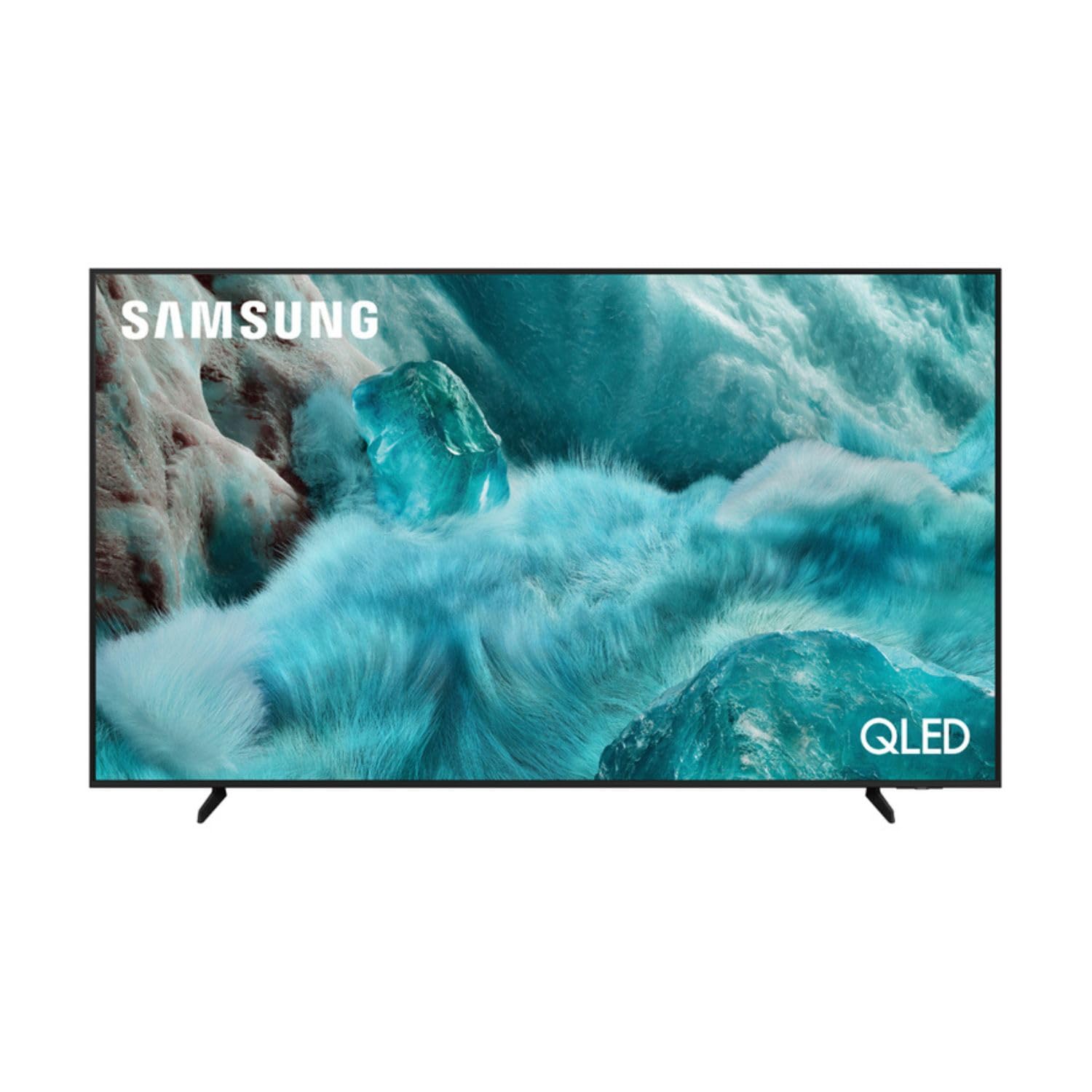
ຮູບພາບ: ທາງຫນ້າ view of the Samsung QE43Q7FAAU 43-inch QLED 4K Smart TV, showcasing ການອອກແບບທີ່ກະທັດຮັດແລະຈໍສະແດງຜົນທີ່ສົດໃສ.
2. ຂໍ້ມູນຄວາມປອດໄພ
ປະຕິບັດຕາມຄວາມລະມັດລະວັງດ້ານຄວາມປອດໄພຂັ້ນພື້ນຖານສະເໝີເມື່ອໃຊ້ໂທລະທັດເຄື່ອງນີ້ເພື່ອຫຼຸດຜ່ອນຄວາມສ່ຽງຕໍ່ການເກີດອັກຄີໄພ, ໄຟຟ້າຊອດ ແລະ ການບາດເຈັບ.
- ຢ່າເຮັດໃຫ້ໂທລະທັດຖືກຝົນຫຼືຄວາມຊຸ່ມຊື່ນ.
- ຫ້າມກີດຂວາງການເປີດລະບາຍອາກາດ.
- ກວດໃຫ້ແນ່ໃຈວ່າສາຍໄຟບໍ່ໄດ້ດັກ ຫຼື ຍ່າງຕໍ່.
- ໃຊ້ໄຟລ໌ແນບ/ອຸປະກອນເສີມທີ່ຜູ້ຜະລິດລະບຸໄວ້ເທົ່ານັ້ນ.
- ຖອດສາຍໂທລະທັດໃນເວລາມີພາຍຸຟ້າຜ່າ ຫຼືເມື່ອບໍ່ໄດ້ໃຊ້ເປັນເວລາດົນນານ.
3. ສິ່ງທີ່ຢູ່ໃນກ່ອງ
Verify that the following items are included with your television:
- Samsung QE43Q7FAAU 43-inch QLED 4K Smart TV
- Remote Control (Bluetooth with solar energy technology)
- ສາຍໄຟ
- Stand Components (if not wall-mounted)
- ຄູ່ມືຜູ້ໃຊ້ (ເອກະສານນີ້)
4. ຕັ້ງຄ່າ
4.1 ການຕິດຕັ້ງທາງດ້ານຮ່າງກາຍ
Your TV can be placed on a stand or wall-mounted. Ensure proper ventilation around the TV.
- ການຕິດຕັ້ງຂາຕັ້ງ: Attach the provided stand components securely to the TV base. Refer to the separate stand assembly guide for detailed instructions.
- ຕິດຝາ: The TV supports a VESA standard mount of 200 x 200 mm. Use appropriate wall-mounting hardware (not included) and consult a professional for installation if unsure.

Image: Diagram showing the dimensions of the Samsung QE43Q7FAAU TV, including height, width, and depth.
4.2 ການເປີດເຄື່ອງ ແລະ ການເຊື່ອມຕໍ່ເບື້ອງຕົ້ນ
- ເຊື່ອມຕໍ່ສາຍໄຟກັບໂທລະທັດ ແລະຈາກນັ້ນໄປຫາປລັກສຽບໃສ່ຝາ.
- Connect your external devices (e.g., cable box, game console, Blu-ray player) to the HDMI ports. The TV has 3 HDMI 2.0 ports.
- For USB devices, use the USB 2.0 port.
- ກົດປຸ່ມເປີດປິດໃນຣີໂໝດຄວບຄຸມເພື່ອເປີດໂທລະທັດ.
- Follow the on-screen instructions for initial setup, including language selection and channel scanning (DVB-T2/C/S2 tuner).
4.3 ການຕິດຕັ້ງເຄືອຂ່າຍ
To access Smart TV features, connect your TV to the internet.
- Wi-Fi: Navigate to the TV's settings menu, select 'Network', then 'Network Settings'. Choose your Wi-Fi network and enter the password.
- Bluetooth: The TV supports Bluetooth 5.3 for connecting compatible devices like soundbars or headphones. Pair devices through the TV's settings menu.
5. ປະຕິບັດການໂທລະພາບ
5.1 ຫນ້າທີ່ພື້ນຖານ
- ພະລັງງານ: Use the remote control to turn the TV on or off.
- ປະລິມານ: Adjust volume using the volume buttons on the remote.
- ຊ່ອງ: Change channels using the channel buttons.
- ທີ່ມາ: Select input sources (HDMI 1, HDMI 2, USB, etc.) using the 'Source' button.
5.2 ຄຸນສົມບັດໂທລະພາບອັດສະລິຍະ (One UI Tizen)
Your Samsung TV runs on the One UI Tizen operating system, offering a range of smart functionalities.
- ການຄວບຄຸມດ້ວຍສຽງ: Integrated voice assistants include Bixby, Amazon Alexa, and Google Assistant. Use the voice control button on your remote to activate.
- SmartThings: Connect and control compatible smart home devices through the SmartThings app on your TV.
- ຫຼາຍView: Display multiple content sources simultaneously on the screen.
- Samsung TV Plus: Access a variety of free streaming channels.
- Apple AirPlay: Share content from your Apple devices to the TV.
5.3 ຄຸນສົມບັດການຫຼິ້ນເກມ
ໂທລະພາບມີຄຸນສົມບັດເພື່ອເພີ່ມປະສົບການການຫຼິ້ນເກມຂອງທ່ານ:
- ໂໝດເກມອັດຕະໂນມັດ AI: Automatically optimizes settings for gaming.
- Motion Xcelerator: ຫຼຸດການມົວການເຄື່ອນໄຫວເພື່ອການຫຼິ້ນເກມທີ່ລຽບກວ່າ.
- ເກມ Super UltrawideView: Provides an expanded view for compatible games.
5.4 ການຕັ້ງຄ່າຮູບພາບ ແລະສຽງ
ປັບແຕ່ງຂອງທ່ານ viewing ແລະປະສົບການຟັງໂດຍຜ່ານເມນູການຕັ້ງຄ່າຂອງໂທລະພາບ.
- ຮູບ: Adjust brightness, contrast, sharpness, and color. Utilize features like Quantum HDR, HDR10+, HDR10+ Adaptive, HLG, Filmmaker Mode, and Eye Comfort Mode for optimized visuals.
- ສຽງ: The TV features a 2.0 channel, 2x10W audio system with Dolby Atmos support. Enhance audio with Q-Symphony (when paired with compatible Samsung soundbars) and Adaptive Sound.
6. ບໍາລຸງຮັກສາ
ການບໍາລຸງຮັກສາທີ່ເຫມາະສົມຮັບປະກັນຄວາມທົນທານແລະປະສິດທິພາບຂອງໂທລະພາບຂອງທ່ານ.
- ທໍາຄວາມສະອາດຫນ້າຈໍ: ເຊັດໜ້າຈໍດ້ວຍຜ້າໄມໂຄໄຟເບີທີ່ອ່ອນໆ ແລະແຫ້ງ. ສໍາລັບຮອຍແຂງ, ເລັກນ້ອຍ dampໃສ່ຜ້າດ້ວຍນ້ໍາຫຼືເຄື່ອງເຮັດຄວາມສະອາດຫນ້າຈໍພິເສດ. ຢ່າສີດຂອງແຫຼວໂດຍກົງໃສ່ຫນ້າຈໍ.
- ທໍາຄວາມສະອາດກອບ: ໃຊ້ຜ້າປຽກແຫ້ງເພື່ອເຮັດຄວາມສະອາດກອບໂທລະທັດ.
- ການລະບາຍອາກາດ: ໃຫ້ແນ່ໃຈວ່າຊ່ອງລະບາຍອາກາດມີຄວາມຊັດເຈນຂອງຝຸ່ນແລະສິ່ງກີດຂວາງ.
7. ການແກ້ໄຂບັນຫາ
ຖ້າຫາກທ່ານພົບບັນຫາກັບໂທລະພາບຂອງທ່ານ, ເບິ່ງວິທີແກ້ໄຂທົ່ວໄປດັ່ງຕໍ່ໄປນີ້:
- ບໍ່ມີພະລັງງານ: ກວດເບິ່ງວ່າສາຍໄຟຖືກເຊື່ອມຕໍ່ຢ່າງປອດໄພກັບທັງໂທລະທັດ ແລະປລັກສຽບຝາຫຼືບໍ່. ຮັບປະກັນວ່າປລັກສຽບເຮັດວຽກໄດ້.
- ບໍ່ມີຮູບພາບ/ສຽງ: ກວດສອບແຫຼ່ງປ້ອນຂໍ້ມູນທີ່ຖືກຕ້ອງຖືກເລືອກ. ກວດເບິ່ງການເຊື່ອມຕໍ່ສາຍກັບອຸປະກອນພາຍນອກ.
- ການຄວບຄຸມໄລຍະໄກບໍ່ເຮັດວຽກ: Ensure the remote is charged (solar charging) or replace batteries if applicable. Check for obstructions between the remote and the TV.
- ບັນຫາການເຊື່ອມຕໍ່ເຄືອຂ່າຍ: Restart your router and modem. Re-enter your Wi-Fi password in the TV's network settings.
- ບັນຫາຄຸນນະພາບຮູບ: Adjust picture settings. Ensure your content source is providing a high-quality signal.
ສຳລັບບັນຫາທີ່ສັບສົນກວ່າ, ໃຫ້ປຶກສາຝ່າຍສະໜັບສະໜູນ Samsung webເວັບໄຊ ຫຼືຕິດຕໍ່ບໍລິການລູກຄ້າ.
8. ຂໍ້ມູນຈໍາເພາະ
| ຄຸນສົມບັດ | ຂໍ້ມູນຈໍາເພາະ |
|---|---|
| ຂະໜາດໜ້າຈໍ | 43 ນິ້ວ (108 ຊມ) |
| ເຕັກໂນໂລຊີການສະແດງ | QLED, Edge-LED Backlighting |
| ຄວາມລະອຽດ | 4K Ultra HD (3840 x 2160 ພິກເຊວ) |
| ອັດຕາການໂຫຼດຂໍ້ມູນຄືນໃໝ່ | 120 Hz |
| ຮອງຮັບ HDR | HDR10, HDR10+, HDR10+ Adaptive, HLG |
| ລະບົບປະຕິບັດການ | One UI Tizen |
| ການຄວບຄຸມສຽງ | Bixby, Alexa, Google Assistant |
| ການເຊື່ອມຕໍ່ | Wi-Fi, Bluetooth 5.3, 3x HDMI 2.0 (eARC), 1x USB 2.0, Ethernet |
| ສຽງອອກ | 2 x 10 W (2.0 Channel), Dolby Atmos |
| ການບໍລິໂພກພະລັງງານ (SDR) | 53 ວ |
| ການບໍລິໂພກພະລັງງານ (HDR) | 102 ວ |
| ຂະໜາດ (ກວ້າງ x ສູງ x ຍາວ) | 97 x 59.2 x 19.7 cm (ມີຂາຕັ້ງ) |
| ນ້ຳໜັກ | 8.9 kg (with stand), 8.6 kg (without stand) |
| VESA Mount Standard | 200 x 200 ມມ |
| ສີ | ດຳ |

Image: EU Energy Label for the Samsung QE43Q7FAAU TV, showing energy efficiency class G for SDR and HDR.
9. ການຮັບປະກັນແລະການສະຫນັບສະຫນູນ
Your Samsung QE43Q7FAAU TV comes with a ຮັບປະກັນ 2 ປີຈໍາກັດ. Spare parts are available for 7 years from the end of product availability.
For technical support, warranty claims, or further information, please visit the official Samsung support website or refer to the product information on the EPREL database:
- ສະຫນັບສະຫນູນຢ່າງເປັນທາງການຂອງ Samsung: Visit the Samsung Store
- EPREL Product Information: ການເຊື່ອມຕໍ່ຖານຂໍ້ມູນ EPREL