
1. ບົດແນະນຳ
This manual provides essential information for the safe and efficient use of your realme 14x 5G Smartphone, Model RMA2306. Please read this manual thoroughly before using your device to ensure optimal performance and longevity.
The realme 14x 5G Smartphone features a 6.67-inch 120Hz display, a 50MP AI camera, a 5000mAh battery, and is powered by the MediaTek Dimensity 6300 5G chipset. It also includes ArmorShell Protection and IP64 water and dust resistance.

Image: The realme 14x 5G Smartphone in Carbon Black and Peridot Green, showcasing ການອອກແບບ sleek ຂອງຕົນ.

ຮູບພາບ: ຫຼາຍກວ່າview of the realme 14x 5G's key features, including Dimensity 6300 5G Chipset, 18GB Dynamic RAM, 120Hz Eye Comfort Display, Military-Grade Shock Resistance, NEXT AI, and 50MP AI Camera.
2. ສິ່ງທີ່ຢູ່ໃນກ່ອງ
Upon unboxing your realme 14x 5G Smartphone, verify that all the following items are included:
- realme 14x 5G Smartphone (Model RMA2306)
- ກະເປົາໂທລະສັບ
- ຕົວຖອດຖາດຊິມ
- ສາຍ USB (ປະເພດ-C)
- ຄູ່ມືເລີ່ມຕົ້ນດ່ວນ (ເອກະສານນີ້)
- ບັດຮັບປະກັນ
3. ການຕິດຕັ້ງອຸປະກອນ
3.1. ການໃສ່ SIM Card
The realme 14x 5G supports Dual Nano SIM cards.
- ຊອກຫາຖາດຊິມກາດຢູ່ດ້ານຂ້າງຂອງອຸປະກອນຂອງທ່ານ.
- ສຽບເຄື່ອງມືຖອດຖາດ SIM ເຂົ້າໄປໃນຮູນ້ອຍໆທີ່ຢູ່ຂ້າງຖາດ ແລະກົດໃຫ້ແໜ້ນຈົນກວ່າຖາດຈະອອກມາ.
- ວາງ Nano SIM card(s) ຂອງທ່ານເຂົ້າໄປໃນຊ່ອງທີ່ກໍານົດໄວ້ເທິງຖາດ, ຮັບປະກັນການຕິດຕໍ່ພົວພັນຄໍາໄດ້ຫັນລົງລຸ່ມ.
- ໃສ່ຖາດຊິມໃສ່ໂທລະສັບຄືນໃໝ່ຢ່າງລະມັດລະວັງຈົນກວ່າມັນຈະກົດໃສ່ບ່ອນ.
3.2. ເປີດ ແລະ ຕັ້ງຄ່າເບື້ອງຕົ້ນ
- ກົດປຸ່ມເປີດປິດຄ້າງໄວ້ຈົນກ່ວາໂລໂກ້ realme ປະກົດຂຶ້ນ.
- ປະຕິບັດຕາມຄໍາແນະນໍາໃນຫນ້າຈໍເພື່ອເລືອກພາສາຂອງທ່ານ, ເຊື່ອມຕໍ່ກັບ Wi-Fi, ແລະຕັ້ງຄ່າບັນຊີ Google ຂອງທ່ານ.
- Configure security features such as fingerprint recognition and a screen lock (PIN, pattern, or password). The device features a side-mounted fingerprint sensor for quick and secure unlocking.
4. ປະຕິບັດການອຸປະກອນຂອງທ່ານ
4.1. ຄຸນສົມບັດການສະແດງ
Your realme 14x 5G features a 6.67-inch display with a 120Hz refresh rate for smooth visuals. It includes various visual comfort modes to protect your eyes.
- ອັດຕາການສົດຊື່ນ 120Hz: Provides a fluid scrolling and gaming experience.
- Visual Protection Modes: Access settings for Black and White Display, Paper-like Display, Scheduled Dark Mode, Scheduled Eye Comfort, Color Temperature Adjustment, and Auto Brightness to optimize your viewປະສົບການແລະຫຼຸດຜ່ອນຄວາມເມື່ອຍຕາ.

Image: The realme 14x 5G display showcasing 120Hz refresh rate and various visual comfort options like Black and White Display, Paper-like Display, Scheduled Dark Mode, Scheduled Eye Comfort, Color Temperature Adjustment, and Auto Brightness.
4.2. ຄຸນນະສົມບັດກ້ອງຖ່າຍຮູບ
The device is equipped with a 50MP AI main camera and an 8MP front camera.
- 50MP AI Camera: Captures detailed photos, especially in complex scenes.
- AI Clear Face: Enhances portrait shots for clearer results.
- ແບບ Portrait: Focuses on subjects with a blurred background for professional-looking photos.

Image: Visual representation of the realme 14x 5G's 50MP AI Camera capabilities, highlighting AI Clear Face for portraits and detailed landscape photography.
4.3. ຟັງຊັນ NFC
The realme 14x 5G supports NFC (Near Field Communication) for convenient transactions and data exchange.
- ການຈ່າຍເງິນຜ່ານມືຖື: Use your phone for contactless payments where supported.
- Card Emulation: Store multiple digital cards for various uses.
- ການໂອນຂໍ້ມູນ: ແບ່ງປັນ files with other NFC-enabled devices by tapping them together.

Image: A visual demonstrating the 360° NFC feature on the realme 14x 5G, allowing the phone to act as multiple cards in one device.
4.4. realme UI 6.0 (Based on Android 15)
Your device runs on realme UI 6.0, based on Android 15, offering an optimized user experience.
- New Icon Design: Enjoy a refreshed visual interface.
- Wallpaper Depth: Skillfully separates the background from the subject for dynamic wallpapers.
- Separation of Notifications & Quick Settings: Provides a larger notification display area and more shortcut controls for improved accessibility.

Image: An illustration of realme UI 6.0 features, including new icon designs, wallpaper depth, and separated notification and quick settings panels.
5. ຫມໍ້ໄຟແລະການສາກໄຟ
The realme 14x 5G is equipped with a 5000mAh battery, designed for extended usage.
- ຄວາມອາດສາມາດຫມໍ້ໄຟ: 5000 ລ້ານamp ຊົ່ວໂມງ (mAh).
- ການສາກໄຟ: Use the provided USB Type-C cable for charging. The device supports fast charging.
- ການນໍາໃຊ້ໂດຍການຄາດຄະເນ: Up to 37.6 hours of call time, 15.3 hours of Instagram use, or 11.8 hours of YouTube playback on a full charge.

Image: A visual representation of the realme 14x 5G's 5000mAh battery capacity and its fast charging capability, showing estimated usage times for various activities.
6. ປະສິດທິພາບແລະການເຊື່ອມຕໍ່
The realme 14x 5G delivers robust performance and connectivity options.
- ໜ່ວຍປະມວນຜົນ: Powered by the MediaTek Dimensity 6300 5G chipset, an advanced 6nm octa-core CPU with clock speeds up to 2.4GHz.
- RAM: 6GB RAM installed, with dynamic RAM expansion for enhanced multitasking.
- ການເກັບຮັກສາ: 128GB internal storage capacity.
- ການເຊື່ອມຕໍ່ 5G: Supports 5G cellular technology for faster data speeds.
- ການເຊື່ອມຕໍ່ແບບໄຮ້ສາຍ: Includes Bluetooth, Wi-Fi, and USB for versatile connections.

Image: An illustration of the MediaTek Dimensity 6300 5G Chipset, highlighting its 6nm advanced process, 50% GPU performance increase, 8-core architecture, and 11% power-efficiency enhancements.

Image: A graphic illustrating the dynamic RAM and ROM configuration, showing 8GB of dynamic RAM and 256GB of ROM for fast multitasking.
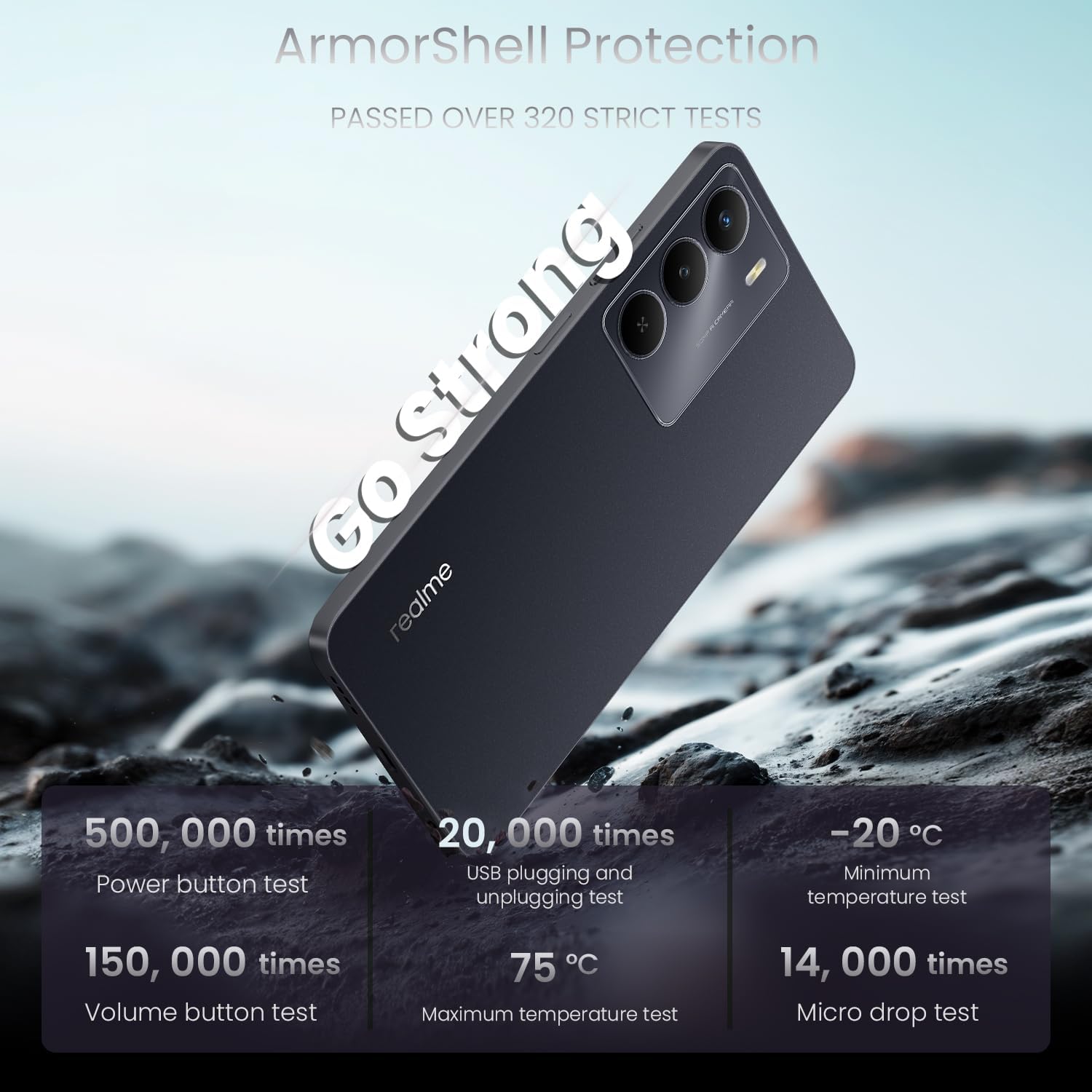
Image: A visual emphasizing the 'Go Fast' feature of the realme 14x 5G, highlighting its Dimensity 6300 5G Chipset for faster and further-reaching 5G connectivity.
7. ຄວາມທົນທານແລະການປົກປ້ອງ
The realme 14x 5G is built with enhanced durability features.
- ArmorShell Protection: The device has passed military-grade impact resistance tests, providing significant fall protection.
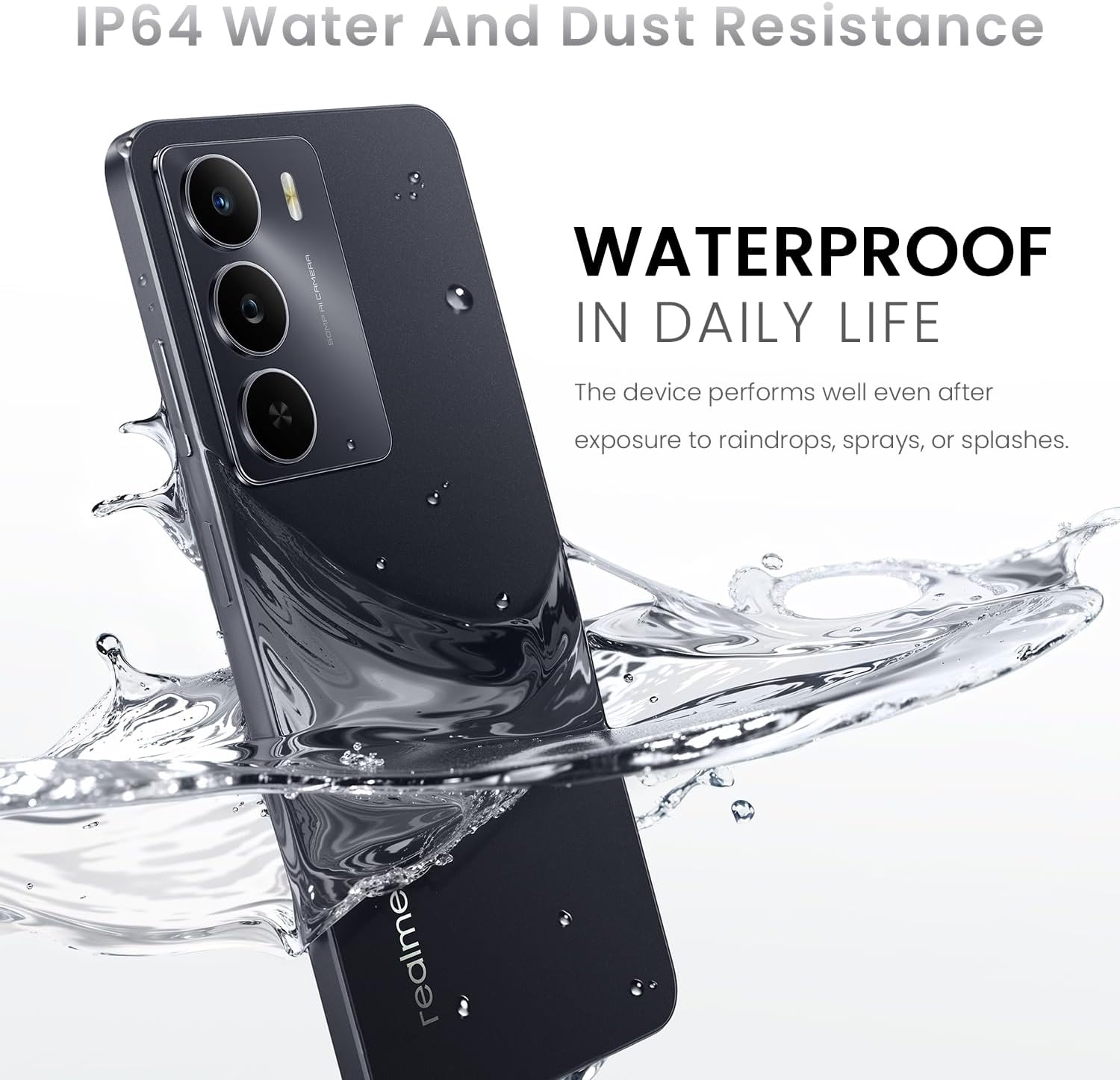
- IP64 ກັນນ້ໍາແລະຝຸ່ນ: Designed to withstand exposure to raindrops, sprays, or splashes, making it suitable for daily use.

Image: The realme 14x 5G Smartphone being splashed with water, illustrating its IP64 water and dust resistance for daily life.

Image: A graphic detailing the ArmorShell Protection, showing the phone undergoing over 320 strict tests including power button, volume button, USB plugging, temperature, and micro drop tests.
ຮູບພາບ: ລະເບີດ view of the realme 14x 5G, illustrating its military-grade shock resistance with features like tough corner protection, airbag protection, and a reinforced aluminum structure.
8. ບໍາລຸງຮັກສາ
- ທໍາຄວາມສະອາດ: ໃຊ້ຜ້າແພທີ່ອ່ອນນຸ່ມ, ບໍ່ມີສານດ່າງເພື່ອເຮັດຄວາມສະອາດໜ້າຈໍ ແລະຕົວເຄື່ອງຂອງໂທລະສັບ. ຫຼີກເວັ້ນການສານເຄມີທີ່ຮຸນແຮງຫຼືວັດສະດຸຂັດ.
- ອັບເດດຊອບແວ: ກວດສອບແລະຕິດຕັ້ງການປັບປຸງລະບົບເປັນປົກກະຕິເພື່ອຮັບປະກັນການປະຕິບັດທີ່ດີທີ່ສຸດ, ຄວາມປອດໄພ, ແລະການເຂົ້າເຖິງຄຸນສົມບັດໃຫມ່.
- ການດູແລຫມໍ້ໄຟ: ຫຼີກເວັ້ນອຸນຫະພູມທີ່ຮຸນແຮງ. ຢ່າປະຖິ້ມຫມໍ້ໄຟເຕັມທີ່ເລື້ອຍໆ.
- ການຈັດການການເກັບຮັກສາ: ລ້າງບໍ່ຈໍາເປັນເປັນໄລຍະ files ແລະແອັບເພື່ອຮັກສາຄວາມໄວຂອງອຸປະກອນ ແລະເພີ່ມພື້ນທີ່ຫວ່າງ.
9. ການແກ້ໄຂບັນຫາ
9.1. ບັນຫາທົ່ວໄປ ແລະການແກ້ໄຂ
| ສະບັບ | ການແກ້ໄຂ |
|---|---|
| ອຸປະກອນບໍ່ເປີດ | ໃຫ້ແນ່ໃຈວ່າໄດ້ສາກໄຟແລ້ວ. ກົດປຸ່ມເປີດປິດຄ້າງໄວ້ຢ່າງໜ້ອຍ 10 ວິນາທີ. |
| ແອັບຂັດຂ້ອງ ຫຼືຄ້າງ | Close the app and reopen it. Clear the app's cache. Restart the device. |
| ຊີວິດຫມໍ້ໄຟບໍ່ດີ | Reduce screen brightness, close background apps, disable unnecessary features like GPS or Bluetooth when not in use. Check for power-intensive apps. |
| ບັນຫາການເຊື່ອມຕໍ່ເຄືອຂ່າຍ | Check SIM card insertion. Toggle Airplane Mode on and off. Restart the device. Reset network settings. |
| ເຊັນເຊີລາຍນິ້ວມືບໍ່ເຮັດວຽກ | Ensure your finger is clean and dry. Re-register your fingerprints in settings. |
9.2. ຣີເຊັດເປັນຄ່າໂຮງງານ
If persistent issues occur, a factory reset may be necessary. This will erase all data on your phone. ສຳຮອງຂໍ້ມູນຂອງທ່ານກ່ອນດຳເນີນການຕໍ່ໄປ.
- ໄປທີ່ ການຕັ້ງຄ່າ > ລະບົບ > ຣີເຊັດຕົວເລືອກ.
- ເລືອກ ລຶບຂໍ້ມູນທັງໝົດ (ຣີເຊັດເປັນຄ່າໂຮງງານ).
- ຢືນຢັນການຕັດສິນໃຈຂອງທ່ານແລະໃສ່ລະຫັດ PIN / ລະຫັດຜ່ານຂອງທ່ານຖ້າຖືກເຕືອນ.
10. ຂໍ້ມູນຈໍາເພາະ
| ຄຸນສົມບັດ | ລາຍລະອຽດ |
|---|---|
| ຍີ່ຫໍ້ | realme |
| ຊື່ຕົວແບບ | realme 14X (RMA2306) |
| ລະບົບປະຕິບັດການ | Android 15 (realme UI 6.0) |
| ໂຮງງານຜະລິດ | MediaTek Dimensity 6300 5G Octa-Core (up to 2.4 GHz) |
| RAM | 6 GB |
| ການເກັບຮັກສາພາຍໃນ | 128 GB |
| ຂະໜາດໜ້າຈໍ | 6.67 ນິ້ວ |
| ຄວາມລະອຽດການສະແດງ | 1600 x 720 ພິກເຊລ (HD+) |
| ອັດຕາການໂຫຼດຂໍ້ມູນຄືນໃໝ່ | 120 Hz |
| ກ້ອງຫຼັງ | 50 MP |
| ກ້ອງໜ້າ | 8 MP |
| ຄວາມອາດສາມາດຫມໍ້ໄຟ | 5000 mAh |
| ພອດສາກໄຟ | USB ປະເພດ C |
| ຊ່ອງໃສ່ຊິມກາດ | Dual SIM (Nano) |
| ເຕັກໂນໂລຊີໂທລະສັບມືຖື | 5G |
| ການເຊື່ອມຕໍ່ | Bluetooth, USB, Wi-Fi, NFC |
| ຄວາມປອດໄພທາງຊີວະມິຕິ | ການຮັບຮູ້ລາຍນິ້ວມື |
| ລະດັບຄວາມຕ້ານທານນ້ໍາ | IP64 Water and Dust Resistant |
| ຂະໜາດ | 1.28 x 0.83 x 0.81 ນິ້ວ (ໂດຍປະມານ) |
| ນ້ຳໜັກ | 41.8 Grams (approximate) |

Image: The realme 14x 5G Smartphone highlighting its slim design with a thickness of 7.94mm and a weight of 197g.
11. ການຮັບປະກັນແລະການສະຫນັບສະຫນູນ
11.1. ຂໍ້ມູນການຮັບປະກັນ
Your realme 14x 5G Smartphone comes with a 1 ປີຮັບປະກັນຜູ້ຜະລິດ. Please refer to the warranty card included in your product box for detailed terms and conditions.
11.2. ການຊ່ວຍເຫຼືອລູກຄ້າ
For technical assistance, troubleshooting, or warranty claims, please contact realme customer support. You can find contact information on the official realme website or through the support section within your device settings.
ຜູ້ຜະລິດ: realme