
1. ບົດແນະນຳ
This manual provides essential information for setting up, operating, maintaining, and troubleshooting your VIBOX I-12 Gaming PC. This complete gaming system includes a 22-inch monitor, gaming keyboard, gaming mouse, headset, LED mouse pad, and a USB Wi-Fi 6 + Bluetooth 5.4 adapter. It is powered by an AMD Ryzen 3 3200G processor with integrated Radeon Vega 8 graphics, 16GB of DDR4 RAM, and a 500GB SSD, running on Windows 11 Home.
Please read this manual thoroughly before using your new PC to ensure optimal performance and longevity.
2. ຕັ້ງຄ່າ
2.1 ການຫຸ້ມຫໍ່ແລະເນື້ອໃນ
ຄ່ອຍໆແກະສ່ວນປະກອບທັງໝົດອອກຈາກກ່ອງ. ໃຫ້ແນ່ໃຈວ່າມີລາຍການຕໍ່ໄປນີ້:
- VIBOX I-12 PC Tower
- ຈໍສະແດງຜົນ 22 ນິ້ວ
- ແປ້ນພິມເກມ
- ຫນູເກມ
- ຊຸດຫູຟັງ
- ແຜ່ນຮອງຫນູ LED
- USB Wi-Fi 6 AX900 and Bluetooth 5.4 Adapter
- ສາຍໄຟ (ສຳລັບ PC ແລະ ຈໍພາບ)
- ສາຍ HDMI
- ເອກະສານ (ຄູ່ມືສະບັບນີ້)

Image: The VIBOX I-12 Gaming PC tower, showcasing its internal components and white chassis.
2.2 ການເຊື່ອມຕໍ່ອຸປະກອນຕໍ່
- ຈໍພາບ: Connect the 22-inch monitor to the PC tower using the provided HDMI cable. Ensure both ends are securely plugged in.
- ແປ້ນພິມແລະຫນູ: Connect the gaming keyboard and mouse to the available USB ports on the rear or front of the PC tower.
- ຫູຟັງ: Plug your headset into the audio jacks (headphone and microphone) on the front or rear of the PC.
- Wi-Fi/Bluetooth Adapter: Insert the USB Wi-Fi 6 + Bluetooth 5.4 adapter into an available USB port.
- ພະລັງງານ: Connect the power cable to the PC tower and then to a wall outlet. Connect the monitor's power cable to the monitor and a wall outlet. The PC uses a Type C/EF – 2 pin (European/hybrid FR-DE plug) power connection.

ຮູບພາບ: ໃກ້ຊິດ view of the PC's versatile connectivity panel, highlighting USB 3.0, USB 2.0, headphone jack, RGB change button, and power button.
2.3 ການເປີດເຄື່ອງເບື້ອງຕົ້ນ
Once all connections are secure, press the power button on the front of the PC tower. The system will boot up, and Windows 11 Home will guide you through the initial setup process, including language selection, network connection, and user account creation.
3. ການປະຕິບັດ PC ຂອງທ່ານ
3.1 ວິນໂດສ໌ 11 ໂຮມ
Your VIBOX I-12 PC comes pre-installed with Windows 11 Home, optimized for gaming. Key features include:
- ການເກັບຮັກສາໂດຍກົງ: For faster game loading times.
- ອັດຕະໂນມັດ HDR: Enhances graphics for supported games.
- ການເຊື່ອມໂຍງ Xbox Game Pass: ເຂົ້າເຖິງຫໍສະໝຸດເກມໄດ້ຢ່າງລຽບງ່າຍ.
- ປະສິດທິພາບ CPU ທີ່ດີທີ່ສຸດ: Ensures smooth gameplay and multitasking.
- Windows Defender & Windows Hello: Enhanced security features.
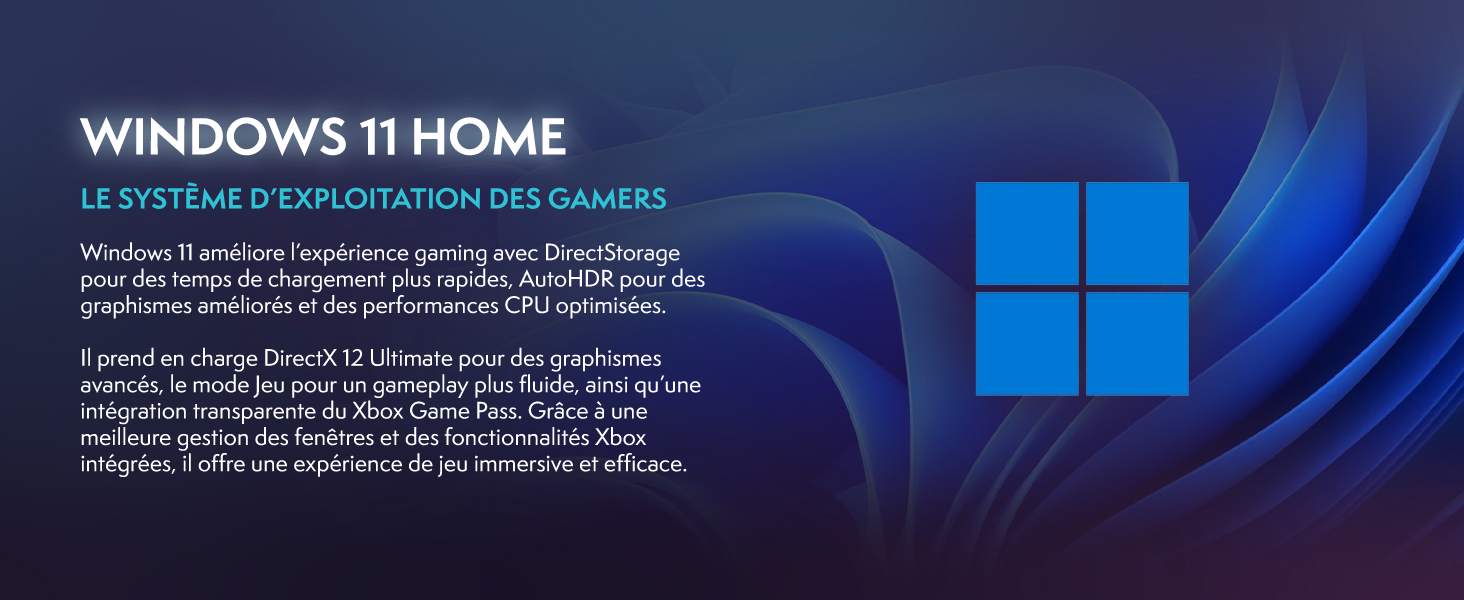
Image: Promotional image for Windows 11 Home, highlighting its gaming-centric features like DirectStorage and Auto HDR.
3.2 ປະສິດທິພາບການຫຼິ້ນເກມ
The AMD Ryzen 3 3200G processor with integrated Radeon Vega 8 graphics provides solid performance for popular games at 1080p resolution. Performance may vary depending on game settings and specific titles.

Image: Performance comparison for Minecraft and Fortnite, showing average FPS at 1920x1080 resolution with different graphics settings.

Image: Performance comparison for Counter-Strike 2 and Grand Theft Auto V, showing average FPS at 1920x1080 resolution with different graphics settings.
3.3 ການເຊື່ອມຕໍ່
The VIBOX I-12 offers comprehensive connectivity options:
- ໄຮ້ສາຍ: Integrated Wi-Fi 6 (802.11ax) and Bluetooth 5.4 for high-speed wireless networking and peripheral connections.
- Wired: Ethernet port for stable wired internet connection.
- ພອດ USB: Multiple USB 3.0 and USB 2.0 ports for various peripherals.
- ຜົນຜະລິດວິດີໂອ: HDMI port for display connection.
4. ບໍາລຸງຮັກສາ
4.1 ການທໍາຄວາມສະອາດທົ່ວໄປ
To ensure optimal performance and longevity, regularly clean your PC. Use a soft, dry cloth to wipe down the exterior. For dust accumulation, especially on vents and fans, use compressed air. Always power off and unplug the PC before cleaning.
4.2 ລະບົບເຮັດຄວາມເຢັນ
The VIBOX I-12 features a mesh design and 6 Hex RGB 120mm fans for exceptional airflow and cooling. Periodically check the fan vents for dust buildup, which can impede airflow and lead to overheating. The tempered glass side panel is articulated and magnetic, allowing for easy access to internal components for cleaning and maintenance.

Image: Diagram illustrating the exceptional airflow and next-generation cooling design of the VIBOX I-12 PC tower.
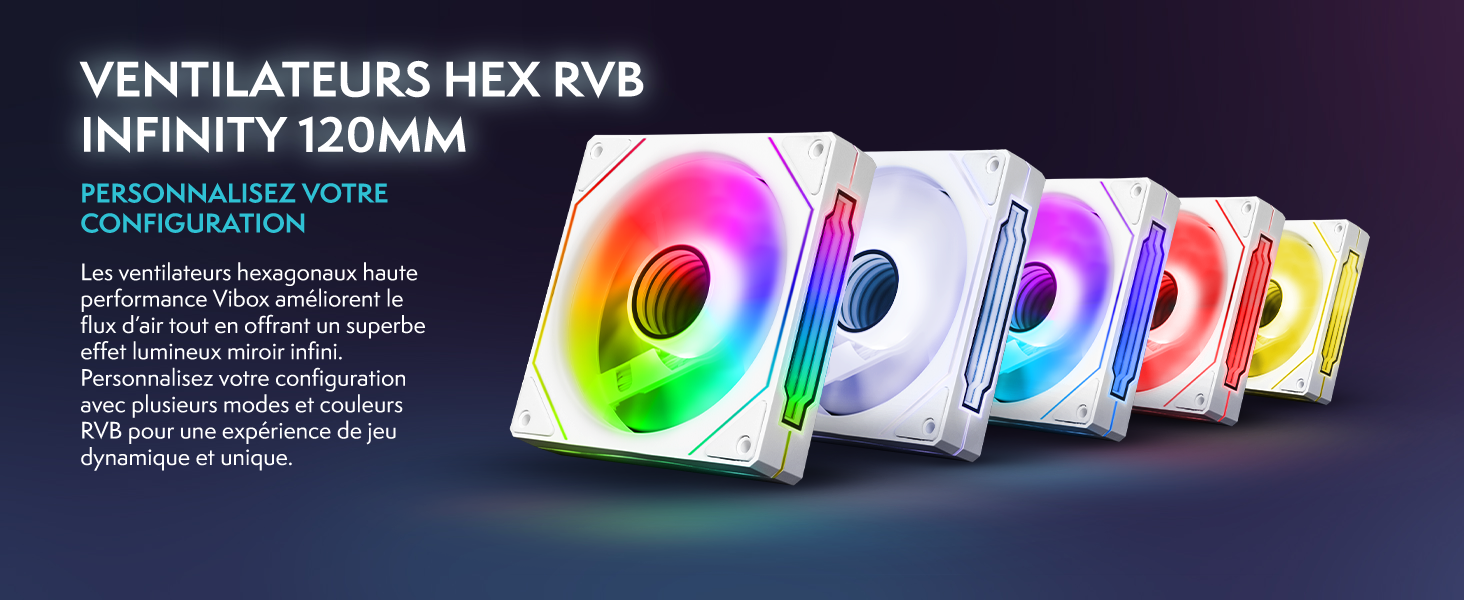
Image: Five 120mm RGB Infinity fans, showcasing customizable lighting options.
5. ການແກ້ໄຂບັນຫາ
This section addresses common issues you might encounter. If you experience problems not covered here, please contact VIBOX support.
5.1 ບໍ່ມີພະລັງງານ / ລະບົບບໍ່ເລີ່ມຕົ້ນ
- ກວດເບິ່ງການເຊື່ອມຕໍ່ພະລັງງານ: Ensure all power cables (PC and monitor) are securely plugged into both the device and the wall outlet.
- Wall Socket: Test the wall socket with another device to confirm it is functional.
- ປຸ່ມເປີດປິດ: Ensure the power button on the PC tower is fully pressed.
5.2 ບໍ່ມີຈໍສະແດງຜົນໃນຈໍສະແດງຜົນ
- ການເຊື່ອມຕໍ່ສາຍ: Verify the HDMI cable is firmly connected to both the PC's video output port and the monitor's input port.
- ພະລັງງານຕິດຕາມກວດກາ: ກວດໃຫ້ແນ່ໃຈວ່າໄດ້ເປີດຈໍສະແດງຜົນ ແລະໄຟຊີ້ບອກການເປີດໄຟຂອງມັນເຮັດວຽກຢູ່.
- ແຫຼ່ງປ້ອນຂໍ້ມູນ: Check the monitor's input source settings (e.g., HDMI 1, HDMI 2) to ensure it matches the port you're using.
5.3 Peripherals Not Responding (Keyboard/Mouse)
- ພອດ USB: Try connecting the keyboard and mouse to different USB ports on the PC.
- ຣີສະຕາດ: ຣີສະຕາດ PC.
- ຄົນຂັບລົດ: Ensure Windows has installed the necessary drivers. This usually happens automatically.
5.4 Wi-Fi or Bluetooth Issues
- ການເຊື່ອມຕໍ່ອະແດັບເຕີ: Ensure the USB Wi-Fi/Bluetooth adapter is securely plugged into a USB port.
- ຄົນຂັບລົດ: Verify that the drivers for the adapter are correctly installed. Windows 11 typically handles this automatically.
- ການຕັ້ງຄ່າເຄືອຂ່າຍ: Check Windows network settings to ensure Wi-Fi and Bluetooth are enabled.
6. ຂໍ້ມູນຈໍາເພາະ
| ອົງປະກອບ | ລາຍລະອຽດ |
|---|---|
| ຍີ່ຫໍ້ | ວິບັອກສ໌ |
| ໝາຍເລກຕົວແບບ | I-12 |
| ລະບົບປະຕິບັດການ | ໜ້າຫຼັກ Windows 11 |
| ໂປເຊດເຊີ (CPU) | AMD Ryzen 3 3200G (4 Cores, 3.6 GHz Base, 4.0 GHz Max Boost) |
| Graphics (GPU) | Integrated Radeon Vega 8 Graphics (2GB Shared Memory) |
| RAM | 16 GB DDR4 (2666 MHz) |
| ການເກັບຮັກສາ | SSD 500 GB |
| ຕິດຕາມກວດກາ | 22-inch LED (1920x1080 Pixels, 16:9 Aspect Ratio) |
| ການເຊື່ອມຕໍ່ໄຮ້ສາຍ | Wi-Fi 6 (802.11ac/n), Bluetooth 5.4 |
| ການເຊື່ອມຕໍ່ແບບມີສາຍ | Ethernet, HDMI (1 port), USB (4 total ports) |
| ວິທີການເຮັດຄວາມເຢັນ | Air (6 Hex RGB 120mm fans) |
| ຂະໜາດ (ຫໍ PC) | 40 x 21 x 45 cm |
| ປະເພດປລັກສຽບໄຟ | Type C/EF – 2 pin (European/hybrid FR-DE) |
| ລວມອຸປະກອນຕໍ່ພ່ວງ | 22" Monitor, Gaming Keyboard (AZERTY layout), Gaming Mouse, Headset, LED Mouse Pad, USB Wi-Fi/Bluetooth Adapter |
7. ການຮັບປະກັນແລະການສະ ໜັບ ສະ ໜູນ
7.1 ຂໍ້ມູນການຮັບປະກັນ
Your VIBOX I-12 Gaming PC comes with a comprehensive warranty:
- ຊິ້ນສ່ວນ: 2 ປີ
- ແຮງງານ: ຕະຫຼອດຊີວິດ
Please retain your proof of purchase for warranty claims. The warranty covers manufacturing defects and hardware failures under normal use conditions.
7.2 ສະຫນັບສະຫນູນລູກຄ້າ
For technical assistance, troubleshooting, or warranty inquiries, please contact VIBOX Gaming customer support. You can find more information and contact details on the official VIBOX webເວັບໄຊທ໌ຫຼືຜ່ານຫນ້າຮ້ານ Amazon ຂອງພວກເຂົາ: