
ແນະນຳ
The AGPTEK A02 MP3 Player is a versatile portable music device designed for ease of use and high-quality audio. Featuring Bluetooth 5.3 connectivity, a 1.8-inch TFT color screen, and a built-in speaker, it offers multiple functionalities including FM radio, voice recording, and e-book reading. With 64GB of internal memory and support for up to 128GB external storage, you can carry an extensive music library wherever you go.
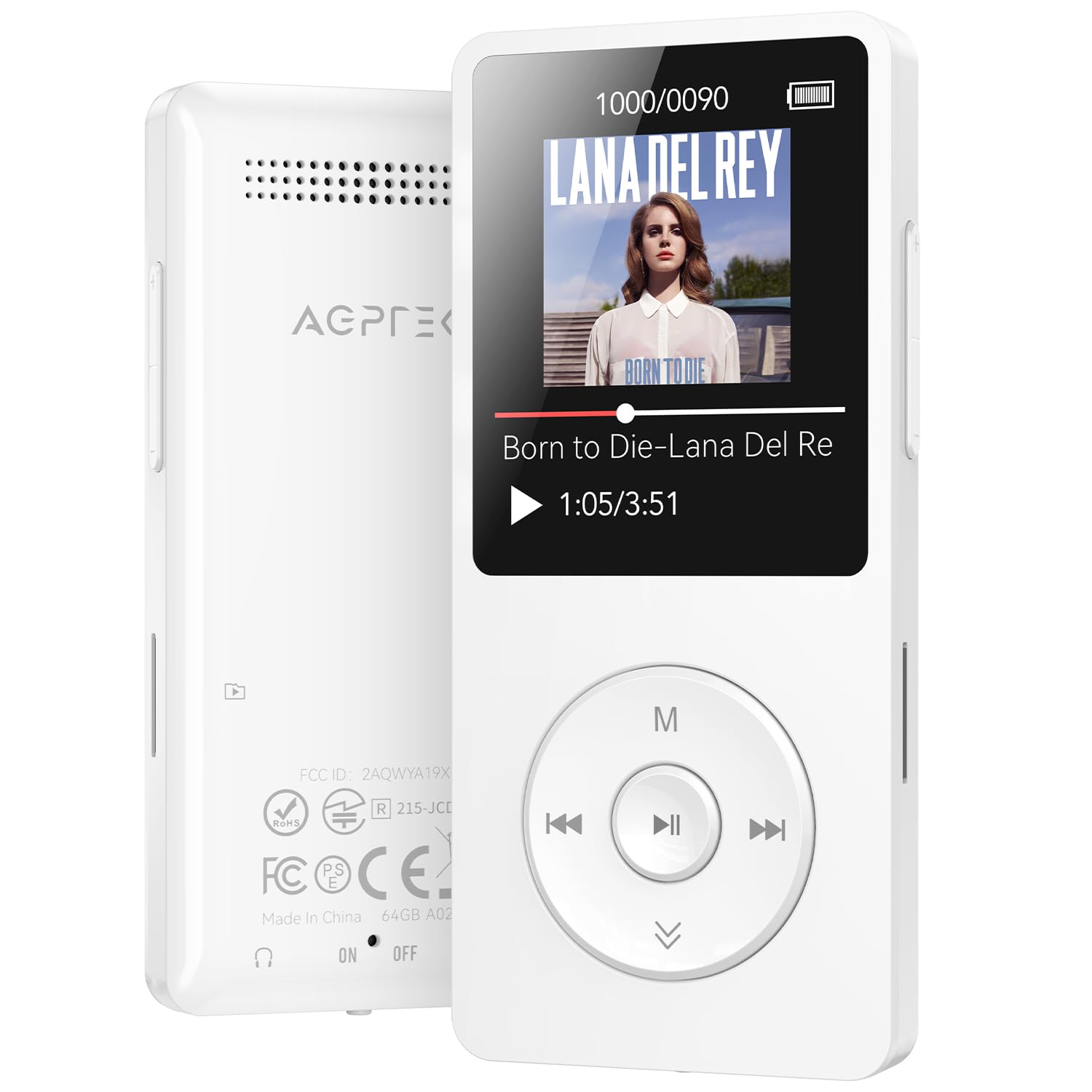
Image: The AGPTEK A02 MP3 Player in white, showcasinການອອກແບບ ແລະ ໜ້າຈໍທີ່ກະທັດຮັດ.
ວິດີໂອ: ຫຼາຍກວ່າview of the AGPTEK A02 MP3 Player with Bluetooth, highlighting its features and design.
ຕັ້ງຄ່າ
1. ການສາກອຸປະກອນ
Connect the MP3 player to a power source using the provided Type-C charging cable. A full charge typically takes approximately 2 hours and provides up to 40 hours of playback time.

Image: The MP3 player connected to a charging cable, illustrating its fast charge capability and long battery life.
2. ການຖ່າຍໂອນດົນຕີ Files
To transfer music, connect the MP3 player to your computer using the USB cable. Select 'Charge & Transfer' on the device screen when prompted. You can then drag and drop music files directly into the 'Music' folder on the device. For optimal sorting, it is recommended to name your songs with a numerical or alphabetical prefix (e.g., '001-SongTitle.mp3').
Video: A step-by-step guide on how to transfer music files from a PC to the AGPTEK MP3 Player.

Image: The MP3 player connected to a computer, demonstrating the drag-and-drop method for transferring music files.

Image: The MP3 player displaying options to copy files to either the device's internal memory or an inserted TF card.
ຄໍາແນະນໍາການດໍາເນີນງານ
1. ການຄວບຄຸມພື້ນຖານ
The device features independent volume and back buttons for simplified operation. To prevent accidental presses, you can lock the screen by pressing and holding the 'M' button.

Image: A hand demonstrating how to use the 'M' button to lock the MP3 player's screen, preventing unintended actions.
2. ການເຊື່ອມຕໍ່ Bluetooth
The AGPTEK A02 utilizes Bluetooth 5.3 for stable and efficient wireless connections. You can pair the MP3 player with Bluetooth headphones or speakers. Note that it cannot connect directly to phones, tablets, or car Bluetooth systems (AUX port connection is supported for cars).

Image: The MP3 player's screen indicating Bluetooth auto-reconnect functionality for instant listening with paired devices.
3. Music Playback and Features
The player supports various audio formats including MP3, WMA, OGG, WAV, APE, FLAC, AAC-LC, and ACELP. It features a built-in speaker for convenient listening, though headphones are recommended for optimal sound quality. The 1.8-inch TFT color screen supports lyrics and album cover display.
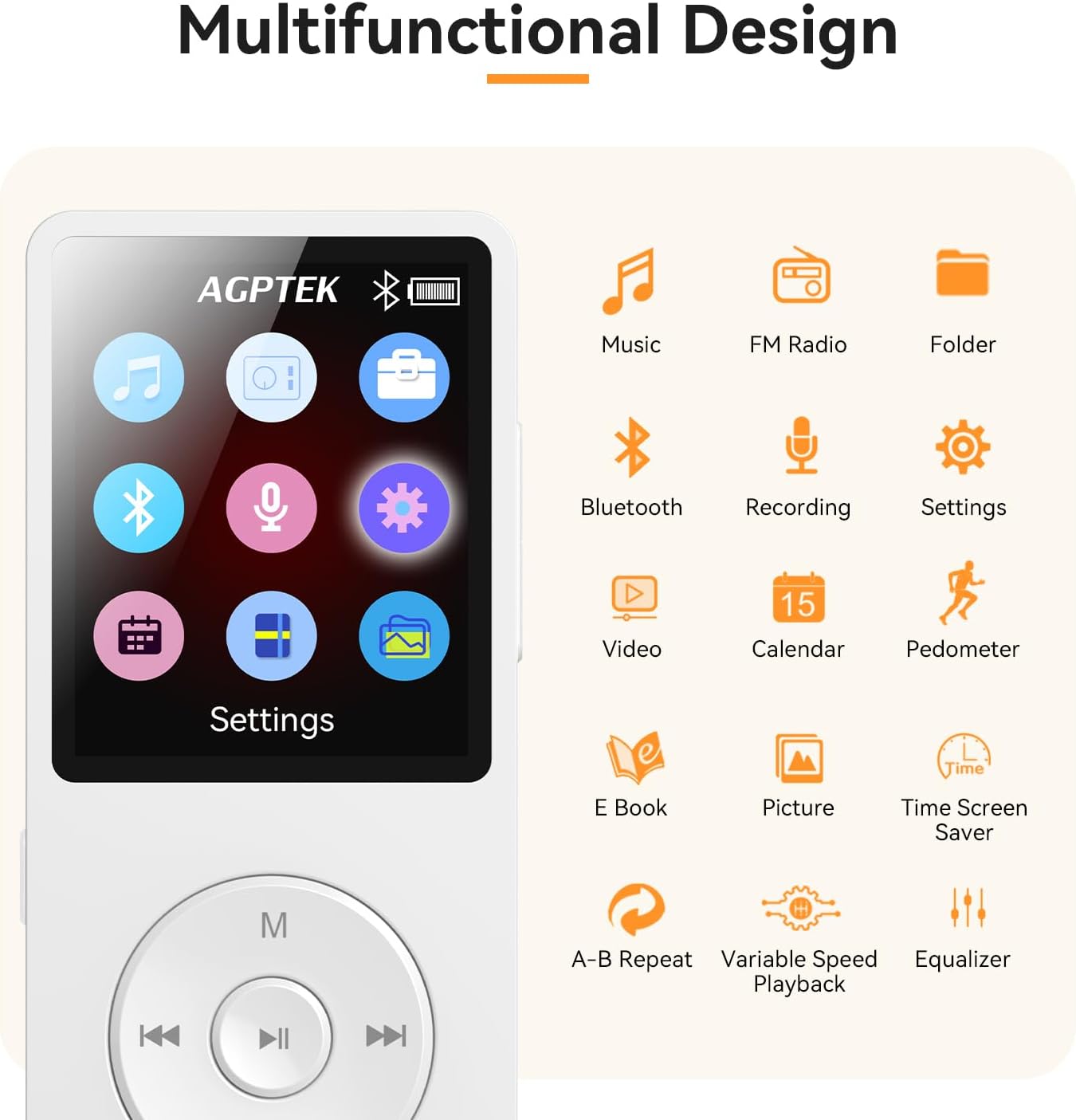
Image: The MP3 player's main menu displaying its multifunctional design, including music, FM radio, Bluetooth, and other utility features.
4. Customizing Playlists
You can organize your music into custom playlists. These playlists can only be edited and added when the device is connected to a computer. The 'Add to Playlist' option in the MP3 Player's music menu only allows adding songs to the default playlists 'Playlist [1]/[2]/[3]'.
Video: Instructions on how to customize playlists on the AGPTEK MP3 Player.

Image: A computer screen displaying how to customize playlists for the MP3 player, allowing users to organize music by artist, genre, or mood.
5. Searching for Songs
The device allows for quick song searches using keywords or numbers. Navigate to the search function within the music menu to find specific tracks.
Video: A demonstration of how to search for songs on the AGPTEK MP3 Player.
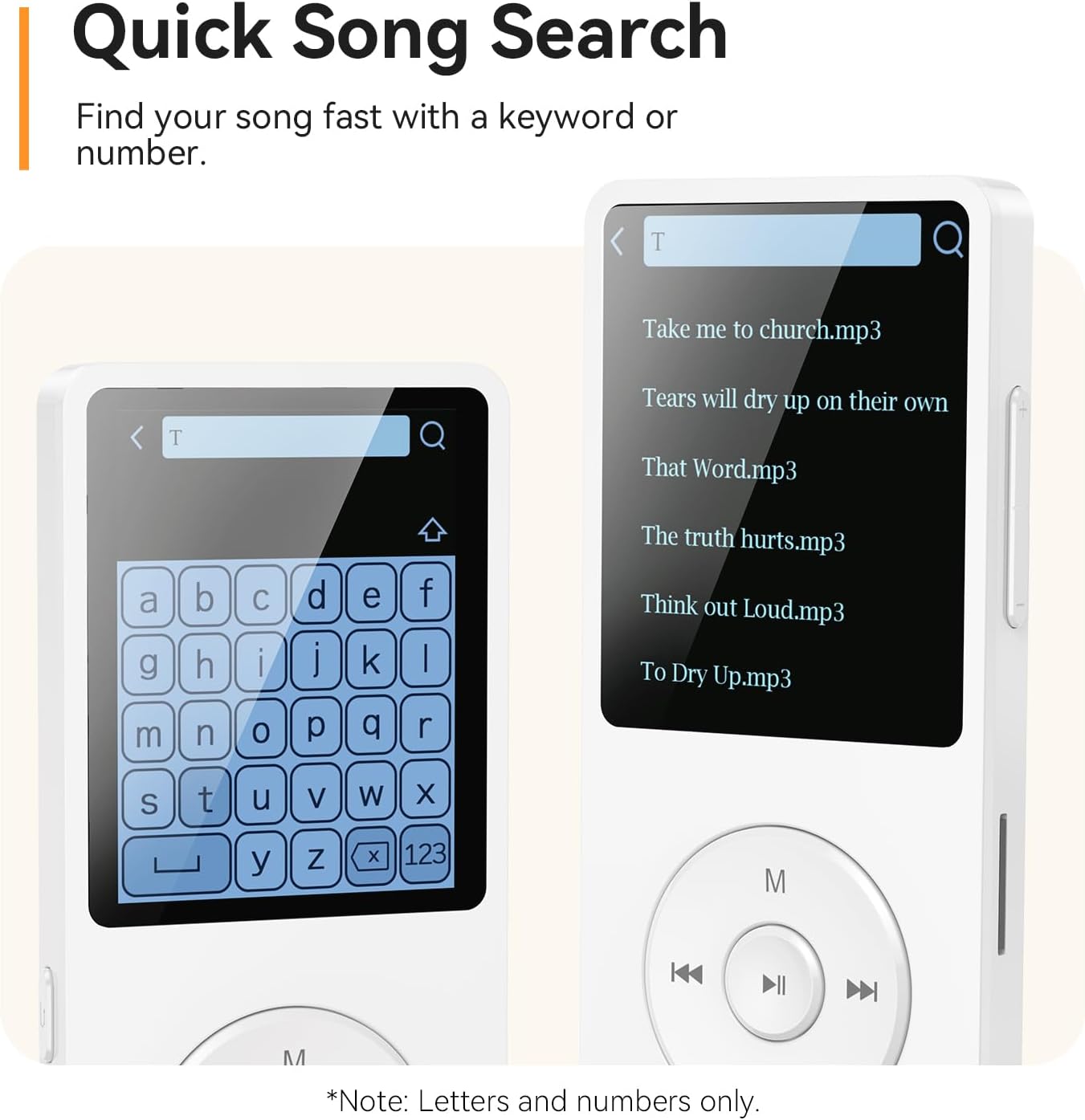
Image: The MP3 player's screen displaying the quick song search interface, allowing users to find music by entering keywords or numbers.
ບໍາລຸງຮັກສາ
1. ການດູແລຫມໍ້ໄຟ
To prolong battery life, avoid fully discharging the device frequently. Charge the device using only the provided Type-C cable or a compatible charger.
2. ການຄຸ້ມຄອງການເກັບຮັກສາ
The MP3 player comes with 64GB of built-in memory, capable of storing up to 6000 songs. For additional storage, a Micro SDXC memory card (up to 128GB, not included) can be inserted into the dedicated slot.

Image: The MP3 player with a Micro SD card partially inserted, highlighting its 64GB built-in memory and support for up to 128GB expansion.
ການແກ້ໄຂບັນຫາ
ການແຊ່ແຂງອຸປະກອນ
If the MP3 player freezes, press and hold the Play/Pause button for approximately 10 seconds. The screen will turn off, and the device will power on again, resolving the freeze without loss of files.
Video: Instructions on how to fix a frozen AGPTEK MP3 Player by performing a soft reset.
ຂໍ້ມູນຈໍາເພາະ
- ຍີ່ຫໍ້: AGPTEK
- ຊື່ຕົວແບບ: A02PLT
- ເຕັກໂນໂລຍີການເຊື່ອມຕໍ່: Bluetooth 5.3
- ຄວາມອາດສາມາດເກັບຮັກສາຫນ່ວຍຄວາມຈໍາ: 64 GB (Internal), expandable up to 128 GB (Micro SDXC)
- ສີ: ສີຂາວ
- ຂະໜາດໜ້າຈໍ: 1.8 Inches (TFT Color Screen)
- ອຸປະກອນທີ່ເຂົ້າກັນໄດ້: ຫູຟັງ
- ຮູບແບບສຽງທີ່ຮອງຮັບ: MP3, WMA, OGG, WAV, APE, FLAC, AAC, ACELP
- ອາຍຸສະເລ່ຍຂອງຫມໍ້ໄຟ: 40 ຊົ່ວໂມງ
- ຄຸນນະສົມບັດພິເສດ: ລຳໂພງໃນຕົວ
- ໝາຍເລກພາກສ່ວນຜູ້ຜະລິດ: SMPA02

ຮູບພາບ: A close-up view of the MP3 player's 1.8-inch TFT color screen, showing its capability to display album art and lyrics for an enhanced music experience.
ການຮັບປະກັນແລະການສະຫນັບສະຫນູນ
The AGPTEK A02 MP3 Player comes with a 1-Year Warranty. AGPTEK provides lifetime technical support and 7x24 online service for any inquiries or assistance you may need.