
SCULPFUN C1
SCULPFUN C1 Mini 3W Laser Engraving Machine User Manual
ຮູບແບບ: C1
1. ບົດແນະນຳ
The SCULPFUN C1 Mini Laser Engraving Machine is a compact and portable 3W laser engraver designed for high-precision engraving on various materials. Featuring an ultra-fine 0.04mm laser spot, it is ideal for detailed photo engravings and intricate designs. This machine is pre-assembled for immediate use, making it suitable for beginners and creative professionals alike. Its robust safety features and broad software compatibility ensure a reliable and versatile engraving experience.
2. ຄໍາແນະນໍາຄວາມປອດໄພທີ່ສໍາຄັນ
- ຄວາມປອດໄພເລເຊີ: Always wear the provided protective glasses when the laser is operating. Never look directly at the laser beam.
- ການລະບາຍອາກາດ: Operate the machine in a well-ventilated area to dissipate smoke and fumes produced during engraving.
- ອັນຕະລາຍໄຟ: Do not leave the machine unattended during operation, especially when engraving flammable materials. Keep a fire extinguisher nearby.
- ເດັກນ້ອຍແລະສັດລ້ຽງ: Keep children and pets away from the engraving machine during operation.
- ການຢຸດສຸກເສີນ: Familiarize yourself with the power switch location for quick shutdown in emergencies.
- Magnetic Protective Cover: Ensure the magnetic protective cover is correctly installed to filter harmful wavelengths (100–500 nm).
- ຈໍາກັດສະວິດ: The machine is equipped with X and Y axis limit switches for precise positioning and safe operation.
3. ເນື້ອໃນຊຸດ
ກວດສອບວ່າລາຍການທັງຫມົດແມ່ນມີຢູ່ໃນຊຸດ:
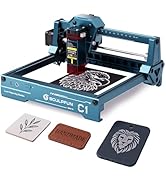
Image: Contents of the SCULPFUN C1 Mini Laser Engraver package.
- C1 Body
- ຫົວເລເຊີ
- Metal Protective Plate
- Acrylic Focusing Sheet
- ຄູ່ມືຜູ້ໃຊ້
- Power Adapter
- ເຄື່ອງມືສ້ອມແປງ
- ສາຍຂໍ້ມູນ
- ແວ່ນຕາປ້ອງກັນ
- Metal Business Card (sampເລ)
- Kraft Paper (sampເລ)
- Plywood (sampເລ)
- ຜ້າອະນາໄມ
4. ຜະລິດຕະພັນເກີນview
The SCULPFUN C1 features a compact design with clearly labeled ports and safety mechanisms.

Image: SCULPFUN C1 Mini Laser Engraver with key components and dimensions labeled.
ອົງປະກອບທີ່ສໍາຄັນ:
- ຫົວເລເຊີ: The core component for engraving, featuring a 3W single-beam laser.
- X and Y Axis: Movement system for precise laser positioning.
- ຈໍາກັດສະວິດ: Located on X and Y axes for automatic reset and safety.
- Magnetic Protective Cover: Red, removable cover over the laser head to filter harmful light and aid in smoke evacuation.
- ພອດພະລັງງານ: ເຊື່ອມຕໍ່ອະແດບເຕີໄຟ.
- ພອດຂໍ້ມູນ: Connects to your computer for software control.
- ສັບປ່ຽນພະລັງງານ: ເປີດ/ປິດອຸປະກອນ.
- ແສງຕົວຊີ້ວັດ: Shows the device's operational status.
5. ຄູ່ມືການຕິດຕັ້ງ
The SCULPFUN C1 Mini is designed for quick and easy setup, being largely pre-assembled.
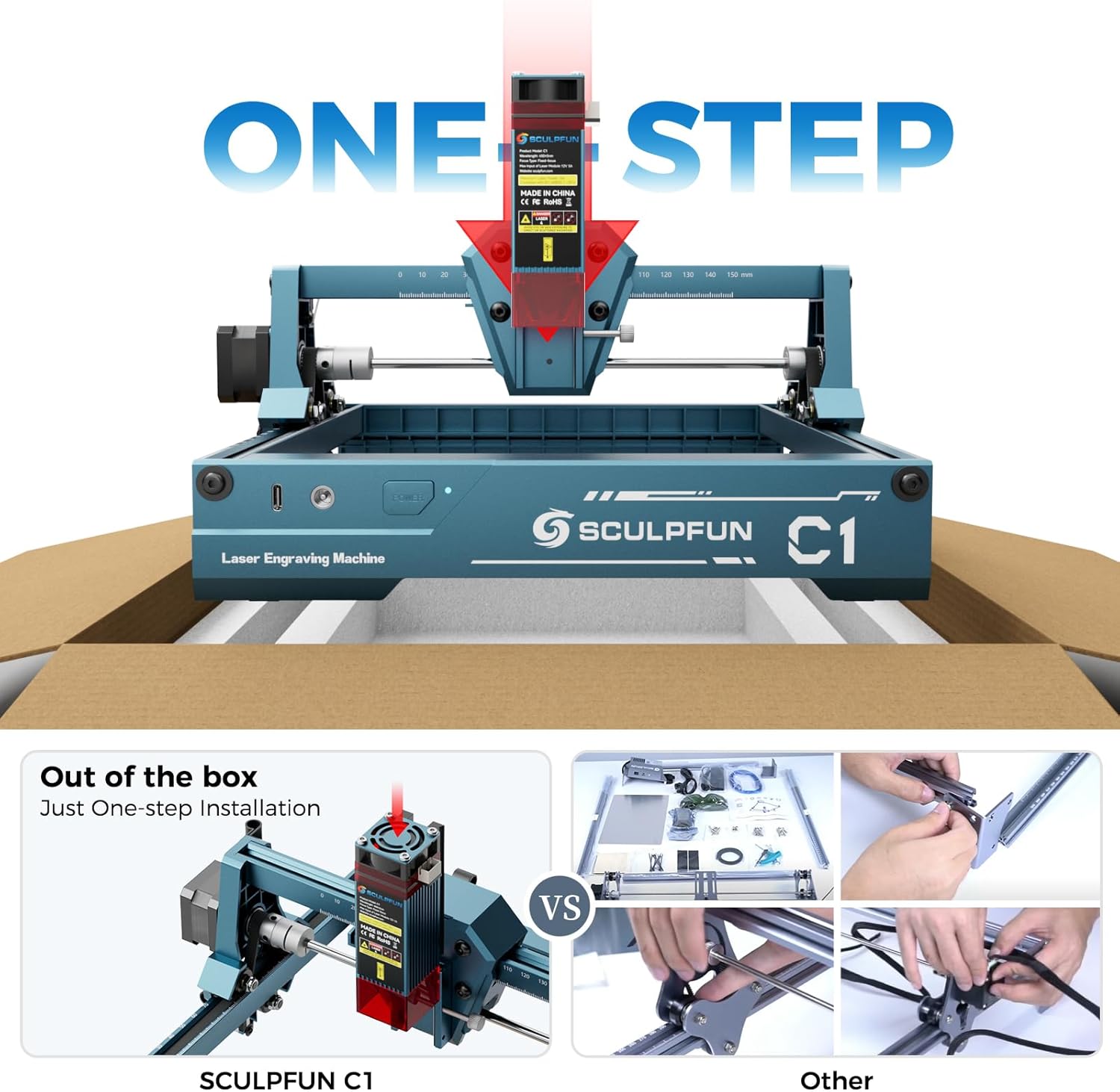
Image: The SCULPFUN C1 Mini is ready to use out of the box with minimal assembly.
- ແກະກ່ອງ: Carefully remove the SCULPFUN C1 Mini from its packaging.
- ການຈັດວາງ: Place the machine on a stable, level surface in a well-ventilated area.
- ເຊື່ອມຕໍ່ພະລັງງານ: Plug the power adapter into the Power Port on the machine, then into a suitable power outlet.
- Connect Data: Connect the data cable from the Data Port on the machine to your computer.
- ຕິດຕັ້ງຊອບແວ: Install the recommended engraving software (LightBurn or LaserGRBL) on your computer. Refer to the software's documentation for installation instructions.
- ໃສ່ແວ່ນຕາປ້ອງກັນ: Always put on your protective glasses before turning on the machine.
6. ຄໍາແນະນໍາການດໍາເນີນງານ
6.1 ຄວາມເຂົ້າກັນໄດ້ຂອງຊອບແວ
The SCULPFUN C1 Mini is compatible with popular laser engraving software:
- ແສງໄຟ: Professional laser control software (additional purchase may be required).
- LaserGRBL: Free and open-source software with an easy-to-use interface.
Both software options are compatible with Windows and macOS operating systems. Supported image formats include JPG, PNG, BMP, GIF, SVG, and AI.

Image: Software compatibility and supported file formats for the SCULPFUN C1 Mini.
6.2 ຂະບວນການແກະສະຫຼັກ
- ກະກຽມວັດສະດຸ: Place your material (e.g., wood, acrylic, paper) within the engraving area (150 x 130 mm). Ensure it is flat and secured.
- ໂຟກັສເລເຊີ: Use the acrylic focusing sheet to set the correct focal length for optimal engraving quality.
- ການອອກແບບການໂຫຼດ: Open your chosen software (LightBurn or LaserGRBL) and load your desired image or design.
- ປັບການຕັ້ງຄ່າ: Configure engraving parameters such as speed, power, and line interval (recommended 0.04–0.06 mm for ultra-fine details).
- ເລີ່ມການແກະສະຫຼັກ: Initiate the engraving process from the software. Monitor the machine closely.

Image: Demonstrating the 0.04mm ultra-fine laser spot for high-precision engraving.
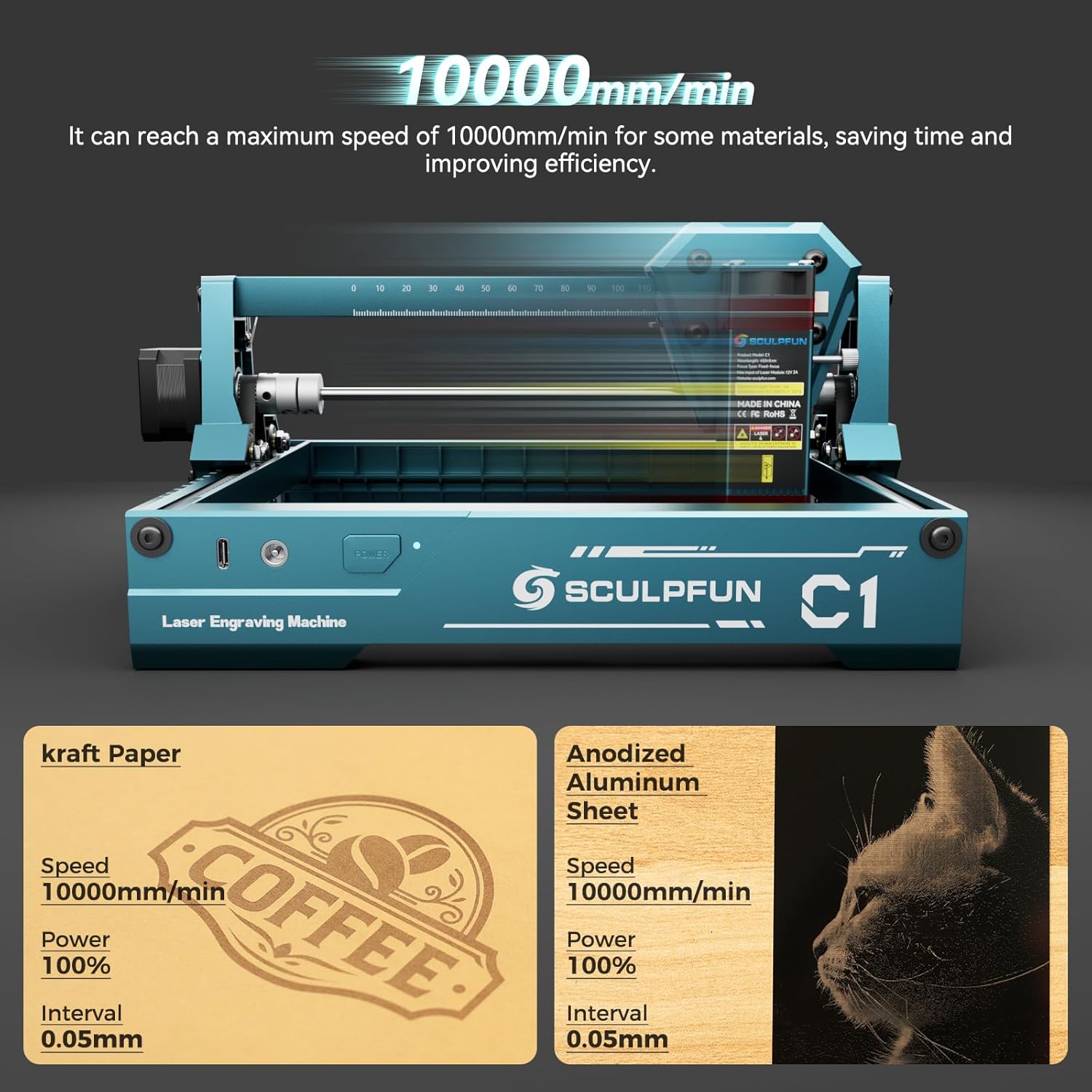
Image: High-speed engraving capabilities of the SCULPFUN C1 Mini.
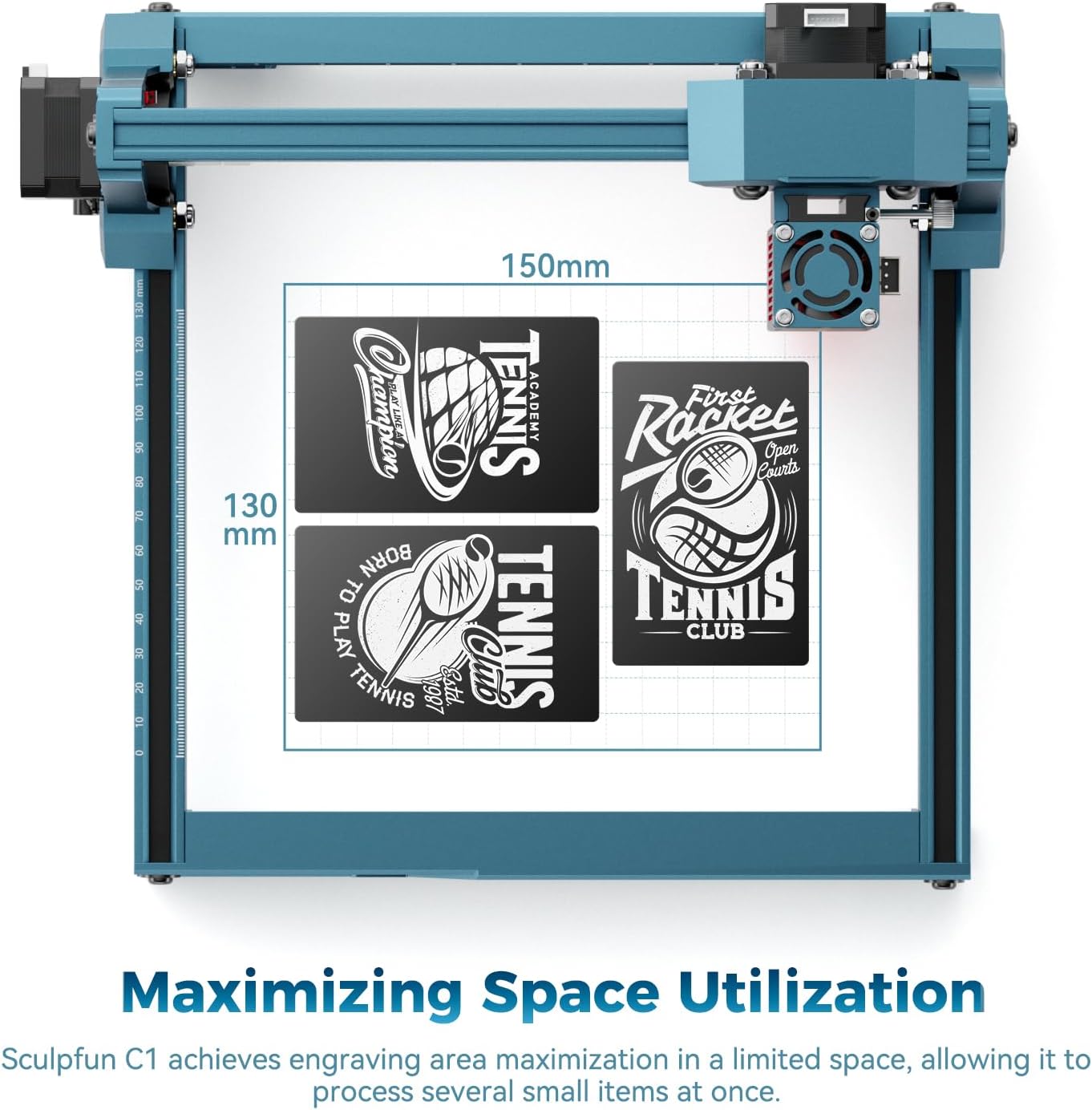
Image: Optimized engraving area of 150 x 130 mm.
7. ບໍາລຸງຮັກສາ
- ເລເຊີທີ່ສະອາດ: Regularly clean the laser lens using the provided cleaning cloth to ensure optimal performance and prevent smoke residue buildup. The smoke exhaust outlet helps keep the lens clean during operation.
- ກວດສອບການເຊື່ອມຕໍ່: Periodically inspect all cable connections for security.
- ຮັກສາຄວາມສະອາດພື້ນທີ່: Maintain a clean working environment around the machine to prevent dust and debris from affecting its operation.

Image: Magnetic protective cover and smoke exhaust system for lens maintenance.
8. ການແກ້ໄຂບັນຫາ
| ບັນຫາ | ສາເຫດທີ່ເປັນໄປໄດ້ | ການແກ້ໄຂ |
|---|---|---|
| ເລເຊີບໍ່ຍິງ | Power cable loose, software not connected, laser head not properly seated. | Check power and data connections. Ensure software is connected and laser head is securely in place. |
| ຄຸນນະພາບການແກະສະຫຼັກທີ່ບໍ່ດີ | Incorrect focal length, dirty lens, incorrect power/speed settings, material not flat. | Adjust focal length. Clean the laser lens. Optimize power and speed settings for the material. Ensure material is flat. |
| ເຄື່ອງບໍ່ເຄື່ອນທີ່ | Data cable loose, software error, limit switch engaged. | Verify data cable connection. Restart software and machine. Check if any limit switches are triggered. |
| ສິ່ງລົບກວນຜິດປົກກະຕິໃນລະຫວ່າງການປະຕິບັດງານ | Loose components, debris in moving parts. | Inspect for loose screws or foreign objects. Ensure smooth movement of axes. |
9. ຂໍ້ມູນຈໍາເພາະ
| ຄຸນສົມບັດ | ລາຍລະອຽດ |
|---|---|
| ຕົວແບບ | C1 (CARC1) |
| ພະລັງງານເລເຊີ | 3W (single-beam) |
| ການແກະສະຫຼັກຄວາມຖືກຕ້ອງ | 0.04 mm ultra-fine spot |
| Recommended Line Interval | 0.04–0.06 ມມ |
| ພື້ນທີ່ແກະສະຫຼັກ | 150 x 130 ມມ |
| Max Engraving Speed | 10000 ມມ/ນທ |
| ຂະໜາດຜະລິດຕະພັນ (ປະມານ) | 290 ມົມ (ກວ້າງ x ສູງ x ສູງ) ມ (D) x 250 ມມ (H) |
| ນ້ຳໜັກ | 1.05 ກິໂລ |
| ແຫຼ່ງພະລັງງານ | AC |
| ຄວາມເຂົ້າກັນໄດ້ຂອງຊອບແວ | LightBurn, LaserGRBL |
| ຄວາມເຂົ້າກັນໄດ້ຂອງ OS | Windows, macOS |
| ຮູບແບບຮູບພາບທີ່ຮອງຮັບ | JPG, PNG, BMP, GIF, SVG, AI |
10. ການຮັບປະກັນແລະການສະຫນັບສະຫນູນ
For warranty information, technical support, or service inquiries, please refer to the official SCULPFUN webເວັບໄຊ ຫຼືຕິດຕໍ່ຮ້ານຂາຍຍ່ອຍຂອງທ່ານ. ຮັກສາໃບຮັບເງິນການຊື້ຂອງທ່ານໄວ້ເປັນຫຼັກຖານການຊື້ສໍາລັບການຮ້ອງຂໍການຮັບປະກັນ.
Ask a question about this manual
Ask about setup, troubleshooting, compatibility, parts, safety, or missing instructions. Manuals+ will review the question and use this page’s manual context to help answer it.