
1. ບົດແນະນຳ
Welcome to the OUKITEL C59 Pro user manual. This guide provides detailed instructions on how to set up, operate, maintain, and troubleshoot your new Android 15 smartphone. Please read this manual thoroughly to ensure optimal performance and longevity of your device.
2. ຂໍ້ມູນຄວາມປອດໄພ
To prevent injury to yourself or others, or damage to your device, read all safety information before using the device. Keep this manual for future reference.
- ຢ່າເຮັດໃຫ້ອຸປະກອນຢູ່ໃນອຸນຫະພູມທີ່ຮຸນແຮງ, ແສງແດດໂດຍກົງ, ຫຼືຄວາມຊຸ່ມຊື່ນສູງ.
- Use only OUKITEL-approved chargers, batteries, and accessories.
- ຫຼີກລ້ຽງການຫຼຸດລົງຫຼືອຸປະກອນທີ່ມີການກະທົບຢ່າງຮຸນແຮງ.
- ຫ້າມຖອດປະກອບ, ແກ້ໄຂ, ຫຼືສ້ອມແປງອຸປະກອນດ້ວຍຕົນເອງ.
- Maintain a safe distance from medical devices to avoid interference.
- ຖິ້ມອຸປະກອນ ແລະ ສ່ວນປະກອບຂອງມັນຢ່າງມີຄວາມຮັບຜິດຊອບຕາມລະບຽບການທ້ອງຖິ່ນ.
3. ເນື້ອໃນຊຸດ
ກວດສອບວ່າລາຍການທັງຫມົດແມ່ນມີຢູ່ໃນກ່ອງຜະລິດຕະພັນຂອງທ່ານ:
- ໂທລະສັບສະຫຼາດ OUKITEL C59 Pro
- ກະເປົາໂທລະສັບ
- ສາຍ USB (ປະເພດ-C)
- SIM Ejector Tool
- Power Adapter
4. ອຸປະກອນເກີນview
Familiarize yourself with the physical features and components of your OUKITEL C59 Pro smartphone.

Image: General view of the OUKITEL C59 Pro smartphone, showcasing ການອອກແບບ sleek ແລະໂມດູນກ້ອງຖ່າຍຮູບຫລັງຂອງຕົນ.
4.1 ປຸ່ມທາງດ້ານຮ່າງກາຍ ແລະພອດ
- ປຸ່ມເປີດປິດ: Located on the side, used to power on/off the device or wake/sleep the screen. Integrates fingerprint recognition.
- ປຸ່ມລະດັບສຽງ: Located on the side, used to adjust media volume and ringtone volume.
- ພອດ USB Type-C: ຕັ້ງຢູ່ດ້ານລຸ່ມ, ໃຊ້ສໍາລັບການສາກໄຟແລະການໂອນຂໍ້ມູນ.
- ຊ່ອງໃສ່ແຜ່ນ SIM/MicroSD: Located on the side, for inserting Nano SIM cards and a MicroSD card.
- 110lm LED Flashlight: An exclusive physical flashlight located at the top of the device, activated by a dedicated button.
4.2 ຈໍສະແດງຜົນ
The OUKITEL C59 Pro features a large 6.88-inch HD+ display with a 90Hz refresh rate and 450 nits brightness, providing a clear and smooth visual experience.

Image: The OUKITEL C59 Pro's 6.88-inch HD+ display, highlighting its size and visual clarity.
4.3 ກ້ອງຖ່າຍຮູບ
The device is equipped with a dual rear camera system, featuring a 13MP main camera, and a 5MP front camera for selfies and video calls.

Image: Close-up of the OUKITEL C59 Pro's rear camera module and examples of photos taken with the 13MP main camera and 5MP front camera.
4.4 ໄຟສາຍ
The OUKITEL C59 Pro features a powerful 110 lumen LED flashlight at the top. This flashlight can be activated instantly by pressing a dedicated physical button on the side of the phone, even when the screen is locked.

Image: The OUKITEL C59 Pro's 110lm LED flashlight illuminating dark environments, demonstrating its brightness and utility in various scenarios.
5. ຕັ້ງຄ່າ
5.1 ການໃສ່ແຜ່ນ SIM ແລະ MicroSD
Your OUKITEL C59 Pro supports Dual Nano SIM cards and a MicroSD card for expandable storage up to 1TB.
- ຊອກຫາຖາດຊິມກາດຢູ່ດ້ານຂ້າງຂອງອຸປະກອນ.
- ສຽບເຄື່ອງມືຖອດຊິມເຂົ້າໄປໃນຮູນ້ອຍໆຂ້າງຖາດເພື່ອເປີດມັນ.
- Place your Nano SIM cards and/or MicroSD card into the designated slots on the tray, ensuring correct orientation.
- ຄ່ອຍໆຍູ້ຖາດກັບເຂົ້າໄປໃນອຸປະກອນຈົນກ່ວາມັນກົດເຂົ້າໄປໃນສະຖານທີ່.

Image: The SIM card tray of the OUKITEL C59 Pro, showing slots for two Nano SIM cards and one MicroSD card.
5.2 ການສາກອຸປະກອນ
Before first use, fully charge your OUKITEL C59 Pro. The device supports 18W fast charging.
- ເຊື່ອມຕໍ່ສາຍ USB Type-C ກັບຊ່ອງສາກໄຟຢູ່ລຸ່ມສຸດຂອງໂທລະສັບ.
- ເຊື່ອມຕໍ່ປາຍອື່ນໆຂອງສາຍ USB ກັບອະແດັບເຕີໄຟ.
- ສຽບອະແດບເຕີໄຟໃສ່ກັບປລັກສຽບໃສ່ຝາ.
- A full charge typically takes approximately four hours.
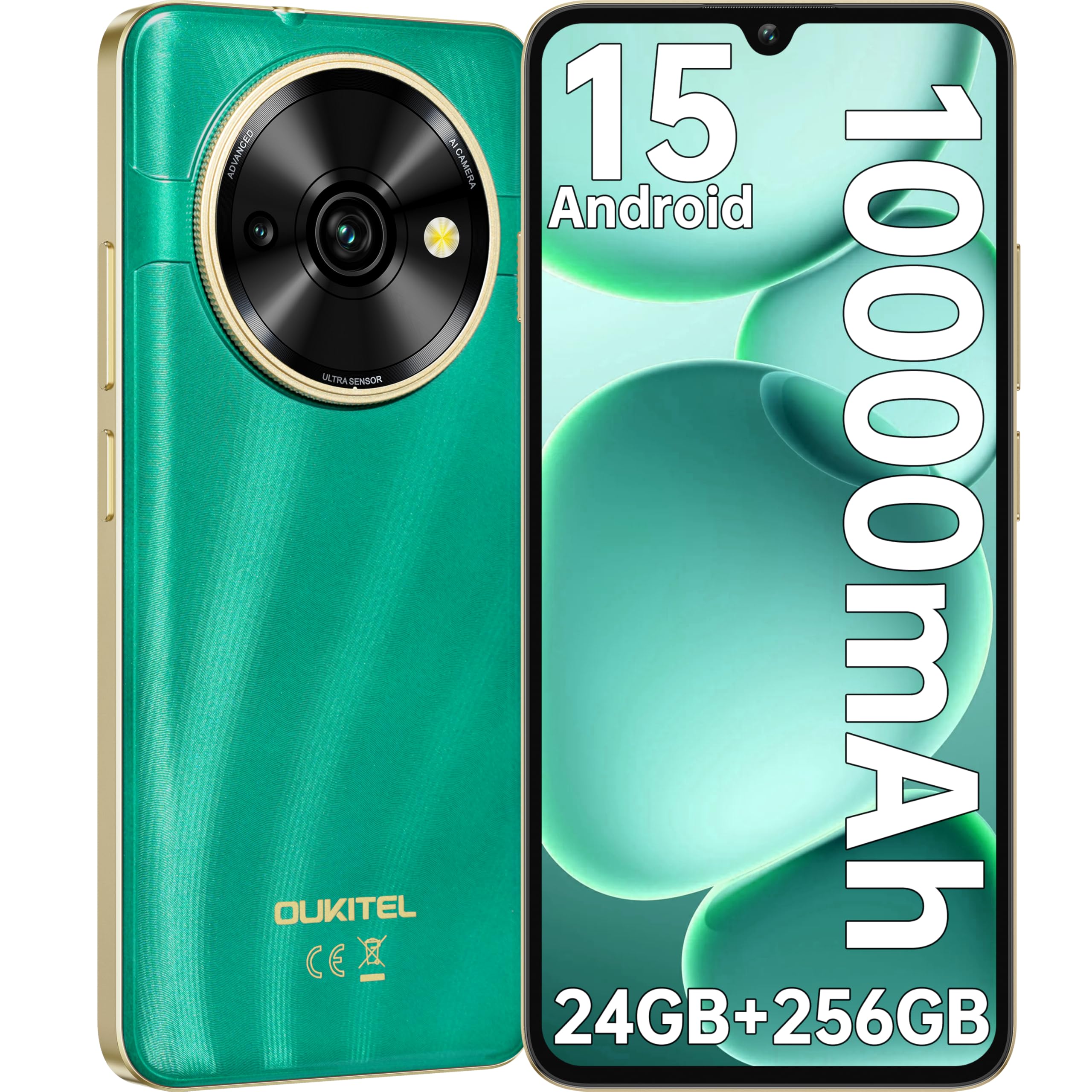
Image: Visual representation of the OUKITEL C59 Pro's 10000mAh battery capacity, indicating extended standby, talk, flashlight, and video playback times.
5.3 ການເປີດ/ປິດ
- ເພື່ອເປີດເຄື່ອງ: ກົດປຸ່ມເປີດປິດຄ້າງໄວ້ຈົນກ່ວາໂລໂກ້ OUKITEL ປະກົດຂຶ້ນ.
- ປິດເຄື່ອງ: ກົດປຸ່ມເປີດປິດຄ້າງໄວ້, ຈາກນັ້ນເລືອກ 'ປິດເຄື່ອງ' ຈາກຕົວເລືອກໃນໜ້າຈໍ.
- ເພື່ອເລີ່ມຕົ້ນໃໝ່: ກົດປຸ່ມເປີດປິດຄ້າງໄວ້, ຈາກນັ້ນເລືອກ 'ຣີສະຕາດ' ຈາກຕົວເລືອກຕ່າງໆ.
6. ປະຕິບັດການໂທລະສັບສະຫຼາດຂອງທ່ານ
6.1 ລະບົບປະຕິບັດການ Android 15
Your OUKITEL C59 Pro runs on the latest Android 15 operating system, offering enhanced energy efficiency, privacy protection, and multi-device integration capabilities optimized with artificial intelligence.

Image: A visual representation of the Android 15 operating system interface, showcasing its modern design and various application icons.
6.2 Biometric Security (Fingerprint & Face ID)
Unlock your device securely using the side-mounted fingerprint sensor or Face ID recognition.
- ການຮັບຮູ້ລາຍນິ້ວມື: Register your fingerprints in the Security settings. To unlock, simply place your registered finger on the side power button.
- Face ID: Set up Face ID in the Security settings. To unlock, hold the phone in front of your face.
6.3 Connectivity Features (NFC, GPS)
The OUKITEL C59 Pro supports NFC for contactless payments and data transfer, and GPS for navigation and location services.
- NFC: Enable NFC in Settings > Connected devices > Connection preferences > NFC. Tap your phone to compatible devices for quick pairing or payments.
- GPS: Location services are enabled by default. You can manage them in Settings > Location.
6.4 ຫນ່ວຍຄວາມຈໍາແລະການເກັບຮັກສາ
The device comes with 24GB RAM (8GB physical + 16GB virtual) and 256GB internal storage, expandable up to 1TB via MicroSD card.

Image: A graphical representation of the OUKITEL C59 Pro's memory configuration, showing 24GB RAM (8GB + 16GB expansion) and 256GB ROM (expandable to 1TB).
6.5 ໜ້າທີ່ຂອງ OTG
The OUKITEL C59 Pro supports OTG (On-The-Go) reverse charging, allowing you to transfer data to other devices or use your phone as an emergency power bank.
7. ບໍາລຸງຮັກສາ
ການບໍາລຸງຮັກສາທີ່ເຫມາະສົມຮັບປະກັນອາຍຸຍືນແລະການປະຕິບັດທີ່ດີທີ່ສຸດຂອງໂທລະສັບສະຫຼາດຂອງທ່ານ.
- ທໍາຄວາມສະອາດ: ໃຊ້ຜ້າແພທີ່ອ່ອນນຸ້ມ, ບໍ່ມີສານດ່າງເພື່ອເຮັດຄວາມສະອາດໜ້າຈໍ ແລະຕົວເຄື່ອງຂອງອຸປະກອນ. ຫຼີກເວັ້ນການນໍາໃຊ້ສານເຄມີທີ່ຮຸນແຮງຫຼືວັດສະດຸຂັດ.
- ອັບເດດຊອບແວ: ກວດຫາ ແລະຕິດຕັ້ງການອັບເດດລະບົບເປັນປະຈຳເພື່ອຮັບປະກັນວ່າອຸປະກອນຂອງທ່ານມີຄຸນສົມບັດຫຼ້າສຸດ ແລະຊຸດປ້ອງກັນຄວາມປອດໄພ. ໄປທີ່ Settings > System > System update.
- ການດູແລຫມໍ້ໄຟ: ຫຼີກລ່ຽງການສາກແບັດເຕີຣີໃຫ້ໝົດເລື້ອຍໆ. ສຳລັບການເກັບຮັກສາໄລຍະຍາວ, ໃຫ້ສາກແບັດເຕີຣີໃຫ້ເຫຼືອປະມານ 50%.
- ການຈັດການການເກັບຮັກສາ: ລ້າງບໍ່ຈໍາເປັນເປັນໄລຍະ files ແລະແອັບເພື່ອເພີ່ມພື້ນທີ່ເກັບຂໍ້ມູນ ແລະປັບປຸງປະສິດທິພາບ.
8. ການແກ້ໄຂບັນຫາ
ຖ້າທ່ານພົບບັນຫາກັບອຸປະກອນຂອງທ່ານ, ລອງໃຊ້ວິທີແກ້ໄຂຕໍ່ໄປນີ້:
- ອຸປະກອນບໍ່ຕອບສະໜອງ: ກົດປຸ່ມເປີດປິດຄ້າງໄວ້ປະມານ 10-15 ວິນາທີເພື່ອບັງຄັບໃຫ້ຣີສະຕາດ.
- ແອັບຂັດຂ້ອງ: Clear the cache and data of the problematic app in Settings > Apps > [App Name] > Storage. If the issue persists, uninstall and reinstall the app.
- ຊີວິດຫມໍ້ໄຟບໍ່ດີ: Check battery usage in Settings > Battery to identify power-hungry apps. Reduce screen brightness, disable unnecessary features like GPS or Wi-Fi when not in use.
- ບັນຫາເຄືອຂ່າຍ: Ensure SIM cards are correctly inserted. Try restarting the device. Check network settings or contact your service provider.
- ຄວາມຮ້ອນເກີນ: Avoid using the device while charging or during prolonged heavy usage. Close background apps.
- ປັບຄ່າໂຮງງານ: As a last resort, if software issues persist, you can perform a factory reset. ຄຳເຕືອນ: ນີ້ຈະລຶບຂໍ້ມູນທັງໝົດໃນອຸປະກອນຂອງທ່ານ. ສໍາຮອງຂໍ້ມູນທີ່ສໍາຄັນກ່ອນທີ່ຈະດໍາເນີນການ. ໄປທີ່ການຕັ້ງຄ່າ> ລະບົບ> ທາງເລືອກການຕັ້ງຄ່າໃຫມ່> ລຶບຂໍ້ມູນທັງຫມົດ (ການຕັ້ງຄ່າຈາກໂຮງງານຄືນໃຫມ່).
9. ຂໍ້ມູນຈໍາເພາະ
Detailed technical specifications for the OUKITEL C59 Pro smartphone.
| ຄຸນສົມບັດ | ຂໍ້ມູນຈໍາເພາະ |
|---|---|
| ຍີ່ຫໍ້ | OUKITEL |
| ຊື່ຕົວແບບ | OUKITEL C59 Pro |
| ລະບົບປະຕິບັດການ | Android 15 |
| ຂະໜາດ RAM ທີ່ຕິດຕັ້ງແລ້ວ | 24 GB (8GB ທາງກາຍະພາບ + 16GB virtual) |
| ຄວາມອາດສາມາດເກັບຮັກສາ | 256 GB |
| Max Supported Flash Memory Size | 1024 GB (1TB) |
| ຂະໜາດໜ້າຈໍ | 6.88 ນິ້ວ |
| ຄວາມລະອຽດ | 1640 x 720 ພິກເຊລ |
| ອັດຕາການໂຫຼດຂໍ້ມູນຄືນໃໝ່ | 90 Hz |
| ປະເພດການສະແດງ | ຈໍ LCD |
| ເຕັກໂນໂລຊີໂທລະສັບມືຖື | 4G |
| ເຕັກໂນໂລຊີການເຊື່ອມຕໍ່ | 4G |
| ສີ | ສີຂຽວ |
| Number of SIM Card Slots | ຊິມສອງ |
| ຂະ ໜາດ ບັດຊິມ | ນາໂນ |
| ປະເພດຕົວເຊື່ອມຕໍ່ | USB ປະເພດ C |
| ປັດໄຈແບບຟອມ | ບາ |
| ຄຸນສົມບັດຄວາມປອດໄພທາງຊີວະມິຕິ | ການຮັບຮູ້ລາຍນິ້ວມື, ການລະບຸໃບໜ້າ |
| ລະດັບຄວາມຕ້ານທານນ້ໍາ | ບໍ່ກັນນ້ໍາ |
| Jack ຫູຟັງ | ບໍ່ມີ |
| ຄວາມລະອຽດກ້ອງຫຼັງ | 13 MP |
| Number of Rear Cameras | 2 |
| Number of Front Cameras | 1 |
| ຄວາມລະອຽດການຖ່າຍວິດີໂອ | 1080p |
| ອັດຕາເຟຣມ | 30fps, 60fps, 120fps |
| ຄວາມອາດສາມາດຫມໍ້ໄຟ | 10000 mAh |
| ຊີວິດຫມໍ້ໄຟ | 50 ຊົ່ວໂມງ (ເວລາສົນທະນາ) |
| GPS | ແມ່ນແລ້ວ |
| ອົງປະກອບລວມ | Phone case, USB cable, SIM ejector tool, Power adapter |
| ການນໍາໃຊ້ຜະລິດຕະພັນສະເພາະ | Gaming, Photography, Streaming, Video Conferencing |
10. ການຮັບປະກັນແລະການສະຫນັບສະຫນູນ
10.1 ຂໍ້ມູນການຮັບປະກັນ
The OUKITEL C59 Pro smartphone comes with a ການຮັບປະກັນຂອງຜູ້ຜະລິດ 2 ປີ. This warranty covers defects in materials and workmanship under normal use. It does not cover damage caused by misuse, accidents, unauthorized repairs, or normal wear and tear. Please retain your proof of purchase for warranty claims.
10.2 ສະຫນັບສະຫນູນລູກຄ້າ
For technical assistance, warranty claims, or any other inquiries regarding your OUKITEL C59 Pro, please contact OUKITEL customer support through their official website or the contact information provided with your purchase. Ensure you have your device model and purchase details ready when contacting support.