
1. ບົດແນະນຳ
Thank you for choosing the Intelbras PFL7560 Full HD Wi-Fi Projector. This projector is designed to deliver a high-quality visual and audio experience for various applications, from home cinema to business presentations. It features Full HD resolution, 8000 lumens brightness, and integrated 12W stereo speakers. This manual provides essential information for safe and efficient operation of your projector.
2. ຂໍ້ມູນຄວາມປອດໄພ
ກະລຸນາອ່ານຄຳແນະນຳດ້ານຄວາມປອດໄພທັງໝົດຢ່າງລະອຽດກ່ອນທີ່ຈະໃຊ້ໂປເຈັກເຕີ. ເກັບຄູ່ມືນີ້ໄວ້ເພື່ອອ້າງອີງໃນອະນາຄົດ.
- ການສະຫນອງພະລັງງານ: Use only the power adapter provided with the projector. Ensure the voltage ກົງກັບການສະຫນອງພະລັງງານໃນທ້ອງຖິ່ນຂອງທ່ານ.
- ການລະບາຍອາກາດ: ຢ່າກີດຂວາງຊ່ອງລະບາຍອາກາດ. ຮັບປະກັນໃຫ້ມີພື້ນທີ່ພຽງພໍອ້ອມຮອບໂປເຈັກເຕີເພື່ອໃຫ້ມີການໄຫຼວຽນຂອງອາກາດທີ່ເໝາະສົມເພື່ອປ້ອງກັນການຮ້ອນເກີນໄປ.
- ການຈັດວາງ: ວາງໂປເຈັກເຕີຢູ່ເທິງພື້ນຜິວທີ່ມີລະດັບຄວາມຫມັ້ນຄົງ. ຫຼີກເວັ້ນການວາງມັນຢູ່ໃນແສງແດດໂດຍກົງ, ຢູ່ໃກ້ກັບແຫຼ່ງຄວາມຮ້ອນ, ຫຼືໃນສະພາບແວດລ້ອມທີ່ມີຄວາມຊຸ່ມຊື່ນສູງຫຼືຂີ້ຝຸ່ນ.
- ການປົກປ້ອງຕາ: ຢ່າເບິ່ງໂດຍກົງໃນເລນໂປເຈັກເຕີເມື່ອ lamp ເປີດຢູ່, ເນື່ອງຈາກແສງສະຫວ່າງສາມາດເຮັດໃຫ້ເກີດຄວາມເສຍຫາຍຕໍ່ຕາ.
- ທໍາຄວາມສະອາດ: ຖອດສາຍໂປເຈັກເຕີອອກກ່ອນທຳຄວາມສະອາດ. ໃຊ້ຜ້າອ່ອນ, ແຫ້ງ. ຫ້າມໃຊ້ນໍ້າສະອາດ ຫຼື ແອໂຣໂຊລ.
- ການບໍລິການ: ຢ່າພະຍາຍາມສ້ອມແປງໂປເຈັກເຕີດ້ວຍຕົວເອງ. ອ້າງອີງການບໍລິການທັງໝົດໃຫ້ກັບພະນັກງານບໍລິການທີ່ມີຄຸນວຸດທິ.
3. ເນື້ອໃນຊຸດ
ກວດສອບວ່າລາຍການທັງຫມົດແມ່ນມີຢູ່ໃນຊຸດ:
- Intelbras PFL7560 Projector Unit
- ການຄວບຄຸມໄລຍະໄກ
- ສາຍໄຟ
- ຄູ່ມືຜູ້ໃຊ້
4. ຜະລິດຕະພັນເກີນview
Familiarize yourself with the main components and ports of your Intelbras PFL7560 projector.
4.1. ອົງປະກອບຂອງໂປເຈັກເຕີ

Image: Intelbras PFL7560 Projector with included remote control.
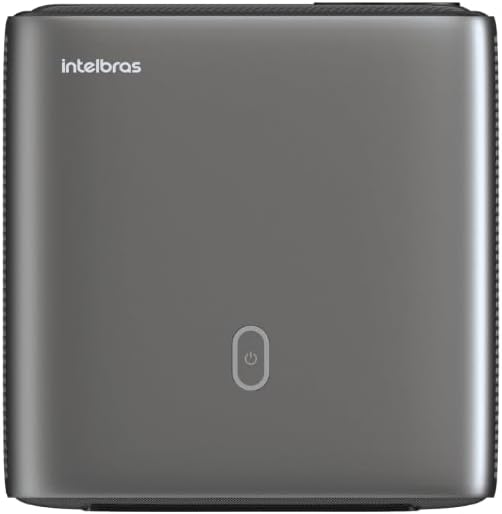
ຮູບພາບ: ເທິງ view of the projector, highlighting the power button and sleek design.
4.2. ພອດແລະການເຊື່ອມຕໍ່
ໂປເຈັກເຕີສະເໜີທາງເລືອກໃນການເຊື່ອມຕໍ່ຫຼາຍຢ່າງ:
- HDMI: For connecting high-definition devices such as laptops, gaming consoles, or Blu-ray players.
- USB: ສໍາລັບການເຊື່ອມຕໍ່ອຸປະກອນເກັບຮັກສາ USB ເພື່ອຫຼິ້ນສື່ files ໂດຍກົງ.
- Wi-Fi (802.11 ac/b/g/n): For wireless connectivity and screen mirroring from compatible Android devices.
- ອອກສຽງ: ສໍາລັບການເຊື່ອມຕໍ່ລະບົບສຽງພາຍນອກຫຼືຫູຟັງ.
5. ຕັ້ງຄ່າ
5.1. ບັນຈຸເຂົ້າຮຽນ
Choose a suitable location for your projector. The PFL7560 can project images from 60 to 150 inches, making it versatile for various room sizes. Ensure the projector is placed on a stable surface and is not obstructed.
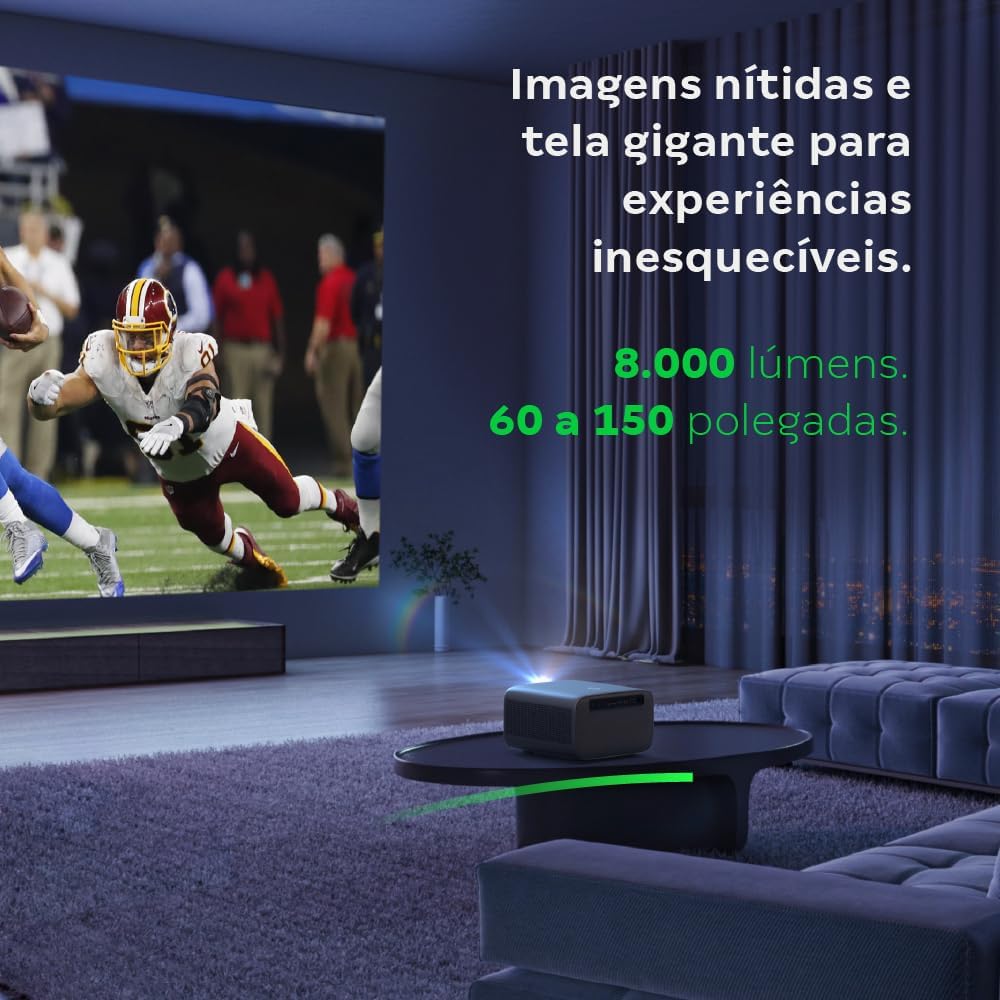
Image: The projector creating a large, clear image in a home environment, demonstrating its capability for immersive viewing.
5.2. ການເຊື່ອມຕໍ່ພະລັງງານ
ເຊື່ອມຕໍ່ສາຍໄຟເຂົ້າກັບຊ່ອງສຽບໄຟຟ້າຂອງໂປເຈັກເຕີ ແລະ ຈາກນັ້ນເຂົ້າກັບປລັກໄຟ.
5.3. ການເປີດເຄື່ອງເບື້ອງຕົ້ນ
ກົດປຸ່ມເປີດ/ປິດເຄື່ອງໃນໂປເຈັກເຕີ ຫຼື ຣີໂໝດຄວບຄຸມເພື່ອເປີດອຸປະກອນ. ໂປເຈັກເຕີຈະເລີ່ມຕົ້ນລຳດັບການເລີ່ມຕົ້ນຂອງມັນ.
5.4. ຈຸດສຸມແລະການແກ້ໄຂ Keystone
The PFL7560 features automatic focus and keystone correction for a perfectly aligned and sharp image without manual effort. If manual adjustment is needed, refer to the on-screen display (OSD) menu.
6. ຄໍາແນະນໍາການດໍາເນີນງານ
6.1. ອຸປະກອນເຊື່ອມຕໍ່
- HDMI: Connect your device using an HDMI cable to the HDMI port on the projector. Select the corresponding HDMI input from the projector's source menu.
- USB: Insert a USB drive into the USB port. The projector's media player will typically detect the drive automatically, allowing you to browse and play files.
- Wi-Fi / Screen Mirroring: For compatible Android devices, enable screen mirroring on your device and select the projector from the available devices. Ensure both devices are connected to the same Wi-Fi network.
6.2. ສຽງອອກ
The projector is equipped with two integrated 12W speakers, providing clear and immersive audio. For external audio, connect speakers or headphones to the audio output port.

Image: Detail of the projector's integrated 12W speakers, designed for powerful and clear sound.
7. ບໍາລຸງຮັກສາ
7.1. ການເຮັດຄວາມສະອາດເລນ
ໃຊ້ຜ້າອ່ອນໆທີ່ບໍ່ມີຂົນທີ່ອອກແບບມາສະເພາະສຳລັບເລນ optical ເພື່ອເຊັດເລນໂປເຈັກເຕີຢ່າງອ່ອນໂຍນ. ຫຼີກລ່ຽງການໃຊ້ວັດສະດຸທີ່ມີສີຂັດ ຫຼື ສານເຄມີທີ່ຮຸນແຮງ.
7.2. ການທຳຄວາມສະອາດຕົວເຄື່ອງໂປເຈັກເຕີ
Wipe the exterior of the projector with a soft, dry cloth. Do not use liquid or spray cleaners directly on the unit.
7.3. LED Light Source Longevity
The Intelbras PFL7560 uses an LED light source with a lifespan of up to 30,000 hours, ensuring long-term use and consistent performance without significant brightness degradation.
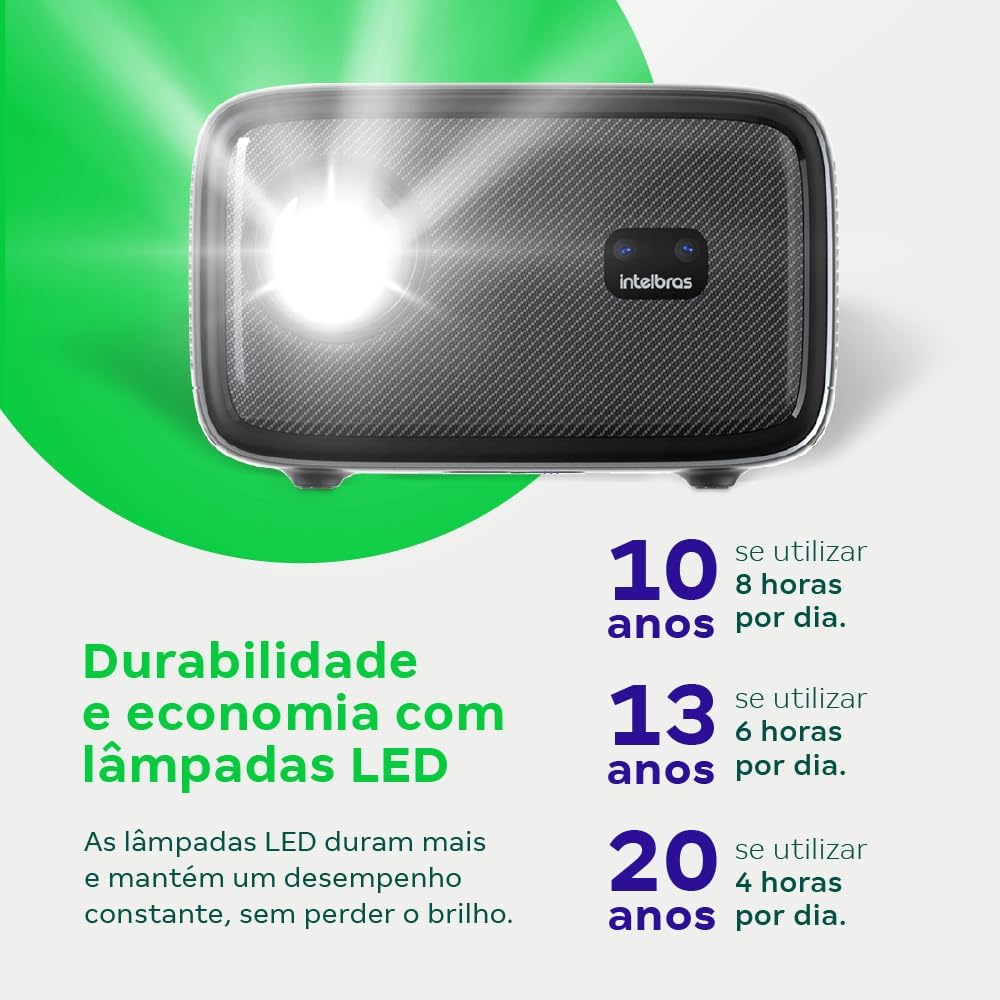
Image: An infographic illustrating the extended durability and economic benefits of the LED lamp, lasting up to 30,000 hours.
8. ການແກ້ໄຂບັນຫາ
ຖ້າເຈົ້າພົບບັນຫາກັບໂປເຈັກເຕີຂອງເຈົ້າ, ໃຫ້ອ້າງອີງເຖິງບັນຫາ ແລະວິທີແກ້ໄຂບັນຫາທົ່ວໄປຕໍ່ໄປນີ້:
- ບໍ່ມີຮູບພາບ: Ensure the power cable is securely connected and the projector is turned on. Check the input source selection to match your connected device.
- ຮູບມົວ: Adjust the focus. If the image is distorted, check for automatic keystone correction or adjust it manually via the settings menu.
- ບໍ່ມີສຽງ: Verify the volume level on both the projector and the connected device. Ensure external speakers are properly connected if used, or that the internal speakers are enabled.
- ບັນຫາການເຊື່ອມຕໍ່: For Wi-Fi or screen mirroring, ensure both the projector and your device are on the same network. Restart both devices if necessary.
- ຄວາມຮ້ອນເກີນ: Ensure the projector's ventilation openings are not blocked. Turn off the projector and allow it to cool down if it feels excessively hot.
9. ຂໍ້ມູນຈໍາເພາະ
| ຄຸນສົມບັດ | ຂໍ້ມູນຈໍາເພາະ |
|---|---|
| ຍີ່ຫໍ້ | Intelbras |
| ຊື່ຕົວແບບ | PFL 7560 |
| ເຕັກໂນໂລຊີການເຊື່ອມຕໍ່ | Wi-Fi |
| ຄຸນນະສົມບັດພິເສດ | Wi-Fi ພ້ອມແລ້ວ |
| ຄວາມລະອຽດການສະແດງ | 1920 x 1080 (Full HD) |
| ຄວາມລະອຽດເດີມ | 1920 x 1080 |
| ຄວາມລະອຽດຈໍສະແດງຜົນສູງສຸດ | 1920 x 1080 |
| ປະເພດການສະແດງ | ຈໍ LCD |
| ຄວາມສະຫວ່າງ | 8000 Lumens |
| ອຸປະກອນທີ່ເຂົ້າກັນໄດ້ | ແລັບທັອບ, ໂທລະສັບສະຫຼາດ, ແທັບເລັດ |
| ຊີວິດການດໍາເນີນງານຂອງແຫຼ່ງແສງສະຫວ່າງ | 30000 ຊົ່ວໂມງ |
| ການໂຕ້ຕອບຮາດແວ | 802.11 ac/b/g/n |
| ການເຂົ້າລະຫັດວິດີໂອ | H.264, H.265 |
| ການນໍາໃຊ້ທີ່ແນະນໍາ | Home Cinema |
| ສຽງ | ລຳໂພງປະສົມປະສານ 2 x 12W |
10. ການຮັບປະກັນແລະການສະຫນັບສະຫນູນ
For warranty information, technical support, or service requests, please refer to the official Intelbras webເວັບໄຊ ຫຼືຕິດຕໍ່ບໍລິການລູກຄ້າຂອງເຂົາເຈົ້າໂດຍກົງ. ຮັກສາໃບຮັບເງິນການຊື້ຂອງທ່ານໄວ້ເປັນຫຼັກຖານການຊື້ສໍາລັບການຮ້ອງຂໍການຮັບປະກັນ.