
ແນະນຳ
The 1MORE P20 USB-C Wired Earphones are designed to provide a high-quality audio experience with powerful sound, clear call quality, and ergonomic comfort. This manual provides essential information for setting up, operating, maintaining, and troubleshooting your earphones.

Image: The 1MORE P20 USB-C Wired Earphones, showcasing their sleek black design and the Hi-Res Audio certification.
ຕັ້ງຄ່າ
1. ການເລືອກ ແລະ ຄວາມພໍດີຂອງປາຍຫູ
For optimal sound quality and comfort, select the ear tips that best fit your ears. The earphones come with various sizes of silicone ear tips. Gently insert the earphones into your ear canals at a 45° angle until they feel secure and comfortable. A proper seal is crucial for effective acoustic isolation and bass response.
2. ການເຊື່ອມຕໍ່ກັບອຸປະກອນຂອງທ່ານ
The 1MORE P20 earphones feature a USB-C connector for direct plug-and-play compatibility. Simply plug the USB-C connector into the USB-C port of your smartphone, tablet, iPad, or other compatible digital device. No additional drivers or software are typically required.
ຄໍາແນະນໍາການດໍາເນີນງານ
1. ເຄື່ອງຫຼີ້ນສຽງ
Once connected, your device should automatically recognize the earphones. Begin playing audio from your preferred application. The earphones support Hi-Res Stereo Audio for a detailed and immersive listening experience.
2. ການຄວບຄຸມປະລິມານ
The in-line remote control allows you to adjust the volume. Use the '+' button to increase volume and the '-' button to decrease volume. Short press the center button to play/pause music or answer/end calls.
3. ການຄຸ້ມຄອງການໂທ
The earphones are equipped with an advanced MEMS microphone and AI ENC noise suppression technology for clear voice capture during calls. To answer an incoming call, short press the center button. To end a call, short press the center button again. To reject a call, long press the center button.
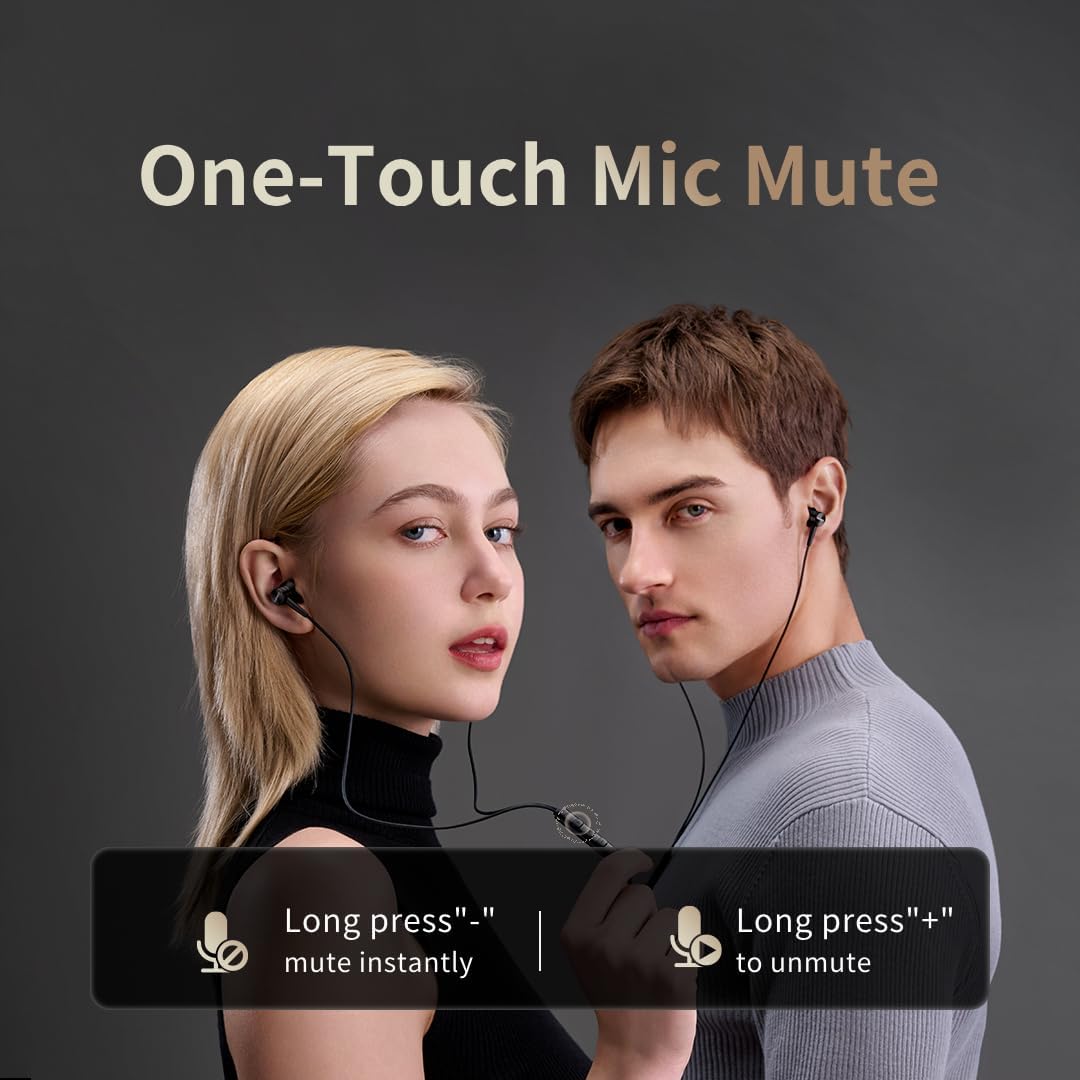
Image: Illustration of the one-touch microphone mute function. Long press '-' to mute instantly, long press '+' to unmute.
4. ຟັງຊັນປິດສຽງໄມໂຄຣໂຟນ
To instantly mute the microphone during a call, long press the '-' button on the in-line remote. To unmute, long press the '+' button.
ບໍາລຸງຮັກສາ
1. ທໍາຄວາມສະອາດ
- Regularly clean the ear tips with a soft, dry cloth to remove earwax and debris.
- Wipe the earphone bodies and cable with a slightly damp ຜ້າ, ຫຼັງຈາກນັ້ນແຫ້ງຢ່າງລະອຽດ.
- ຢ່າໃຊ້ສານເຄມີທີ່ຮຸນແຮງຫຼືວັດສະດຸຂັດສໍາລັບການເຮັດຄວາມສະອາດ.
2. ການເກັບຮັກສາ
When not in use, store the earphones in a clean, dry place, preferably in a protective pouch, to prevent tangling and damage to the cable or drivers.
ການແກ້ໄຂບັນຫາ
- ບໍ່ມີສຽງ:
- ໃຫ້ແນ່ໃຈວ່າຕົວເຊື່ອມຕໍ່ USB-C ໄດ້ຖືກສຽບເຂົ້າໄປໃນອຸປະກອນຂອງທ່ານຢ່າງຄົບຖ້ວນແລ້ວ.
- Check the volume level on both your device and the earphone remote.
- ທົດສອບຫູຟັງກັບອຸປະກອນອື່ນເພື່ອກວດສອບບັນຫາສະເພາະຂອງອຸປະກອນ.
- ຄຸນະພາບສຽງບໍ່ດີ:
- Ensure ear tips provide a proper seal in your ear canal. Try different sized ear tips.
- Clean any debris from the earphone nozzles.
- ກວດເບິ່ງວ່າຄຸນນະພາບແຫຼ່ງສຽງແມ່ນສູງຫຼືບໍ່.
- ໄມໂຄຣໂຟນບໍ່ເຮັດວຽກ:
- Ensure the microphone is not muted (check the mute function using the in-line remote).
- Verify microphone settings on your connected device.
- Ensure the USB-C connection is secure.
ຂໍ້ມູນຈໍາເພາະ

ຮູບພາບ: ລະເບີດ view illustrating the 10mm Diamond-Like Carbon (DLC) dynamic driver, responsible for the powerful and compact sound.
| ຄຸນສົມບັດ | ຂໍ້ມູນຈໍາເພາະ |
|---|---|
| ຊື່ຕົວແບບ | P20 Black EU |
| ເຕັກໂນໂລຊີການເຊື່ອມຕໍ່ | ມີສາຍ |
| Jack ຫູຟັງ | USB-C |
| ການຈັດວາງຫູ | ໃນຫູ |
| ປັດໄຈແບບຟອມ | ໃນຫູ |
| impedance | 32 ໂອມ |
| ຊ່ວງຄວາມຖີ່ | 20 Hz - 40,000 Hz |
| ປະເພດໄດເວີສຽງ | Dynamic (10mm DLC Diaphragm) |
| ການຄວບຄຸມສິ່ງລົບກວນ | Active Noise Suppression (AI ENC for microphone) |
| ວິທີການຄວບຄຸມ | ປຸ່ມກົດ |
| ອຸປະກອນທີ່ເຂົ້າກັນໄດ້ | Phone, Tablet, iPad |
| ລະດັບຄວາມຕ້ານທານນ້ໍາ | ບໍ່ທົນທານຕໍ່ນ້ໍາ |
| ວັດສະດຸພາຍໃນ | ອາລູມີນຽມ |

Image: A woman enjoying music with the 1MORE P20 earphones, highlighting the Hi-Res Audio capability and immersive sound.
ການຮັບປະກັນແລະການສະຫນັບສະຫນູນ
For warranty information or technical support, please refer to the official 1MORE webເວັບໄຊ ຫຼືຕິດຕໍ່ບໍລິການລູກຄ້າຂອງເຂົາເຈົ້າໂດຍກົງ. ຮັກສາໃບຮັບເງິນການຊື້ຂອງທ່ານສໍາລັບການຮ້ອງຂໍການຮັບປະກັນ.