
1. ບົດແນະນຳ
ຂອບໃຈສໍາລັບການຊື້asing the Sofirn HS21 and D25S headlamps. These headlamps are designed for various outdoor activities, offering reliable illumination and convenient features. This manual provides detailed instructions for the safe and effective use, setup, operation, and maintenance of your new headlampດ. ກະລຸນາອ່ານຄູ່ມືນີ້ຢ່າງລະອຽດກ່ອນທີ່ຈະນໍາໃຊ້ແລະເກັບຮັກສາມັນໄວ້ສໍາລັບການອ້າງອີງໃນອະນາຄົດ.
2. ຄໍາແນະນໍາຄວາມປອດໄພ
- Do not shine the light directly into eyes. The powerful beam can cause temporary vision impairment or permanent eye damage.
- ຮັກສາໃຫ້ໄກຈາກເດັກນ້ອຍ.
- ຢ່າຖອດຫົວຫົວອອກamp. This may damage the device and void the warranty.
- Use only the recommended battery types. Improper battery use can lead to fire, explosion, or leakage.
- ຫຼີກເວັ້ນການເປີດເຜີຍຫົວamp ຕໍ່ກັບອຸນຫະພູມທີ່ຮຸນແຮງ ຫຼືແສງແດດໂດຍກົງເປັນເວລາດົນ.
- ໃຫ້ແນ່ໃຈວ່າຝາປິດພອດສາກໄຟ USB-C ປິດແໜ້ນດີເມື່ອບໍ່ໄດ້ສາກໄຟເພື່ອຮັກສາຄວາມກັນນ້ຳ.
3. ເນື້ອໃນຊຸດ
- 1 x Sofirn HS21 Headlamp
- 1 x Sofirn D25S Headlamp
- 2 x ສາຍຮັດຫົວ
- 2 x ສາຍສາກ USB-C
- 2 x Rechargeable Batteries (pre-installed or separate)
- 1 x ຄູ່ມືຜູ້ໃຊ້
4. ຜະລິດຕະພັນເກີນview
4.1 Sofirn HS21 Headlamp
The Sofirn HS21 is a versatile headlamp featuring a combination of spotlight, floodlight, and red light. It is equipped with a convenient rotary switch for easy mode selection and offers a wide 130° rotation adjustment for optimal illumination angle.

Image 1: Sofirn HS21 Headlamp showing its various light modes including red light, spotlight, and floodlight.

Image 2: The Sofirn HS21 headlamp demonstrating its 130-degree rotation capability for adjustable light direction.
4.2 Sofirn D25S Headlamp
The Sofirn D25S is a compact and powerful headlamp utilizing an SST40 LED, offering multiple brightness levels. It features a hidden USB-C charging port for convenient recharging and a simple user interface with memory mode.

Image 3: Sofirn D25S Headlamp highlighting its comfortable switch and simple user interface.
5. ຕັ້ງຄ່າ
5.1 ການຕິດຕັ້ງຫມໍ້ໄຟ
Both HS21 and D25S headlamps typically come with batteries pre-installed. If not, or if replacing batteries:
- Unscrew the tail cap of the headlamp ຮ່າງກາຍ.
- Insert the rechargeable battery with the positive (+) terminal facing towards the head of the lamp.
- Screw ຝາຫາງກັບຄືນໄປບ່ອນແຫນ້ນເພື່ອຮັບປະກັນການຕິດຕໍ່ທີ່ເຫມາະສົມແລະການຕໍ່ຕ້ານນ້ໍາ.
5.2 ການສາກໄຟ
ທັງສອງຫົວamps feature a built-in USB-C charging port.
For HS21:
- ຊອກຫາພອດສາກໄຟ USB-C ຢູ່ດ້ານຂ້າງຂອງຫົວamp ຮ່າງກາຍ.
- Gently lift the protective rubber cover to expose the port.
- ເຊື່ອມຕໍ່ສາຍ USB-C ທີ່ໃຫ້ມາເຂົ້າກັບຫົວamp and to a USB power source (e.g., wall adapter, power bank, computer).
- ໄຟສະແດງຈະສະແດງສີແດງໃນລະຫວ່າງການສາກໄຟ ແລະ ປ່ຽນເປັນສີຂຽວເມື່ອສາກເຕັມ.
- Once charging is complete, securely close the rubber cover to protect the port from dust and water.
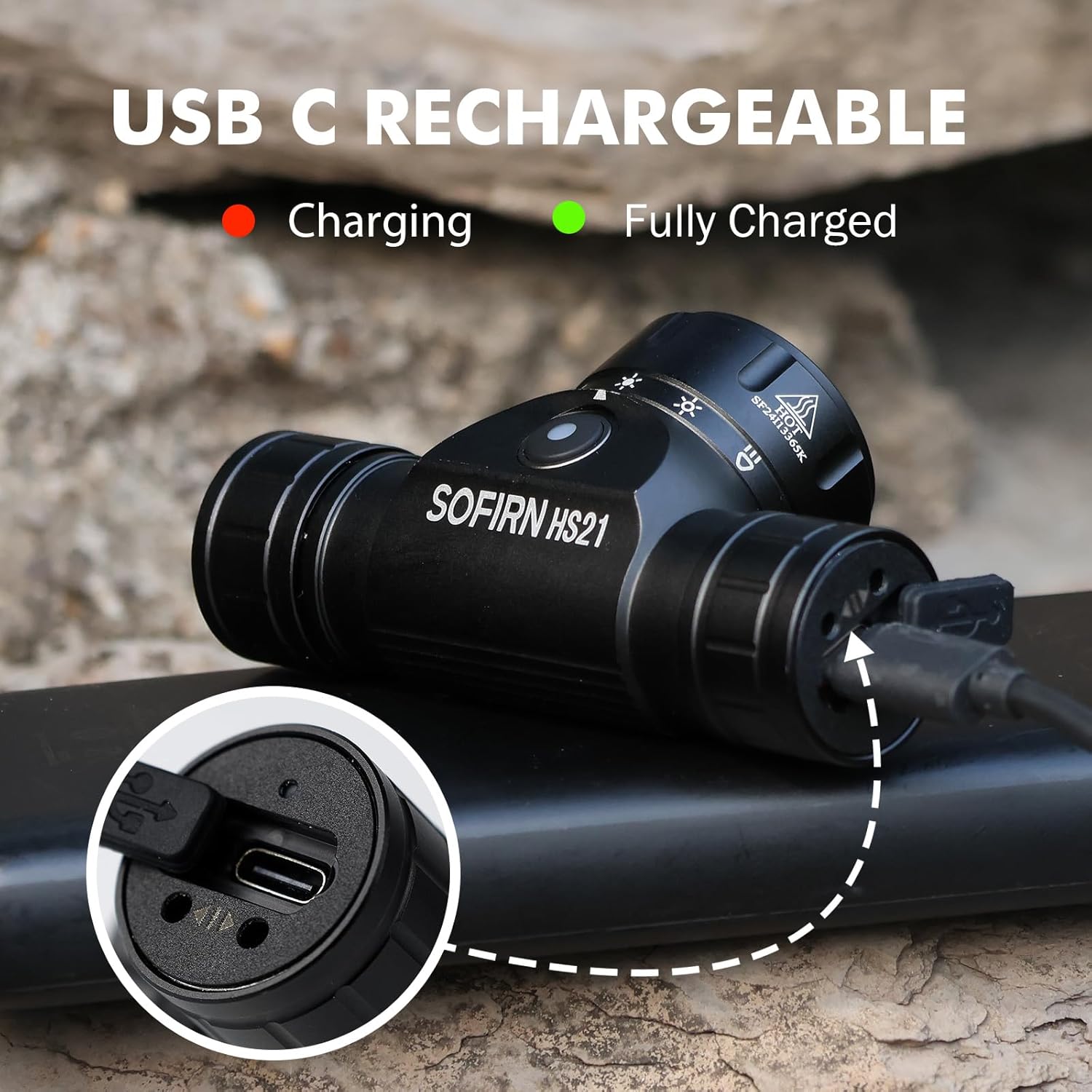
Image 4: Sofirn HS21 Headlamp connected to a USB-C charging cable, showing the charging indicator light.
For D25S:
- Unscrew the head of the D25S headlamp to reveal the hidden USB-C charging port.
- ເຊື່ອມຕໍ່ສາຍ USB-C ທີ່ໃຫ້ມາເຂົ້າກັບຫົວamp and to a USB power source.
- ໄຟສະແດງຈະສະແດງສີແດງໃນລະຫວ່າງການສາກໄຟ ແລະ ປ່ຽນເປັນສີຂຽວເມື່ອສາກເຕັມ.
- After charging, screw the head back on tightly to ensure water resistance.

Image 5: Sofirn D25S Headlamp with its head unscrewed, revealing the built-in USB-C charging port.
6. ຄໍາແນະນໍາການດໍາເນີນງານ
6.1 Sofirn HS21 Headlamp ການດໍາເນີນງານ
The HS21 features a rotary switch for easy mode selection and a separate power button.
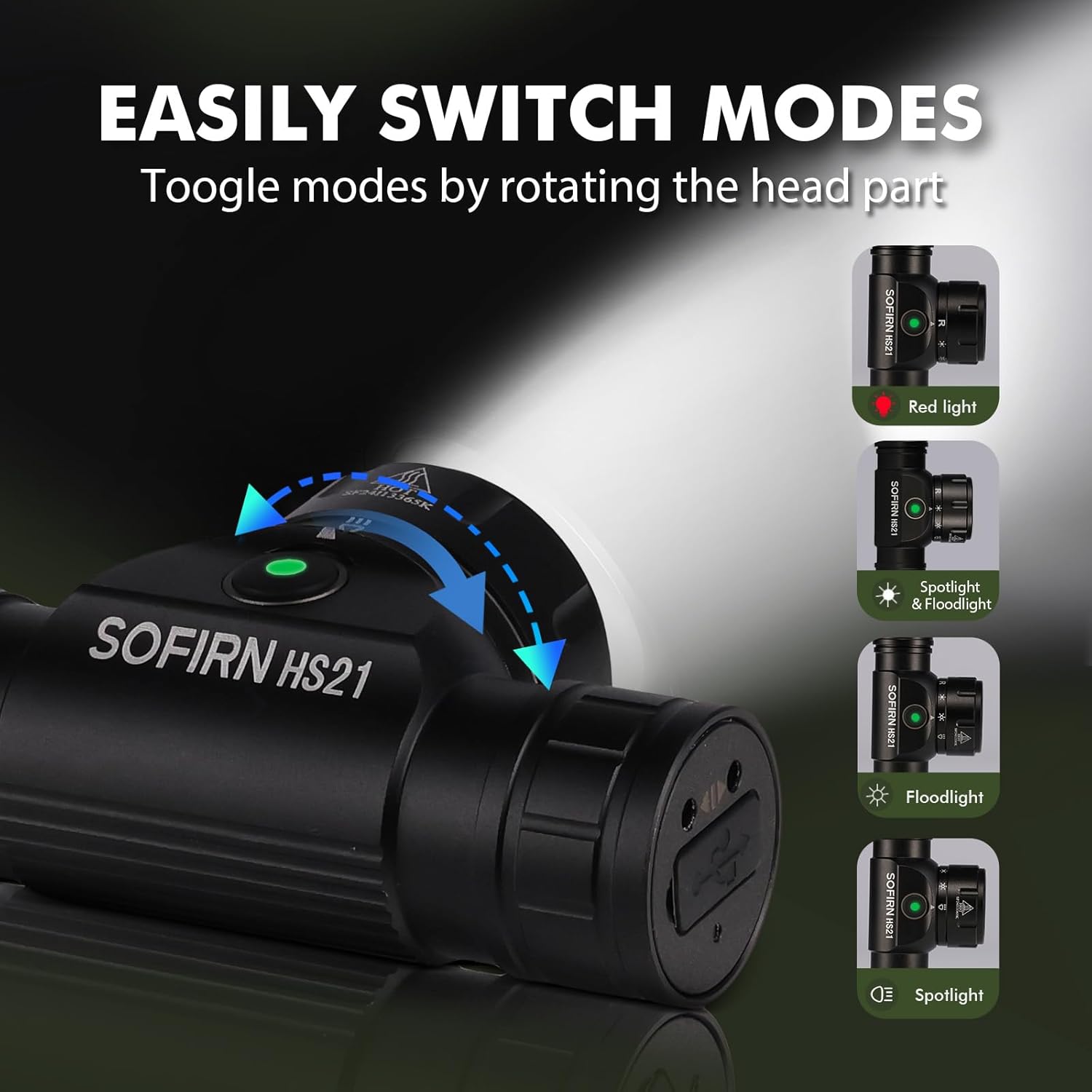
Image 6: Illustration of the Sofirn HS21's rotary switch mechanism for changing light modes.
- ເປີດ/ປິດ: Press the power button once to turn the headlamp ເປີດ ຫຼື ປິດ.
- ການເລືອກໂໝດ: Rotate the head part of the headlamp to cycle through the main light modes: Red Light, Spotlight, Floodlight, and Spotlight + Floodlight (combined).
- ການປັບຄວາມສະຫວ່າງ: While a mode is active, press and hold the power button to cycle through brightness levels (Low, Medium, High). Release the button at your desired brightness.
- Red Light Activation: Rotate to the red light setting. Press and hold the power button for additional red light modes (e.g., red strobe, red beacon).
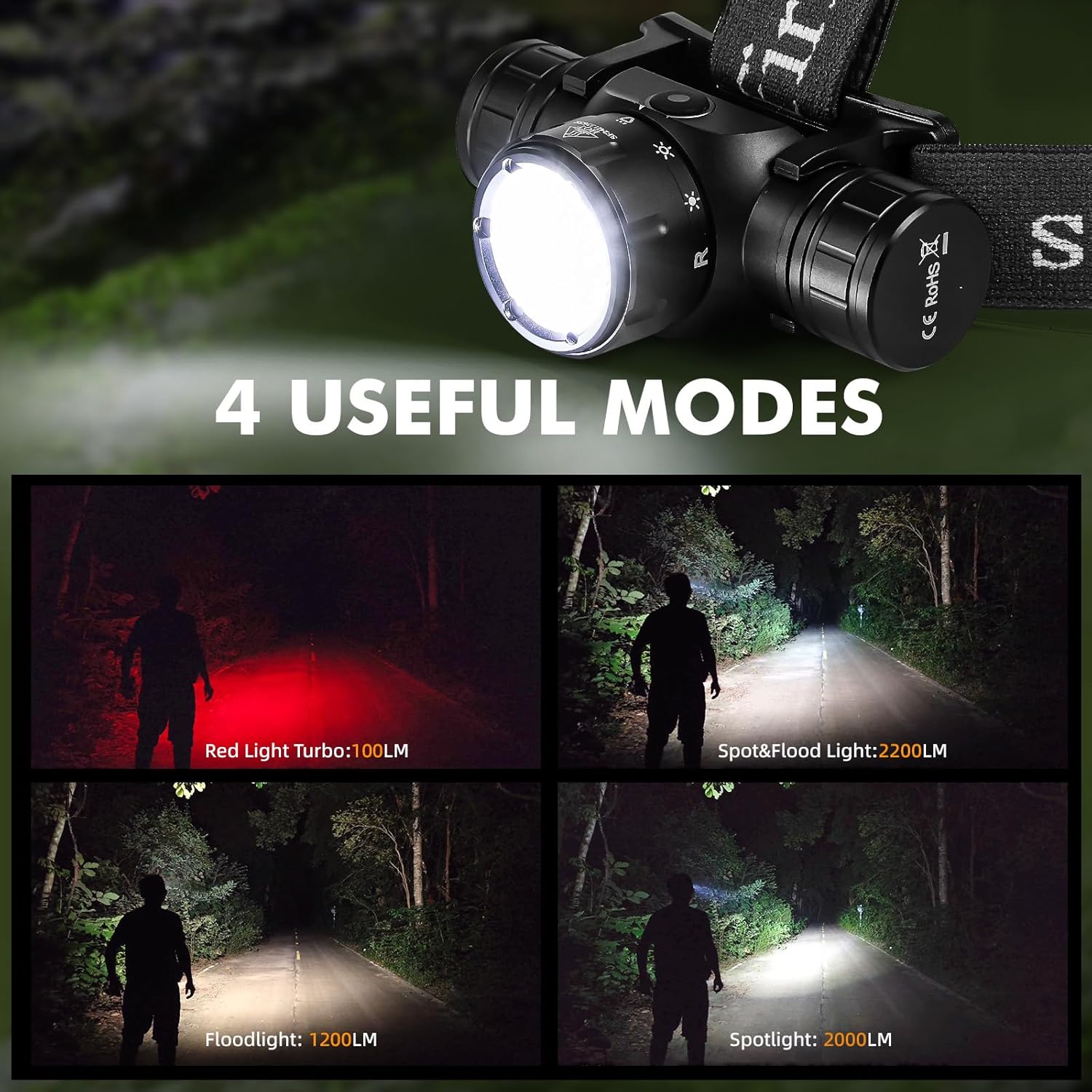
Image 7: The Sofirn HS21 headlamp displaying its four primary light modes: Red Light, Spot & Flood, Floodlight, and Spotlight.
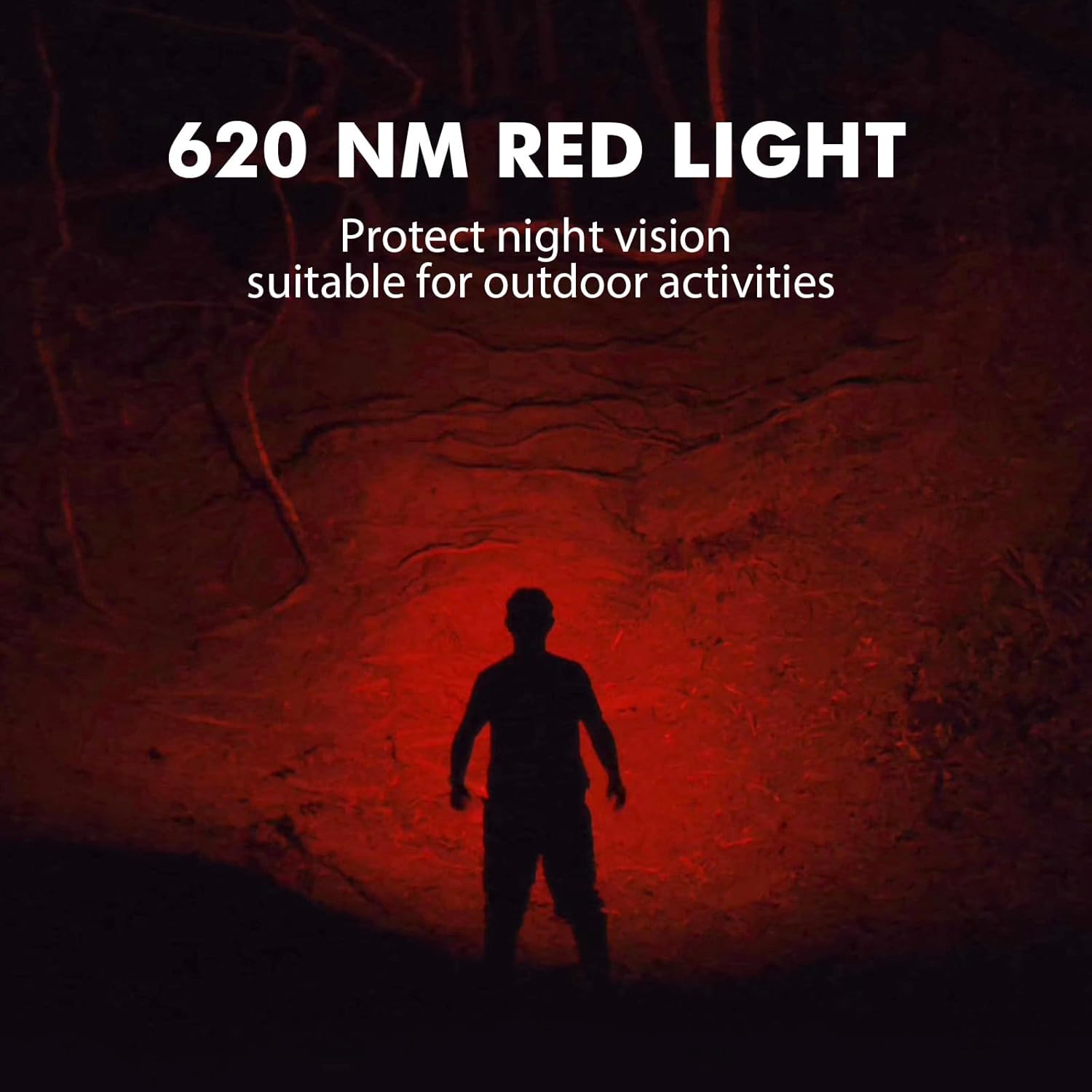
Image 8: The Sofirn HS21 headlamp emitting a 620 NM red light, suitable for preserving night vision.
6.2 Sofirn D25S Headlamp ການດໍາເນີນງານ
The D25S operates with a single button interface.
- ເປີດ/ປິດ: Press the button once to turn the headlamp ເປີດ ຫຼື ປິດ.
- ຮູບແບບການຂີ່ລົດຖີບ: ໃນຂະນະທີ່ຫົວamp is on, press and hold the button to cycle through brightness modes: Low → Medium 1 → Medium 2 → High. Release the button at your desired mode.
- ໂໝດ Turbo: From any mode, double-click the button to activate Turbo mode. Double-click again to return to the previous mode.
- ຟັງຊັນຫນ່ວຍຄວາມຈໍາ: The D25S will remember the last used brightness level (excluding Turbo) and turn on in that mode.
7. ບໍາລຸງຮັກສາ
- ທໍາຄວາມສະອາດ: ເຊັດຫົວamp ມີອ່ອນ, damp ຜ້າ. ຢ່າໃຊ້ເຄື່ອງເຮັດຄວາມສະອາດຂັດຫຼືສານລະລາຍ.
- O-rings: Periodically check and lubricate the O-rings with silicone grease to maintain water resistance. Replace damaged O-rings.
- ການດູແລຫມໍ້ໄຟ: ຖ້າຫົວamp will not be used for an extended period, remove the battery to prevent leakage. Recharge batteries regularly to prolong their lifespan.
- ການເກັບຮັກສາ: ເກັບຮັກສາຫົວamp ຢູ່ໃນສະຖານທີ່ເຢັນ, ແຫ້ງແລ້ງຫ່າງຈາກແສງແດດໂດຍກົງ.
8. ການແກ້ໄຂບັນຫາ
| ບັນຫາ | ສາເຫດທີ່ເປັນໄປໄດ້ | ການແກ້ໄຂ |
|---|---|---|
| ຫົວamp ບໍ່ເປີດ | Low battery; Battery incorrectly installed; Loose tail cap; Faulty battery. | Charge battery; Reinstall battery with correct polarity; Tighten tail cap; Replace battery. |
| ແສງອອກໜ້ອຍລົງ | Low battery; Lens is dirty. | Charge battery; Clean the lens. |
| ການສາກໄຟບໍ່ເຮັດວຽກ | Cable not connected properly; Faulty cable or power source; Charging port obstructed. | Ensure secure connection; Try a different cable/power source; Clean charging port. |
| ສ່ວນປະກອບນໍ້າ | O-rings damaged or missing; Tail cap/charging port cover not sealed properly. | Check and replace O-rings; Ensure all caps are tightly sealed. |
9. ຂໍ້ມູນຈໍາເພາະ
9.1 Sofirn HS21 Headlamp
| ຄຸນສົມບັດ | ລາຍລະອຽດ |
|---|---|
| ແຫຼ່ງແສງ | LED (Spotlight, Floodlight, Red Light) |
| ຜົນຜະລິດສູງສຸດ | 2200 Lumens (Spotlight + Floodlight) |
| ຄວາມຍາວຂອງແສງສີແດງ | 620 NM |
| ປະເພດສະຫຼັບ | Rotary Switch + Push Button |
| ກຳລັງສາກໄຟ | USB-C ສາມາດສາກໄຟໄດ້ |
| ພືດຫມູນວຽນ | ປັບໄດ້ 130° |
| ຂະໜາດ | 3.4 x 1.8 x 1.4 ນິ້ວ |
| ນ້ຳໜັກ | 0.3 lbs (ລວມທັງຫມໍ້ໄຟ) |
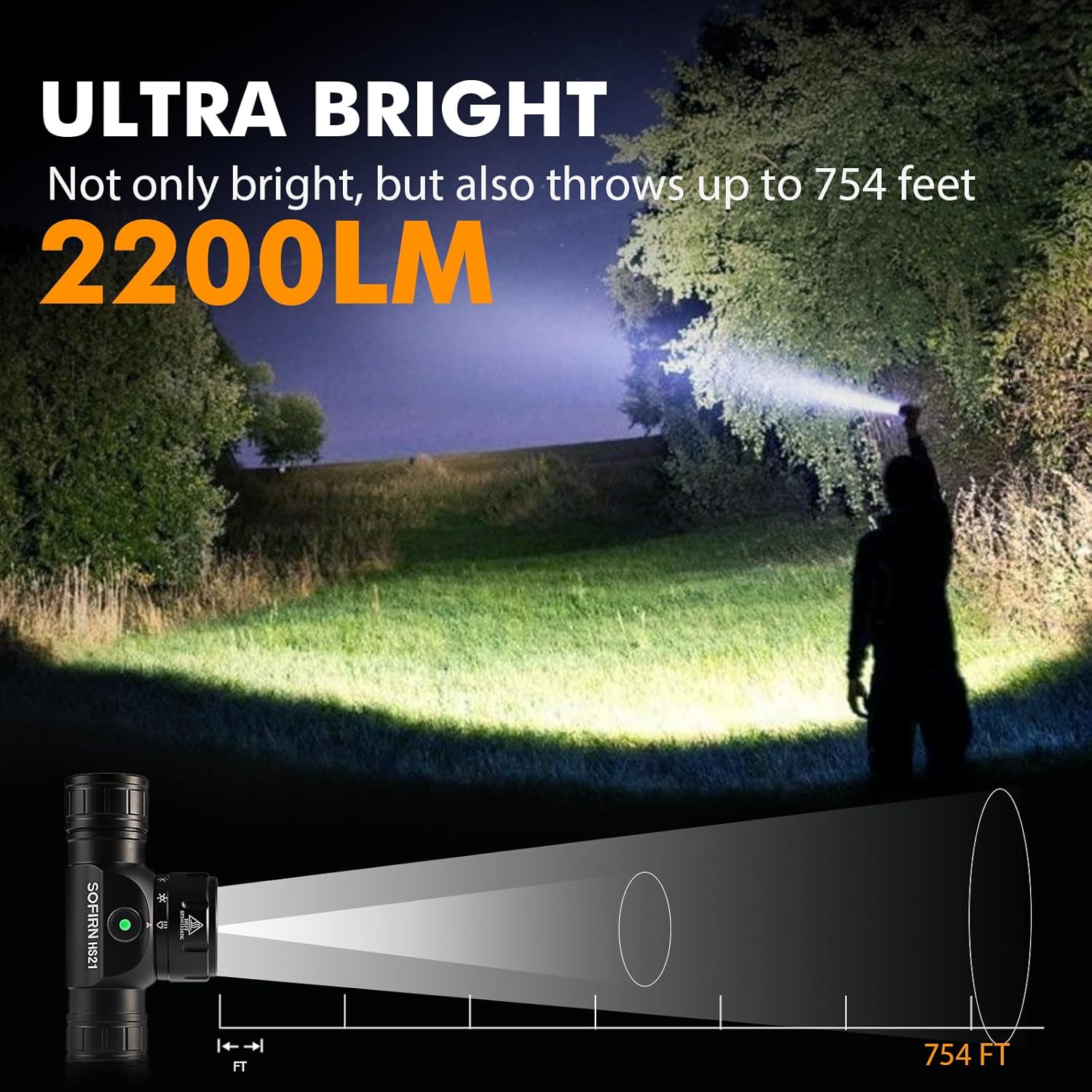
Image 9: The Sofirn HS21 headlamp demonstrating its ultra-bright output and beam distance of up to 754 feet.
9.2 Sofirn D25S Headlamp
| ຄຸນສົມບັດ | ລາຍລະອຽດ |
|---|---|
| ແຫຼ່ງແສງ | SST40 LED |
| ຜົນຜະລິດສູງສຸດ | 1200 Lumens |
| ໂໝດ | Low, Medium 1, Medium 2, High, Turbo |
| ກຳລັງສາກໄຟ | Hidden USB-C Rechargeable |
| ຄຸນນະສົມບັດພິເສດ | ໂໝດຄວາມຈຳ |
10. ການຮັບປະກັນແລະການສະຫນັບສະຫນູນ
Sofirn products are covered by a limited warranty. For specific warranty details, please refer to the warranty card included with your product or visit the official Sofirn website. For technical support, troubleshooting assistance, or warranty claims, please contact Sofirn customer service through the retailer where you purchased the product or via the contact information provided on the official Sofirn webເວັບໄຊ.