
1. ຂໍ້ມູນຄວາມປອດໄພ
Please read all instructions carefully before using the FOHERE Food Warming Mat. Retain this manual for future reference.
- ຄວາມປອດໄພທາງໄຟຟ້າ: Ensure the power cord is fully inserted into a grounded outlet. Do not use if the cord or plug is damaged. Keep away from water to prevent electric shock.
- ຄຳ ເຕືອນໃຫ້ລະວັງຄວາມຮ້ອນ: The mat surface becomes hot during operation. Avoid direct contact with bare skin. Always use heat-resistant cookware.
- ການຈັດວາງ: Place the mat on a stable, heat-resistant surface. Do not place on flammable materials. Ensure adequate ventilation around the mat.
- ຄວາມປອດໄພຂອງເດັກນ້ອຍ: This appliance is not intended for use by children. Use the child lock function to prevent accidental operation.
- ການປົກປ້ອງຄວາມຮ້ອນເກີນ: The mat features an automatic shut-off function after 3 hours of no operation to prevent overheating.
2. ຜະລິດຕະພັນເກີນview
The FOHERE Food Warming Mat is designed to keep your food warm and fresh. It features dual-zone heating, adjustable temperature settings, and a convenient timer function. Its foldable design and durable silicone material make it ideal for various uses.
- Dual-Zone Heating: Independently set temperatures for the left and right zones (100°F, 140°F, 180°F, 212°F).
- 4 ລະດັບອຸນຫະພູມ: Select from 100°F, 140°F, 180°F, or 212°F to suit different food types.
- 3 ການຕັ້ງຄ່າໂມງຈັບເວລາ: Keep food warm for 1, 2, or 4 hours.
- Large & Foldable Design: ຂະຫນາດ 24.2 x 16.5 ນິ້ວ, ສະຫນອງ ample space for multiple dishes, and folds for easy storage.
- ລັອກເດັກ: ປ້ອງກັນການປ່ຽນແປງການຕັ້ງຄ່າໂດຍບັງເອີນ.
- ປິດອັດຕະໂນມັດ: Turns off after 3 hours of inactivity.
- Premium Silicone Material: Durable, easy to clean, splash-proof, water-resistant, and compatible with various cookware.
3. ຕັ້ງຄ່າ
- ແກະກ່ອງ: Carefully remove the warming mat and all accessories from the packaging.
- ຍົກເລີກ: Unroll the mat completely and place it on a flat, stable, and heat-resistant countertop or table.
- ເຊື່ອມຕໍ່ພະລັງງານ: Insert the detachable power cord into the designated port on the mat and then plug it into a standard electrical outlet.

Image: The FOHERE Food Warming Mat unrolled and ready for use on a kitchen counter.
4. ຄໍາແນະນໍາການດໍາເນີນງານ
4.1 ເປີດ/ປິດ
- ກົດປຸ່ມເປີດປິດຄ້າງໄວ້ (U) for 2 seconds to turn the mat on or off.
4.2 ການຕັ້ງຄ່າອຸນຫະພູມ
The mat offers four temperature levels: 100°F, 140°F, 180°F, and 212°F.
- After powering on, press the temperature button (°F) to cycle through the available temperature settings. The selected temperature will be indicated by an LED light.

Image: Close-up of the control panel showing temperature selection.
4.3 Dual-Zone Heating
The mat features two independent heating zones (left and right) that can be set to different temperatures.
- To adjust the temperature for each zone, use the dedicated zone selection buttons (A/B or similar, if present on your model) and then the temperature button. Refer to the on-screen indicators for current zone settings.
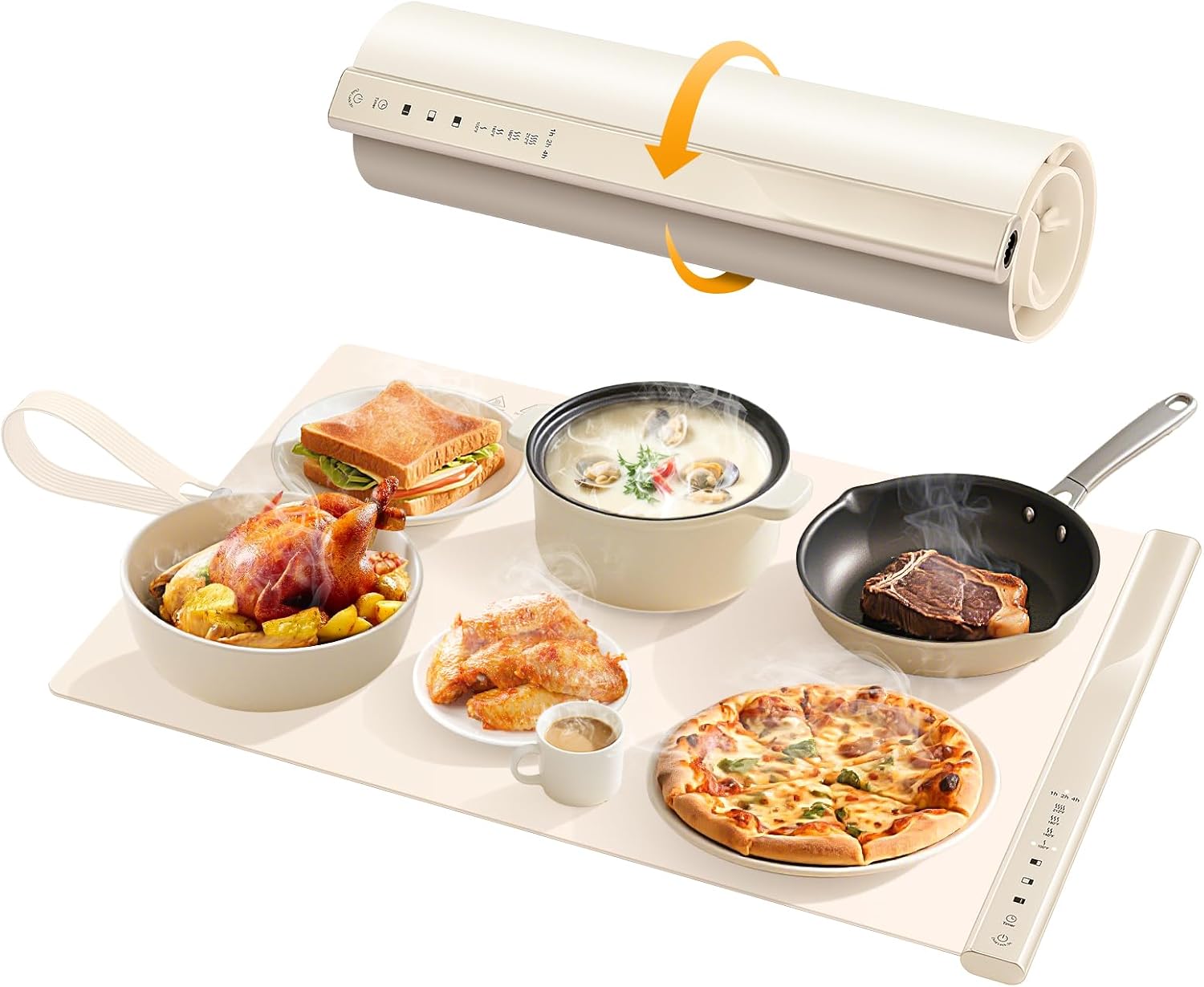
Image: The warming mat with food on both zones, illustrating independent temperature control.
4.4 ຟັງຊັນຈັບເວລາ
Set a timer to maintain food warmth for a specific duration.
- ກົດປຸ່ມຈັບເວລາ (T) to select 1, 2, or 4 hours. The timer indicator will light up accordingly.
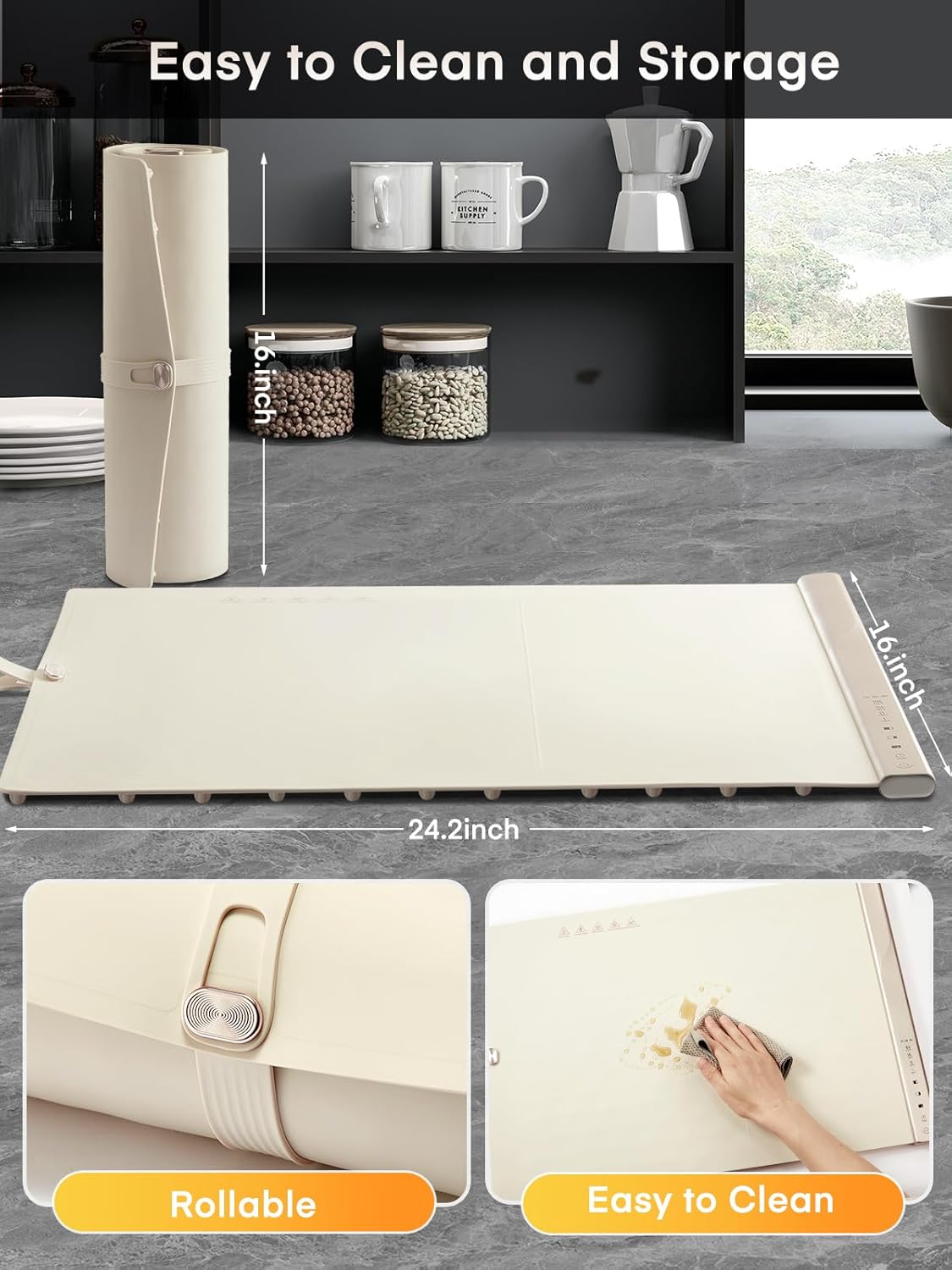
Image: The warming mat with food and the timer function active.
4.5 ລັອກເດັກ
- To activate or deactivate the child lock, press and hold the child lock button (often indicated by a lock icon) for 2 seconds.
4.6 ການປິດອັດຕະໂນມັດ
- The mat will automatically shut off if there is no operation for 3 hours. This is a safety feature to prevent prolonged heating.
4.7 ເຄື່ອງປຸງອາຫານເຂົ້າກັນໄດ້
The FOHERE Food Warming Mat is compatible with various types of heat-resistant tableware.
- Suitable materials include glass, enamel-coated pots, ceramic, frying pans, stainless steel, and even baby bottles.

ຮູບພາບ: Examples of compatible tableware for the warming mat.
4.8 ການນຳໃຊ້ທີ່ຫຼາກຫຼາຍ
Beyond keeping meals warm, the mat can be used for:
- Warming drinks (coffee, tea, milk)
- ການຖິ້ມອາຫານແຊ່ແຂງ
- ການໝັກແປ້ງ
- ໂກເລດທີ່ລະລາຍ

Image: The warming mat demonstrating its versatility for different kitchen tasks.
5. ບໍາລຸງຮັກສາ
5.1 ການທໍາຄວາມສະອາດ
- Always unplug the mat and allow it to cool completely before cleaning.
- ເຊັດຫນ້າດ້ວຍການໂຄສະນາamp cloth. The silicone material is splash-proof, water-resistant, and stain-resistant.
- Do not immerse the mat in water or use abrasive cleaners.
5.2 ການເກັບຮັກສາ
- The mat is foldable for convenient storage. Roll it up and secure it with the included strap or place it in the storage bag.
- ເກັບຮັກສາໄວ້ໃນບ່ອນແຫ້ງແລ້ງຫ່າງຈາກແສງແດດໂດຍກົງ.

Image: Demonstrating the easy cleaning and rollable storage of the warming mat.
6. ການແກ້ໄຂບັນຫາ
- Mat not heating: Ensure the power cord is securely plugged into both the mat and the electrical outlet. Check if the power button is pressed and the desired temperature is selected.
- Food not staying warm: Verify that the correct temperature setting is selected for the food type. Ensure the mat is not overloaded and that dishes are heat-resistant.
- Mat automatically shut off: This is a safety feature. The mat will turn off after 3 hours of no user interaction. Simply turn it back on if needed.
- ລະຫັດຄວາມຜິດພາດສະແດງໃຫ້ເຫັນ: If an error code appears, unplug the mat, wait a few minutes, and plug it back in. If the error persists, contact customer support.
7. ຂໍ້ມູນຈໍາເພາະ
| ຄຸນສົມບັດ | ລາຍລະອຽດ |
|---|---|
| ຍີ່ຫໍ້ | ທີ່ນີ້ |
| ໝາຍເລກຕົວແບບ | BW609 |
| ສີ | ສີຂາວ |
| ວັດສະດຸ | ຊິລິໂຄນ |
| ຄຸນນະສົມບັດພິເສດ | Dual-Zone Heating, Adjustable Temperature, Timer Function, Child Lock, Auto-Shutoff |
| ຈໍານວນຂອງອົງປະກອບຄວາມຮ້ອນ | 2 |
| ປະເພດການຄວບຄຸມ | ປຸ່ມກົດ |
| ອົງປະກອບຄວາມຮ້ອນ | ຮຸ່ງເຮືອງ |
| ປະເພດແຫຼ່ງພະລັງງານ | AC |
| ຂະໜາດລາຍການ (D x W x H) | 41.8D x 61W x 2H ຊັງຕີແມັດ |
| ອົງປະກອບລວມ | 1* FOOD WARM MAT |
| ປະເທດຕົ້ນກໍາເນີດ | ຈີນ |
8. ການຮັບປະກັນແລະການສະຫນັບສະຫນູນ
FOHERE products are manufactured with quality and care. For warranty information or technical support, please contact the manufacturer directly.
- ຜູ້ຜະລິດ: ທີ່ນີ້
- ຂໍ້ມູນຕິດຕໍ່ຜູ້ຜະລິດ: FOHERE (Please refer to product packaging or official website for specific contact details.)
9. ວິດີໂອຜະລິດຕະພັນ
Watch these official videos for additional product information and usage demonstrations:
Food Warming Mat with Insulating Pad Raised Feet
This video demonstrates the FOHERE Food Warming Mat, highlighting its insulating pad and raised feet design for surface protection and efficient warming. It shows the mat's portability and ease of use for various meals.
iTRUSOU Electric Warming Tray for Pizza, Dishes, and More
This video showcases the electric warming tray's functionality for keeping various dishes, including pizza, warm. It illustrates the control panel and the mat's ability to accommodate different food items for parties and everyday use.
Warming Mat for Food
ວິດີໂອນີ້ສະຫນອງການທົ່ວໄປview of a food warming mat, demonstrating its use for keeping food warm during meals. It highlights the convenience and practical application of the product in a home setting.
