
Corel ESDCDGS2025MLA
CorelDRAW Graphics Suite 2025 Education Edition User Manual
ຍີ່ຫໍ້: Corel | ຕົວແບບ: ESDCDGS2025MLA
1. ການແນະນໍາ ແລະຫຼາຍກວ່າview
The CorelDRAW Graphics Suite 2025 Education Edition is a comprehensive graphic design software solution tailored for professionals and academic users. This suite provides a versatile set of tools for vector illustration, page layout, image editing, and font management, designed to meet diverse creative needs across various industries.
This manual provides essential information for setting up, operating, and maintaining your CorelDRAW Graphics Suite 2025 software.

Image: CorelDRAW Graphics Suite 2025 Education Edition, highlighting compatibility with Windows and Mac operating systems.
2. Core Applications Included
The CorelDRAW Graphics Suite 2025 includes the following main applications:
- CorelDRAW: Your primary tool for vector illustration and page layout.
- Corel PHOTO-PAINT: A powerful program for image editing and pixel-based design.
- Corel Font Manager: An essential tool for exploring and managing your fonts.
- ຈັບ: A screen capture tool (available for Windows only).

ຮູບພາບ: ຫຼາຍກວ່າview of the core applications included in the CorelDRAW Graphics Suite, featuring their respective icons.
3. ການຕິດຕັ້ງແລະການຕິດຕັ້ງ
To install CorelDRAW Graphics Suite 2025, an active internet connection is required for installation, authentication, and access to online features and content. Ensure your system meets the minimum requirements before proceeding with the installation.
Academic Eligibility
This Education Edition requires academic eligibility. Eligible entities include accredited schools, faculties, full/part-time students, academic organizations, hospitals, libraries, museums, or non-profit/religious organizations. This edition is not intended for commercial use.
4. ຄຸນສົມບັດຫຼັກ ແລະ ການປະຕິບັດງານ
CorelDRAW Graphics Suite 2025 offers a wide array of features to facilitate professional graphic design tasks. Below are some of the key functionalities and content included:
Design Capabilities
- Vector Illustration and Layout: Create complex works of art, add creative effects, and lay out brochures and multi-page documents.
- ການແກ້ໄຂຮູບພາບ: Utilize powerful layer-based tools to adjust color, fix imperfections, improve image quality with AI, create complex compositions, and add special effects.
- ພິມ ແລະ Web ການອອກແບບ: Achieve flawless publishing and output with accurate color consistency, integrated Pantone Color Palettes, advanced printing options, and web graphics tools.

Image: Illustrates the suite's focus on combining creativity with productivity for professional graphic applications.
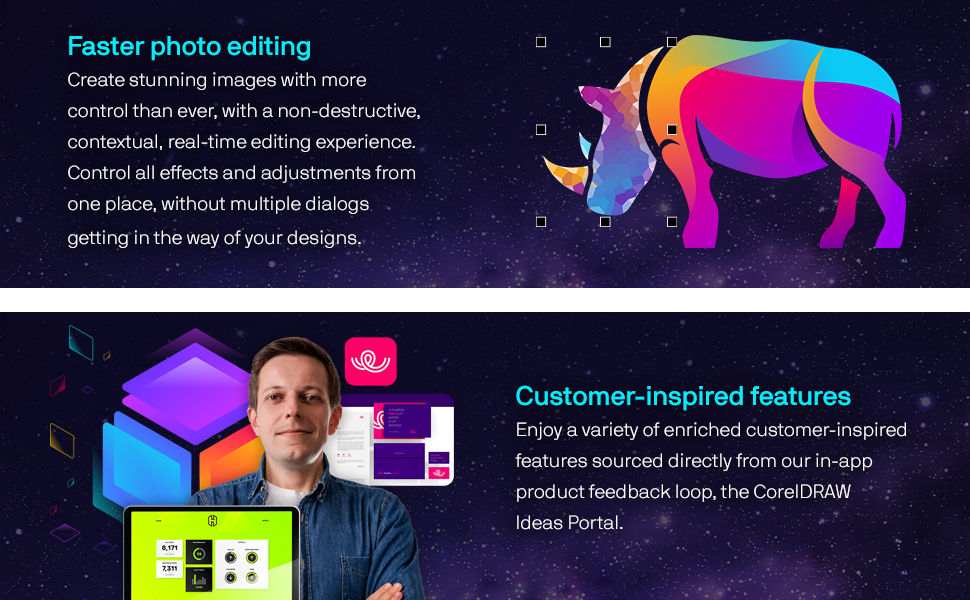
Image: Depicts simplified vector illustration and layout capabilities, allowing for creative expression with realistic brushes and efficient design editing.

Image: Highlights the faster photo editing features, enabling users to create stunning images with non-destructive, real-time editing.
ເນື້ອໃນລວມ
- 7000 clipart, digital images, and vehicle wrap templates.
- 1000 high-resolution digital photos.
- 1000+ TrueType and OpenType fonts.
- 200+ professionally designed templates.
- 600+ fountain, vector, and bitmap fills.
- 100+ Painterly brushes.
New Features in 2025
- Advanced Print to PDF capabilities.
- Enhanced Painterly brush tool.
- General quality and security improvements.
- Additional Google Fonts integration.
ຄໍາຮ້ອງສະຫມັກ Examples

Image: Demonstrates the creation of branding and marketing assets, such as product packaging and tags.

Image: Illustrates design features for print output, including large format printing, screen printing, embroidery, and direct-to-garment printing for signage and apparel.

Image: Shows dedicated tools for web and print, useful for point-of-sale promotions or enhancing online store assets for retail and e-commerce.

Image: Represents the ability to create beautiful, sophisticated works of art using state-of-the-art vector illustration technology for illustration and fine art.
5. ການບໍາລຸງຮັກສາ ແລະການປັບປຸງ
To ensure optimal performance and access to the latest features and security enhancements, it is recommended to keep your CorelDRAW Graphics Suite 2025 updated. An internet connection is required to download and install updates.
Subscribers are required to be online at least once every 30 days to re-authenticate their subscription.
6. ການແກ້ໄຂບັນຫາ
If you encounter issues with CorelDRAW Graphics Suite 2025, consider the following general troubleshooting steps:
- Verify that your system meets the minimum technical specifications.
- Ensure you have a stable internet connection for online features and authentication.
- Check for available software updates and install them.
- Consult the official Corel support resources or community forums for specific error messages or issues.
7. ຂໍ້ກໍານົດດ້ານວິຊາການ
Ensure your system meets these minimum requirements for CorelDRAW Graphics Suite 2025:

Image: Detailed table outlining the minimum system requirements for both Windows and Mac operating systems.
| ປະເພດ | Windows | Mac |
|---|---|---|
| ລະບົບປະຕິບັດການ | Windows 11 (Version 22H2 or later) or Windows 10 (Version 22H2), 64-bit, latest updates | macOS Sequoia (15), Sonoma (14), or Ventura (13), latest revision |
| ໂຮງງານຜະລິດ | Intel Core i3, i5, i7, i9 (7th gen+) or AMD Ryzen 3, 5, 7, 9, Threadripper, EPYC | Apple Silicon or Multicore Intel processor with AVX2 instruction set support (or Apple Silicon*) |
| RAM | 8GB RAM (16GB+ recommended) | 8GB RAM (16GB+ recommended) |
| ພື້ນທີ່ຮາດດິດ | 5.5 GB HDD for apps & installation files | 3GB HDD for app files (SSD recommended) |
| ບັດວີດີໂອ | OpenCL 1.2-compatible video card, 3GB+ VRAM | OpenCL 1.2-compatible video card, 3GB+ VRAM |
| ຄວາມລະອຽດໜ້າຈໍ | 1280 x 720 @ 100% scaling (1920 x 1080 @ 150% scaling recommended) | 1920 x 1200 ຄວາມລະອຽດຫນ້າຈໍ |
| ຮາດແວ | ເມົາສ໌, ແທັບເລັດຫລື ໜ້າ ຈໍ ສຳ ຜັດຫລາຍແບບ | ໜູ ຫລືເມັດ |
| *The Painterly Brush tool requires AVX2 support, available in Intel Macs from 2014 onward. Internet connection is required to install, authenticate, and access online features and content for CorelDRAW Graphics Suite (Windows/Mac). Case-sensitive file systems are not supported on Mac. | ||
8. ສະຫນັບສະຫນູນແລະຊັບພະຍາກອນ
Corel provides various resources to help you maximize your experience with CorelDRAW Graphics Suite 2025:
- ຊັບພະຍາກອນການຮຽນຮູ້: Explore helpful discovery files, guides, video tutorials, the knowledge base, and community forums.
- Online Features: An internet connection is required to access some included software components, online features, and content.
- ຄວາມຄິດເຫັນຂອງລູກຄ້າ: Corel actively incorporates customer-inspired features sourced from the in-app product feedback loop and the CorelDRAW Ideas Portal.
ສໍາລັບການຊ່ວຍເຫຼືອເພີ່ມເຕີມ, ໄປຢ້ຽມຢາມເຈົ້າຫນ້າທີ່ Corel Store ໃນ Amazon ຫຼືຊ່ອງທາງການສະຫນັບສະຫນູນຢ່າງເປັນທາງການຂອງພວກເຂົາ.

Image: Displays various user review badges and ratings, indicating positive reception and trust from millions of users.
ເອກະສານທີ່ກ່ຽວຂ້ອງ - ESDCDGS2025MLA
 |
CorelDRAW 2021 User Guide Comprehensive user guide for CorelDRAW 2021, detailing features, tools, and techniques for graphic design. Learn to create vector illustrations, page layouts, photo editing, and more with this official manual from Corel. |
 |
CorelDRAW Graphics Suite FAQ ແລະຄູ່ມືການຕິດຕັ້ງ ຄໍາຖາມທີ່ຖືກຖາມເລື້ອຍໆ, ຄູ່ມືການຕິດຕັ້ງ, ແລະການແກ້ໄຂບັນຫາສໍາລັບ CorelDRAW Graphics Suite, ຊອບແວອອກແບບກາຟິກແບບມືອາຊີບສໍາລັບການປະກອບຮູບ vector, ຮູບແບບແລະການແກ້ໄຂຮູບພາບ. ຮວມເຖິງຄວາມຕ້ອງການຂອງລະບົບ ແລະຂໍ້ມູນການສະໜັບສະໜູນສຳລັບ PC ແລະ Mac. |
 |
ມາດຕະຖານ CorelDRAW 2024 ຄໍາຖາມທີ່ຖາມເລື້ອຍໆ ຊອກຫາຄຳຕອບສຳລັບຄຳຖາມທົ່ວໄປກ່ຽວກັບ CorelDRAW Standard 2024, ລວມທັງການຕິດຕັ້ງ, ຄວາມຕ້ອງການຂອງລະບົບ, ການແກ້ໄຂບັນຫາ ແລະການຊ່ວຍເຫຼືອ. |
 |
CorelDRAW Graphics Suite X8 Reviewຄູ່ມືຂອງ er A ທີ່ສົມບູນແບບ Reviewຄູ່ມືຂອງ er ລາຍລະອຽດລັກສະນະ, ການປັບປຸງ, ແລະຜູ້ໃຊ້ profiles ກ່ຽວຂ້ອງກັບ CorelDRAW Graphics Suite X8, ການແກ້ໄຂກາຟິກຊັ້ນນໍາສໍາລັບຜູ້ຊ່ຽວຊານແລະຜູ້ທີ່ກະຕືລືລົ້ນ. |
 |
CorelDRAW Graphics Suite 2021 Quick Start Guide A comprehensive quick start guide for CorelDRAW Graphics Suite 2021, covering workspace navigation, drawing tools, text handling, photo editing, effects, and collaboration features. |
 |
CorelDRAW 2025 Guía del Usuario: Diseño Gráfico y Edición de Imágenes Explore las capacidades completas de CorelDRAW Graphics Suite 2025 con esta guía del usuario detallada. Aprenda a instalar, utilizar y dominar las herramientas de diseño gráfico, ilustración vectorial y edición de imágenes para Windows. |
Ask a question about this manual
Ask about setup, troubleshooting, compatibility, parts, safety, or missing instructions. Manuals+ will review the question and use this page’s manual context to help answer it.