
1. ບົດແນະນຳ
The ThermoPro Twin TempSpike is a wireless meat thermometer designed to monitor the internal temperature of food and the ambient temperature of your cooking environment. It features two color-coded probes, a booster display, and Bluetooth 5.2 technology for extended range and app connectivity. This manual provides instructions for setup, operation, maintenance, and troubleshooting to ensure optimal performance.
2. ຕັ້ງຄ່າ
2.1 ການຫຸ້ມຫໍ່ແລະອົງປະກອບ
ຖອດຊິ້ນສ່ວນທັງໝົດຢ່າງລະມັດລະວັງ ແລະຮັບປະກັນວ່າມີລາຍການຕໍ່ໄປນີ້:
- 1 x TempSpike Booster
- 2 x TempSpike Probes (color-coded)
- 1 x ສາຍສາກ USB

Image 2.1: The ThermoPro Twin TempSpike system, showing the booster and two wireless probes.
2.2 ການສາກໄຟເບື້ອງຕົ້ນ
Before first use, fully charge both the booster and the probes. Insert the probes into the booster for charging. Connect the booster to a USB power source using the provided charging cable.

Image 2.2: The booster unit with probes inserted, indicating charging status and battery life.
2.3 ການດາວໂຫຼດແອັບ ແລະ ການຈັບຄູ່
Download the "TempSpike" app from your smartphone's app store. Ensure Bluetooth is enabled on your device. The probes will automatically attempt to pair with the app when removed from the booster and within range. Follow the in-app instructions for successful pairing.
Video 2.3: Demonstration of the TempSpike app interface on a smartphone, showing how to monitor temperatures and set profiles.
3. ຄໍາແນະນໍາການດໍາເນີນງານ
3.1 ການນໍາໃຊ້ Probes
Insert the pointed end of the probe into the thickest part of the meat, avoiding bone or gristle. Ensure the probe is inserted up to the safety notch to protect internal components and ensure accurate readings of both internal meat temperature and ambient cooking temperature.

Image 3.1: Two color-coded probes inserted into different cuts of meat on a grill, demonstrating proper placement.
The probes are color-coded (e.g., black and white) for easy identification when monitoring different food items simultaneously.

Image 3.2: The booster display showing distinct temperature readings for the black and white probes.
3.2 Booster Display
The booster unit features an LCD display that shows both the internal meat temperature and the ambient cooking temperature directly, without requiring the app. This allows for quick checks during cooking.

ຮູບພາບທີ 3.3: ເປັນການປິດ view of the booster's LCD screen, displaying real-time internal and ambient temperatures.
3.3 ຄຸນສົມບັດຂອງແອັບອັດສະລິຍະ
The TempSpike app provides advanced monitoring capabilities:
- Target Temperature Setting: Select from preset USDA temperatures for various meats or customize your own.
- ການຕິດຕາມເວລາຈິງ: View current internal and ambient temperatures.
- Estimated Cook Times: The app provides an estimate of remaining cooking time.
- ແຈ້ງເຕືອນ: Receive notifications on your phone when target temperatures are reached or if ambient temperatures go outside set ranges.
- ການຕິດຕາມຂໍ້ມູນ: Track and export cooking data for future reference.

Image 3.4: A collage of smartphone screens illustrating the comprehensive features of the TempSpike app, including temperature alerts, estimated cook times, and USDA presets.
3.4 ຊ່ວງໄຮ້ສາຍ
The device utilizes advanced Bluetooth 5.2 technology, offering a wireless range of up to 500 feet (unobstructed). This allows you to monitor your cooking from a distance.
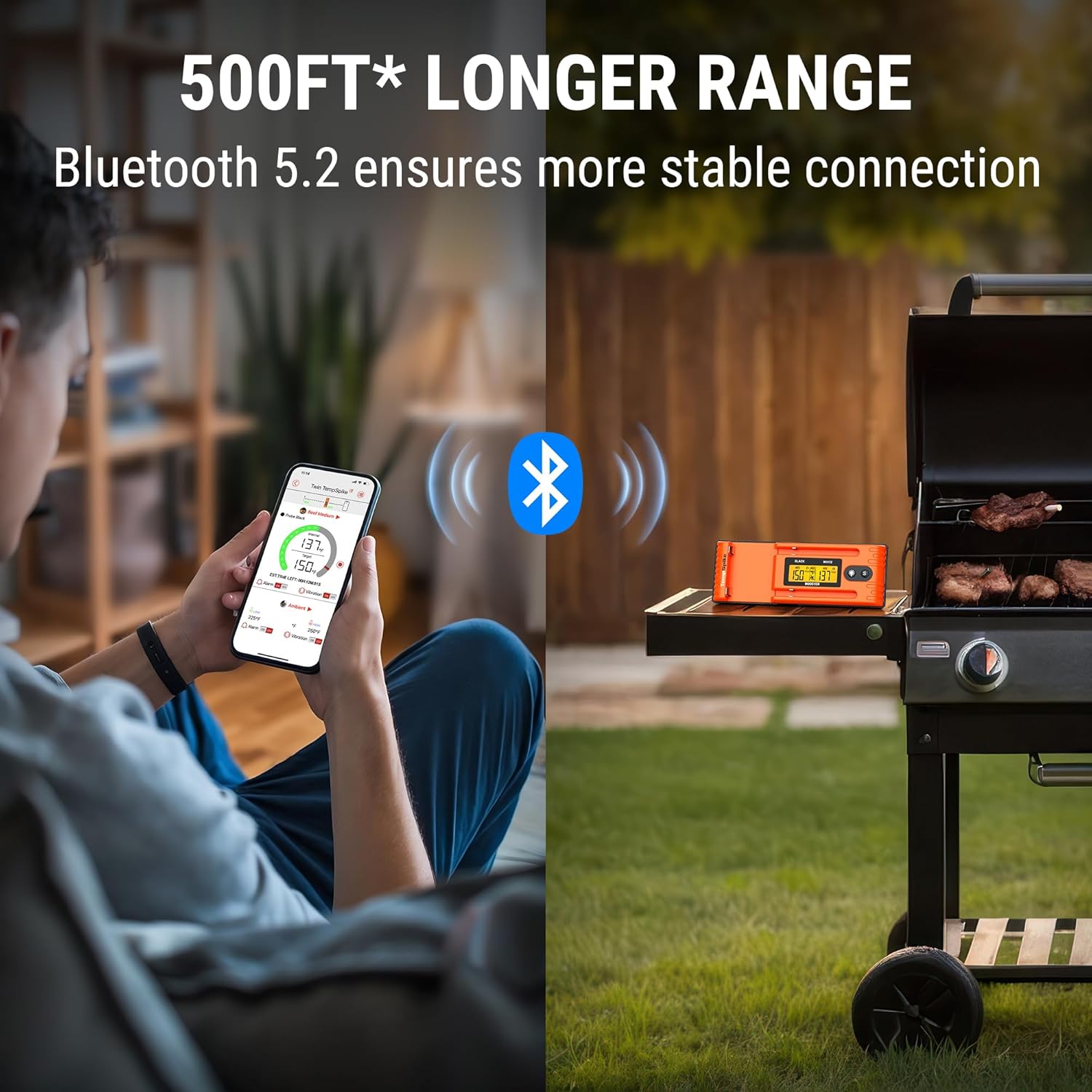
Image 3.5: A user monitoring their grill from a distance using the TempSpike app on their smartphone, highlighting the 500ft wireless range.
3.5 ການນຳໃຊ້ໃນການປຸງແຕ່ງອາຫານ
The TempSpike is suitable for various cooking methods, including:
- ປີ້ງ
- ສູບຢາ
- ເຕົາອົບ
- Rotisserie Cooking (100% wire-free design is ideal)

Image 3.6: A whole chicken cooking on a rotisserie with a TempSpike probe inserted, demonstrating its wire-free convenience.
4. ບໍາລຸງຮັກສາ
4.1 ເຮັດຄວາມສະອາດ Probes
After each use, clean the probes thoroughly with warm, soapy water. Wipe them dry completely before storing. Do not immerse the entire probe in water; only the metal shaft is waterproof. Avoid harsh abrasive cleaners that could damage the probe's surface.
4.2 Cleaning the Booster
Wipe the booster unit with a damp cloth. Do not immerse the booster in water or expose it to excessive moisture. Ensure the charging ports are clean and dry.
4.3 ການດູແລຫມໍ້ໄຟ
The probes have a battery life of approximately 36 hours on a full charge, while the booster's battery can last up to 3 months. Recharge the devices as needed using the provided USB cable. Store the probes in the booster when not in use to keep them charged and protected.
5. ການແກ້ໄຂບັນຫາ
5.1 Probe Not Connecting or Inaccurate Readings
- ຮັບປະກັນການສາກເຕັມ: Verify both the probes and booster are fully charged.
- ການໃສ່ທີ່ຖືກຕ້ອງ: Make sure the probe is inserted correctly into the meat, past the safety notch.
- ລະດັບ Bluetooth: Confirm the booster and your smartphone are within the 500ft Bluetooth range. Obstructions can reduce range.
- ສະຖານະແອັບ: Check if the TempSpike app is open and running in the foreground or background on your smartphone.
- ຕັ້ງຄ່າ ໃໝ່: Try restarting the app or power cycling the booster.
5.2 Booster Display Issues
- ແສງຫຼັງ: The LCD is backlit for visibility in low light. If the display is dim, ensure the booster is charged.
- ບໍ່ມີການອ່ານ: If no temperature is displayed, ensure probes are correctly inserted into the booster and meat.
6. ຂໍ້ມູນຈໍາເພາະ
| ຄຸນສົມບັດ | ລາຍລະອຽດ |
|---|---|
| ຍີ່ຫໍ້ | ThermoPro |
| ຊື່ຕົວແບບ | TempSpike |
| ຄຸນນະສົມບັດພິເສດ | App Companion |
| ສີ | ສີສົ້ມ |
| ອົງປະກອບລວມ | 1 booster; 2 probes, 1 Charging Cable |
| ວັດສະດຸນອກ | ພາດສະຕິກ |
| ສະເພາະເຈາະຈົງ | FDA |
| ປະເພດການສະແດງ | ຈໍ LCD |
| ເຕັກໂນໂລຊີການເຊື່ອມຕໍ່ | Bluetooth 5.2 |
| ແຫຼ່ງພະລັງງານ | ແບດເຕີຣີ້ໃຊ້ພະລັງງານ (ມີຫມໍ້ໄຟ Lithium Ion 3 ອັນ) |
| Upper Temperature Range (Meat) | 212°F (100°C) |
| Lower Temperature Range (Meat) | 14°F (-10°C) |
| ຊ່ວງອຸນຫະພູມສະພາບແວດລ້ອມ | ສູງສຸດ 572°F (300°C) |
| ການນຳໃຊ້ຄືນໃໝ່ | ໃຊ້ຄືນໄດ້ |
| ການນຳໃຊ້ພາຍໃນ/ນອກ | ກາງແຈ້ງ |
| ຄວາມຍາວລາຍການ | 7.2 ນິ້ວ |