
1. ບົດແນະນຳ
Thank you for choosing the Woputne Desk Lamp Clip Light. This manual provides essential information for the safe and efficient operation of your new lampກະລຸນາອ່ານຢ່າງລະອຽດກ່ອນການນຳໃຊ້ ແລະ ເກັບຮັກສາໄວ້ເພື່ອອ້າງອີງໃນອະນາຄົດ.
2. ຄຸນລັກສະນະຂອງຜະລິດຕະພັນ
- 3 Light Modes & 10 Dimmable Brightness Levels: Offers cool light (6000K), warm light (3000K), and natural light (4500K) with 10 adjustable brightness settings (10%-100%) for each mode.
- ຄວາມສະຫວ່າງທີ່ເປັນມິດກັບຕາ: Provides non-flickering, glare-free, and UV-free light to protect your eyes during extended use.
- ທົນທານ Clamp & Flexible Neck: cl ໄດ້amp opens up to 5cm (2 inches) and features scratch-resistant foam, allowing secure attachment to desks, headboards, shelves, and more. The 360° flexible gooseneck allows for precise light positioning.
- ຟັງຊັນຫນ່ວຍຄວາມຈໍາ: ທamp remembers the last used brightness and light mode settings until the power supply is disconnected.
- Auto Turn-Off Timer: Can be set to automatically turn off after 1 minute.
- USB Powered: Designed for USB plug-in use (adapter not included). Compatible with USB sockets, power banks, and laptops.
- Compact & Versatile Design: Small footprint with a round lamp head (8.8cm diameter) for uniform light distribution. Total length approximately 50cm, with a 38cm flexible neck.

ຮູບພາບ: The lamp offers three distinct color modes to suit various needs.
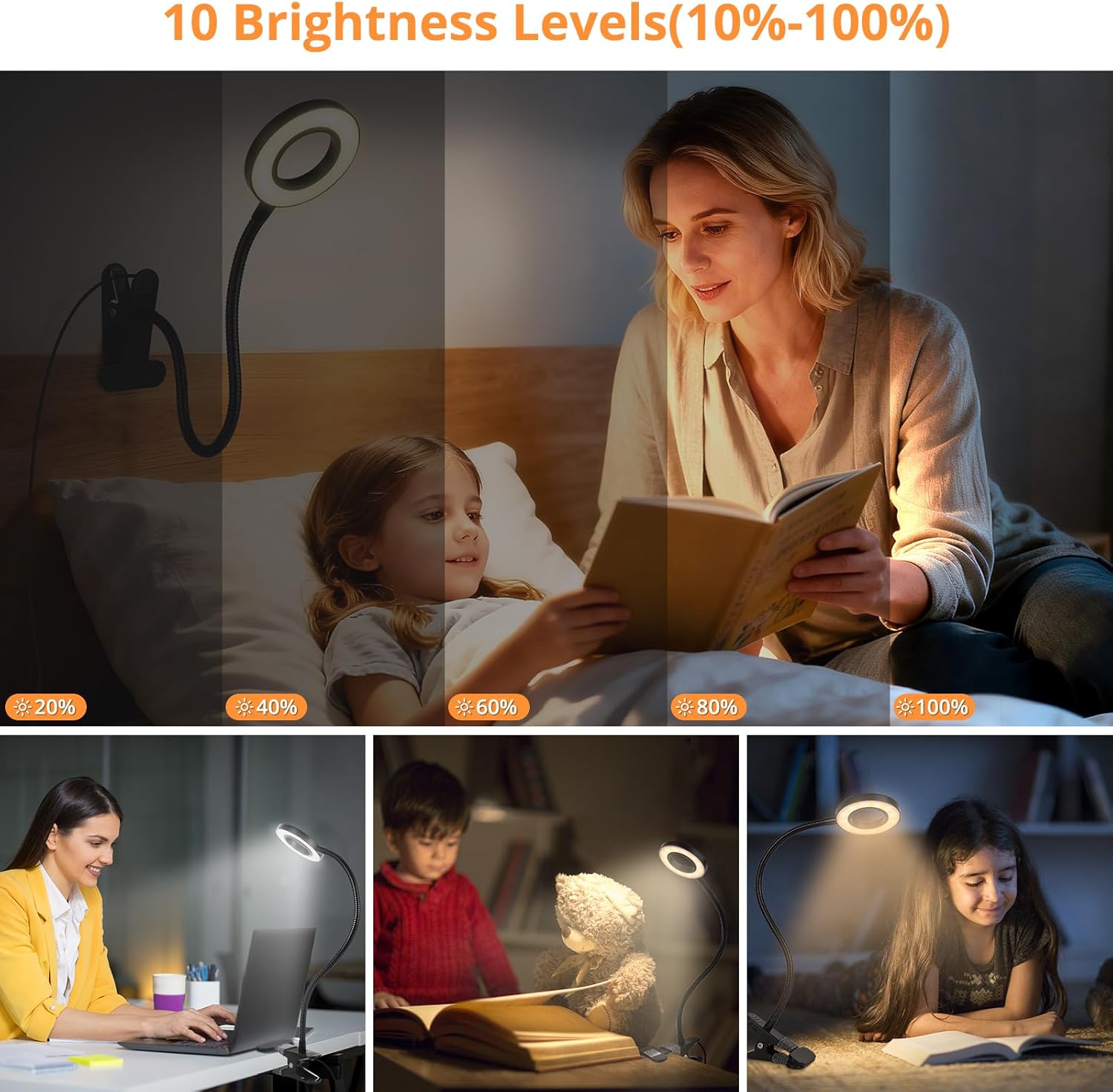
Image: Adjust the brightness from 10% to 100% for optimal lighting.

Image: Designed to be flicker-free, glare-free, and shadow-free for eye comfort.
3. ເນື້ອໃນຊຸດ
ກວດສອບວ່າລາຍການທັງຫມົດແມ່ນມີຢູ່ໃນການຍົກເລີກການຫຸ້ມຫໍ່:
- Woputne Desk Lamp Clip Light (Model HL-TJ8010A-2)
Note: A 5V/2A USB power adapter is recommended but not included in the package. The lamp is not rechargeable and requires a continuous power connection to operate.
4. ຄໍາແນະນໍາຄວາມປອດໄພ
- Use only a 5V/2A USB power adapter for optimal performance and safety. Using other power supply methods may cause the product to malfunction or perform poorly.
- ຢ່າພະຍາຍາມຖອດປະກອບຫຼືດັດແປງ lamp.
- ຮັກສາ lamp away from water or other liquids. This product is water-resistant, not waterproof.
- ຮັບປະກັນ lamp ແມ່ນຢ່າງປອດໄພ clamped to a stable surface to prevent it from falling.
- ຖອດປລັກ lamp from the power source before cleaning or if it will not be used for an extended period.
- ນີ້ lamp ຖືກອອກແບບມາສໍາລັບການນໍາໃຊ້ພາຍໃນເຮືອນເທົ່ານັ້ນ.
5. ຕັ້ງຄ່າ
- ແກະກ່ອງ: ລະມັດລະວັງເອົາ lamp ຈາກການຫຸ້ມຫໍ່ຂອງມັນ.
- ຄັດຕິດ Clamp: Identify a suitable surface (desk, headboard, shelf) with a thickness of up to 5cm (2 inches). Open the clamp and securely attach it to the desired surface. The clamp features scratch-resistant foam to protect furniture.
- ຕໍາແຫນ່ງ Lamp: Adjust the 360° flexible gooseneck to direct the light as needed.
- ເຊື່ອມຕໍ່ພະລັງງານ: Insert the USB plug into a compatible 5V/2A USB power adapter (not included), power bank, or laptop USB port. The power button on the control panel will glow with a tiny blue light, indicating it is ready for use.

Image: The flexible neck and sturdy clamp allow for versatile placement.

ຮູບພາບ: ຫຼາຍກວ່າview ຂອງ lamp dimensions and control panel functions.

ຮູບພາບ: The lamp can be powered by various USB sources.
Video: This video demonstrates the Woputne Desk Lamp Clamp Light, showcasing its features and how it can be clamped to a surface.
6. ຄໍາແນະນໍາການດໍາເນີນງານ
ທamp is controlled via an inline control panel on the USB cable.
- ເປີດ/ປິດ: ກົດ ພະລັງງານ button (marked with a power symbol) to turn the lamp ເປີດ ຫຼື ປິດ.
- ປ່ຽນໂໝດແສງ: ກົດ ໂໝດ button (marked with a sun symbol or color change icon) to cycle through the three light modes: Warm Light (3000K), Natural Light (4500K), and Cool Light (6000K).
- ປັບຄວາມສະຫວ່າງ: ໃຊ້ ຄວາມສະຫວ່າງ + ແລະ ຄວາມສະຫວ່າງ - buttons (marked with + and - symbols) to adjust the light intensity. There are 10 brightness levels (10%-100%) for each mode.
- Auto Turn-Off Timer: ກົດ ໂມງຈັບເວລາ button (if available, typically marked with a clock symbol or 'M' for minute) to activate the 1-minute auto turn-off function. The lamp will automatically switch off after 1 minute.
ທamp features a memory function that retains your last selected brightness and light mode settings when powered off, provided the USB power supply is not disconnected.
7. ບໍາລຸງຮັກສາ
- ທໍາຄວາມສະອາດ: ຕັດການເຊື່ອມຕໍ່ lamp from the power source. Wipe the lamp ຫົວ, ໂກນຄໍ, ແລະ clamp ດ້ວຍຜ້າອ່ອນແລະແຫ້ງ. ຢ່າໃຊ້ນໍ້າຢາທໍາຄວາມສະອາດທີ່ມີສີຂັດ ຫຼື ຕົວລະລາຍ.
- ການເກັບຮັກສາ: ຖ້າເກັບຮັກສາ lamp for an extended period, ensure it is clean and dry. Store it in a cool, dry place away from direct sunlight.
8. ການແກ້ໄຂບັນຫາ
| ບັນຫາ | ສາເຫດທີ່ເປັນໄປໄດ້ | ການແກ້ໄຂ |
|---|---|---|
| Lamp ບໍ່ເປີດ | No power supply; incorrect adapter; loose USB connection. | Ensure USB cable is securely plugged in. Use a 5V/2A USB power adapter. Try a different USB port or power source. |
| Lamp ປິດໂດຍບໍ່ຄາດຄິດ. | Auto turn-off timer activated; unstable power supply. | Check if the 1-minute timer was activated. Ensure a stable 5V/2A power supply. |
| Brightness or color mode cannot be changed. | ແຜງຄວບຄຸມເຮັດວຽກຜິດປົກກະຕິ. | ຮັບປະກັນ lamp is powered on. Try unplugging and re-plugging the USB cable. If the issue persists, contact customer support. |
| Lamp flickers or light is unstable. | Insufficient power supply; faulty USB cable/adapter. | Ensure you are using a 5V/2A power adapter. Try a different USB cable or power source. |
9. ຂໍ້ມູນຈໍາເພາະ
- ໝາຍເລກຕົວແບບ: HL-TJ8010A-2
- ຍີ່ຫໍ້: Woputne
- ປະເພດແຫຼ່ງແສງ: LED
- ວັດtage: 5 ວັດ
- ສະບັບtage: 5 ໂວນ
- ແຫຼ່ງພະລັງງານ: ໄຟຟ້າແບບສຽບ (USB)
- ອະແດບເຕີທີ່ແນະນຳ: 5V/2A (ບໍ່ລວມ)
- ປະເພດວັດສະດຸ: Acrylonitrile Butadiene Styrene, ອະລູມິນຽມ
- ປະເພດສໍາເລັດຮູບ: ທາສີ
- ສີ: ດຳ
- ຂະໜາດຜະລິດຕະພັນ: 8"D x 13"W x 17"H (ປະມານ 20.3cm D x 33cm W x 43.2cm H)
- ນ້ໍາຫນັກລາຍການ: 0.29 ກິໂລກຣາມ
- Flexible Neck Length: ປະມານ 38 ຊມ
- ຄວາມຍາວສາຍ USB: ປະມານ 150 ຊມ
- Clamp ເປີດ: ສູງເຖິງ 5 ຊມ (2 ນິ້ວ)
- ປະເພດສະຫຼັບ: Push Button (inline control)
- ການນໍາໃຊ້ພາຍໃນ / ນອກ: ພາຍໃນ
- ລະດັບຄວາມຕ້ານທານນ້ໍາ: ກັນນ້ຳ
10. ຂໍ້ມູນການຮັບປະກັນ
This Woputne Desk Lamp Clip Light comes with a ການຮັບປະກັນຂອງຜູ້ຜະລິດ 1 ປີ. Please retain your proof of purchase for warranty claims. The warranty covers defects in materials and workmanship under normal use. It does not cover damage caused by misuse, accidents, unauthorized modifications, or failure to follow the instructions in this manual.
11. ການຊ່ວຍເຫຼືອລູກຄ້າ
For any questions, concerns, or technical assistance regarding your Woputne Desk Lamp Clip Light, please contact Woputne customer support through the retailer where the product was purchased or visit the official Woputne brand store online.
Woputne Brand Store: Visit Woputne Store