
1. ບົດແນະນຳ
Thank you for choosing the iAXBi 10000mAh Wireless Magnetic Power Bank. This device is designed to provide convenient and efficient charging for your compatible electronic devices, offering both wireless magnetic charging and wired fast charging capabilities. Please read this manual thoroughly before use to ensure proper operation and to maximize the lifespan of your product.
2. ຂໍ້ມູນຄວາມປອດໄພ
- ຫ້າມນຳພາເວີແບນໄປໃສ່ກັບອຸນຫະພູມທີ່ຮ້າຍແຮງ, ຖືກແດດໂດຍກົງ, ຫຼືໄຟ.
- ຫຼີກເວັ້ນການຫຼຸດລົງ, ຕີ, ຫຼື disassemble ອຸປະກອນ.
- ຮັກສາໃຫ້ຫ່າງຈາກນໍ້າ, ຄວາມຊຸ່ມ ແລະ ວັດສະດຸທີ່ກັດກ່ອນ.
- ຢ່າໃຊ້ຖ້າອຸປະກອນເສຍຫາຍ ຫຼື ໃຄ່ບວມ.
- ຮັກສາໃຫ້ໄກຈາກເດັກນ້ອຍ.
- ຮັບປະກັນການລະບາຍອາກາດທີ່ເໝາະສົມໃນລະຫວ່າງການສາກໄຟ ແລະ ການຄາຍປະຈຸ.
- ໃຊ້ພຽງແຕ່ສາຍສາກ ແລະອະແດັບເຕີທີ່ໄດ້ຮັບການຢັ້ງຢືນເທົ່ານັ້ນ.
3. ເນື້ອໃນຊຸດ
- 1 x iAXBi 10000mAh Wireless Magnetic Power Bank (Blue)
- 1 x USB-C to USB-C + PD Charging Cable
- 1 x ຄູ່ມືຜູ້ໃຊ້
4. ຜະລິດຕະພັນເກີນview
The iAXBi 10000mAh Wireless Magnetic Power Bank is a compact and powerful charging solution. It features a slim design, magnetic attachment for compatible devices, and multiple charging options.

Figure 1: iAXBi 10000mAh Wireless Magnetic Power Bank attached to a smartphone.
4.1 ຂະໜາດ ແລະ ນ້ຳໜັກ
- ຂະຫນາດຜະລິດຕະພັນ: 4.25 x 2.6 x 0.47 ນິ້ວ
- ນ້ໍາຫນັກສິນຄ້າ: 7.8 ອອນສ໌
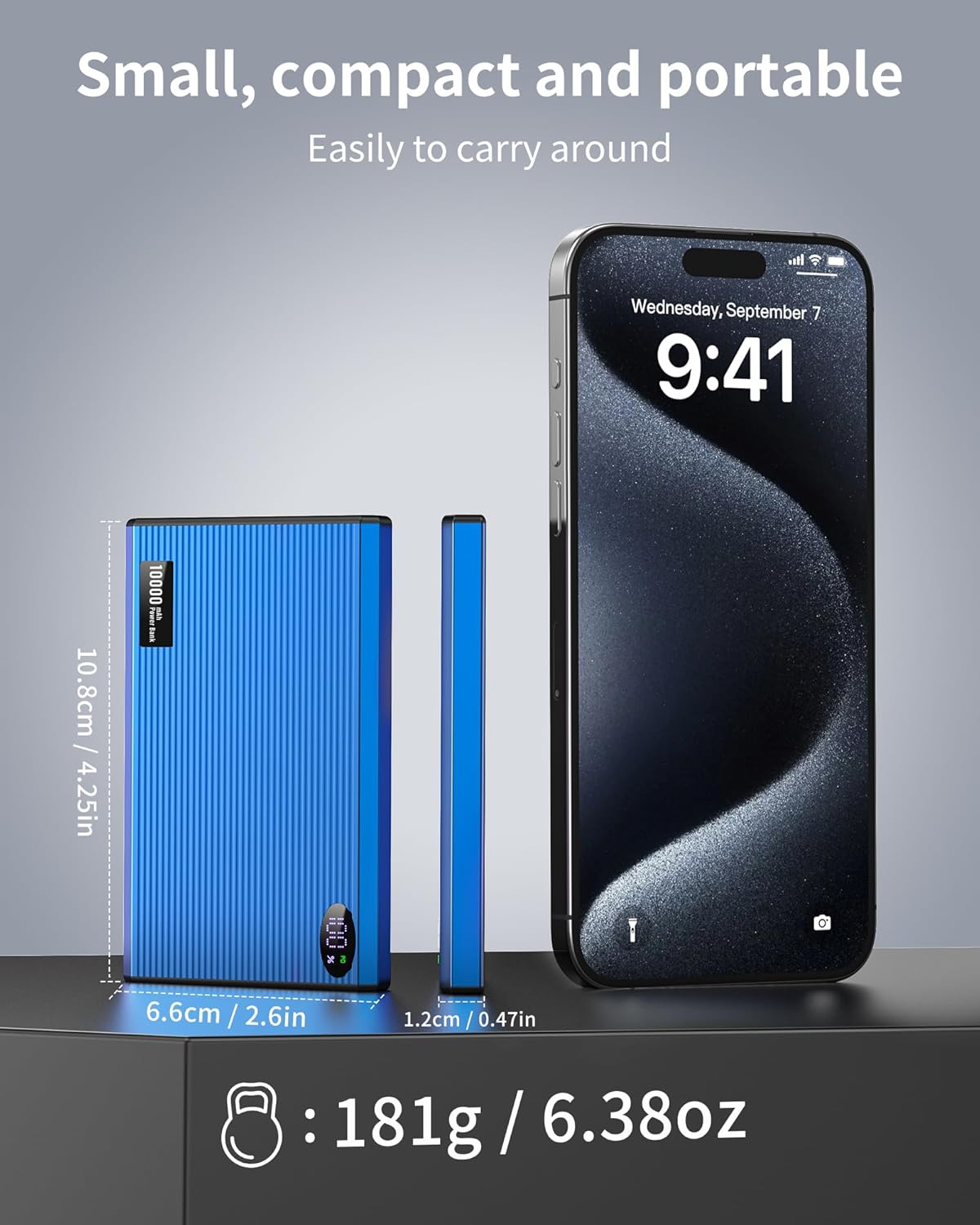
ຮູບທີ 2: ຂະໜາດທາງກາຍະພາບ ແລະ ນ້ຳໜັກຂອງແບັດເຕີຣີສຳຮອງ.
4.2 ພອດແລະຕົວຊີ້ວັດ
The power bank features a USB Type-C port for both input (charging the power bank) and output (charging devices). It also includes LED indicators to display the remaining battery level.
ວິດີໂອ 1: ຫຼາຍກວ່າview of the iAXBi 10000mAh Portable Charger Power Bank, demonstrating its features and slim design.
5. ຕັ້ງຄ່າ
5.1 ການສາກໄຟເບື້ອງຕົ້ນຂອງ Power Bank
Before first use, fully charge your iAXBi Power Bank. Connect the provided USB-C to USB-C cable to the power bank's USB-C port and the other end to a compatible USB power adapter (not included). The LED indicators will illuminate to show the charging progress. Once all indicators are solid, the power bank is fully charged.
6. ຄໍາແນະນໍາການດໍາເນີນງານ
6.1 Charging Devices Wirelessly (MagSafe)
- Ensure your device is MagSafe compatible (e.g., iPhone 12 series and newer) or has a MagSafe compatible case.
- Align the power bank with the back of your device. The magnets will snap into place, securing the connection.
- The power bank will automatically begin wireless charging.
Note: For optimal magnetic charging, it is recommended to use a MagSafe compatible phone case or charge directly without a thick non-magnetic case.
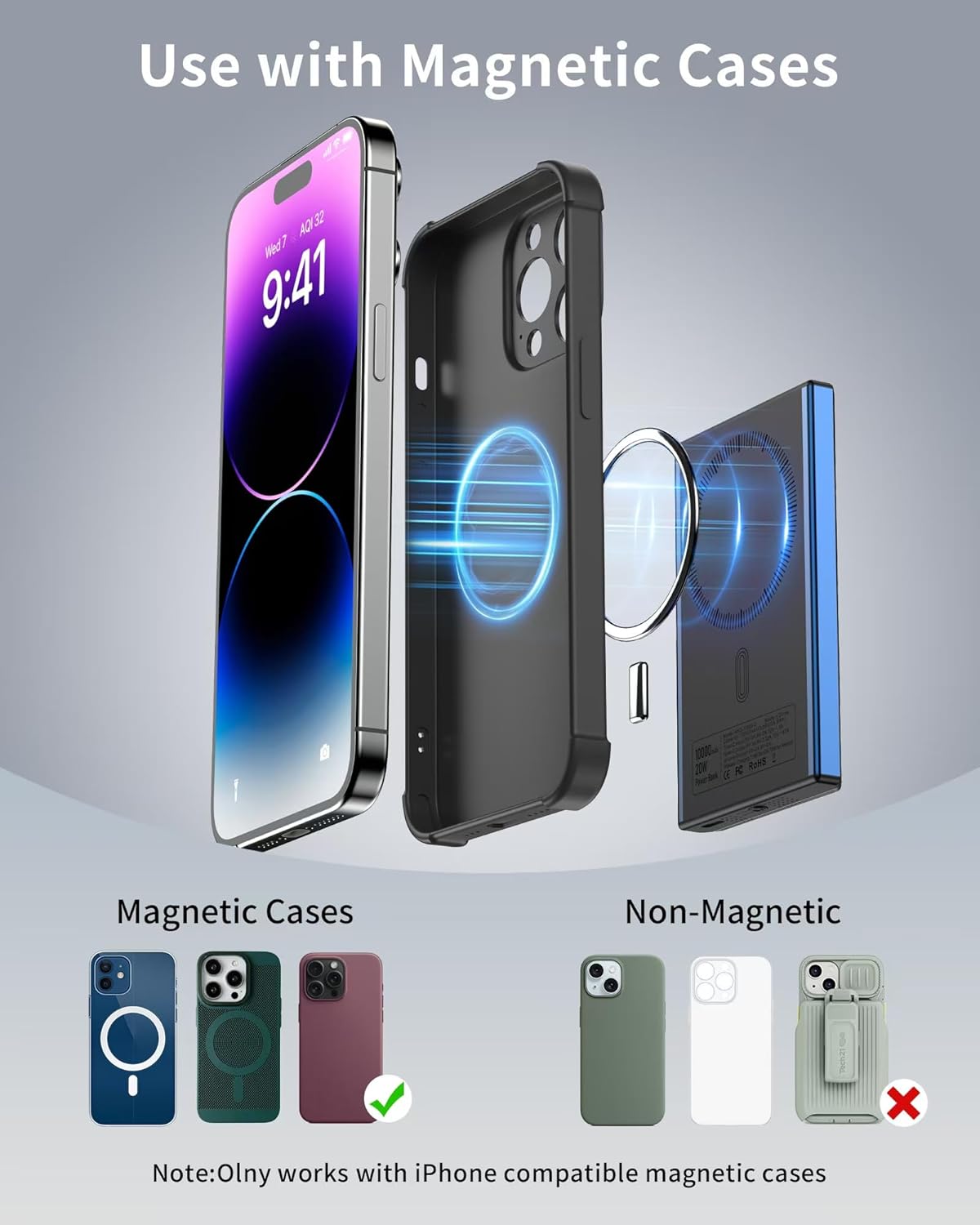
Figure 3: Magnetic attachment for wireless charging.
6.2 Charging Devices via Cable (Wired)
- Connect one end of the provided USB-C to USB-C cable to the power bank's USB-C port.
- ເຊື່ອມຕໍ່ສົ້ນອື່ນຂອງສາຍກັບຊ່ອງສາກໄຟຂອງອຸປະກອນຂອງທ່ານ.
- The power bank will automatically begin wired fast charging (up to 20W PD).
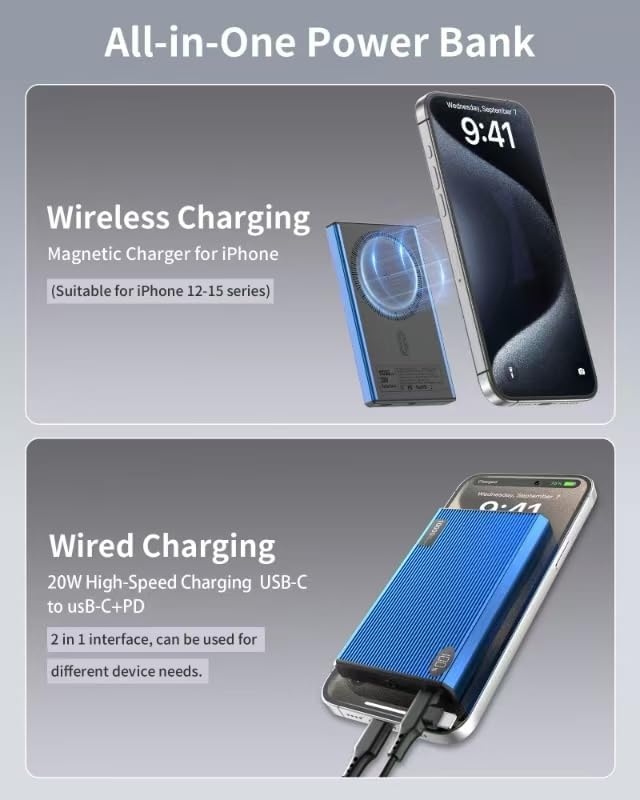
Figure 4: Both wireless and wired charging options.
6.3 ການກວດສອບລະດັບຫມໍ້ໄຟ
Press the power button on the side of the power bank. The LED indicators will light up to show the remaining battery capacity. Each light typically represents 25% of the battery charge.
7. ບໍາລຸງຮັກສາ
- ເຮັດຄວາມສະອາດ power bank ດ້ວຍຜ້າອ່ອນ, ແຫ້ງ. ຢ່າໃຊ້ສານເຄມີທີ່ຮຸນແຮງຫຼືວັດສະດຸຂັດ.
- ເກັບຮັກສາ Power bank ໄວ້ໃນບ່ອນທີ່ເຢັນ, ແຫ້ງ, ຫ່າງຈາກແສງແດດໂດຍກົງ.
- ຖ້າບໍ່ໄດ້ໃຊ້ເປັນເວລາດົນ, ໃຫ້ສາກໄຟແບດເຕີຣີຢ່າງໜ້ອຍໜຶ່ງຄັ້ງໃນທຸກໆສາມເດືອນເພື່ອຮັກສາສຸຂະພາບຂອງແບັດເຕີຣີ.
8. ການແກ້ໄຂບັນຫາ
- ອຸປະກອນບໍ່ໄດ້ສາກໄຟ: Ensure the power bank is charged. Check cable connections for wired charging. For wireless charging, ensure proper alignment and MagSafe compatibility.
- ການສາກໄຟຊ້າ: ກວດສອບວ່າອຸປະກອນ ແລະ ສາຍໄຟຂອງທ່ານສາມາດສາກໄຟໄດ້ໄວ. ໃຫ້ແນ່ໃຈວ່າແບັດເຕີຣີມີໄຟພຽງພໍ.
- ຄວາມຮ້ອນເກີນ: It is normal for the power bank to warm up during use. If it becomes excessively hot, disconnect it immediately and allow it to cool down. Avoid charging in direct sunlight or confined spaces.
9. ຂໍ້ມູນຈໍາເພາະ
| ຄຸນສົມບັດ | ລາຍລະອຽດ |
|---|---|
| ຄວາມອາດສາມາດຫມໍ້ໄຟ | 10000 ລ້ານamp ຊົ່ວໂມງ |
| ຂະໜາດສິນຄ້າ | 4.25 x 2.6 x 0.47 ນິ້ວ |
| ນ້ໍາຫນັກລາຍການ | 7.8 ອອນ |
| ປະເພດຕົວເຊື່ອມຕໍ່ | USB ປະເພດ C |
| ຜົນຜະລິດສາກໄຟໄຮ້ສາຍ | 15W Max (MagSafe compatible) |
| ການສາກໄຟດ້ວຍສາຍ | 20W Max (USB-C PD) |
| ຄຸນນະສົມບັດພິເສດ | Fast Charging, Lightweight, Pocket Size, Slim |
| ປະເພດຫມໍ້ໄຟ | ລີໂທມໂພລີເມີ |
10. ການຮັບປະກັນແລະການສະຫນັບສະຫນູນ
This product comes with a 12-month product warranty period. For any inquiries or issues, please contact our 24/7 after-sales customer service. We are committed to providing prompt assistance.