
ແນະນຳ
The Holmes 4-inch On-The-Go Personal Fan with Clip is designed to provide portable and customizable airflow. This compact fan features a rechargeable battery, multiple speed settings, and a versatile clip-on design, making it suitable for various personal spaces. This manual provides instructions for safe and efficient use of your fan.
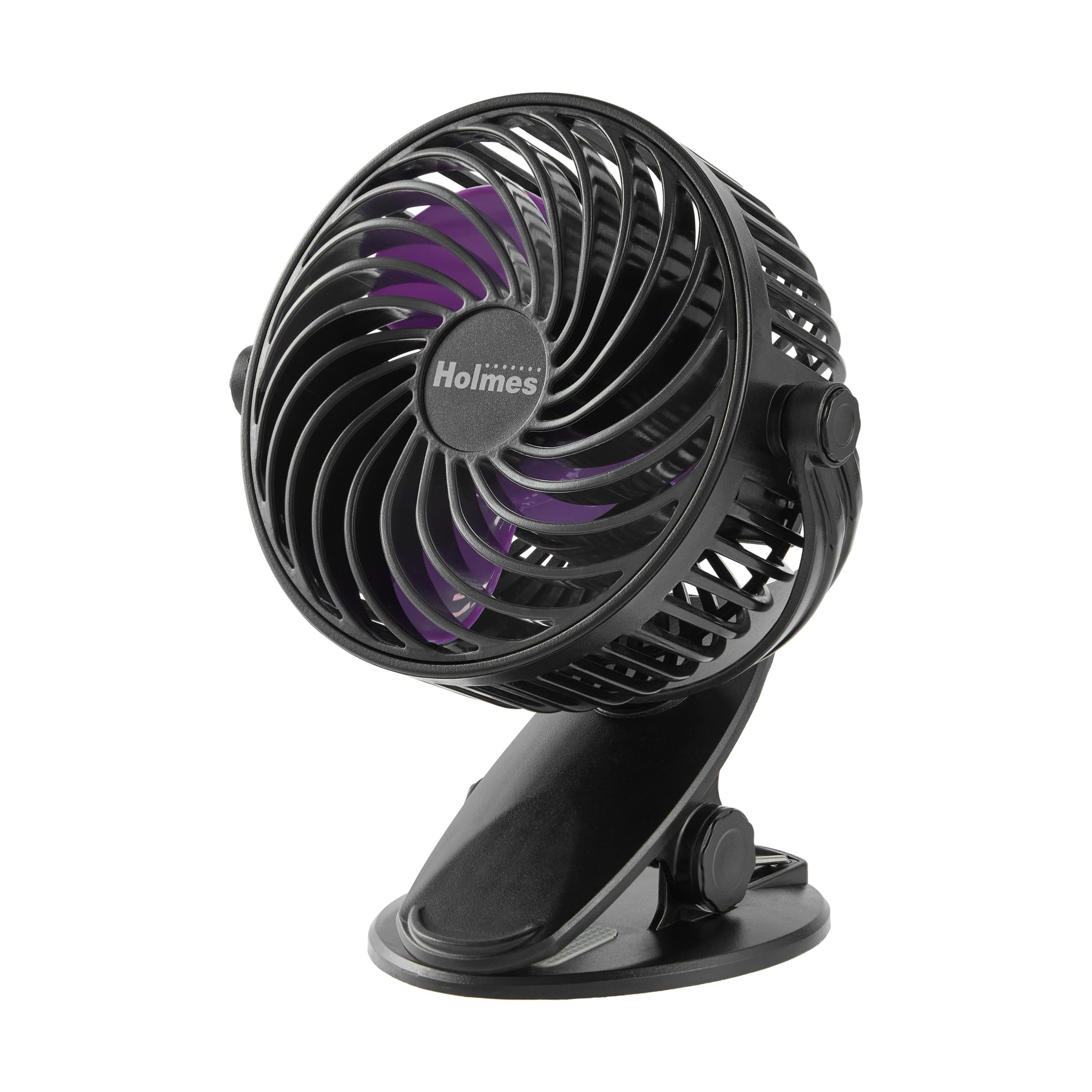
Figure 1: Holmes 4-inch On-The-Go Personal Fan with Clip.
ຄຸນສົມບັດຜະລິດຕະພັນ
- 3 ການຕັ້ງຄ່າຄວາມໄວ: Choose from low, medium, or high for customized airflow.
- ແບັດເຕີຣີທີ່ສາມາດສາກໄດ້: Provides up to 5 hours of operation on the lowest speed setting.
- ການຈັດວາງທີ່ຫຼາກຫຼາຍ: Can rest on a tabletop or securely clip onto surfaces like desks, bedframes, or shelves.
- ຫົວປັບໄດ້ 360°: Direct airflow vertically and horizontally for optimal cooling.
- ກະທັດຮັດ ແລະ ນ້ຳໜັກເບົາ: Easy to carry and store for on-the-go use.
- ການສາກ USB-C: Includes a USB-C charging cable for convenient recharging.
- ການອອກແບບສະໄຕລ໌: Features a black finish with purple blades.
ຕັ້ງຄ່າ
The Holmes 4-inch On-The-Go Personal Fan requires no assembly and is ready for immediate use. Ensure the fan is fully charged before its first use for optimal battery performance.
ຄໍາແນະນໍາການດໍາເນີນງານ
ການຄວບຄຸມພະລັງງານແລະຄວາມໄວ
- ເປີດ/ປິດ: Locate the power button on the back of the fan. Press once to turn the fan on. Press and hold to turn it off.
- ປັບຄວາມໄວ: After turning the fan on, press the speed button (often integrated with the power button or a separate button nearby) repeatedly to cycle through the 3 speed settings: Low, Medium, and High.
ການປັບທິດທາງການໄຫຼຂອງອາກາດ
The fan head can be manually adjusted 360 degrees. Gently pivot the fan head to direct the airflow to your desired position, both horizontally and vertically.
Video 1: Official product video demonstrating the Holmes 4-inch On-The-Go Personal Fan with Clip, highlighting its features and 360-degree rotation.
ກຳລັງສາກໄຟ
The fan is equipped with a rechargeable battery. Use the included USB-C charging cable to connect the fan to a compatible USB power source (e.g., a computer, wall adapter, or power bank). The charging port is located on the back of the fan. A full charge provides approximately 5 hours of runtime on the lowest speed setting. The fan can operate while charging.
ບໍາລຸງຮັກສາ
To ensure optimal performance and longevity of your fan, follow these simple maintenance guidelines:
- ທໍາຄວາມສະອາດ: Disconnect the fan from its power source before cleaning. Use a soft, damp cloth to wipe down the exterior surfaces. Do not immerse the fan in water or any other liquid.
- ການເຮັດຄວາມສະອາດແຜ່ນ: For deeper cleaning, carefully use a soft brush or compressed air to remove dust and debris from the fan blades and grille.
- ການເກັບຮັກສາ: When not in use, store the fan in a cool, dry place, away from direct sunlight and extreme temperatures.
ການແກ້ໄຂບັນຫາ
If you encounter any issues with your fan, please refer to the following common troubleshooting steps:
| ບັນຫາ | ສາເຫດທີ່ເປັນໄປໄດ້ | ການແກ້ໄຂ |
|---|---|---|
| ພັດລົມບໍ່ເປີດ | ແບັດເຕີຣີplົດ | ສາກພັດລົມໂດຍໃຊ້ສາຍ USB-C. |
| ກະແສລົມອ່ອນແອ | Low speed setting or obstructed blades | Increase the speed setting. Clean any dust or debris from the fan blades and grille. |
| ພັດລົມເຮັດໃຫ້ສຽງຜິດປົກກະຕິ | ການຂັດຂວາງຫຼືສ່ວນທີ່ວ່າງ | Turn off and unplug the fan. Check for any obstructions in the blades or loose components. |
ຂໍ້ມູນຈໍາເພາະ
| ຄຸນສົມບັດ | ລາຍລະອຽດ |
|---|---|
| ຍີ່ຫໍ້ | HOLMES |
| ໝາຍເລກຕົວແບບ | 32510031 |
| ສີ | ດຳ/ສີມ່ວງ |
| ແຫຼ່ງພະລັງງານ | ພະລັງງານຫມໍ້ໄຟ |
| ຈໍານວນຄວາມໄວ | 3 |
| ວິທີການຄວບຄຸມ | ການຄວບຄຸມປຸ່ມ |
| ຂະໜາດສິນຄ້າ (ກວ້າງ x ຍາວ x ສູງ) | 5.15" x 3.93" x 6.37" |
| ນ້ໍາຫນັກລາຍການ | 0.7 ປອນ |
| ວັດສະດຸ | ພາດສະຕິກ |
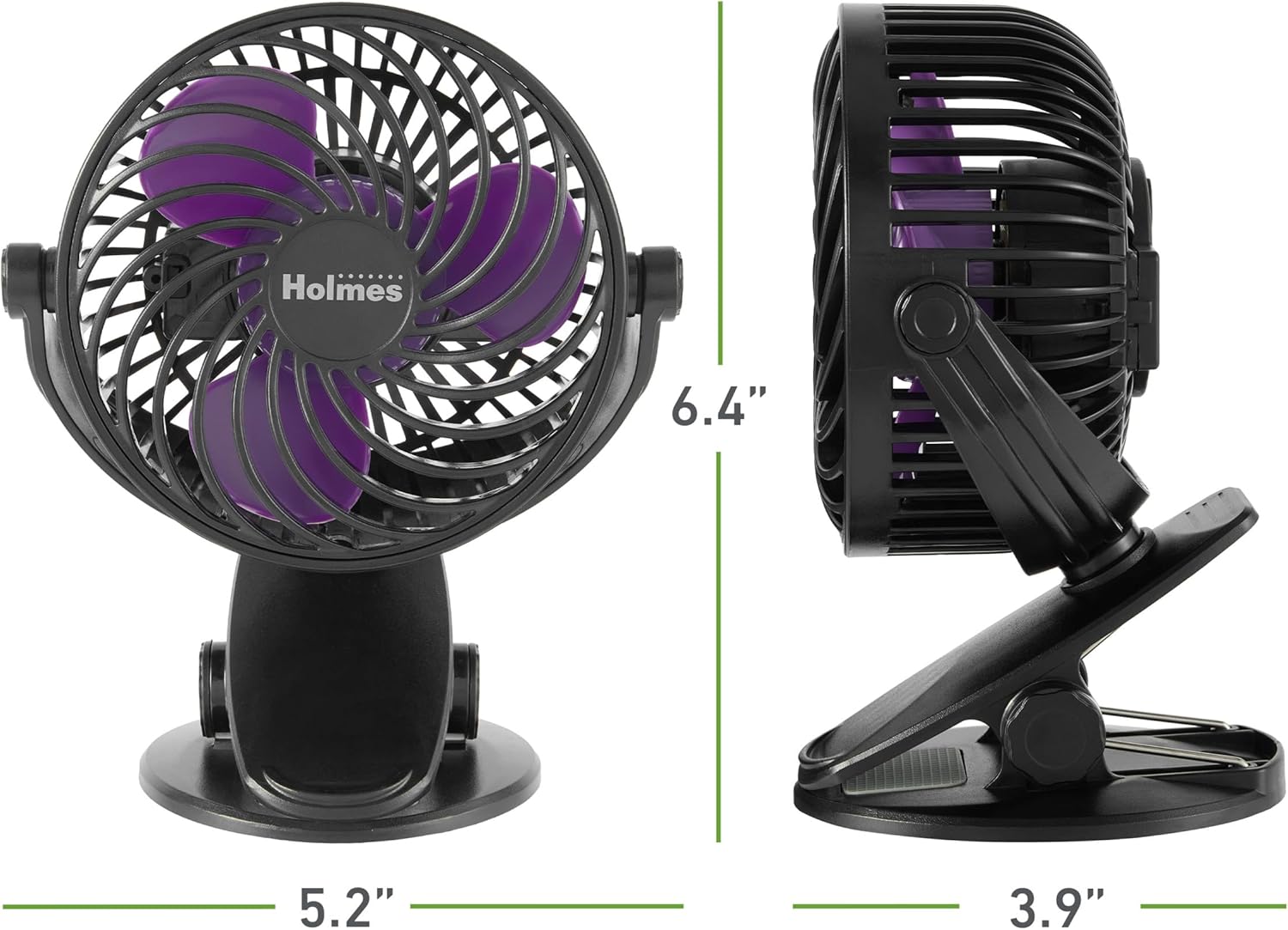
Figure 2: Product dimensions of the Holmes 4-inch On-The-Go Personal Fan.
ການຮັບປະກັນແລະການສະຫນັບສະຫນູນ
This Holmes Personal Fan is backed by a ຮັບປະກັນ 1 ປີຈໍາກັດ. For warranty claims or technical support, please refer to the contact information provided with your product packaging or visit the official Holmes webເວັບໄຊ.