
ແນະນຳ
Thank you for choosing the CREATE Speaker Retro. This portable Bluetooth speaker combines a classic retro design with modern audio technology, offering versatile connectivity and powerful sound. This manual will guide you through the setup, operation, and maintenance of your new speaker to ensure optimal performance and longevity.

Image: The CREATE Speaker Retro, highlighting its elegant retro aesthetic and compact form factor.
ຄໍາແນະນໍາຄວາມປອດໄພທີ່ສໍາຄັນ
- ອ່ານຄໍາແນະນໍາທັງຫມົດຢ່າງລະອຽດກ່ອນທີ່ຈະນໍາໃຊ້ຜະລິດຕະພັນ.
- ຮັກສາຄູ່ມືນີ້ໄວ້ສໍາລັບການອ້າງອີງໃນອະນາຄົດ.
- Do not expose the speaker to water or excessive moisture. This product is ບໍ່ກັນນ້ໍາ.
- ຫ້າມວາງຢູ່ໃກ້ກັບແຫຼ່ງຄວາມຮ້ອນເຊັ່ນ: ລັງສີ, ເຄື່ອງບັນທຶກຄວາມຮ້ອນ, ເຕົາ ຫຼືອຸປະກອນອື່ນໆ (ລວມທັງ. amplifiers) ທີ່ຜະລິດຄວາມຮ້ອນ.
- ໃຊ້ພຽງແຕ່ໄຟລ໌ແນບ/ອຸປະກອນເສີມທີ່ລະບຸໂດຍຜູ້ຜະລິດ.
- ຖອດອຸປະກອນນີ້ອອກໃນເວລາມີພາຍຸຟ້າຜ່າ ຫຼືເມື່ອບໍ່ໄດ້ໃຊ້ເປັນເວລາດົນນານ.
- ອ້າງອີງການບໍລິການທັງໝົດໃຫ້ກັບພະນັກງານບໍລິການທີ່ມີຄຸນວຸດທິ.
ເນື້ອໃນຊຸດ
The CREATE Speaker Retro package includes:
- CREATE Speaker Retro Portable Bluetooth Speaker (1 unit)
- ສາຍສາກ USB-C
- ຄູ່ມືຜູ້ໃຊ້ (ເອກະສານນີ້)
Controls and Ports Overview
Familiarize yourself with the speaker's controls and connection ports:

ຮູບພາບ: ລາຍລະອຽດ view of the speaker's top control panel.
- ປຸ່ມລະດັບສຽງ: ປັບລະດັບສຽງໂດຍລວມ.
- ບິດເບດ: ປັບລະດັບສຽງເບດ.
- ປຸ່ມ Treble: ປັບລະດັບສຽງສາມຫຼ່ຽມ.
- ສະຫຼັບຕົວເລືອກການປ້ອນຂໍ້ມູນ: Toggles between AUX, Bluetooth (BT), and USB input modes.
- ສັບປ່ຽນພະລັງງານ: ເປີດ/ປິດລຳໂພງ.
- AUX Input (3.5mm): For connecting external audio devices via an audio cable.
- ພອດ USB: ສໍາລັບການຫຼິ້ນ USB drive.
- DC-IN 5V Port: ສໍາລັບການສາກໄຟລໍາໂພງ.
- ແສງຕົວຊີ້ວັດ: ສະແດງສະຖານະການພະລັງງານ, ສະຖານະການສາກໄຟ, ແລະສະຖານະການຈັບຄູ່ Bluetooth.
ຕັ້ງຄ່າ
1. ການສາກໄຟ ລຳ ໂພງ
Before first use, fully charge the speaker. Connect the provided USB-C charging cable to the DC-IN 5V port on the speaker and the other end to a compatible USB power adapter (not included) or a computer's USB port. The indicator light will show the charging status. A full charge takes approximately 4-5 hours.
- ການສາກໄຟ: Indicator light glows (color may vary).
- ສາກເຕັມ: Indicator light turns off or changes color.
2. ເປີດ / ປິດພະລັງງານ
To power on the speaker, flip the ສະວິດໄຟ to the "ON" position. To power off, flip the switch to the "OFF" position.
ຄໍາແນະນໍາການດໍາເນີນງານ
1. ແບບ Bluetooth
The speaker features Bluetooth 5.2 for wireless audio streaming with a range of up to 10 meters.
- ພະລັງງານໃສ່ ລຳ ໂພງ.
- ກໍານົດ ສະຫຼັບຕົວເລືອກການປ້ອນຂໍ້ມູນ to "BT/AUX" and then ensure it's in Bluetooth mode (indicator light will blink, indicating pairing mode).
- ໃນສະມາດໂຟນ, ແທັບເລັດ, ຫຼືອຸປະກອນທີ່ເປີດໃຊ້ Bluetooth ຂອງທ່ານ, ເປີດໃຊ້ Bluetooth ແລະຊອກຫາອຸປະກອນທີ່ມີຢູ່.
- Select "CREATE Speaker Retro" from the list.
- Once paired, the indicator light will stop blinking and remain solid. You can now play music wirelessly.
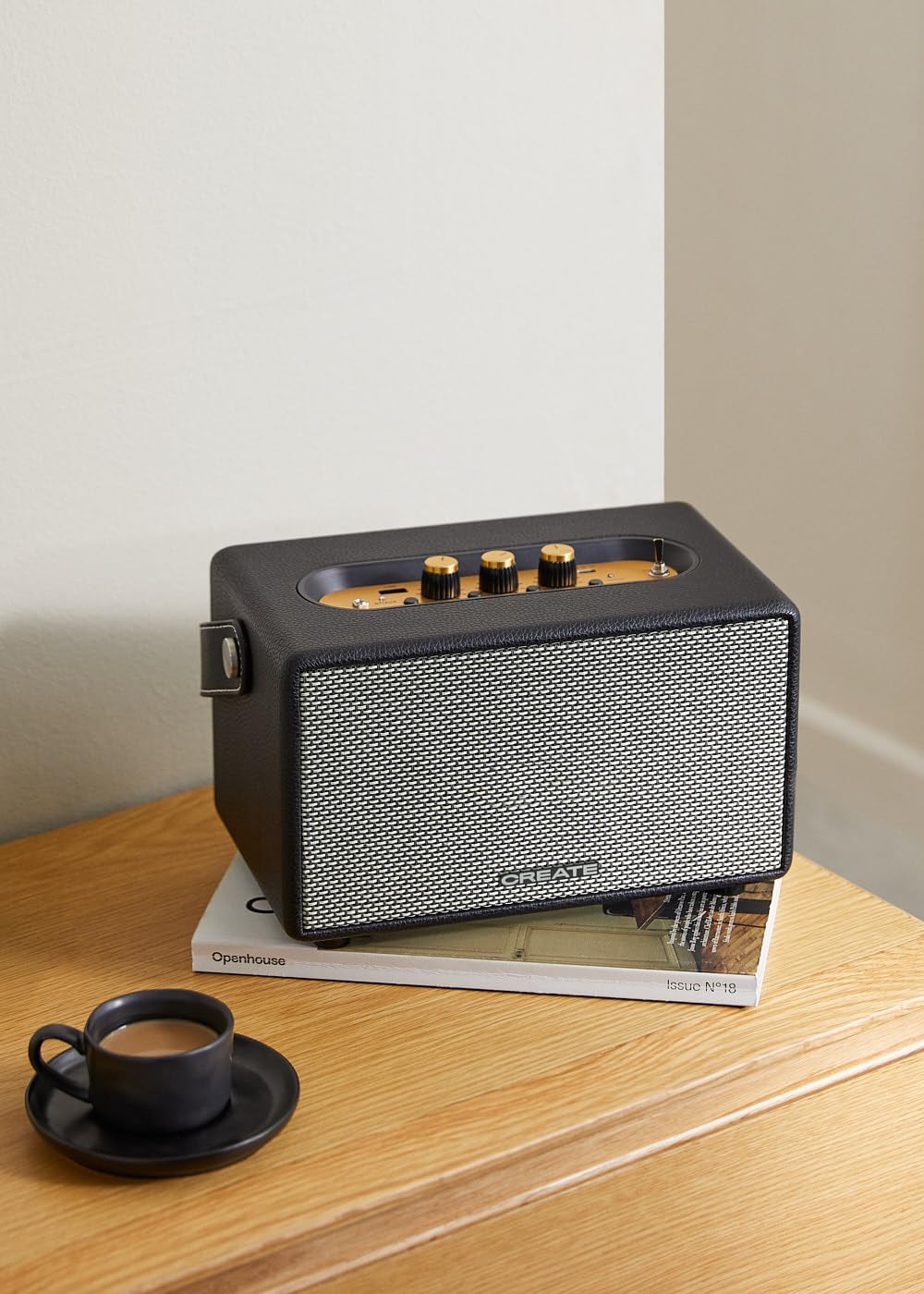
Image: Connecting to the speaker via Bluetooth from a mobile device.
2. USB Playback Mode
ຫຼິ້ນສຽງ files ໂດຍກົງຈາກ USB flash drive.
- ພະລັງງານໃສ່ ລຳ ໂພງ.
- ໃສ່ USB flash drive ທີ່ບັນຈຸສຽງ files ເຂົ້າໄປໃນ ພອດ USB.
- ກໍານົດ ສະຫຼັບຕົວເລືອກການປ້ອນຂໍ້ມູນ to "USB". The speaker will automatically begin playing music from the USB drive.

Image: Inserting a USB drive for direct audio playback.
3. ໂຫມດການປ້ອນຂໍ້ມູນ AUX
ເຊື່ອມຕໍ່ອຸປະກອນສຽງພາຍນອກໂດຍໃຊ້ສາຍສຽງ 3.5 ມມ.
- ພະລັງງານໃສ່ ລຳ ໂພງ.
- ເຊື່ອມຕໍ່ປາຍດ້ານໜຶ່ງຂອງສາຍສຽງ 3.5 ມມ (ບໍ່ລວມ) ເຂົ້າກັບ ການປ້ອນຂໍ້ມູນ AUX ພອດຢູ່ເທິງລຳໂພງ.
- Connect the other end of the cable to the headphone jack or audio output of your external device (e.g., MP3 player, laptop).
- ກໍານົດ ສະຫຼັບຕົວເລືອກການປ້ອນຂໍ້ມູນ to "AUX". The speaker will now play audio from your connected device.
4. ປັບສຽງ
ໃຊ້ລູກບິດສະເພາະໃນແຜງຄວບຄຸມເພື່ອປັບປະສົບການສຽງຂອງເຈົ້າໃຫ້ລະອຽດ:
- ໝຸນ ປະລິມານດັງ to increase or decrease the overall sound level.
- ໝຸນ ປຸ່ມ Bass to adjust the low-frequency sounds.
- ໝຸນ Knble Treble to adjust the high-frequency sounds.
ບໍາລຸງຮັກສາ
ທໍາຄວາມສະອາດ
To clean the speaker, use a soft, dry cloth. Do not use abrasive cleaners, waxes, or solvents as they may damage the finish. Avoid spraying liquids directly onto the speaker.
ການເກັບຮັກສາ
When not in use for extended periods, store the speaker in a cool, dry place away from direct sunlight and extreme temperatures. Ensure the speaker is fully charged before storing to preserve battery health.
ການດູແລຫມໍ້ໄຟ
The speaker is equipped with a built-in rechargeable battery. To maximize battery life:
- ຫຼີກລ້ຽງການປະຈຸຫມໍ້ໄຟຢ່າງເຕັມທີ່ເລື້ອຍໆ.
- Recharge the battery regularly, even if the speaker is not used often.
- Do not expose the speaker to temperatures above 45°C (113°F) or below 0°C (32°F).
ການແກ້ໄຂບັນຫາ
If you encounter any issues with your CREATE Speaker Retro, please refer to the following common problems and solutions:
| ບັນຫາ | ສາເຫດທີ່ເປັນໄປໄດ້ | ການແກ້ໄຂ |
|---|---|---|
| ລຳໂພງບໍ່ເປີດ. | ແບັດເຕີຣີໝົດ. | Charge the speaker for 4-5 hours using the USB-C cable. |
| ບໍ່ມີສຽງຈາກ ລຳ ໂພງ. | ລະດັບສຽງຕໍ່າເກີນໄປ; ຮູບແບບການປ້ອນຂໍ້ມູນບໍ່ຖືກຕ້ອງ; ອຸປະກອນບໍ່ໄດ້ເຊື່ອມຕໍ່ຢ່າງຖືກຕ້ອງ. | Increase volume. Ensure the correct input mode (BT, USB, AUX) is selected. Reconnect Bluetooth device or AUX cable. |
| ການຈັບຄູ່ Bluetooth ລົ້ມເຫລວ. | ລຳໂພງບໍ່ໄດ້ຢູ່ໃນໂໝດຈັບຄູ່; ອຸປະກອນຢູ່ນອກຂອບເຂດ; ການລົບກວນ. | Ensure speaker is in Bluetooth pairing mode (blinking indicator). Move device closer to speaker (within 10m). Turn off other Bluetooth devices. |
| ການຫຼິ້ນ USB ບໍ່ເຮັດວຽກ. | Incorrect input mode; USB drive not formatted correctly or no compatible files. | Ensure "USB" input mode is selected. Check USB drive for compatible audio files (e.g., MP3). Try a different USB drive. |
| Play/Pause button not responding. | Potential hardware issue or software glitch. | Restart the speaker. If the issue persists, contact customer support. (ໝາຍເຫດ: ຜູ້ໃຊ້ຕອບview mentioned this issue.) |
ຂໍ້ມູນຈໍາເພາະ
| ຊື່ຕົວແບບ | SPEAKER RETRO |
| ໝາຍເລກຕົວແບບ | 181643_452174 |
| ຂະ ໜາດ (D x W x H) | 17 x 26 x 15 cm |
| ນ້ຳໜັກ | 2.5 ກິໂລ |
| Max. Speaker Output Power | 40 ວ |
| ຮູບແບບການອອກສຽງ | ສະເຕຣິໂອ (2.0 ຊ່ອງ) |
| ເຕັກໂນໂລຊີການເຊື່ອມຕໍ່ | Bluetooth 5.2, USB, AUX (3.5mm) |
| ຊ່ວງ Bluetooth | ເຖິງ 10 ແມັດ |
| ຄວາມອາດສາມາດຫມໍ້ໄຟ | 3000 mAh |
| ຊີວິດຫມໍ້ໄຟ | ສູງສຸດ 5 ຊົ່ວໂມງ (ຂຶ້ນກັບການນໍາໃຊ້) |
| ເວລາສາກໄຟ | ປະມານ. 4-5 ຊົ່ວໂມງ |
| ວິທີການຄວບຄຸມ | Touch (knobs and switches) |
| ສີ | ດຳ |
| ກັນນ້ຳ | ບໍ່ |
ການຮັບປະກັນແລະການສະຫນັບສະຫນູນ
ຂໍ້ມູນການຮັບປະກັນ
The CREATE Speaker Retro comes with a standard manufacturer's warranty. Please retain your proof of purchase for warranty claims. The warranty covers defects in materials and workmanship under normal use. It does not cover damage caused by misuse, accidents, unauthorized modifications, or exposure to water.
For specific warranty terms and conditions, please refer to the warranty card included with your product or contact CREATE customer service.
ການຊ່ວຍເຫຼືອລູກຄ້າ
If you have any questions, require technical assistance, or need to report an issue that cannot be resolved using the troubleshooting guide, please contact CREATE customer support.
You can find more information and contact details on the official CREATE webເວັບໄຊ ຫຼືຜ່ານຮ້ານຄ້າຍີ່ຫໍ້ Amazon ຂອງເຂົາເຈົ້າ: